If you haven't yet, follow us on X (Twitter), Mastodon, or Bluesky to know when we post new articles, and join our Reddit or Subscribe to us on YouTube to check out our content and interact with our awesome community. Thank you for supporting us!
Gears of War: E-Day is now out, and it’s a pretty great experience. In my review, I go over how much I enjoyed the campaign and the gameplay, even with its little nuisances here and there. However, it is not an experience that I recommend trying to play on the Steam Deck. It needs too much power that the Deck can’t provide.
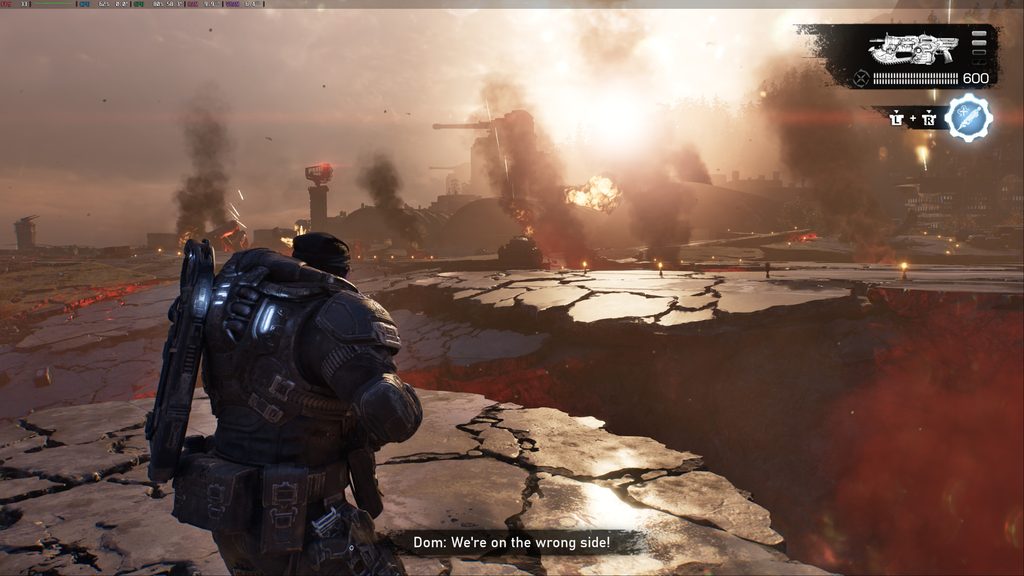
On the other hand, the Steam Machine can, so I wanna go over what the experience is like on the Steam Machine, what kind of performance we can get, and my recommended way to play the game.
For these tests, I primarily used the benchmarking tool included in the game. After going back and forth, I felt the tool accurately represented the experience I was getting while regularly playing the game.
The 4K Test
So, can Gears of War: E-Day be played at 4K resolution on the Steam Machine? Yes, but it will need some compromises. There are a few different upscaling options that we will need to use, since playing natively will not be doable. If you want to use FSR 4 Balanced, we can play at Low settings and get around 30 FPS. If you want to bring up the quality settings to Medium, we can bring down FSR 4 to Ultra Performance to keep everything above 30 FPS.
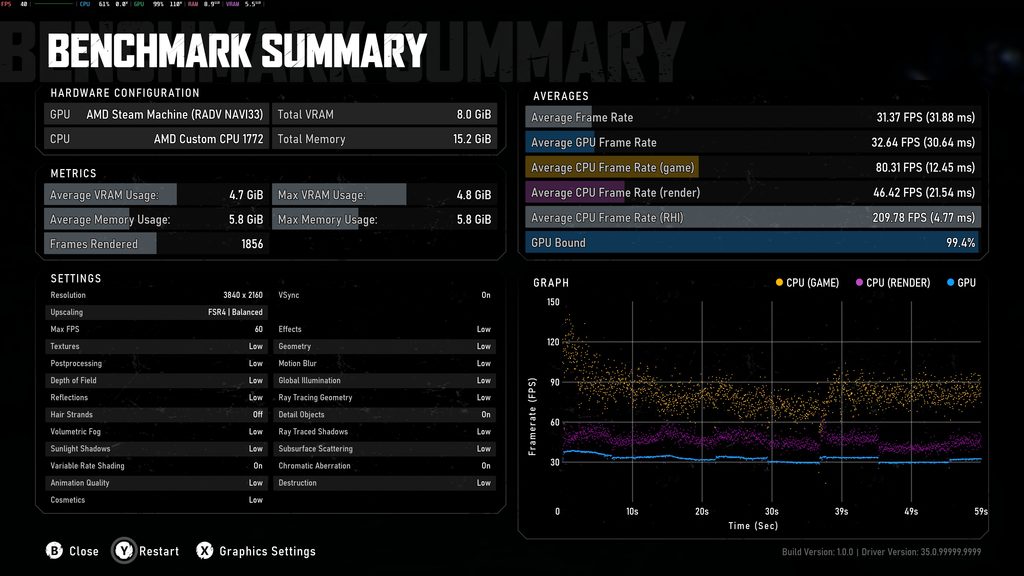
If you want to use TSR upscaling, it’s roughly the same. We can’t get some higher framerates with TSR, but on average, we will still need 30 FPS since some scenes are too demanding.
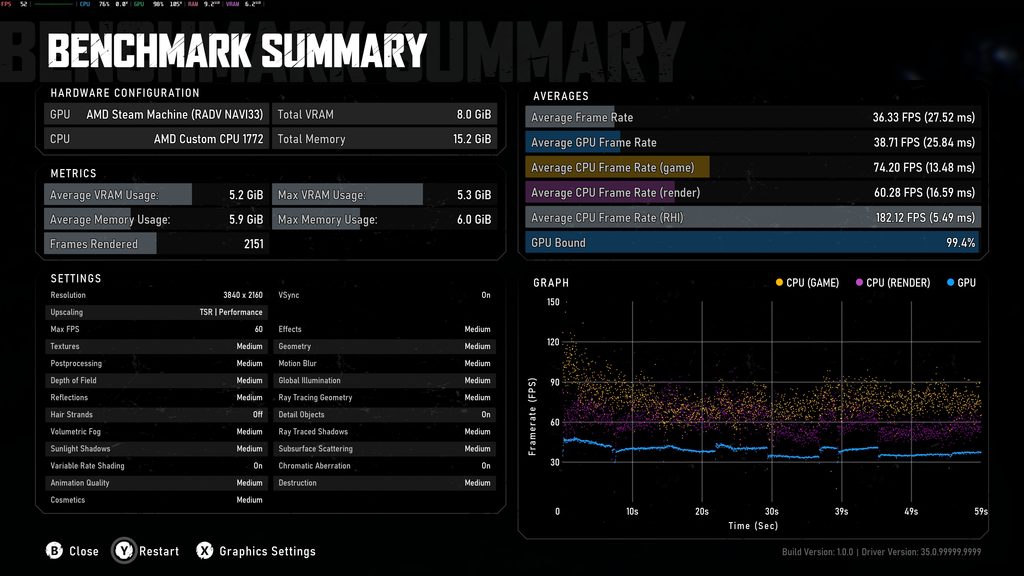
So, if you want to play at 4K, I would recommend going with FSR 4 upscaling at Balanced with Low settings. The Low settings still look great; because of the higher upscale, the entire image looks significantly sharper. So, if we’re going to play at 4K, that is how I would do it.
The Native Tests
Then, I decided to test and see if the game can be played at native resolutions. With tools like FSR 4, this may not be as important to a lot of people, but I still think it’s interesting to see if a game needs an upscaler to run or not.
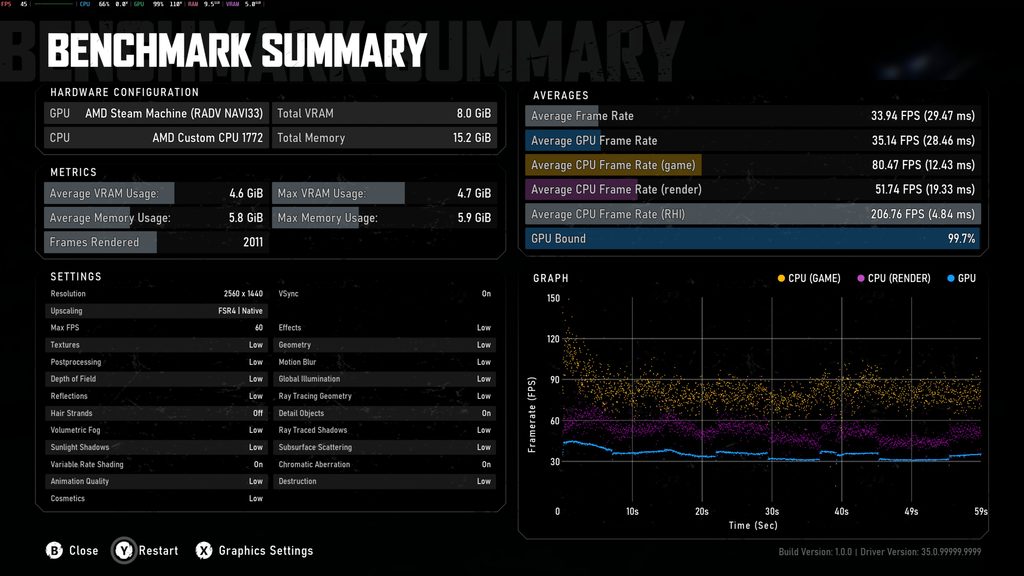
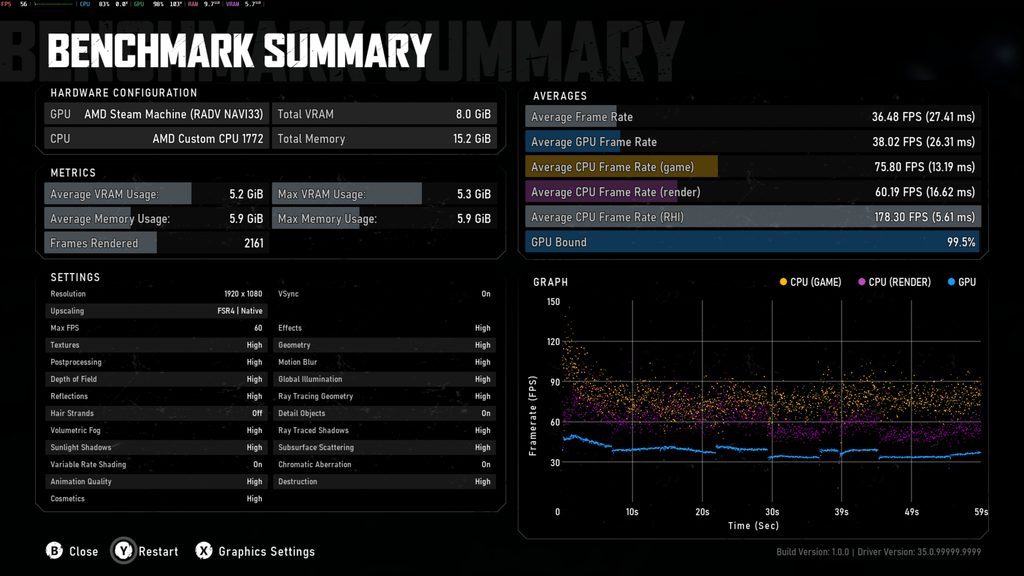
While there’s no chance of the game being playable at 4K, it is possible to play at 2K (2560x1440) and 1080p without needing an upscale. For 2K, we will need a 30 FPS cap and low settings. However, at 1080p, we can play at High settings with a 30 FPS cap. However, even at the lowest settings, we won’t be able to get 60 FPS.
Gears of War: E-Day Recommended Settings on Steam Machine
So, knowing the limitations, there are a couple of ways to play that I do recommend. There are settings where you can push the quality as much as you can while sacrificing framerate, or settings where we can push the framerate with some sacrifices to visuals.
If you want to play at 2K resolution, then I highly recommend setting FSR 4 to Quality upscaling and using the High preset at 30 FPS. This will give us the best visual quality possible at a playable framerate. If you want to play at 1080p, we can push the visuals up to Ultra while using FSR 4 in Quality mode. This will also require 30 FPS, but it is by far the best-looking experience of them all.
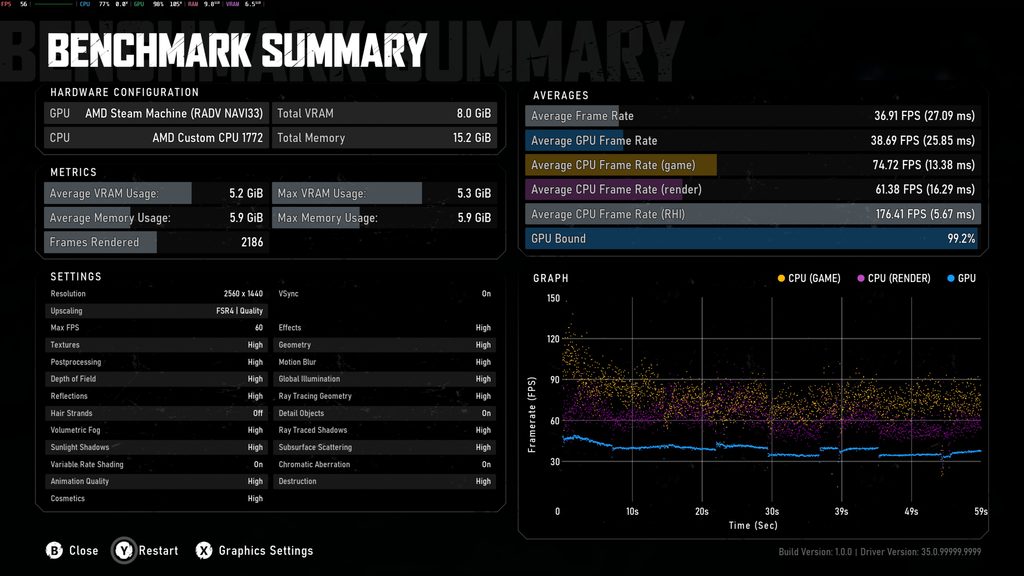
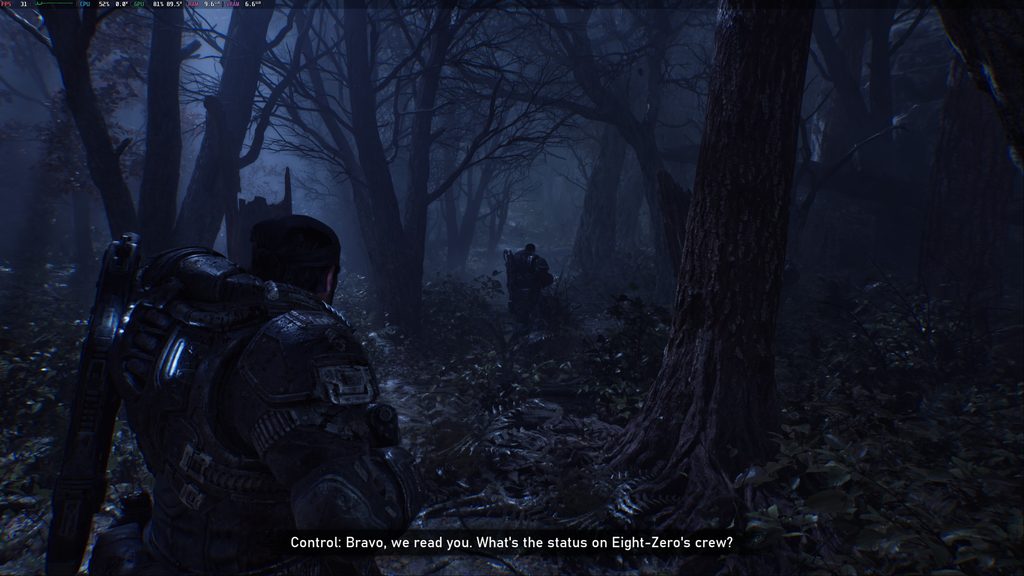
Now, if you want to play the game at 60 FPS, it’s definitely possible. At 2K resolution, we can get 60 FPS at the Low quality settings with FSR 4 upscaling at performance. It isn’t the greatest, but it does the job. We can go down to 1080p and play at 60 FPS using FSR 4 at Balanced and Medium quality, which is okay, but I would rather just stick to 2K resolution at that point.
At the end of the day, Gears of War: E-Day is definitely playable on the Steam Machine. We do have enough wiggle room to play at 30 FPS with high-quality or 60 FPS with lower quality, but either way, it’s a solid way to play.
If you enjoyed this article, check out the rest of the content on SteamDeckHQ! We have a wide variety of game reviews and news that will help your gaming experience. Whether you're looking for news, tips and tutorials, game settings and reviews, or just want to stay up-to-date on the latest trends, we've got you covered!

RECENT NEWS
Categories
Accessories
Anbernic
Android
ASUS ROG Ally
ROG Xbox Ally
Classics on Deck
Community
Cryobyte33
Deals
Deck Mods
Emulation
Events
Featured Post
Game News
Game News
General Game News
HandheldHQ
Hardware
Lenovo
Linux
MagicX
MSI
Nintendo
ONE-NETBOOK
Opinion
Other Reviews
Accessory Reviews
Handheld Reviews
PlayStation
Proton
Retro Handhelds
Anbernic
AYANEO
AYN
GPD
MagicX
MANGMI
Miyoo
Retroid
Rumors
TrimUI
SDHQ
Steam
Steam Controller
Steam Frame
Steam Machine
SteamOS
The Unsupported Report
Uncategorized
Uncategorized
VR
Xbox
Recent Tips & GUIDES
recent reviews