If you haven't yet, follow us on X (Twitter), Mastodon, or Bluesky to know when we post new articles, and join our Reddit or Subscribe to us on YouTube to check out our content and interact with our awesome community. Thank you for supporting us!
Project P.I.T.T. was provided by Pretty Soon. Thank you!
The best sandbox games are ones that make you feel like you can complete your goal however you want to. And at the end of the day, it feels extremely rewarding to finally complete it with your own experimentation and process. When I first saw Project P.I.T.T., I had a feeling it would be very similar. However, what I didn’t realize was just how rewarding it felt to actually experiment to get all of our products in the hole, and it ultimately made me feel like a genius.
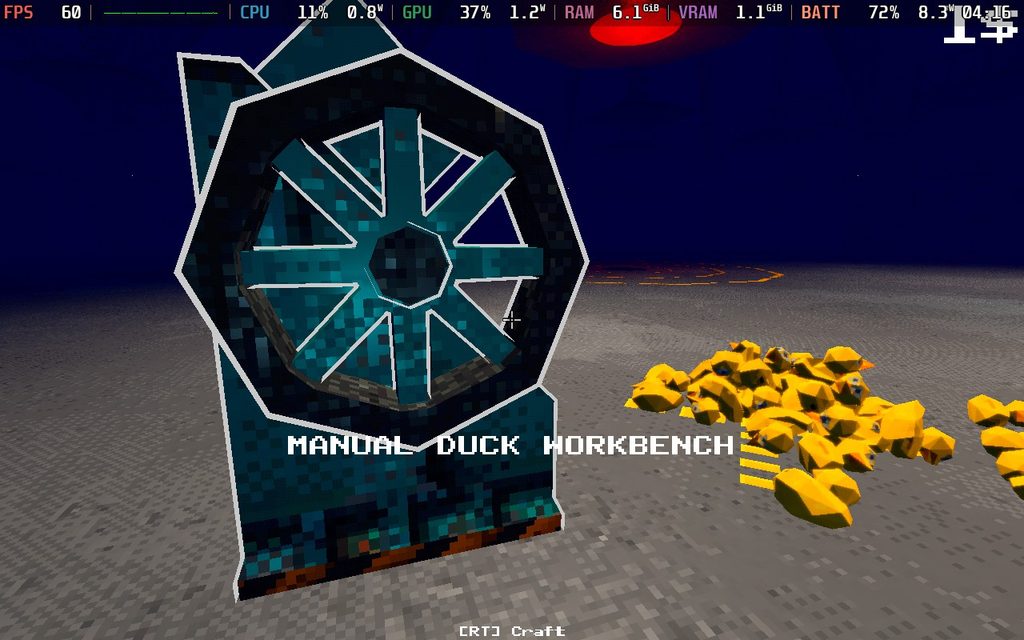
The concept is extremely simple. We start off by making rubber ducks and putting them into the hole in the middle of the space. It starts off slow, where we have to manually crank out rubber docks, but as we continue going, we’ll gradually upgrade our machines, unlock automatic makers, get new abilities, and unlock tools to help facilitate it.
At first, I started to feel a little bit bored. Manually making the ducks and dropping them into the hall, and getting to the point where we can get a box to store them to dump all of them at once, wasn’t as fulfilling. However, it didn’t take long for this to change. Soon, I was able to crank out ducks, really quickly, get my automatic machine going, and use my broom to sweep large amounts into the hole. The more that went in quickly, the more the combo meter built up, and I made significantly more money.
Soon, I unlocked a bunch of other tools to help, and that’s where the game really opened up. Now, I was able to start optimizing. I was able to take panels and create a funnel where I would use my broom to push ducks along into the pit. This made it significantly easier since docs were no longer flying around the floor. Then, to make my life even easier, I brought it to the spots where the ducks would land so they would automatically be put into the funnel, and I’d use a fan to push them so I only really had to stand in one spot.
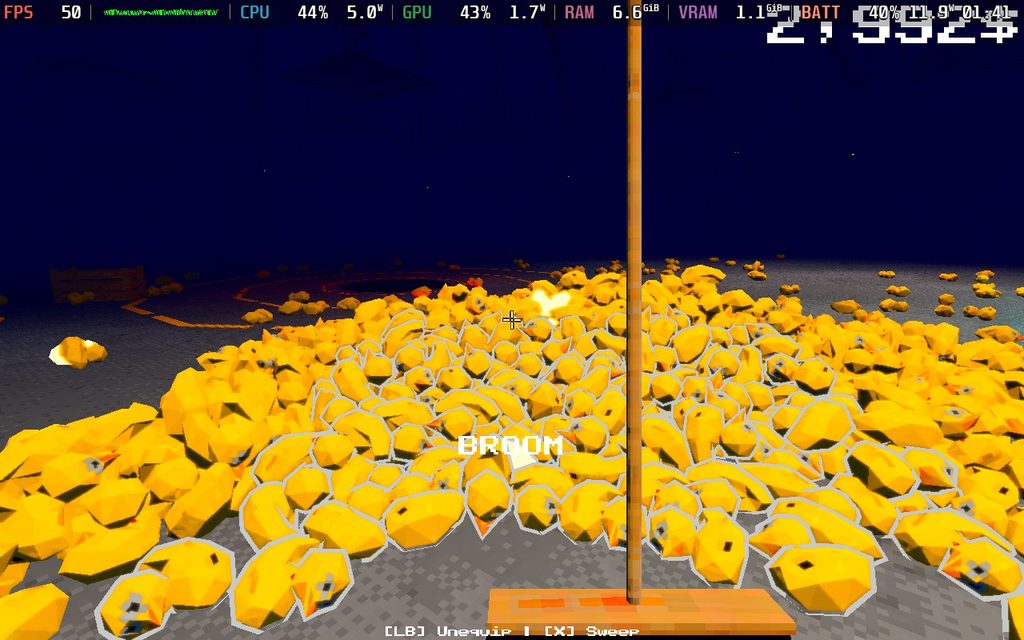
That was just my first try at optimizing my manufacturing method, and it felt great when it started working. It was super easy to rotate and snap all the parts, and it made me feel like a genius when I was able to put it all together. I had to rethink this a few times as more products needed to be made, new tools became available, and there were new ways to boost my combo and the amount of money I made. There was a lot of back-and-forth, but no part of it felt boring or repetitive.
It’s the best part of Project P.I.T.T., and it only made me feel better as I started to optimize for Cash Registers and Piñatas, combining them all to make as much money as humanly possible. The start of the progression could sometimes feel a little slow, especially when new products are introduced and take forever to make, but it very quickly gets better.
It also probably helps that all of the objects have physics, so watching them pile up and tumble over each other is very entertaining. I’m a sucker for physics, so this was right up my alley.
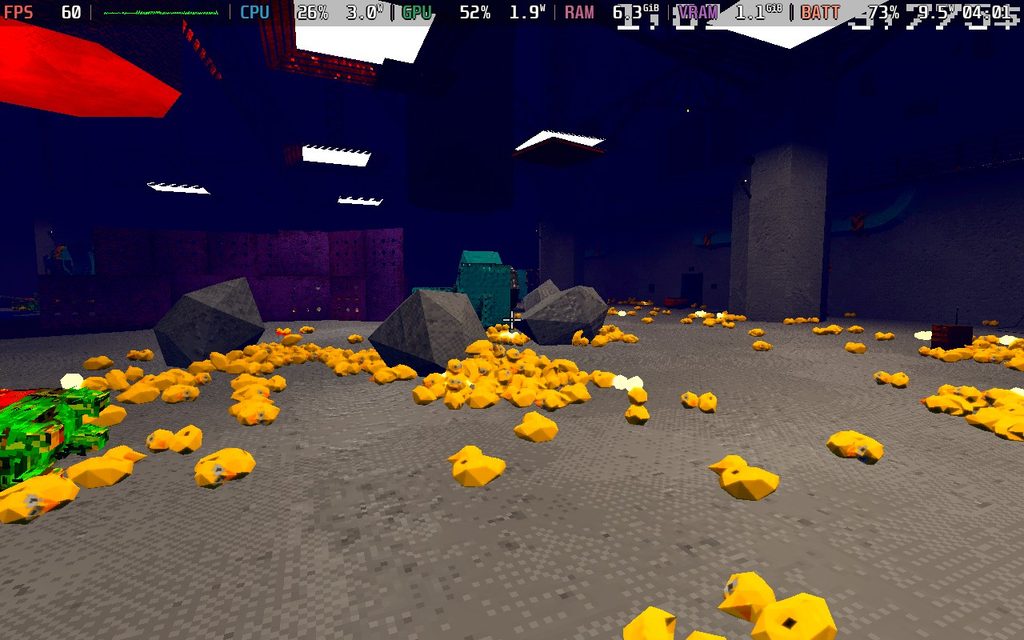
I also love the creepy atmosphere. Being stuck in a metal room, forced to make products to put down a creepy hole. It definitely fits the horror vibe, and it’s even more obvious when we look around our workspace. It’s creepy, weird, and fits the aesthetic perfectly.
Project P.I.T.T. - Steam Deck Performance
Now, let’s talk about how Project P.I.T.T. runs on the Steam Deck, and I have some worries. Before lunch, the game got the Verified badge, which is deserved if we are only playing through the opening. It runs at 60 FPS and has extremely low battery drain, sticking below 10W consistently. It makes sense, and I would say the green checkmark is well deserved based on this picture.
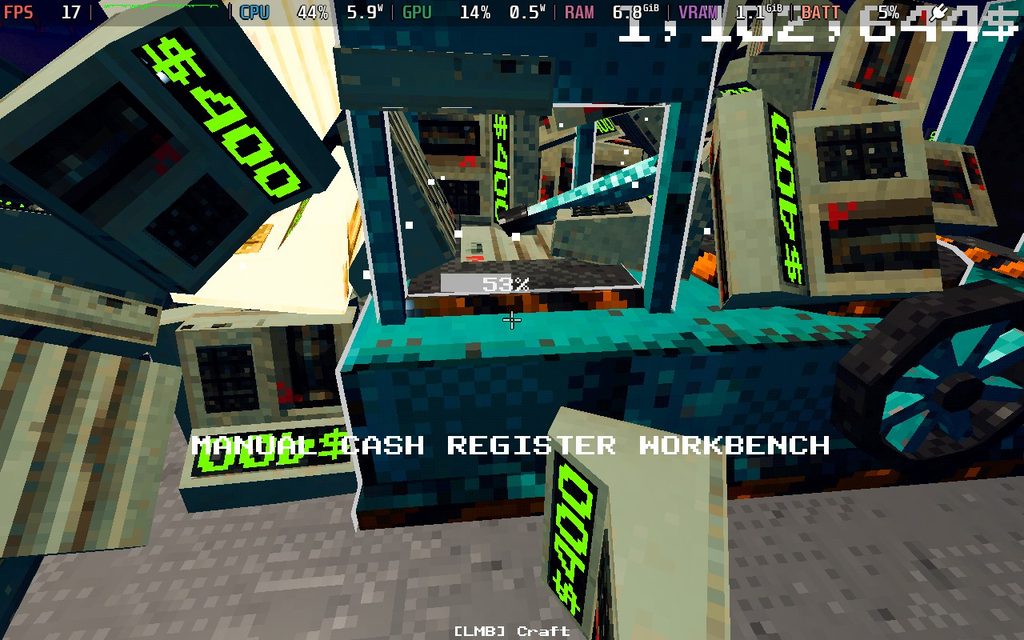
However, this dramatically changes the further we get into the game. We’re going to be creating a lot of objects that have their own physics, and it can push the CPU hard. Trying to move about 300 ducks, 100 piñatas that are exploding, and cash registers all at once can bring the framerate down into the 20s. It’s rough and happens consistently, as we are moving large amounts of objects, which we will do a lot.
In all fairness, this kind of game does tend to strain the CPU a lot. Even the Steam Machine was starting to struggle a bit when I was moving large amounts of objects. It never got as bad as the Steam Deck, but it did drop into the 40s and 50s when moving a lot of them. Any game with tons of physics-based objects suffers from this issue, but because it’s so important, I can’t agree with the Verified badge here. If anything, I would give it the Playable badge. Yes, it isn’t graphically intensive and runs well in the beginning, but it can drastically change for later parts of the game, which is very important.
Conclusion
At the end of the day, I had a blast playing Project P.I.T.T. The creepy, retro aesthetic perfectly encapsulates the monotonous tasks we have, which feel enjoyable, and how rewarding the sandbox elements can feel. The tools we get may be simple, but there are many different ways to put them to use to optimize our process and make as much money as possible. It can feel a little slow at times, especially when new products are introduced, but it quickly becomes a thought-provoking experiment to figure out how we can make it better and more efficient.
It’s playable on the Steam Deck, but later parts of the game start to suffer when there are so many objects on the field. It can bring the frame rate down significantly, sometimes going into the 20s, so I would keep that in mind when playing on the deck.
If you enjoyed this article, check out the rest of the content on SteamDeckHQ! We have a wide variety of game reviews and news that are sure to help your gaming experience. Whether you're looking for news, tips and tutorials, game settings and reviews, or just want to stay up-to-date on the latest trends, we've got your back.

RECENT NEWS
Categories
Accessories
Anbernic
Android
ASUS ROG Ally
ROG Xbox Ally
Classics on Deck
Community
Cryobyte33
Deals
Deck Mods
Emulation
Events
Featured Post
Game News
Game News
General Game News
HandheldHQ
Hardware
Lenovo
Linux
MagicX
MSI
Nintendo
ONE-NETBOOK
Opinion
Other Reviews
Accessory Reviews
Handheld Reviews
PlayStation
Proton
Retro Handhelds
Anbernic
AYANEO
AYN
GPD
MagicX
MANGMI
Miyoo
Retroid
Rumors
TrimUI
SDHQ
Steam
Steam Controller
Steam Frame
Steam Machine
SteamOS
The Unsupported Report
Uncategorized
Uncategorized
VR
Xbox
Recent Tips & GUIDES
recent reviews