If you haven't yet, follow us on X (Twitter), Mastodon, or Bluesky to know when we post new articles, and join our Reddit or Subscribe to us on YouTube to check out our content and interact with our awesome community. Thank you for supporting us!
Halo: Campaign Evolved has officially been released into early access, and that means we can all play it. As I mentioned in my review, it does the original Halo justice, with enhanced visuals and quality of life changes that make the experience better without ruining the core values of the original release. For the review, I had the pleasure of playing primarily on the Xbox Ally X with my Xbox PC key. However, Xbox sent over a Steam key, and now I’ve had the chance to check out the game on the Steam Deck and give my recommendations.
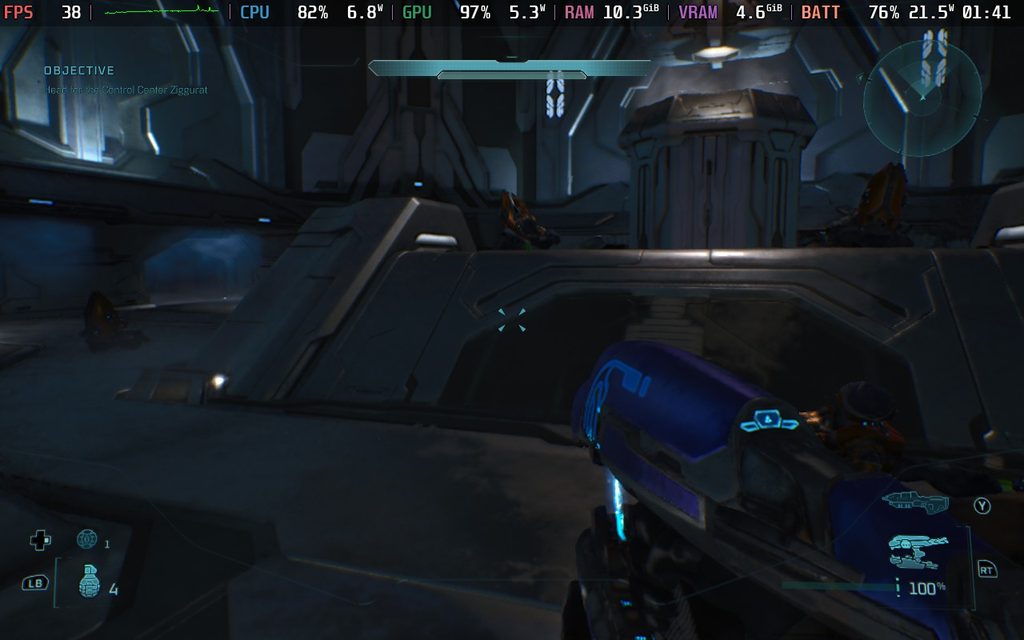
While I didn’t play through the entire game on the Deck, I was able to access my save when linking my Microsoft account to the game. This means I was able to access all of the missions immediately, which allowed me to stress test the areas that I knew were a bit tougher on the Xbox Ally X. Because of that, I’m quite comfortable giving recommendations, despite not having played the entire game on the Deck.
And since I know we’ll get questions, yes, linking your Microsoft account is mandatory to play the game.
So, I’m not sure exactly what developer 343 Industries did, but they worked some magic on the game's default settings. It’s similar to the default settings of the Xbox Ally X: Very Low preset with TSR upscaling at 100%. For the most part, performance is very similar to the Xbox Ally X as well. It can stick to 30 FPS for a good chunk of the time, but will regularly drop in large battles and in some giant locations. It doesn’t drop super far, going to around 24 FPS at the lowest, but it can feel pretty jarring in the middle of fights.
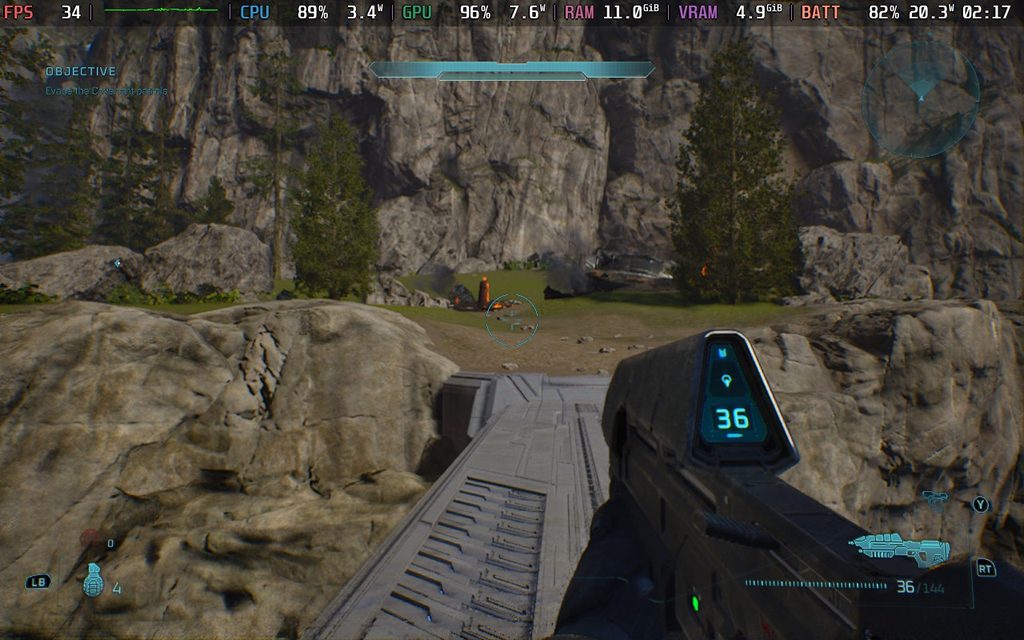
However, I noticed a few odd things in Campaign Evolved. The default settings run better than trying to change the settings mainly. Specifically, changing the upscaler manually ruins performance. When changing the upscaler, there seems to be some issue that stops it from fully utilizing the Deck’s resources. We can fix this a bit by forcing the GPU Clock Speed Frequency, but it’s not perfect.
I also discovered that there are some areas where there will be drops below 30 no matter what. This is due to some areas having a higher CPU usage, which is something that we can’t get around. So, no matter what our settings are, there are gonna be some levels, like the beach of The Silent Cartographer mission, that will still have drops. A lot of the open level areas, like the missions where we’re going to be able to drive and fly in vehicles, are going to be tougher and will regularly drop in combat to around 26-27 FPS.
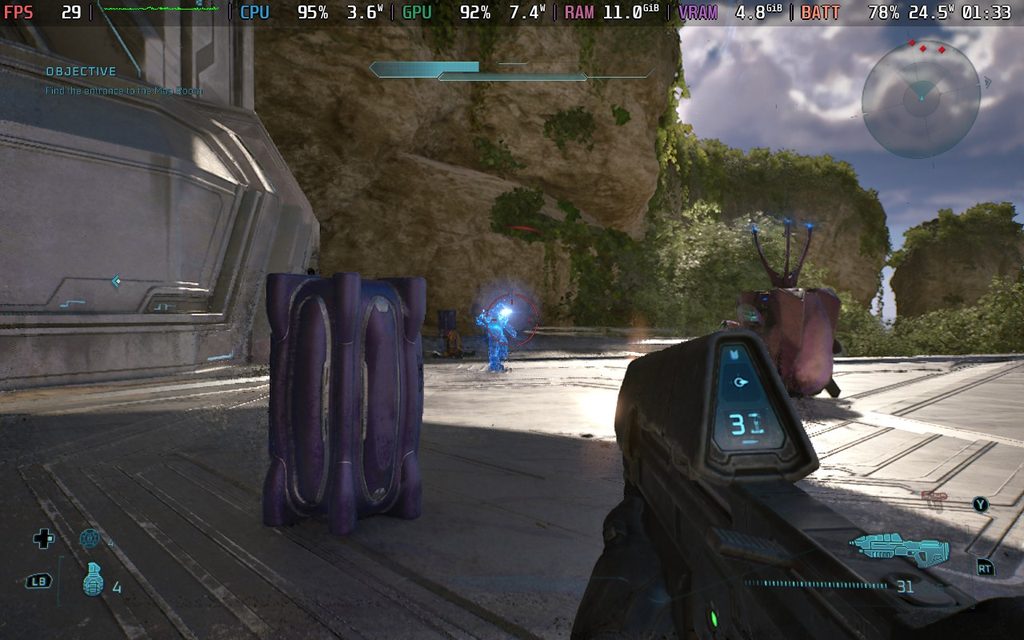
After testing, I found that TSR with 70% resolution scale at Very Low quality is the best compromise between visual quality and performance. This will keep the game above 30 FPS, except for those high CPU usage areas and open level missions, and keeps the game looking decent. TSR upscaling will start to show some of its flaws when inside buildings, but a majority of the time it will not be noticeable.
I also decided to compare it with FSR upscaling, and found that the FSR Medium setting gives about the same performance as the TSR 70% setting. Unfortunately, FSR looks horrible. It is so shiny and pixelated that it’s just not worth using at all. And if we want to get better framerates, we would have to drop down to Low, which looks even worse. This also won’t fix the drops that we’re going to get no matter what in the high CPU usage areas, so this is an easy one to ignore.
It’s also safe to say this is only going to get worse with the more people you’re playing with and greater difficulties with specific Skulls. Larger battles with more enemies are going to be quite difficult to run, and I admittedly have my worries. In the few areas I did test on Legendary mode, I didn’t notice huge differences, but it was definitely a little bit worse.
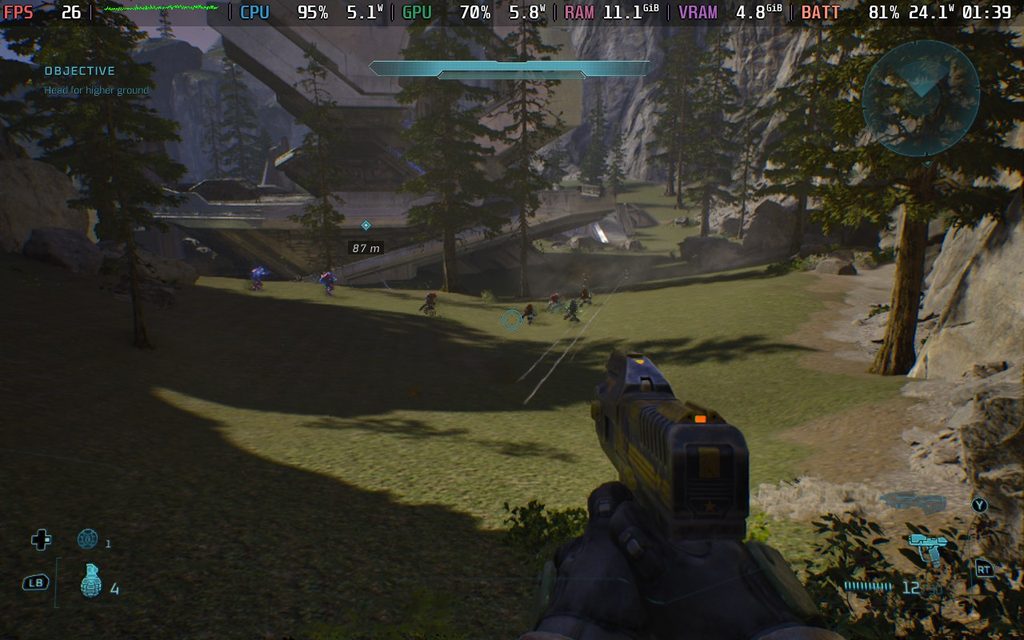
Ultimately, Halo: Campaign Evolved is a tough one. It can be played and runs at 30 FPS with some modified settings, but there are going to be compromises to visual quality due to upscaling and the Very Low settings, and there will still be some drops here and there. It works and can run well in closed spaces, but it’s going to be a pretty tough time in the open areas. I definitely wouldn't say the game should be Verified, since the open-level missions are big parts of the game, so I would ignore Valve's rating for this one.
Halo: Campaign Evolved is $49.99 on Steam.
If you enjoyed this article, check out the rest of the content on SteamDeckHQ! We have a wide variety of game reviews and news that are sure to help your gaming experience. Whether you're looking for news, tips and tutorials, game settings and reviews, or just want to stay up-to-date on the latest trends, we've got your back.

RECENT NEWS
Categories
Accessories
Anbernic
Android
ASUS ROG Ally
ROG Xbox Ally
Classics on Deck
Community
Cryobyte33
Deals
Deck Mods
Emulation
Events
Featured Post
Game News
Game News
General Game News
HandheldHQ
Hardware
Lenovo
Linux
MagicX
MSI
Nintendo
ONE-NETBOOK
Opinion
Other Reviews
Accessory Reviews
Handheld Reviews
PlayStation
Proton
Retro Handhelds
Anbernic
AYANEO
AYN
GPD
MagicX
MANGMI
Miyoo
Retroid
Rumors
TrimUI
SDHQ
Steam
Steam Controller
Steam Frame
Steam Machine
SteamOS
The Unsupported Report
Uncategorized
Uncategorized
VR
Xbox
Recent Tips & GUIDES
recent reviews