If you haven't yet, follow us on X (Twitter), Mastodon, or Bluesky to know when we post new articles, and join our Reddit or Subscribe to us on YouTube to check out our content and interact with our awesome community. Thank you for supporting us!
Silent Hill f has been one of my favorite horror experiences on the Steam Deck lately, up there with Cronos: The New Dawn. It's a bit different than what I would expect from other Silent Hill games, but it is an awesome experience that I found extremely compelling to play through multiple times. For those excited about the release, it will be worth it.
After my review was posted, I got tons of questions and comments asking about how FSR 4 and Lossless Scaling feels with the game. So, I decided to test it out. While I am not able to do a full video like we did for Dying Light: The Beast, due to me being in Japan for the Tokyo Game Show and forgetting one of the two docks I need for my capture card, I did try it out and took some screenshots to show the differences between the in-game FSR and FSR 4, as well as one of the big issues using Lossless Scaling.
How to Install FSR 4 On The Steam Deck
If you don't know how to get FSR 4 on your Steam Deck, you can follow our video guide, which goes through the steps on how to install the Decky Framegen plugin for the easiest installation with OptiScaler, as well as the DLL replacement method. It's not fairly complicated, and gives us a nice tool to test with:
Silent Hill f - The FSR 4 Experience
For the most part, I found that Silent Hill f looks great and I didn't have much issue with it, as long as reflections and indirect lighting were both turned on. However, with FSR on, there are some smaller problems like shadows looking a little grainy, Hinako's hair being a little pixelated, and some slight blurriness on other objects. It's not awful or noticeable during gameplay, but improvements could be made.
That's where FSR 4 comes in. By using the Decky Framegen plugin, we can inject it and use it in some games. For the most part, it does improve those issues I outlined above. Shadows look noticeably less grainy, Hinako's hair and face look sharper, and the blurriness is gone. However, the changes are minimal in most scenarios. Hinako's hair and the shadows are probably the biggest differences, yet in general gameplay, it's very hard to tell the differences.
The power draw it needs does make a pretty noticeable impact as well. FSR 4 can bring down framerate by up to 10 FPS. In combat, I saw framerate go from 35 to 26, while in general, it could go down from 45 to 37 or 44 to 36. For the most part, it will stay above 30, but it does put additional strain that could see more drops in intense situations like fighting multiple enemies.
The slightly better visuals are nice, but a lot of the issues I would want fixed with FSR 4, like extreme graininess and shimmering when walking around, are not issues apparent in Silent Hill f. Because of that, I found it to be unnecessary and I would rather have the extra power for the moments that will really need it. However, it does stick above 30 FPS outside of that, so it's still possible to use it.
But What About Lossless Scaling?
This is probably the question people would ask right after that. Can't we use lossless scaling to boost framerate so it doesn't feel like an issue in those higher intensity scenarios? Well, it's not so straightforward. Yes, we can use it and it does make the game feel like 60 FPS when walking around. But there are two or three issues that can ruin the experience.
On the smaller side, stutters are felt more with some slowdowns when the framerate dips below 60, and it gets worse with FSR 4 enabled as well. These moments don't feel great, but they are still playable. I didn't notice any input lag at 2X for lossless, but 3X and 4X are very bad. I would never be able to complete the game at either of these, so if you use it, stick to 2X.
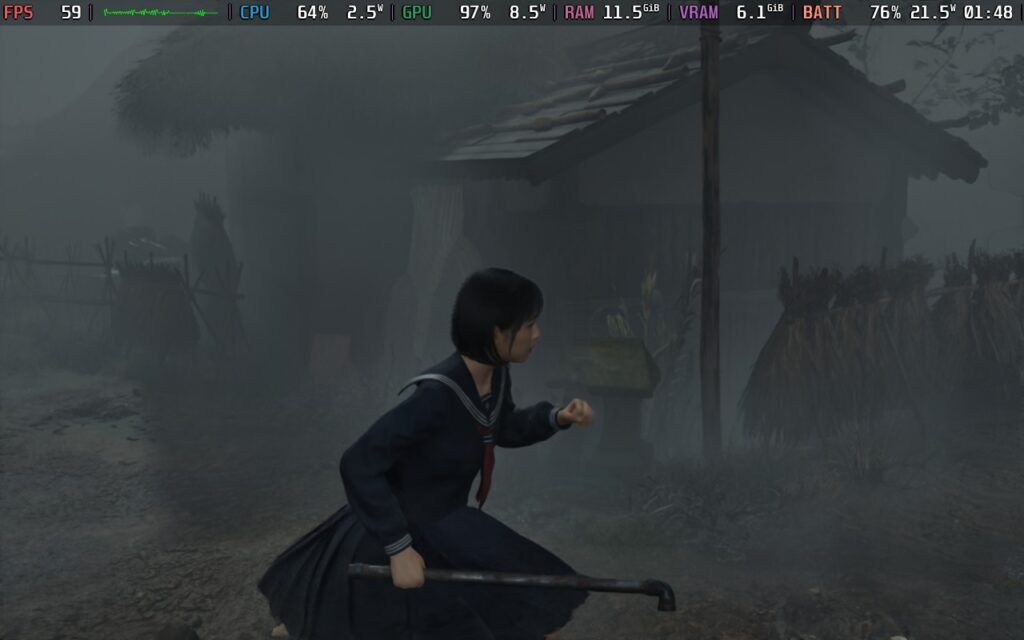
The biggest issue for me is the visual sacrifices. At 2X lossless, I can clearly see the bubbling distortion around Hinako at all times. Whether it's moving the camera, walking slowly, fighting enemies, that weird bubble ghosting effect is tagging along for the ride. There is also some bubbling at the edges of the screen, but it wasn't as intense as the one around our controllable character.
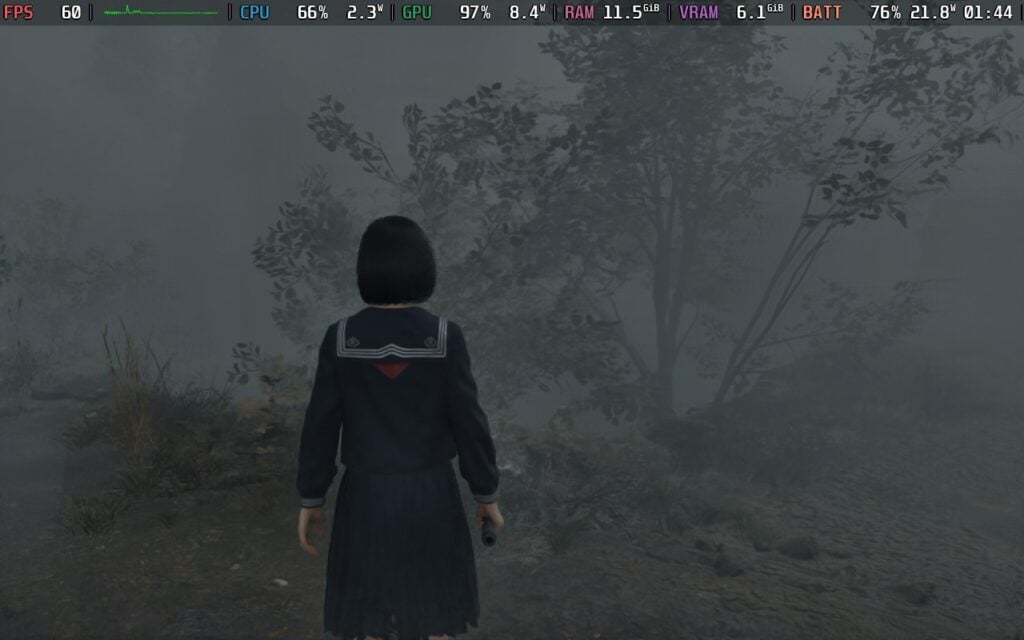
Does it ultimately feel smoother? Yes. But the cost is worse visual quality and some extra stutters and slowdowns in intense situations that are exacerbated by FSR 4 being enabled as well. It's definitely in the realm of playable, but it isn't the greatest for me. I can't enjoy it with that bubble effect, but if you can, then definitely worth a try for the smoother feeling.
Final Thoughts
So, is it worth using FSR 4 and/or lossless scaling with Silent Hill f? Well, yes and no. They can both be used and it does improve aspects of the game. However, the tradeoffs/negatives can be felt more. The minor improvements from FSR 4 bring with it extra power draw and leads to more, heavier framerate drops, while lossless scaling adds in some weird bubbling effect around Hinako along with some extra stuttering and slowdowns in intense scenes.
Personally, I won't be using them. The FSR provided in-game looks and performs great, and I prefer a stable 30 over an unstable 60. Is it bad enough to avoid entirely? No. I think some will find enjoyment with these changes, but it didn't provide enough benefits for me to look past the compromises.
Silent Hill f can be pre-purchased for $69.99 ahead of its September 24th release. You can also save about 25% on Silent Hill f by buying it on Fanatical for $52.49 instead.
The Fanatical links above are using an affiliate link, which gives us a little back from sales at no extra charge to you. All proceeds go back into SDHQ and its development.
If you enjoyed this article, check out the rest of the content on SteamDeckHQ! We have a wide variety of game reviews and news that will help your gaming experience. Whether you're looking for news, tips and tutorials, game settings and reviews, or just want to stay up-to-date on the latest trends, we've got you covered!

RECENT NEWS
Categories
Accessories
Anbernic
Android
ASUS ROG Ally
ROG Xbox Ally
Classics on Deck
Community
Cryobyte33
Deals
Deck Mods
Emulation
Events
Featured Post
Game News
Game News
General Game News
HandheldHQ
Hardware
Lenovo
Linux
MagicX
MSI
Nintendo
ONE-NETBOOK
Opinion
Other Reviews
Accessory Reviews
Handheld Reviews
PlayStation
Proton
Retro Handhelds
Anbernic
AYANEO
AYN
GPD
MagicX
MANGMI
Miyoo
Retroid
Rumors
TrimUI
SDHQ
Steam
Steam Controller
Steam Frame
Steam Machine
SteamOS
The Unsupported Report
Uncategorized
Uncategorized
VR
Recent Tips & GUIDES
recent reviews