


If you haven't yet, follow us on X (Twitter), Mastodon, or Bluesky to know when we post new articles, and join our Reddit or Subscribe to us on YouTube to check out our content and interact with our awesome community. Thank you for supporting us!
Cronos: The New Dawn was provided on both PC and Switch 2 by Bloober Team. Thank you!
Cronos: The New Dawn is a fantastic game, and in my review, I note how terrifying, tense, and gorgeous the experience is, along with an intriguing story. I love it, and even though I didn't expect it, it's a solid experience on the Steam Deck. With it also coming to Switch 2, I was curious how it would look and play on it. Thankfully, I had the opportunity to see for myself, and while there are some compromises, it feels about the same as the Deck experience, with a few extra little issues here and there.
Before I go into the differences, consider this a preview. I have not played through the full game on the Switch 2, only the Steam Deck, since I received my copy yesterday. As such, my comparisons take place near the beginning of the game. The Switch’s experience could get better or worse later on in the game.
We will also be making a comparison video, which will be out soon. Subscribe to our Youtube channel to get updated as soon as it's uploaded, and check out our video review for the game that has already been uploaded, which goes over Steam Deck performance.
Cronos: The New Dawn - Switch 2
Cronos: The New Dawn on the Steam Deck and Switch 2 are similar in a lot of aspects. Overall, texture quality, shadows, and lighting seem to be nearly identical to each other. Playing on the Switch felt eerily similar to the Deck on Very Low settings. However, there are a few key differences that give it an edge on each device.
In handheld mode, the Switch 2 is running at a higher resolution (1920x1080) compared to the Steam Deck (1280x800), which means the picture is sharper. The game runs at a locked 30 FPS, and I would say it stays that way very slightly more than the Deck, though there are still some drops when going into new places. This is all at a similar quality to the Deck's Very Low preset, so the game generally still looks nice without many compromises when compared to the Deck.
However, model, texture, and lighting pop-in are much more common and easy to spot on the Switch. There were multiple times I went into buildings that had this weird blue hue at the beginning of the game, but they shut off as soon as I got closer to them, and the room got dark. The room is supposed to be dark from the beginning, so that bugged me a bit.
Some textures on models also flicker a little, though this could be due to the gravitational anomalies in-game and not the textures. Even so, it’s still not supposed to be happening that way. There are also some bugs that can harm the experience, like enemy item drops falling through the ground.
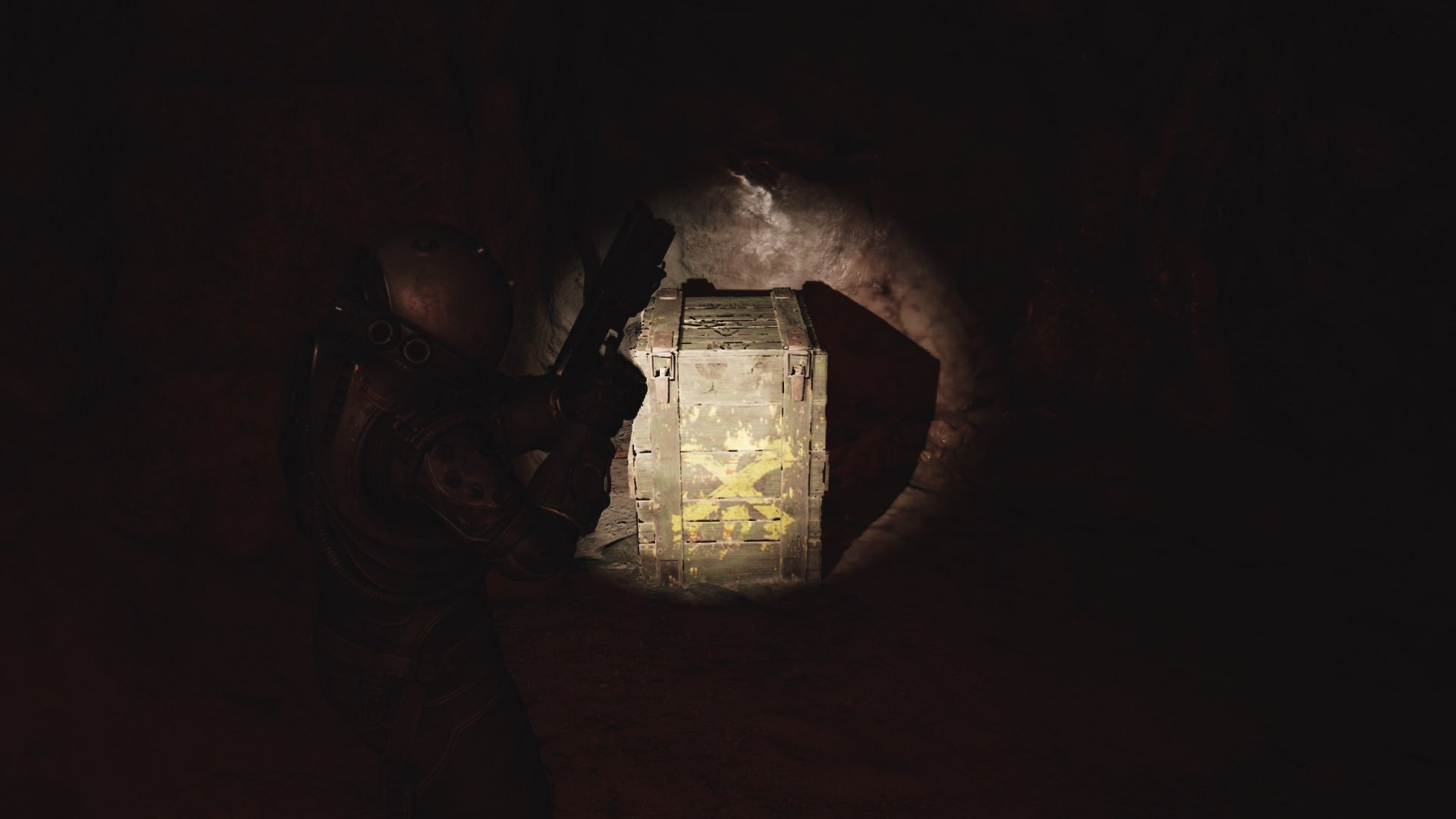
The Switch 2, when docked, also exhibits similar quality to handheld mode. It does upscale to 1440p instead of 1080p, but otherwise, there seems to be little change, which I was not expecting. It just looks like the game was blown up to a bigger screen, with little to no enhancements to quality to make use of the docked power of the Switch. On top of that, it seems to blow up the issues that weren't noticeable much in handheld, like some graininess on objects close up and some pixelated ghosting on weapons and ourselves.
The lighting may be very slightly better docked, but for the most part, there were no changes visually, and I still had the same pop-ups as before.
Cronos: The New Dawn - Steam Deck
When it comes to the Steam Deck, I noticed some textures on the ground being more detailed, and if you have an OLED Deck, the lighting differences from the screen will be very noticeable. And while performance may be very slightly more stable on the Switch 2, we have lossless scaling as an option, which can artificially boost our framerate to 60. It works very well, so I recommend trying it out. The loading times are also a little better, ranging from 5-7 seconds faster, sometimes even almost 10 seconds faster. Specifically, the loading into the same save point from the main menu after a fresh boot of the game was 17 seconds on Deck and 28 seconds on Switch.
However, the visuals do take a little more of a hit. The objects in front can shimmer a little around their edges, while some effects, like anomalies, are blurry from far away. We will also be getting similar battery life to the Switch, even though we are running on a lower resolution screen, and still have some compromises being made.
In the end, you can’t go wrong getting Cronos: The New Dawn on either device. Each one brings something different to the table. The Switch 2 has a sharper image with a more stable framerate, but pop-ins are more prominent with flickering effects, with docked mode exacerbating them. The Steam Deck has slightly more detailed textures along with the ability to push framerate up to 60 with lossless scaling, but there is some shimmer on objects and similar battery life to the Switch, even with major compromises.
All in all, they are fairly similar in the end, and on pure quality levels, I’d say they both have pros and cons. However, if you have a Steam Deck OLED and plan to play handheld primarily, I would get it for the Deck. The OLED screen does wonders for the dark atmosphere, making it feel even more bleak than it normally does. And with the option of lossless scaling, we can push the framerate up to 60 FPS, and that’s pretty awesome. Playing on the Switch 2 is still nice, but those true blacks do wonders for a darker game like Cronos.
If you enjoyed this article, check out the rest of the content on SteamDeckHQ! We have a wide variety of game reviews and news that will help your gaming experience. Whether you're looking for news, tips and tutorials, game settings and reviews, or just want to stay up-to-date on the latest trends, we've got you covered!

RECENT NEWS
Categories
Accessories
Anbernic
Android
ASUS ROG Ally
ROG Xbox Ally
Classics on Deck
Community
Cryobyte33
Deals
Deck Mods
Emulation
Events
Featured Post
Game News
Game News
General Game News
HandheldHQ
Hardware
Lenovo
Linux
MagicX
MSI
Nintendo
ONE-NETBOOK
Opinion
Other Reviews
Accessory Reviews
Handheld Reviews
PlayStation
Proton
Retro Handhelds
Anbernic
AYANEO
AYN
GPD
MagicX
MANGMI
Miyoo
Retroid
Rumors
TrimUI
SDHQ
Steam
Steam Controller
Steam Frame
Steam Machine
SteamOS
The Unsupported Report
Uncategorized
Uncategorized
VR
Recent Tips & GUIDES
recent reviews


It's an obsolte comparison after just a few months.
To release the game on Switch 2, which was launched a couple months prior, day and date with the other established platforms Bloober Team had to cut some corners that would be iron out a few months later with subsequent patches.
Since version 1.6 the Nintendo Switch 2 version of Cronos got its specific lightning system and stable performance to 30fps (as the time of writing, May 2026, the latest version is 1.8).
The short falls noted in the comparison above are issues of the past and irrelevant after just a few months.
It has to be said that Blobber Team did a great effort on this one because Unreal Engine 5 got its Lumen mode optimized for Switch 2 only with UE5.8 available several months after Cronos' launch.