If you haven't yet, follow us on X (Twitter), Mastodon, or Bluesky to know when we post new articles, and join our Reddit or Subscribe to us on YouTube to check out our content and interact with our awesome community. Thank you for supporting us!
The world of Decky plugins is such an interesting one. There are so many cool plugins that can do awesome things, and one of my favorites is Decky Translator. This is a plugin that, with the press of a button, can translate text that is on the screen. I covered it previously and loved the idea, though it wasn’t perfect. However, there’s a new update to the plugin that makes some big changes, including offline support.
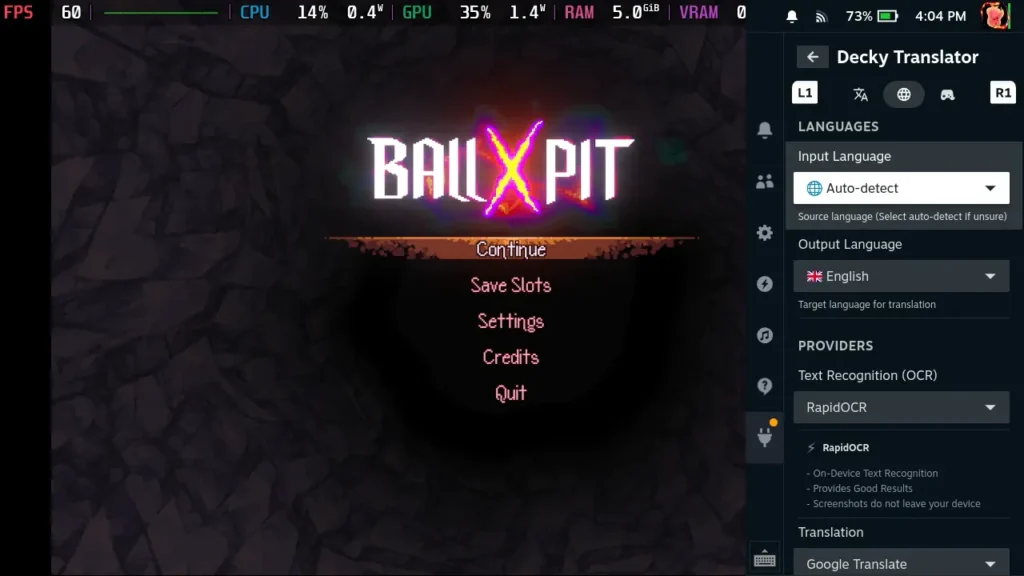
You can download the Decky Translator plugin from their GitHub, and once it's downloaded, you have to either move the downloaded folder into the plugins folder manually or install it via the ZIP in Decky's developer mode. The plugin should hopefully be on the Decky store soon, which will make installing it much easier.
The big change from this update is going to be offline translation support. Previously, any translations needed the Internet, but now, there’s a new offline translation option. It requires a 1.4 GB download and can handle all languages at once, so there are different packages for different languages. The quality may not be the same as web-based translation, but this has the added security of privacy, just in case. These can all be downloaded within the plugin UI independently, so they won’t be downloaded automatically as a dependency.
There’s also a new recognition option, backed by Chromium “Screen-AI”, that runs locally and provides better and quicker results. Because of how much better it is, it’s now the default OCR option. We also have support for Gemini Vision, but it will need an API key. However, this version may not be as fast, but it does handle stylized text better.
Apart from those, we have some new custom fonts, and overlay improvements, including Dyslexia-friendly fonts and translate tax redistributing itself to fit the overlay better. Handhelds other than the Steam Deck should not work with the plug-in, and there is some experimental support for other distros like Bazzite. New languages have also been added, and the speed of the recognition in translation can be increased by letting it use a little bit of RAM. I wouldn’t recommend using this due to the RAM needed for most games, but it is nice to have the option.
You can check out the full changelog for the update via their GitHub release page.
It's a great new update, and it adds some awesome new options. I appreciate having offline support for translations, as well as new models to use for recognition and translation. I am curious what is missing for 1.0, but this is a big change that should make it much better to use, especially if you aren't able to connect to the internet.
If you enjoyed this article, check out the rest of the content on SteamDeckHQ! We have a wide variety of game reviews and news that will help your gaming experience. Whether you're looking for news, tips and tutorials, game settings and reviews, or just want to stay up-to-date on the latest trends, we've got you covered!

RECENT NEWS
Categories
Accessories
Anbernic
Android
ASUS ROG Ally
ROG Xbox Ally
Classics on Deck
Community
Cryobyte33
Deals
Deck Mods
Emulation
Events
Featured Post
Game News
Game News
General Game News
HandheldHQ
Hardware
Lenovo
Linux
MagicX
MSI
Nintendo
ONE-NETBOOK
Opinion
Other Reviews
Accessory Reviews
Handheld Reviews
PlayStation
Proton
Retro Handhelds
Anbernic
AYANEO
AYN
GPD
MagicX
MANGMI
Miyoo
Retroid
Rumors
TrimUI
SDHQ
Steam
Steam Controller
Steam Frame
Steam Machine
SteamOS
The Unsupported Report
Uncategorized
Uncategorized
VR
Recent Tips & GUIDES
recent reviews