If you haven't yet, follow us on X (Twitter), Mastodon, or Bluesky to know when we post new articles, and join our Reddit or Subscribe to us on YouTube to check out our content and interact with our awesome community. Thank you for supporting us!
AYN has released another update to its Thor firmware, arriving shortly after a previous release that introduced OLED-based screen optimization across Android.
Now, AYN is rolling out yet another Thor update, this time focused on expanding customization. The update introduces new themes for the Thor Control Center alongside a brand new equalizer designed to make volume adjustments far easier.
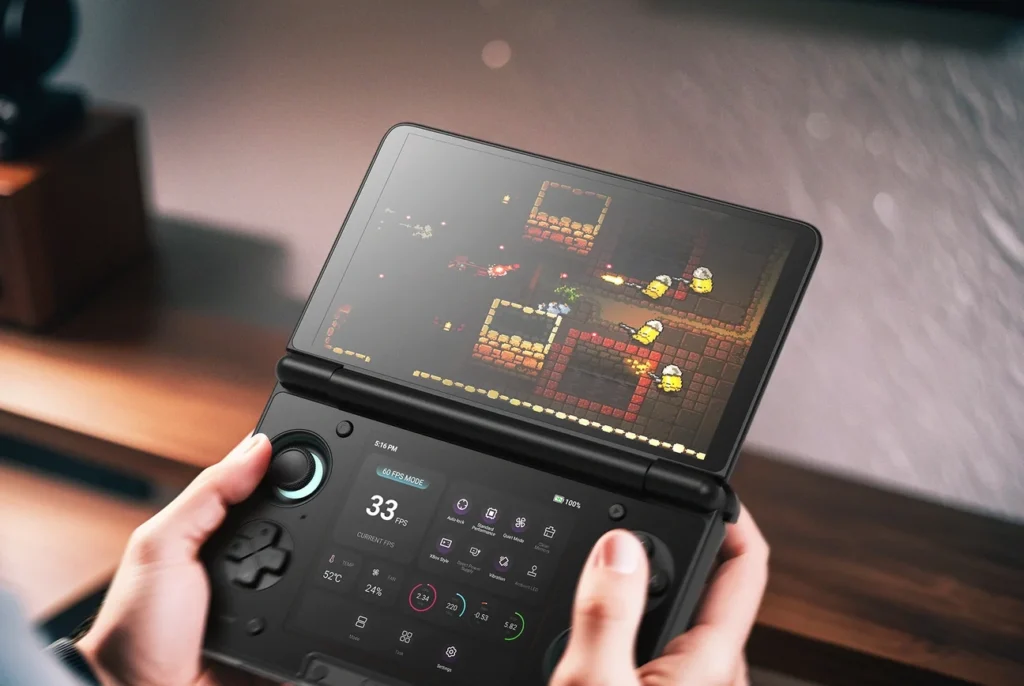
AYN Thor 1.0.0.377 Update Changelog
- Added TCC theme settings for the bottom screen, including Black Theme and Gray Theme. The Black Theme was reverted to the previous version and will be set as the default.
- Added support for custom audio EQ curves and provided several groups of preset sound profiles (Go "Thor Settings -> Equalizer Settings" to change default eq setting to: Bass Boost, Treble Boost, Softer, Custom EQ curves, etc.).
The new EQ settings allow users to fine-tune bass, treble, and mids through a customizable wave graph, or by selecting preconfigured sound profiles like bass boost, clear, or balanced. This update brings a level of audio customization that many other operating systems offer in some form, but which has been missing from the Thor since launch.
As highlighted in our glowing review, the Thor stands as one of the most impactful handheld releases in recent years. Its dual-screen design enables seamless DS and 3DS emulation, while also making it easy to display two different types of content at once. Play a game on one screen while watching a video on the other.
As AYN continues to introduce refinements and improvements to its firmware, the Thor remains firmly among the best retro handhelds available today, while sitting unchallenged at the top as the most capable dual-screen handheld on the market.
If you're interested in updating your AYN Thor, you can do so by downloading the update directly over-the-air from the device itself via its default Settings app.
The AYN Thor links above are using an affiliate link, which gives us a little back from sales at no extra charge to you. All proceeds go back into SDHQ and its development.
If you enjoyed this article, check out the rest of the content on SteamDeckHQ! We have a wide variety of game reviews and news that will help your gaming experience. Whether you're looking for news, tips and tutorials, game settings and reviews, or just want to stay up-to-date on the latest trends, we've got you covered!

RECENT NEWS
Categories
Accessories
Anbernic
Android
ASUS ROG Ally
ROG Xbox Ally
Classics on Deck
Community
Cryobyte33
Deals
Deck Mods
Emulation
Events
Featured Post
Game News
Game News
General Game News
HandheldHQ
Hardware
Lenovo
Linux
MagicX
MSI
Nintendo
ONE-NETBOOK
Opinion
Other Reviews
Accessory Reviews
Handheld Reviews
PlayStation
Proton
Retro Handhelds
Anbernic
AYANEO
AYN
GPD
MagicX
MANGMI
Miyoo
Retroid
Rumors
TrimUI
SDHQ
Steam
Steam Controller
Steam Frame
Steam Machine
SteamOS
The Unsupported Report
Uncategorized
Uncategorized
VR
Xbox
Recent Tips & GUIDES
recent reviews