The GuliKit ES Pro Controller was provided by AKNES for review. Thank you!
While the quality of Games is very important, how they feel when playing them is equally important. Does a game feel better with a keyboard and a mouse and has the controls imported over well, or is it much more geared towards a controller? As a handheld PC user, I’ve grown more and more accustomed to controllers and using them to play games. I’ve loved the Steam Deck controls, finding a great way to have so many buttons and options with comfortable grips. However, if I want to continue playing like this, when I’m docked, I’ll need an external controller, and there are plenty of options to choose from.
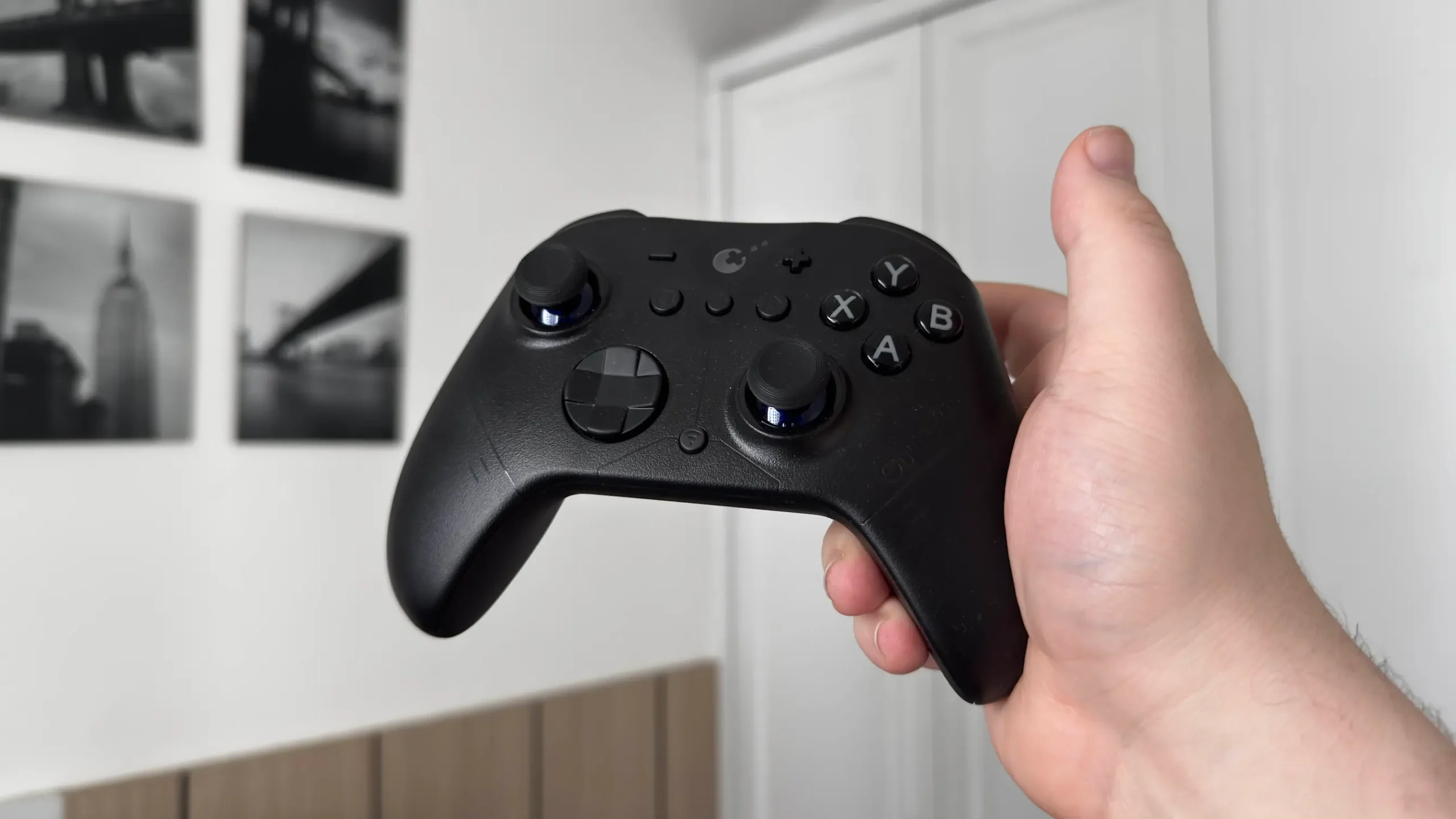
One of the more well-known controller manufacturers that I’ve seen pop up over and over is GuliKit. I have used a couple of the controllers so far, and they have ranged from interesting designs to fantastic usability. So, when I got the GuliKit ES Pro controller, I was excited to check it out. However, despite its solid layout, comfort, compatibility with a wealth of devices, and affordable price, it falls short of being the controller I want to use daily.
Build Quality
The actual build quality feels great, and I love the materials that GuliKit uses. The actual material of the controller itself is easy to grip and feels nice in my hands. The front plastic is smooth, while the handles and back plastic have a slightly calloused touch to them to keep my hands from moving on the handles. It’s a great balance that I feel works well.
The buttons and triggers themselves are all made with similarly good quality, and I have no qualms here. It also strikes a great balance with weight. It feels great to hold in my hands, and strikes a nice balance between the Steam Hori Controller and the 8BitDo Ultimate controller. I don’t really have any qualms with the build quality of the ES Pro Controller.
Design
However, a lot of my issues arise from the design. It’s ultimately a lot of minor issues that culminate in a clunky feel that I could not truly enjoy using with my larger hands. A few of these problems can be alleviated if you have smaller hands, as my wife confirmed, but there are still lingering nuisances here and there.
I like the overall design of the controller itself. It feels like a streamlined, straightforward generic controller made to work with a multitude of devices. There are no back buttons, but we have all the basics we need for gaming, along with a couple of extra buttons like the Home and Settings buttons (more on that later). I love how the handles feel, and because of the callous back texture, it’s easy to keep it held in my hand for long periods of time. It’s also all pretty close to each other, and I didn’t need to shift my hands to reach all the buttons.
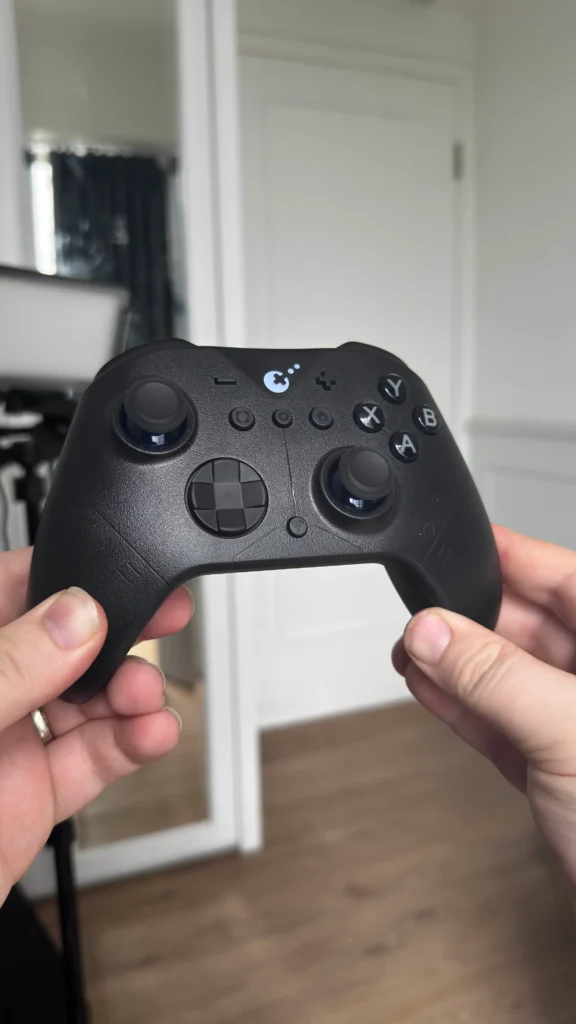
But there are a few issues that make it uncomfortable to hold and use. The top of the back of the controller indents inwards, which is normal for most controllers, but it does so at such a sharp angle that I couldn’t leave my fingers there for long. Usually, the angle is more gradual, which feels nice to rest my middle and ring fingers, but it just doesn’t feel great here. The ES Pro indents so sharply that the protruding side of it hits the side of my finger oddly, and I’m not a fan.
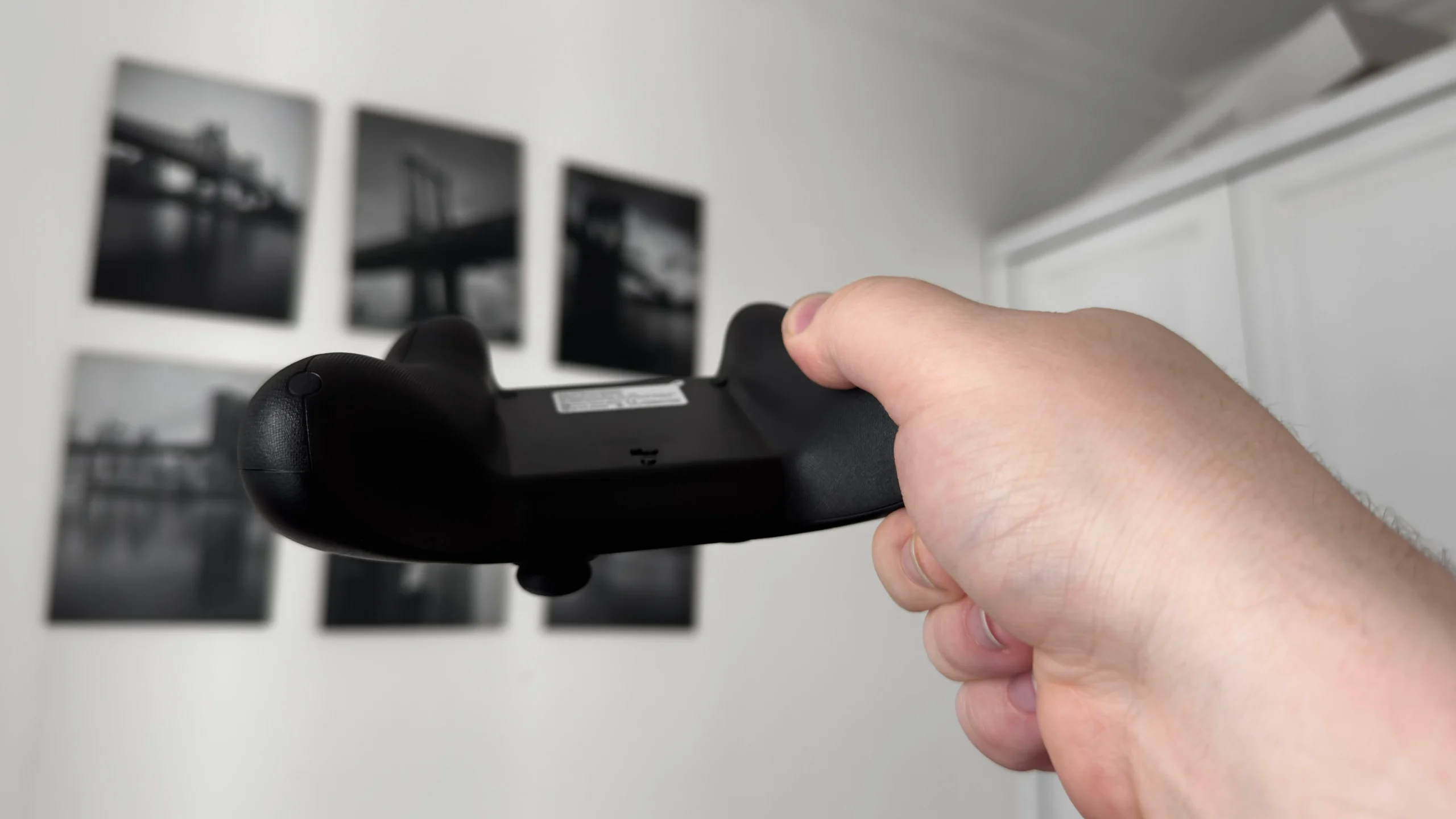
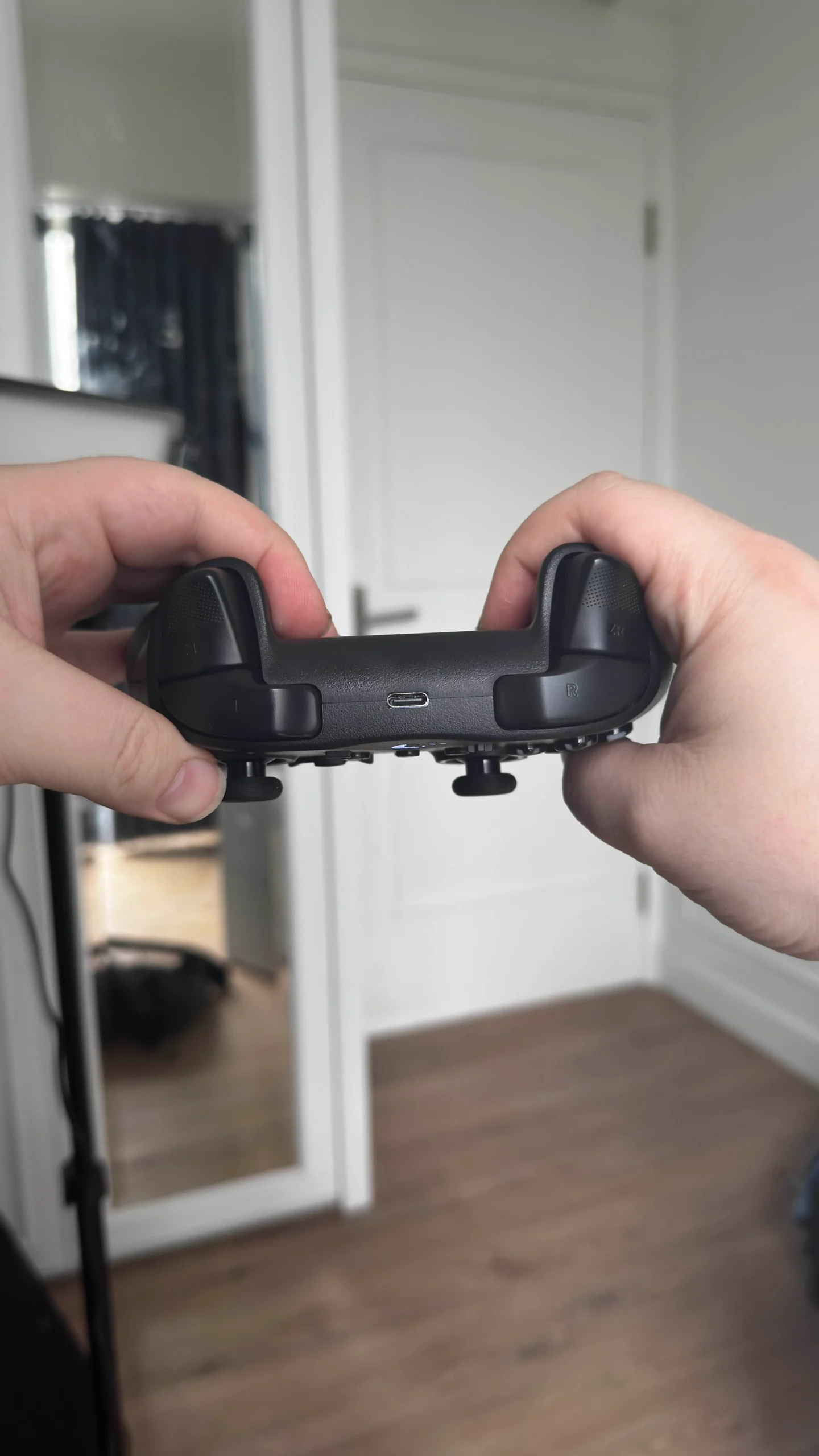
Then, we have the ABXY buttons and Joysticks. The ABXY buttons feel like they are too pushed inwards, making it difficult to hit them comfortably. It sometimes felt like I wasn’t pressing anything at all, or that pushing in a button wasn’t impactful enough. As for the joysticks, they feel nice to move, but the tops of them are too smooth. If I tried to spin them with my finger very quickly, my finger would shift along with it and fall off. Could I push down with more force to prevent it? Yes. But should I have to? No. Many other controllers have joysticks that strike a balance between the rigid and smooth surface to keep fingers in place, and that’s something I expect in a good controller.
I also wasn’t a fan of the Dpad, but I chalk it up more to personal preference. It’s a circular design that feels more like a digital press vs a separated design that feels like you are pushing down on a pad that moves. It gets the job done, but it’s not the design I prefer.
The design of the controller is also clearly geared more towards the Nintendo Switch, having both a plus and minus button for starting select, as well as a share button that looks identical to the one on the Joy-Cons. It’s not necessarily a bad thing, and translates nicely when using it on PC and other devices, but it definitely feels like it makes more sense as an external Switch controller.
Features and Compatibility
Now, one of the things I actually really like about this controller is the features it has. It comes with this extra settings button, which allows you to change controller settings with only the controller needed. You can adjust sensitivity, vibration, intensity, and direction mode on the Dpad, swap the buttons for the ABXY, enable the deadzone for joysticks, and even turn on some slight motion assist and turbo mode for continual button presses. Usually, this would all need to be done on the device itself, so I think it’s cool that it can all be done on the controller.
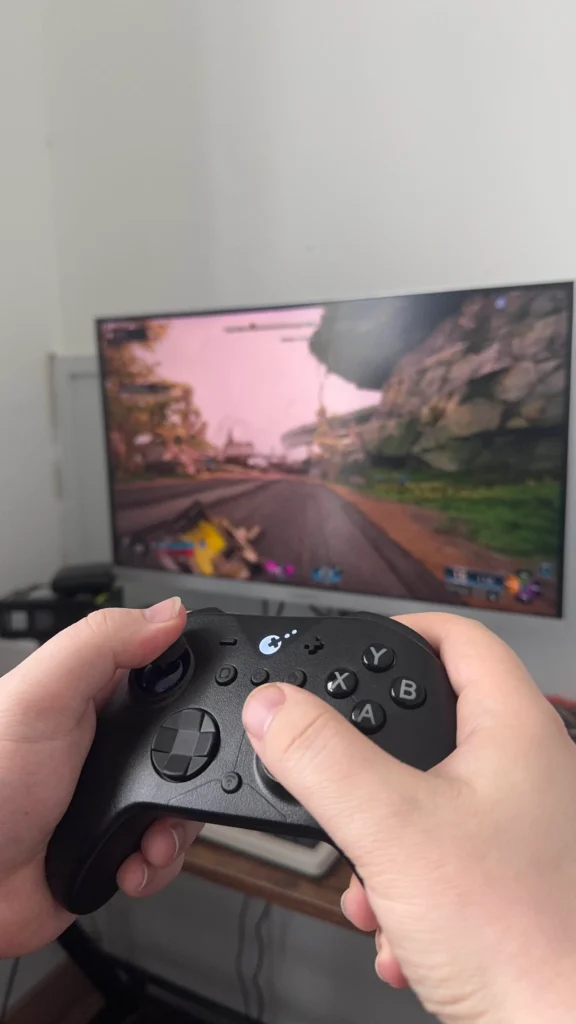
I would consider most of these functions useful as well. Changing the sensitivity of the joystick is quite helpful, depending on the game, and I’m glad I can change the vibration intensity at will. As someone who plays with controllers on PC, being able to do the button swap when using the controller with a Nintendo Switch just feels essential. The motion aim assist is a nice touch, but I do prefer full Gyro over this tiny version.
The ES Pro controller also has good compatibility with a range of devices. It was easy to link via Bluetooth with my desktop PC, Steam Deck, and other handhelds. On top of that, I was able to keep the controller paired with my Steam Deck and Nintendo Switch 2 at the same time. All I had to do was flip the switch on the back to choose the PC or NS (Nintendo Switch) option, and I could immediately connect to the last paired device. This didn’t initially work with the Switch, but after a couple of tests, it was consistently working as intended. As someone who owns handheld PCs and the Switch, this is probably the most appealing feature of the controller. Being able to switch between the two devices without having to re-pair the controller is wonderful.

There are also two ways to use the controller with a device. You can pair it wirelessly or connect it via a USB-C to USB-A cable. Connecting it directly is supposed to give it a slightly better polling rate than wirelessly/bluetooth, but I didn’t notice much of a difference when actually gaming. I would say wireless is good for general use, and it doesn’t feel like it’s missing any beats, but if you are playing more competitive games, wired will be the way to go.
Conclusion
Overall, the ES Pro controller is a mixed bag. It has great features, like being able to change its own settings directly on the controller, and has solid build quality and weight, but it’s just not comfortable to use. While the handles feel good, the Dpad, Joysticks, and ABXY buttons all have issues that stop me from wanting to use it regularly. I’d say this controller definitely has an audience, and if you like the Switch Joy-Con feel and are looking for a nicely priced product, you’ll love this controller. However, as a PC gamer and avid user of handhelds, this controller falls short of what I would like to use for gaming.
The AKNES links above are using an affiliate link, which gives us a little back from sales at no extra charge to you. All proceeds go back into SDHQ and its development.
If you enjoyed this article, check out the rest of the content on SteamDeckHQ! We have a wide variety of game reviews and news that will help your gaming experience. Whether you're looking for news, tips and tutorials, game settings and reviews, or just want to stay up-to-date on the latest trends, we've got you covered!

RECENT NEWS
Categories
Accessories
Anbernic
Android
ASUS ROG Ally
ROG Xbox Ally
Classics on Deck
Community
Cryobyte33
Deals
Deck Mods
Emulation
Events
Featured Post
Game News
Game News
General Game News
HandheldHQ
Hardware
Lenovo
Linux
MagicX
Nintendo
ONE-NETBOOK
Opinion
Other Reviews
Accessory Reviews
Handheld Reviews
PlayStation
Proton
Retro Handhelds
Anbernic
AYANEO
AYN
GPD
MagicX
MANGMI
Retroid
TrimUI
SDHQ
Steam
Steam Machine
SteamOS
The Unsupported Report
Uncategorized
Uncategorized
Recent Tips & GUIDES
recent reviews