The GR14BU was provided by UPerfect for review. Thank you!
When it comes to portable monitors, UPerfect has been my go-to brand. They have so many amazing options that fit all types of needs for your portable desktop setup. As someone who consistently travels for work, I am one of those people, and I’m always on the search for a perfect portable monitor. For me, I need a good balance of size, quality, and features to both enhance and fulfill what I need. Of all the portable monitors that I’ve tried, the UPerfect GR14BU is one of the few that come the closest to that need. It has a great balance of size, weight, and screen quality that makes this one of the best portable monitors I have ever used.
Build Quality and Design
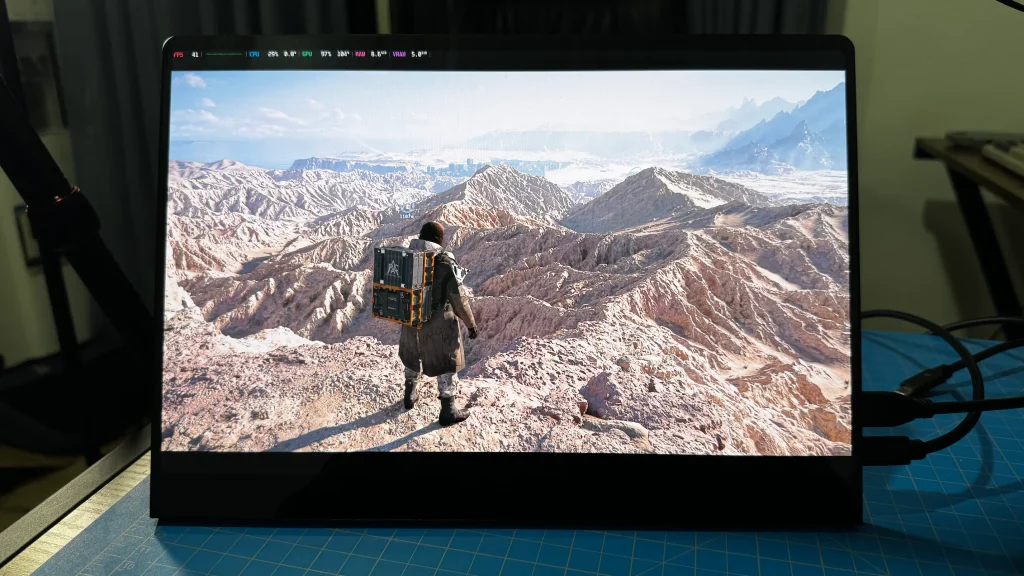
The build quality of the GR14BU itself is obvious and is something I’ve consistently praised UPerfect for in the past. It’s a very solid, tight monitor with an aluminum shell that feels great to the touch. It’s quite late, coming in at around 657g, which makes it perfect for taking on the go.
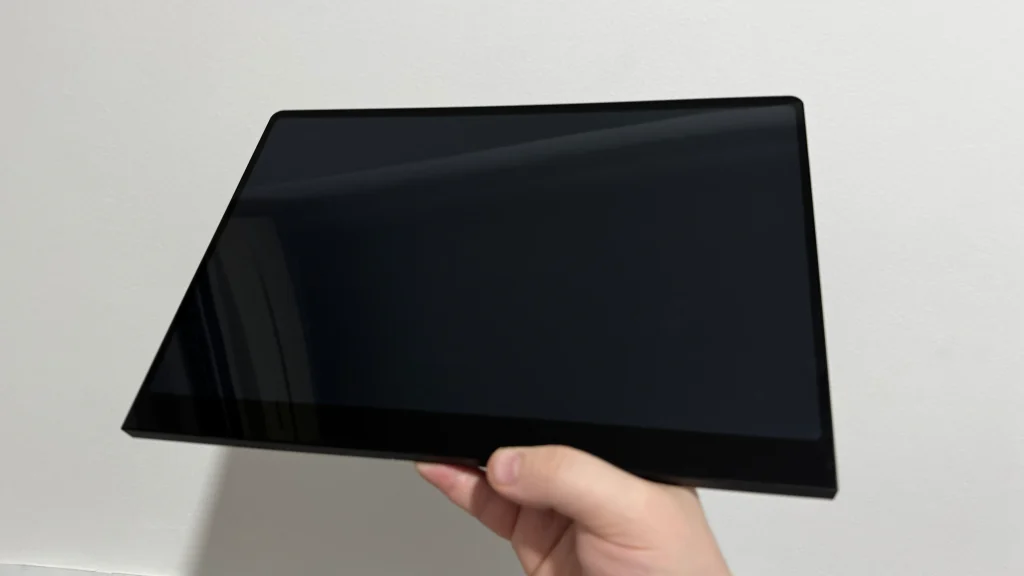
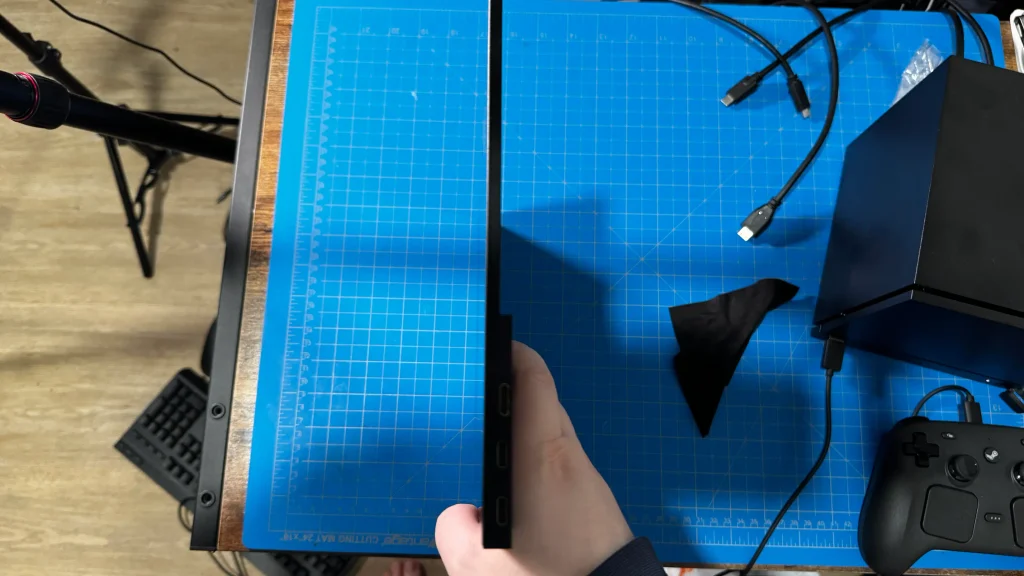
However, one of the things I love about this design is how thin it is. Even in the bulky parts at the bottom, it still says extremely thin, making it very easy to just slip into my backpack whenever I need to go. And because the screen isn’t too big, it doesn’t take up too much space, which adds to the portability factor.
It honestly fits perfectly with my current portable setup. Right now, I’m using it with the Razer Joro Keyboard and Pocket Folio and my Steam Machine for a portable desktop setup, and it just fits surprisingly well. It’s crazy how great the size is for a portable setup, and I love it to death.
Screen Quality
Usually, following my structure, I would talk about the features of the portable monitor. However, I really wanna talk about the screen first. The GR14BU features a 14-inch OLED screen, and just like other OLED screens, it’s incredible. I have always been a sucker for these screens, since the organic LEDs offer true blacks, more vibrant colors, and much more contrast than other LCD or QLED panels. These other panels usually have a backlight, but with OLED, each individual LED has its own light, and comparing them side-by-side only exacerbates the difference.
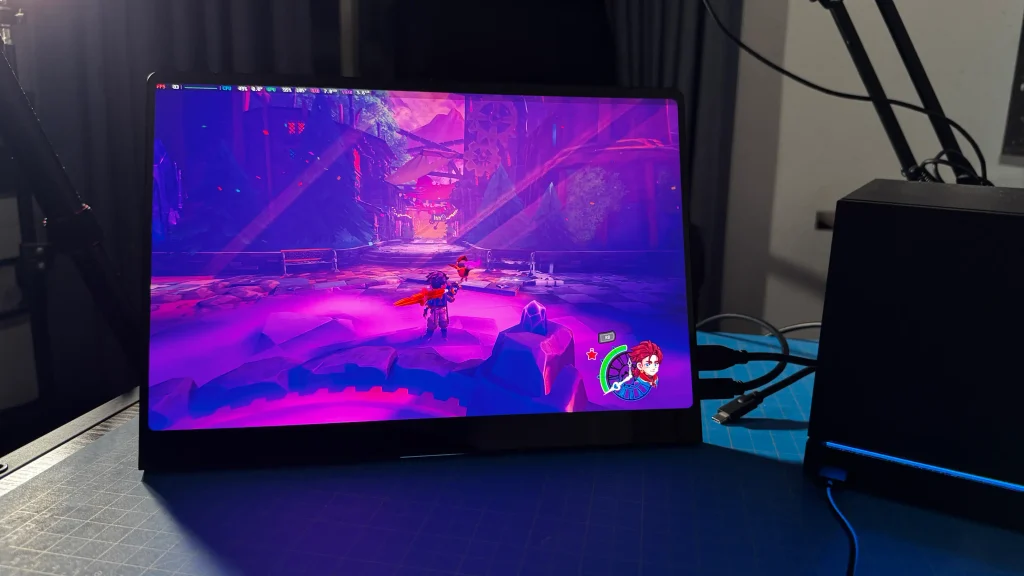
In this case, it isn’t different. It covers 109.9% of the DCI-P3 color gamut with 1.07B color depth and a 100,000:1 contrast ratio. These may sound like a bunch of numbers, but compared to the usual LCD panels in other monitors, it’s a huge difference across the board, since it covers a wider range of colors, has significantly higher contrast, and deeper color depth. All of it accumulates into a gorgeous, vibrant screen that fits perfectly with the 3K resolution and up to 120Hz refresh rate.
Since I use the Steam Deck a lot, I don’t mind the aspect ratio sticking to 16:10, but it’s not going to be best for a lot of games. Not all games support the aspect ratio, especially since the most common one is 16:9. This means that for some games that don’t support the ratio, we will have black bars at the top and bottom of the screen. It’s big enough that this isn’t a huge bother, but it’s quite satisfying to see the entire screen being covered.
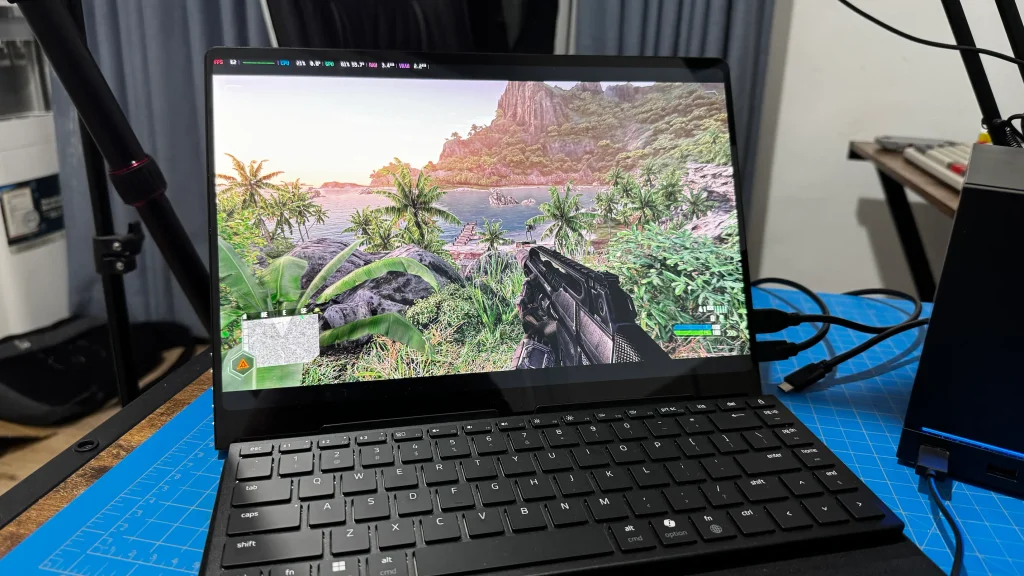
And while I do appreciate a 120Hz refresh rate, I find it odd that we can only utilize the full 120Hz at the display resolution by connecting it via USB-C. We can reduce the resolution a bit to 2560x1600 and get 120Hz, but we can’t utilize the full 2880x1800 resolution at 120Hz over HDMI. The max we can do with the native resolution over HDMI is 100Hz. This can mean using it with devices like the Steam Machine, which will only work over HDMI, and will mean reducing the resolution a bit if you want the full 120Hz. If we are playing games at 60 FPS, this won’t be the end of the world, but for those of us who want to push, it does get in the way.
The screen also has 10-point multi-touch support, which allows us to control the screen with our finger. However, just like the refresh rate, there are limitations. We can only utilize the touchscreen by using the bottom USB-C port for the display. If we try to use the middle port, it won’t work. This does start to limit the devices on which we can utilize the full touchscreen. So, any devices that will use HDMI are out. Interestingly, not only can we use it with the Steam Deck by directly plugging it in, but if we plug in a USB-C to power the monitor as well, it will also charge the Steam Deck. So, we can get the touchscreen and charge the deck without any docking, which is pretty cool.
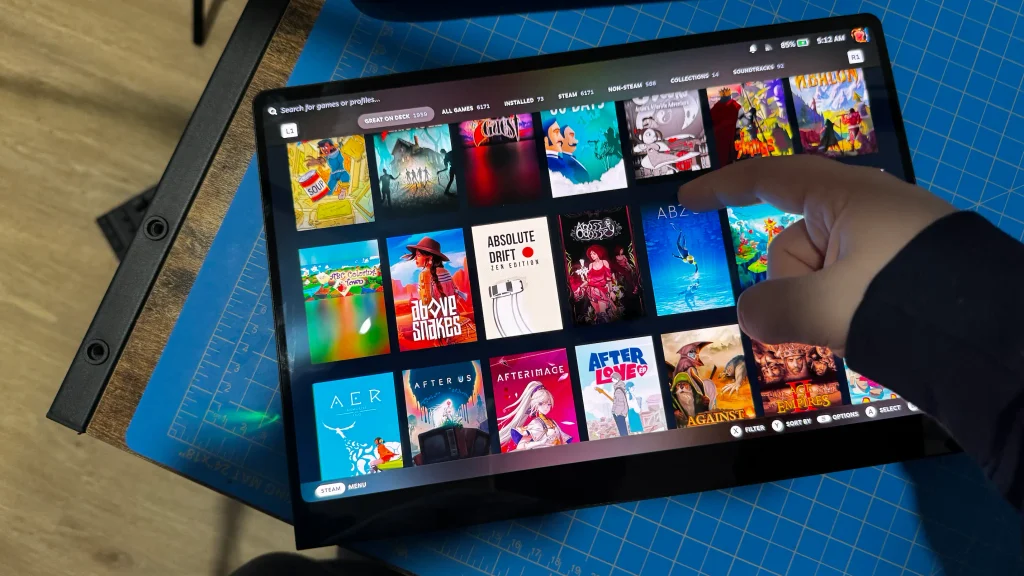
The touchscreen is a nice addition and does make for some easy browsing when using it as a second monitor for my laptop. It’s not something I see myself using consistently, especially if I’m gaming on it and using a controller, but it’s nice to be able to use my fingers for swiping through apps when connected to my Odin 3 or changing the video I am watching quickly.
Other Features
Apart from the gorgeous screen, it does have a good chunk of features attached to it. We do have the usual brightness and volume sliders, but we also have an internal menu that allows us to change even more. In the menu, we can manually change the color temperature and the position and transparency for the Settings menu, but there are two aspects of this that I like the most: Low Blue Light and HDR.
As someone with prescription glasses, I tend to try taking extra steps to minimize more damage to my eyes, so I very much appreciate the ability to lower Blue Light. It can dramatically reduce the harmful rays that would damage my eyes, with four settings that lower the amount until it’s all gone. It can make the screen look extremely yellow, but that’s the whole point, and I appreciate having the option.
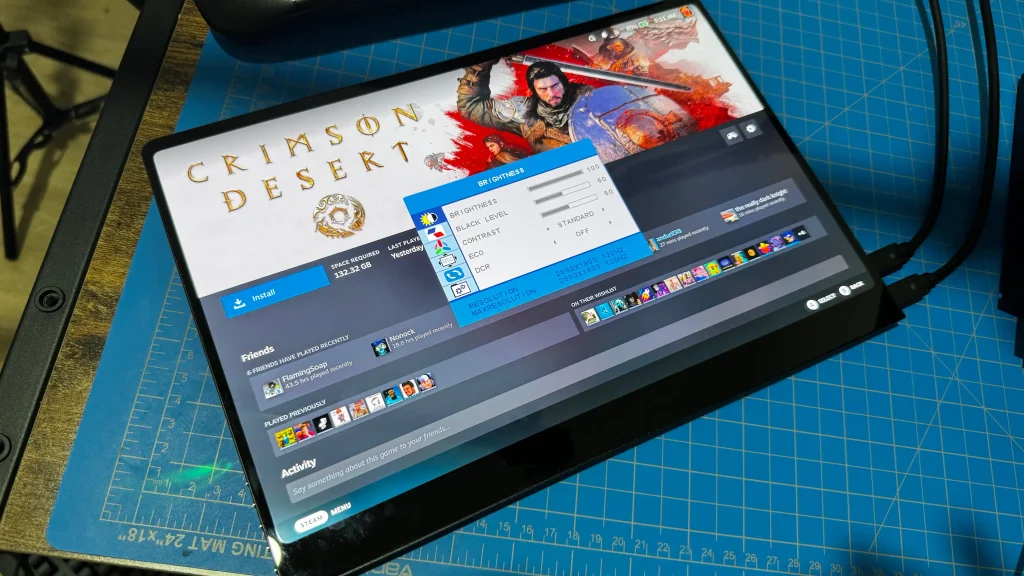
And then there’s HDR, which we can enable through the screens menu. Through my use, I’ve usually been leaving it on auto and turning it on and off through the quick access menu on my SteamOS devices, but we can force it through the monitor’s menu.
To top it all off, the monitor itself comes with its own built-in stand to prop itself up and screws on the back for mounting. Some of the previous monitors from UPerfect that I had didn’t have anything on the back, and I would need a case or something else to prop it up. Having the stand built-in really makes a difference. The standard itself is an extra $10, which is worth it, but I think it should’ve been included in the base price no matter what.
Conclusion
There were a lot of things that impressed me about the UPerfect GR14BU, but what really got me was the balance of screen quality and portability. The 14-inch OLED screen is vibrant and dark, accentuating the colors and details of everything that appears on it. And because it’s still relatively small and thin, it’s extremely easy to take around. Despite the minor nuisances with the refresh rate and touchscreen needing specific USB-C ports, there’s not much I can find to get upset about. This is by far one of the best portable monitors I’ve ever used, and will be an essential for me to take when I travel.
The UPerfect links above are using an affiliate link, which gives us a little back from sales at no extra charge to you. All proceeds go back into SDHQ and its development.
If you enjoyed this article, check out the rest of the content on SteamDeckHQ! We have a wide variety of game reviews and news that will help your gaming experience. Whether you're looking for news, tips and tutorials, game settings and reviews, or just want to stay up-to-date on the latest trends, we've got you covered!


RECENT NEWS
Categories
Accessories
Anbernic
Android
ASUS ROG Ally
ROG Xbox Ally
Classics on Deck
Community
Cryobyte33
Deals
Deck Mods
Emulation
Events
Featured Post
Game News
Game News
General Game News
HandheldHQ
Hardware
Lenovo
Linux
MagicX
MSI
Nintendo
ONE-NETBOOK
Opinion
Other Reviews
Accessory Reviews
Handheld Reviews
PlayStation
Proton
Retro Handhelds
Anbernic
AYANEO
AYN
GPD
MagicX
MANGMI
Miyoo
Retroid
Rumors
TrimUI
SDHQ
Steam
Steam Controller
Steam Frame
Steam Machine
SteamOS
The Unsupported Report
Uncategorized
Uncategorized
VR
Xbox
Recent Tips & GUIDES
recent reviews