If you haven't yet, follow us on X (Twitter), Mastodon, or Bluesky to know when we post new articles, and join our Reddit or Subscribe to us on YouTube to check out our content and interact with our awesome community. Thank you for supporting us!
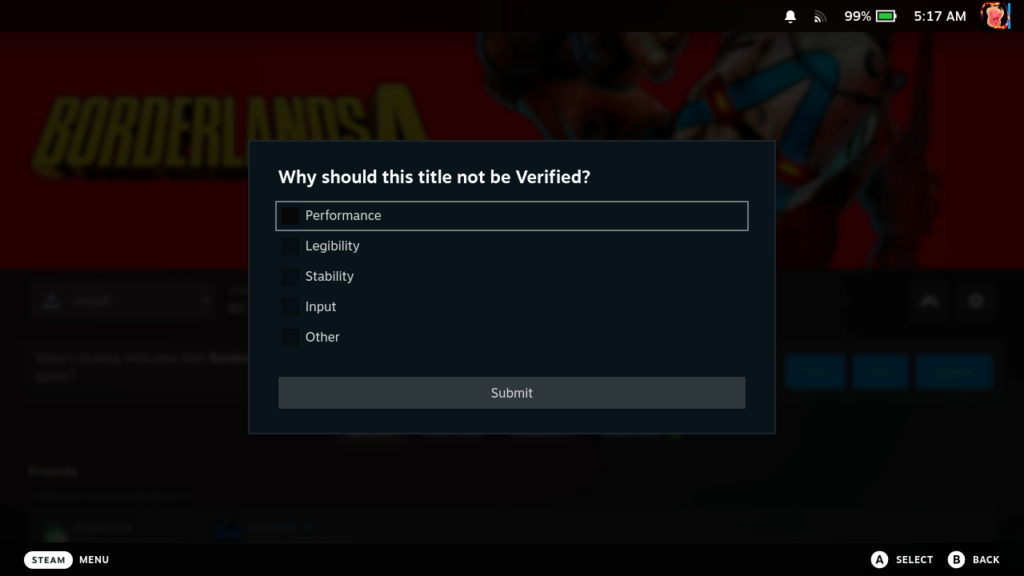
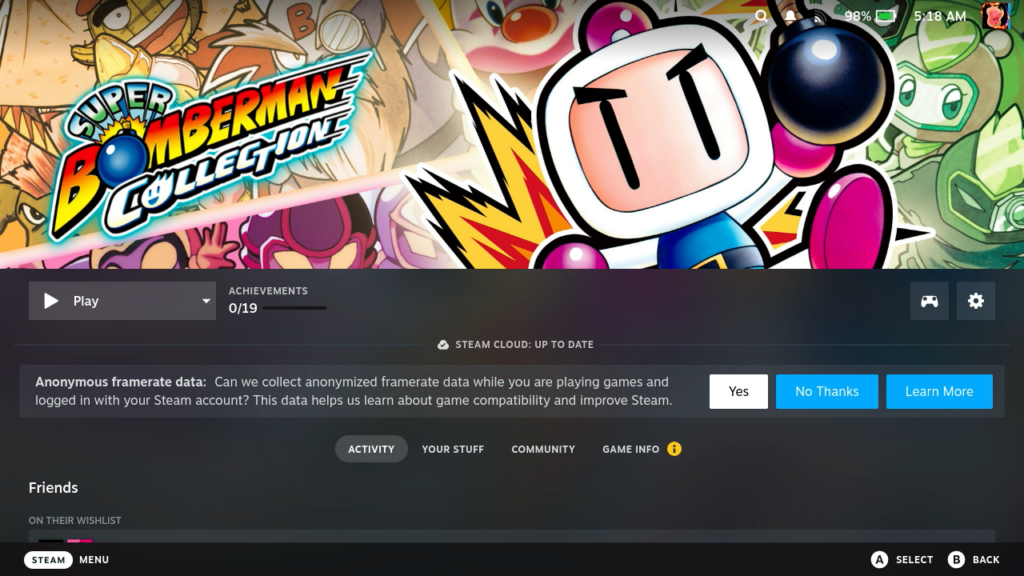
A new Steam Deck Beta Client update was released with some wonderful changes to the Verified system. There is now a way to submit feedback if you disagree with a Deck Verified rating, which could help Valve more accurately note why a game shouldn't be Verified. We can also now attach hardware specs with our reviews on Steam, as well as give the option to provide anonymous framerate data to help learn about game compatibility, which could mean more accurate ratings and reasoning behind them.
The new update also includes fixes for issues in offline mode and large game libraries, and improved the settings layout and navigation on all devices. The client will also display the highest resolution capsule image for the featured game in the Recent Games carousel.
You can download the update yourself in the System Settings on the Steam Deck. Make sure your update channel is set to Beta or Preview.
Steam Deck Beta Client Update 2/12/26 Changelog:
General
- Added the option to attach hardware specs when writing or updating a Steam User Review on a game's store page
- Added the option to provide anonymized framerate data. When enabled Steam will collect gameplay framerate data, stored without connection to your Steam account but identified with the kind of hardware you are playing on. This data will help us learn about game compatibility and improve Steam. This feature is currently in Beta with a focus on devices running SteamOS.
- When submitting feedback on whether you agree with a Deck Verified rating, if you disagree we'll now ask for the reason. Providing a reason is optional.
- Display the highest resolution capsule image available for the featured game in the Recent Games carousel when online.
- Fixed an issue that could make the currently selected element rapidly gain and lose focus which could also result in gamepad inputs being ignored.
- Fixed an issue that made it impossible to install some games if you have a large game library.
- Fixed an issue that prevented your selected keyboard theme from applying while in offline mode.
- Fixed an issue that could cause the gaming mode footer to flicker or disappear.
Steam Families
- Improved setting layout and navigation on desktop, deck and mobile devices.
If you enjoyed this article, check out the rest of the content on SteamDeckHQ! We have a wide variety of game reviews and news that will help your gaming experience. Whether you're looking for news, tips and tutorials, game settings and reviews, or just want to stay up-to-date on the latest trends, we've got you covered!

RECENT NEWS
Categories
Accessories
Anbernic
Android
ASUS ROG Ally
ROG Xbox Ally
Classics on Deck
Community
Cryobyte33
Deals
Deck Mods
Emulation
Events
Featured Post
Game News
Game News
General Game News
HandheldHQ
Hardware
Lenovo
Linux
MagicX
Nintendo
ONE-NETBOOK
Opinion
Other Reviews
Accessory Reviews
Handheld Reviews
PlayStation
Proton
Retro Handhelds
Anbernic
AYANEO
AYN
GPD
MagicX
MANGMI
Miyoo
Retroid
TrimUI
SDHQ
Steam
Steam Machine
SteamOS
The Unsupported Report
Uncategorized
Uncategorized
Recent Tips & GUIDES
recent reviews