Solo Leveling: ARISE OVERDRIVE - Steam Deck Performance
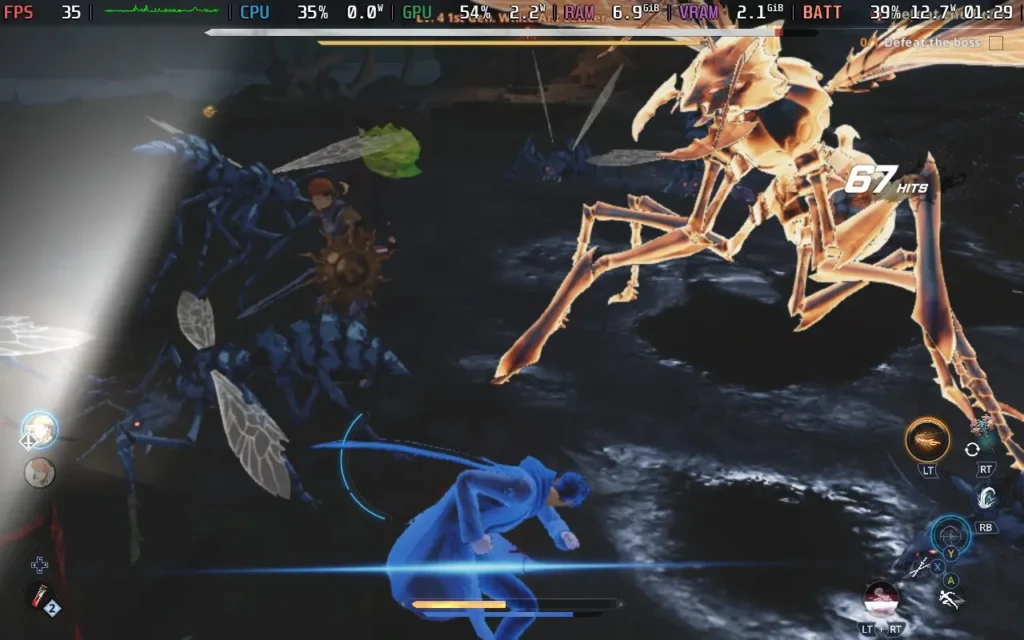
The game is quite heavy on the CPU, so I found that setting the Graphics Quality to the "Low" preset gave a nice balance between CPU and GPU bottlenecks. That being said, a 60 FPS experience sadly isn't possible here. Locking the game to 40 FPS in your SteamOS settings gives you a decent balance between stability and smoothness.
The "Low" preset still looks pretty decent, although we miss out on some lighting niceties. There also seemed to be some lighting issues in the game, which might be related to the Steam Deck, but it's hard to say. Either way, there was some pop-in with the lighting, almost as if it was loading in and out at times.
Do expect some dips below 40 in intense situations, particularly ones with lots of enemies. The special effects can also get very over-the-top with some abilities, which can cause slowdowns to around 30 FPS, but I would still say 40 is the desirable frame rate target.
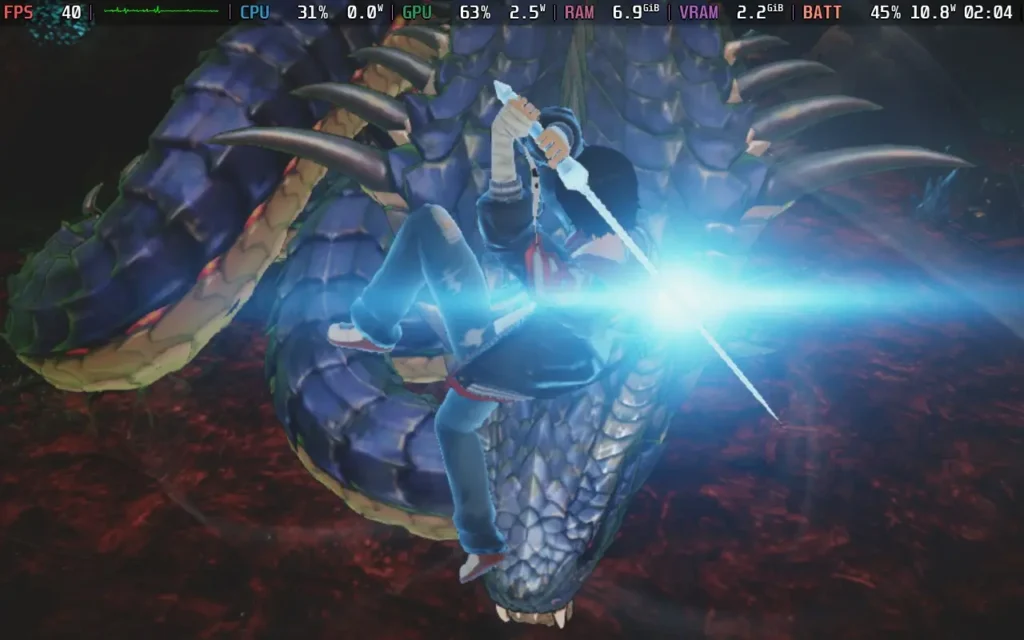
Interestingly, it feels like the Steam Deck should be able to get higher, with neither the CPU nor GPU using much power when drops happen, which is almost always when attacks land on enemies. Because of this, battery life is likely going to be around 4 hours on the Steam Deck OLED and a good 3 hours on the LCD model.
When it comes to controls, the game controls fairly well on a controller. I did struggle with the "lock-on" system; it seemed a bit temperamental, and would swing my camera around to another enemy while I was already fighting one.
Aside from that, the game controls well on the Steam Deck, with combo moves being mapped to just a couple of buttons and not too overwhelming at all. I would recommend you use a gamepad to play instead of a keyboard and mouse.
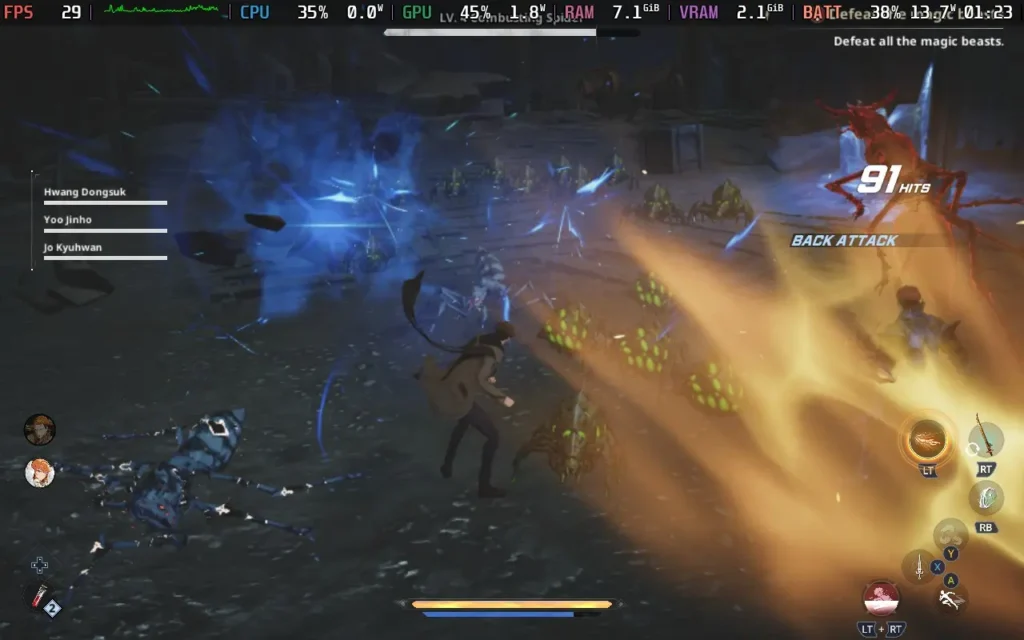
Solo Leveling: ARISE OVERDRIVE runs fine on the Steam Deck. We aren't able to hit 60 FPS like I often hope with these stylized anime games, and even 40 FPS is a struggle in the heat of combat, but the performance is good enough for this action-packed RPG, and you'll be able to have an enjoyable time with it on the go.

RECENT NEWS
Categories
Accessories
Anbernic
Android
ASUS ROG Ally
ROG Xbox Ally
Classics on Deck
Community
Cryobyte33
Deals
Deck Mods
Emulation
Events
Featured Post
Game News
Game News
General Game News
HandheldHQ
Hardware
Lenovo
Linux
MagicX
Nintendo
ONE-NETBOOK
Opinion
Other Reviews
Accessory Reviews
Handheld Reviews
PlayStation
Proton
Retro Handhelds
Anbernic
AYANEO
AYN
GPD
MagicX
MANGMI
Retroid
TrimUI
SDHQ
Steam
Steam Machine
SteamOS
The Unsupported Report
Uncategorized
Uncategorized
Recent Tips & GUIDES
recent reviews