If you haven't yet, follow us on X (Twitter), Mastodon, or Bluesky to know when we post new articles, and join our Reddit or Subscribe to us on YouTube to check out our content and interact with our awesome community. Thank you for supporting us!
One of my favorite series that I’ve ever played is Metal Gear Solid. There’s something about the game and the way Hideo Kojima tells the story that completely captivates me. Since they announced the Master Collection and brought Metal Gear Solid 1, 2, and 3 to PC, I have been finding myself consistently playing and replaying the classic games in the series, and it’s one I recommend others try as well.
However, with the second volume of the Master Collection coming out later this month, I wanted to go over how every single Metal Gear game is running on the Steam Deck right now. This covers all of the games that have been released on Steam. I won’t be going over emulation as an option, since that would include 80% of the games on this list.
Metal Gear 1 and 2 (Master Collection)
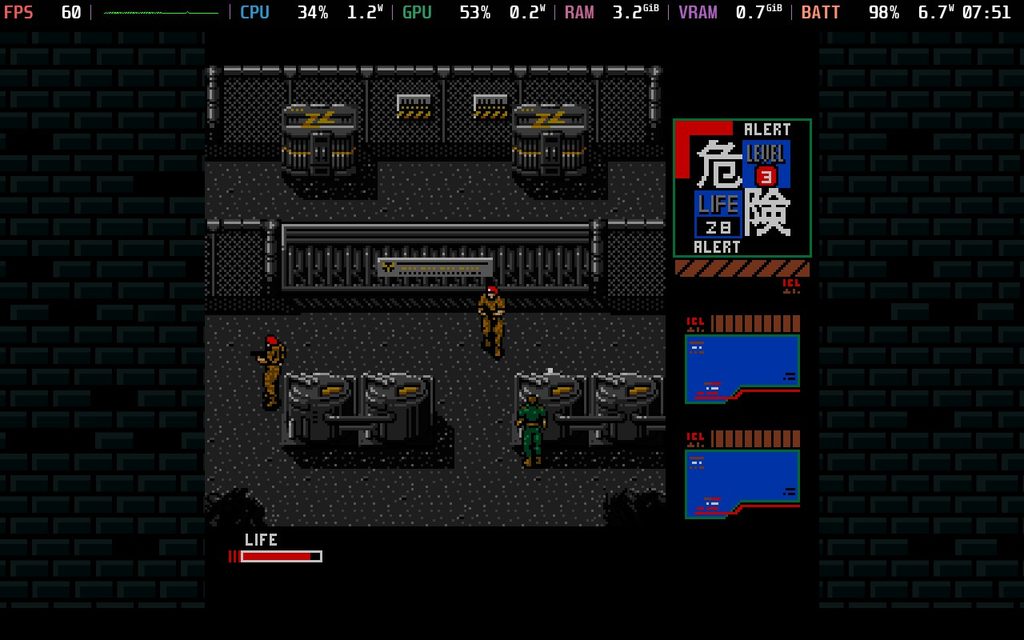
For the most part, Metal Gear 1 and 2 can both run quite well on the Steam Deck, but not out of the box. It hits 60 FPS just fine, but for whatever reason, it will drain up to 14W of battery. For a game like this, that shouldn’t be an issue.
However, there is an easy fix. By capping the framerate at 60 and setting a TDP limit of four, we can bring the battery drain down to 7W, extending our battery life significantly. I highly recommend doing this, since it not only increases battery life by hours, but it also sticks to 60 FPS without issue. So, after that, it’s a perfect game to play on the go.
Metal Gear Solid (Master Collection)
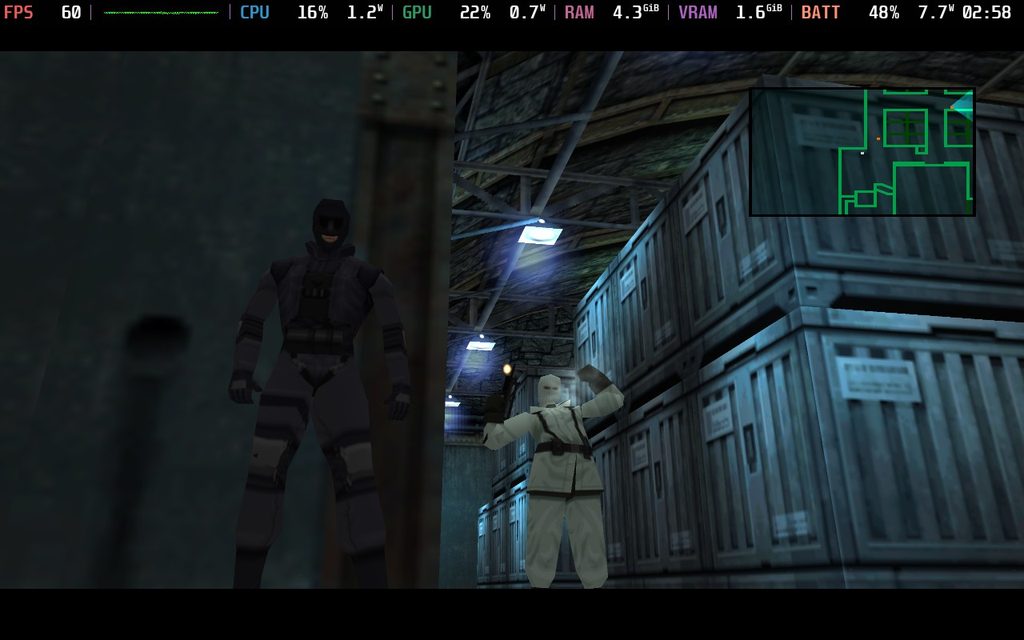
Metal Gear Solid is a fairly great game to play on the Steam Deck, but with a couple of changes, it becomes significantly better. The default settings have it at the original resolution and aspect ratio, which is great if you wanna play it faithfully to the original, but there are a few ways we can enhance it for modern enjoyers.
If you don’t want to use any external tools, you can go to the Screen settings and increase the resolution to Max Resolution for very clear and sharp visuals. If you wanna push the quality, this is definitely going to be the best way to do it. However, I would only recommend doing this with the original 4:3 aspect ratio. We can make the game use the entire screen, but it stretches the image, which is not something I would want to do.
However, we can use an external tool called MGSM2Fix to fix this. By placing the files of the latest version of the fix into the Metal Gear Solid 1 folder and changing the MGSM2Fix.ini a little, we can play with the 16:9 aspect ratio and no stretching whatsoever. To do this, we need to go into that. .ini file and set the Widescreen option to “True.” Once that’s done, you can save the file and head back into game mode. After that, we need to use a launch option before launching the game, but once that’s done, we can enable widescreen, and the image won’t stretch.
Ultimately, this does make the game drain a little bit more than the default settings, but it will stick under 10W and is arguably the best way to play the game. This is how I would recommend playing it, since it feels the most faithful without any stretching and with some modern enhancements.
Metal Gear Solid 2 (Master Collection)
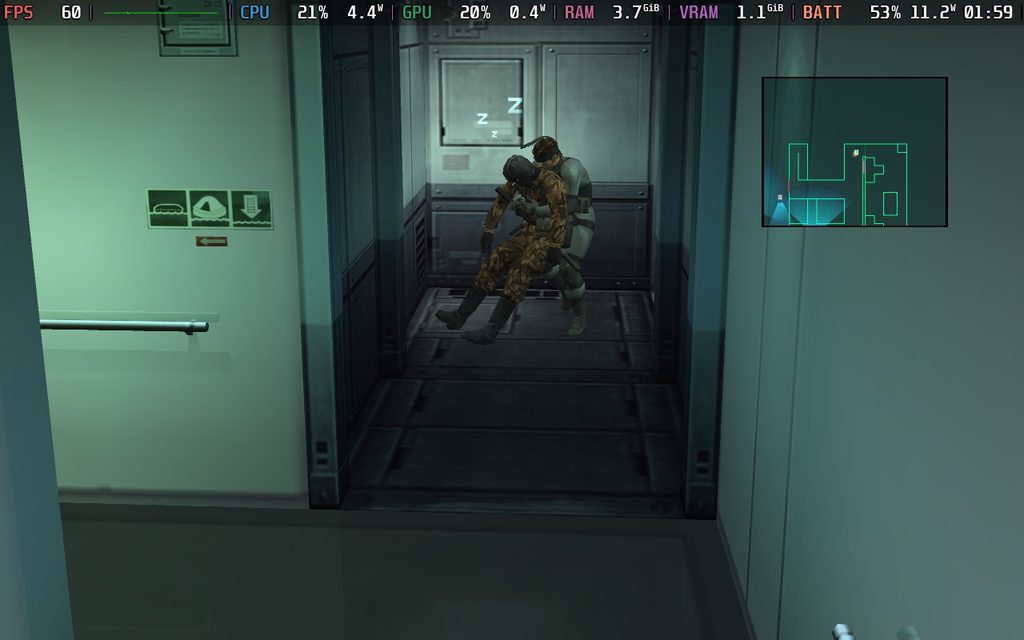
This one is quite similar to Metal Gear Solid 1. It can run well on this Steam Deck already, but with a few changes, it becomes a significantly better experience that is more faithful to the original release.
If you don’t wanna make any changes outside of the game, you can just play without changing a thing. It runs at 60 FPS and in the 16:9 aspect ratio. It does drain a little bit too much battery, but with a TDP limit of five, we can keep the game at a stable framerate and cut the battery drain in half to around 8W.
However, by using an external mod, we can make the game fit the entire screen of the Steam Deck without any stretching, restore effects, fix typos, and much more. The tool, MGSHDFix, has a similar installation method to MGSM2Fix, where we put all of the files in the download into the directory for the game. After that, we add and run the config tool, which can be found in the new plugins folder, and after setting it up, we just put a launch option for the game. This is the best way to experience MGS 2 on the Steam Deck by far, and with the TDP limit set, it will be a must-have experience.
Metal Gear Solid 3 (Master Collection)
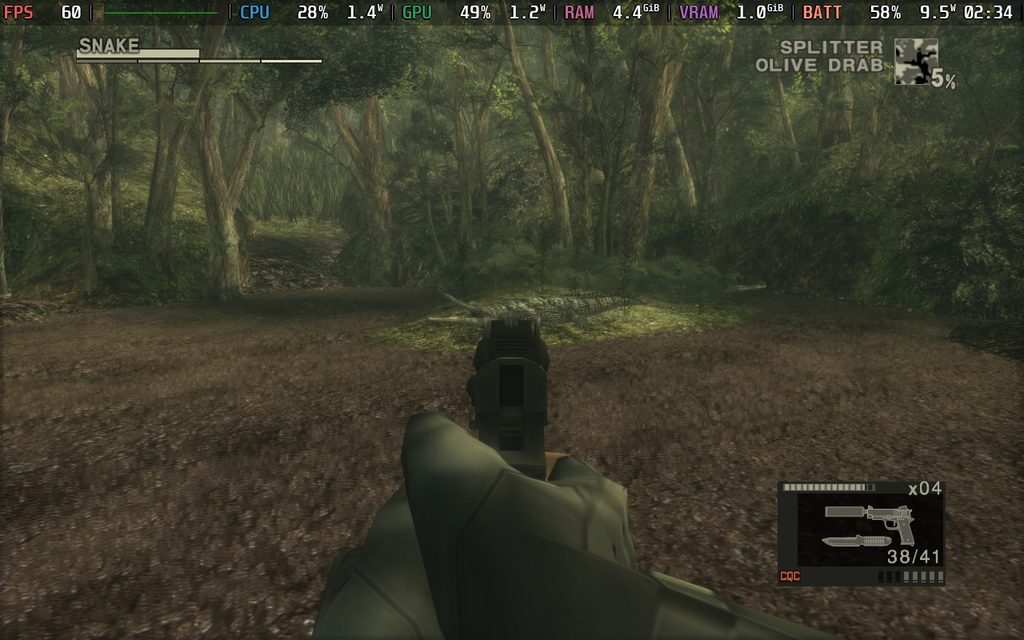
This is almost exactly the same as Metal Gear Solid 2. The game is playable without any changes, but enhanced significantly when using the same tool as used for MGS 2.
The game runs out of the box and can hit 60 FPS, but uses the 16:9 aspect ratio and has high battery drain. We can fix the battery drain by setting the TDP limit to 6, but we will still get around 10W of drain. Still, that is significantly better than the 16W without any limits.
By using the MGSHDFix tool, we can expand the game to use the entire screen of the deck, as well as restore some of the lost effects from the original releases. It has the same installation method as MGS 2, except we’re gonna be doing it all in the MGS 3 directory. I highly recommend using this tool since it gives us the best experience for the game possible.
Metal Gear Solid Delta: Snake Eater
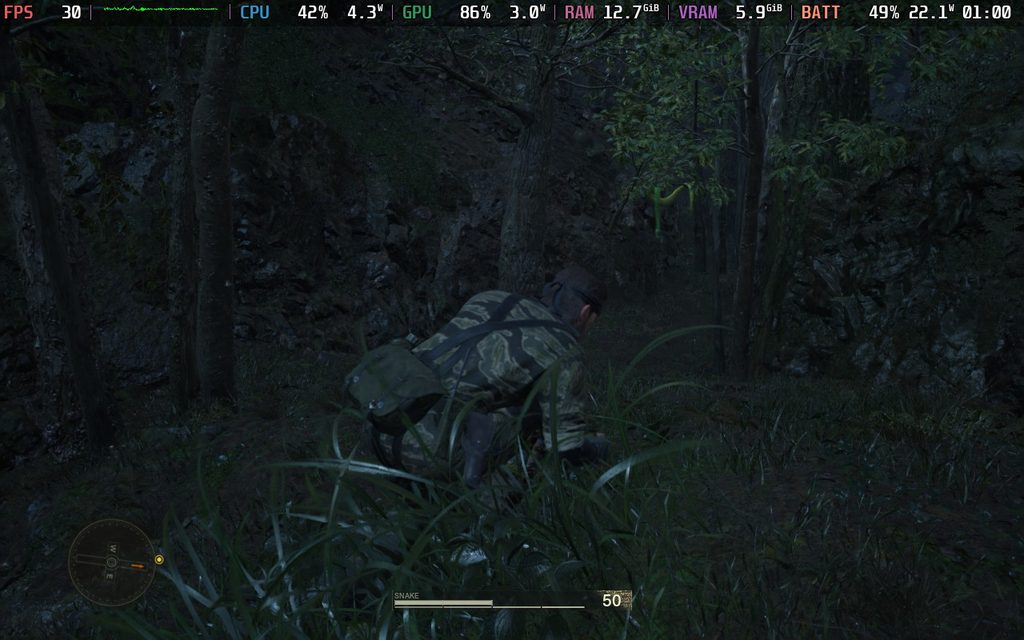
The remake of Metal Gear Solid 3 is somewhat playable on the Steam Deck, though it’s not something I would generally recommend since we have the original version that runs significantly better. On the low settings, it can hit 30 FPS, but there are a lot of visual downgrades that ruin the experience. The biggest reason to play the remake is the updated visuals, so getting rid of those defeats a little bit of the purpose. Yes, the controls are significantly better, but the original version has better performance and battery life.
Still, I would say it’s playable for the most part, just not enjoyable.
Metal Gear Solid 5: Ground Zeroes / The Phantom Pain
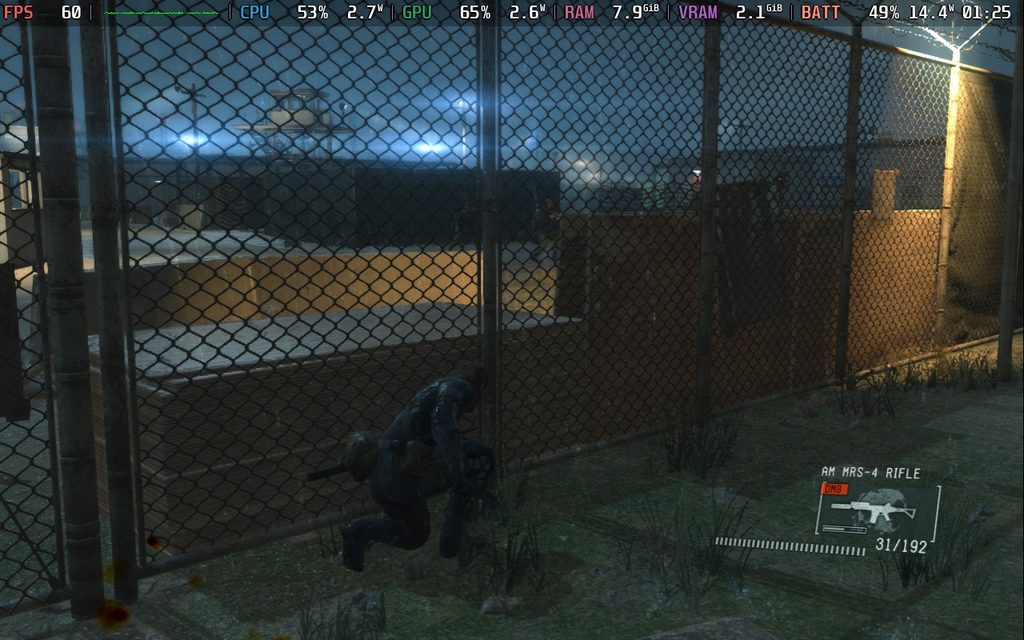
Despite being the newest game in the mainline series, it plays and runs incredibly well on the Steam Deck. It’s a fantastic experience, hitting 60 FPS most of the time; it’s a relatively low battery drain for a game like this. It’ll stick around and be below 16W-17W, which I would consider great for an open-world experience like this.
Metal Gear Rising: Revengeance
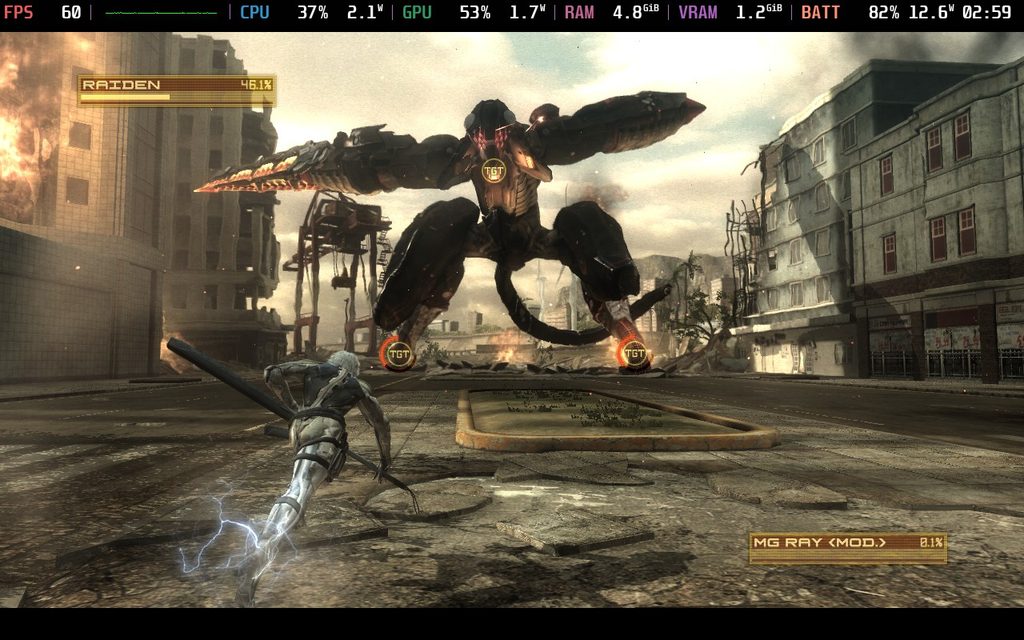
While it’s a little bit on the older side and hasn’t had the same treatment as the previous Metal Gear Solid games, it still holds up wonderfully on the Steam Deck. It’s running at 60 FPS with less than 12W battery drain on average. There are some bosses that will spike it up, but I never saw it go above 15W. It feels like it fits right at home on the Deck at Medium settings with native resolution.
There isn’t much more I can say; it’s just an amazing experience to take portably.
Metal Gear Survive
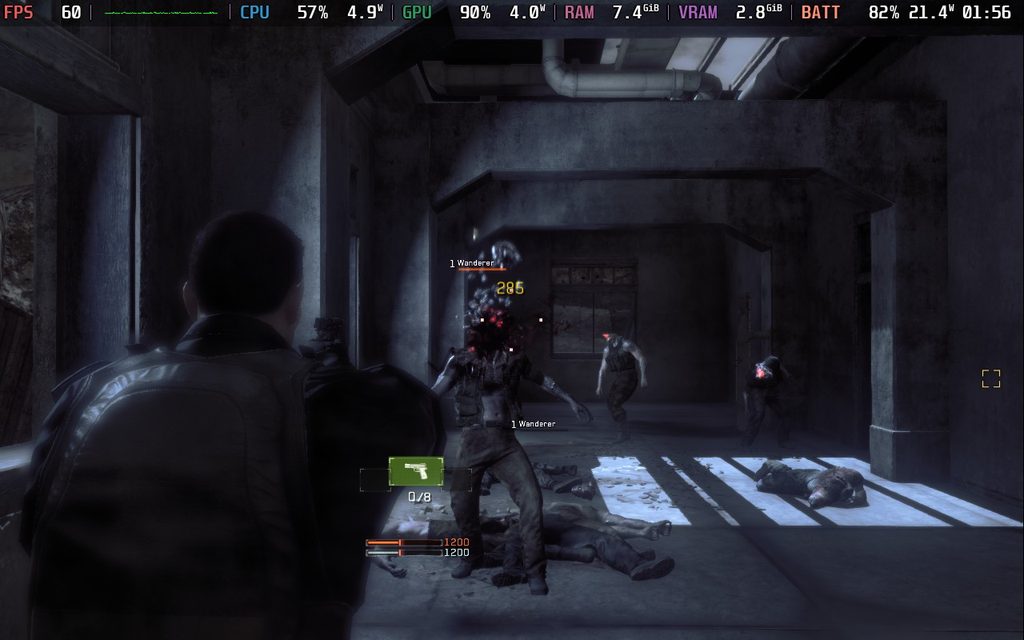
Metal Gear Survive actually performs quite well on the Steam Deck at default settings. It’s able to run at 60 FPS and stays at the framerate pretty frequently, though it does require a lot of battery drain. There were also some little drops here and there that I did see, so we should be able to turn down a few settings to stabilize that a bit. Based on performance and visuals, I would consider it playable.
However, the game needs an Internet connection to play, even if you’re playing alone. This was a weird decision back when it was released, but that does mean we can’t play on the go if we are away from an Internet connection. It should be fine if you’re playing at home, but if for some reason you can’t connect to the Internet, you can’t play the game at all.
And those are all the Metal Gear games tested on the Steam Deck! It's one of the few series where every game runs well on the device, so I am hoping that the next Master Collection will follow suit. It would be awesome to play through Metal Gear Solid 4 on the Deck, and I can't wait.
If you enjoyed this article, check out the rest of the content on SteamDeckHQ! We have a wide variety of game reviews and news that will help your gaming experience. Whether you're looking for news, tips and tutorials, game settings and reviews, or just want to stay up-to-date on the latest trends, we've got you covered!

RECENT NEWS
Categories
Accessories
Anbernic
Android
ASUS ROG Ally
ROG Xbox Ally
Classics on Deck
Community
Cryobyte33
Deals
Deck Mods
Emulation
Events
Featured Post
Game News
Game News
General Game News
HandheldHQ
Hardware
Lenovo
Linux
MagicX
MSI
Nintendo
ONE-NETBOOK
Opinion
Other Reviews
Accessory Reviews
Handheld Reviews
PlayStation
Proton
Retro Handhelds
Anbernic
AYANEO
AYN
GPD
MagicX
MANGMI
Miyoo
Retroid
Rumors
TrimUI
SDHQ
Steam
Steam Controller
Steam Frame
Steam Machine
SteamOS
The Unsupported Report
Uncategorized
Uncategorized
VR
Recent Tips & GUIDES
recent reviews