If you haven't yet, follow us on X (Twitter), Mastodon, or Bluesky to know when we post new articles, and join our Reddit or Subscribe to us on YouTube to check out our content and interact with our awesome community. Thank you for supporting us!
Back in the day, one of my favorite games was E.Y.E. Divine Cybermancy. There was something about the combination of first-person shooting, RPG progression, and the dark, cyberpunk world that completely hooked me. So, when developer Streum On Studios announced their next game, Daimon Blades, and that it was related to Divine Cybermancy, I was extremely excited. However, when the game launched, it was not great on the Steam Deck. But that seems to have changed recently, in some positive and negative ways.
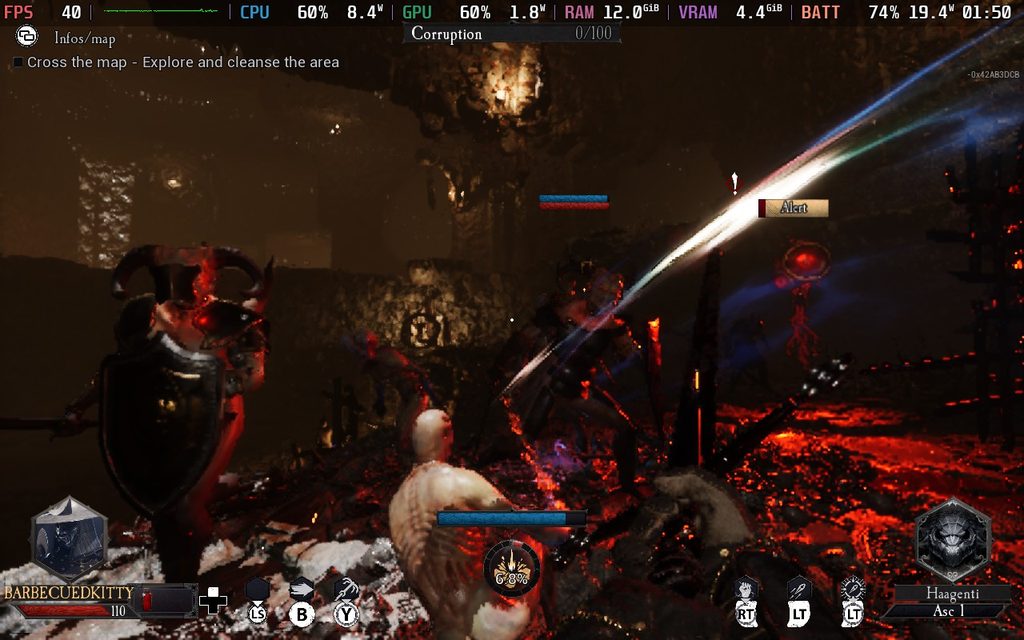
Last week, the game got a new update that made it more Steam Deck compatible, and it got the playable badge. I was quite surprised to hear this, because I remember how the game performed when it first released. Now, it’s rated Playable due to needing a community controller configuration, small in-game text, and needing to manually bring up the virtual keyboard. So, I decided to pick it up for myself and see how it is, and while it does perform better, it also has a few other issues that make it a little bit tougher to play this way.
For the most part, Daimon Blades' performance has gotten significantly better. It sticks to 30 FPS and above almost the entire time, with a lot of it actually sticking out at 40 FPS. I was quite impressed by this change, since I still remember how I couldn’t even hit 30 FPS on the lowest settings. So, this is a massive step up.
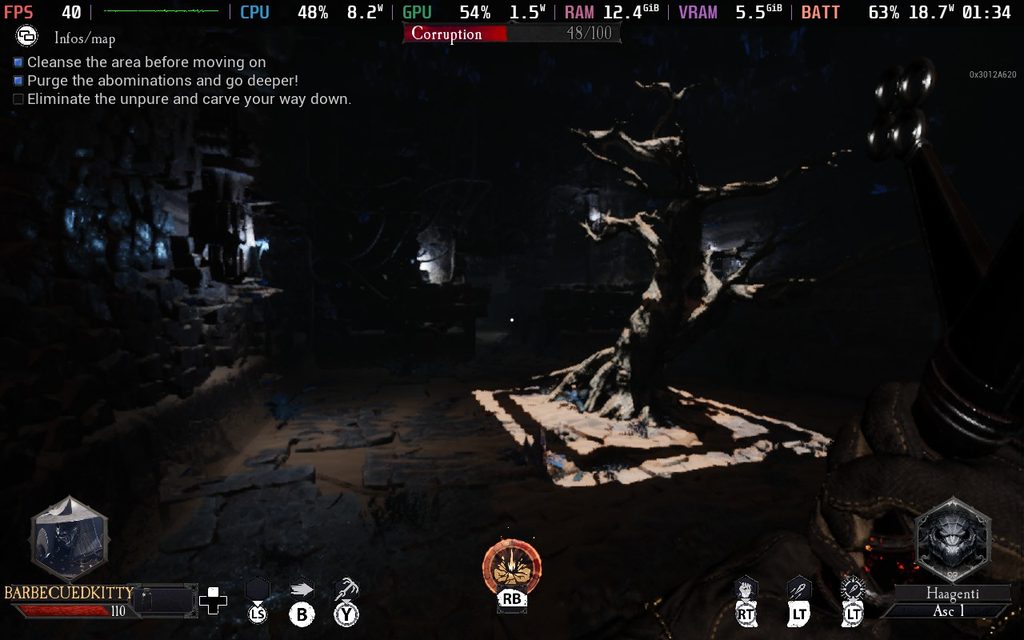
However, there are a few problems with the graphical configuration for people playing on the Steam Deck. There are no settings to change, and with most of the game on low quality, it is a bit blurry. But the biggest issue is the lighting. It is extremely dark, too dark to actually see what’s happening in a majority of the maps. I constantly got killed because I couldn’t see enemies in front of me, and I would just be whacked, or orbs would be shot at me out of nowhere. It makes the game relatively unplayable, which is a bummer.
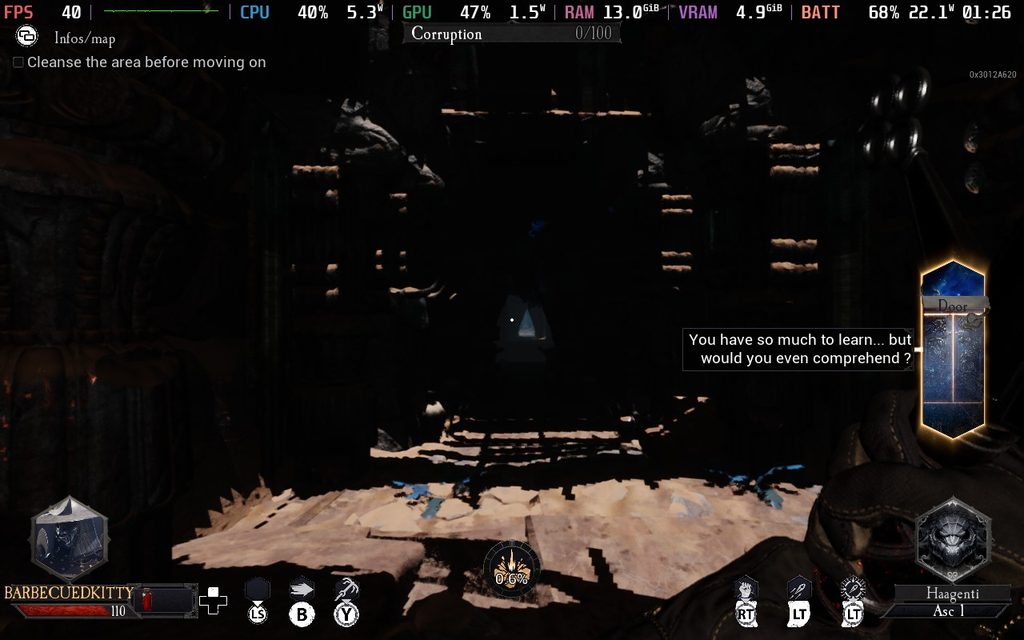
But I did find a solution. By using the SteamDeck=0 %command% launch option, we can trick the game into thinking it’s not being played on a Steam Deck. Because of this, graphical settings return, and we can make it look significantly better. Honestly, running the auto tool set it up quite nicely, with similar performance to the Deck version, but it’s much easier to see the world. It’s a great change with no compromises compared to the Steam Deck version.
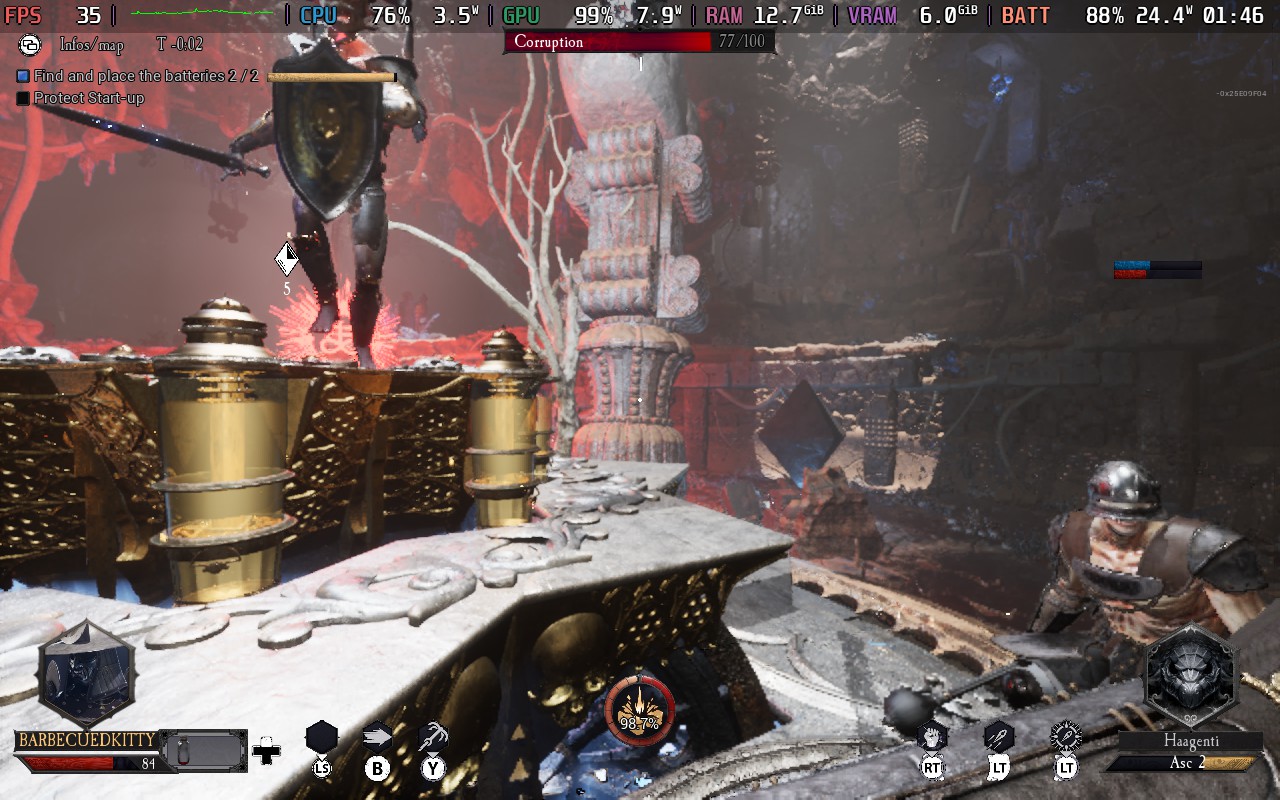
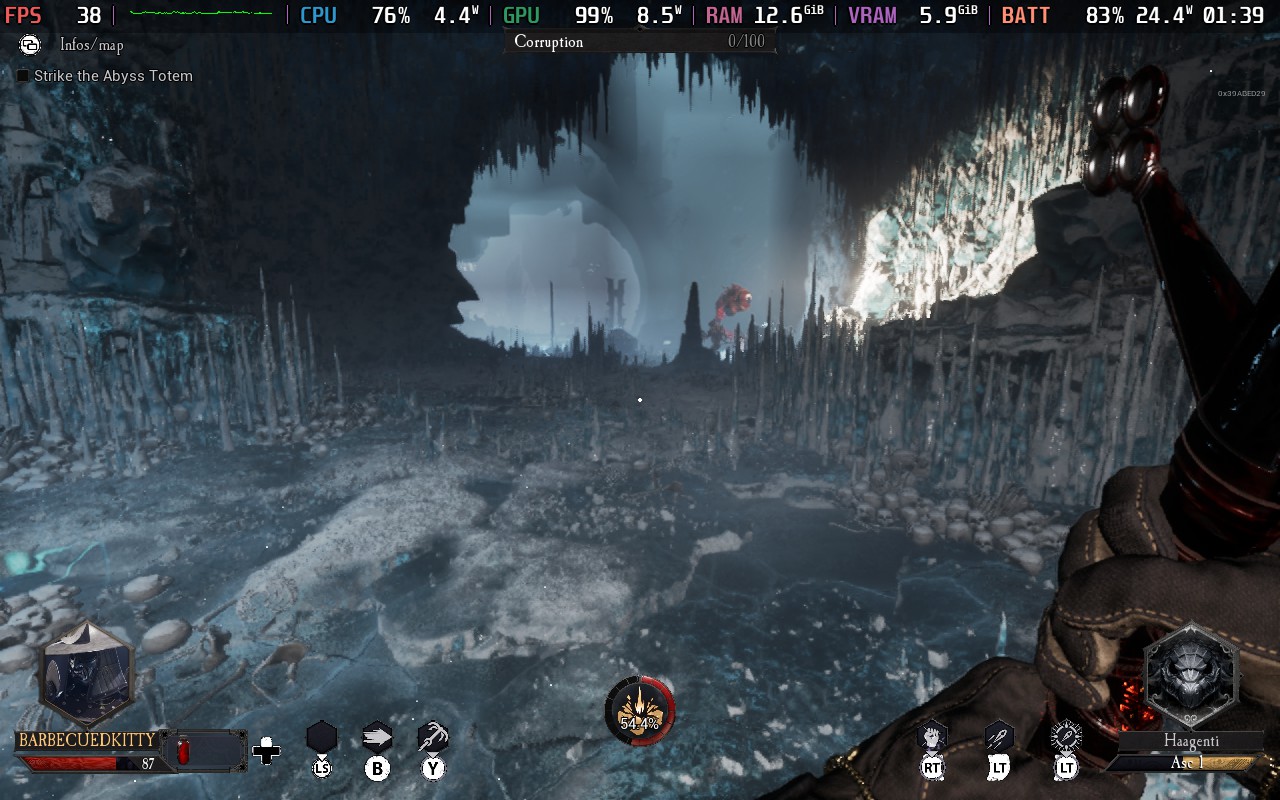
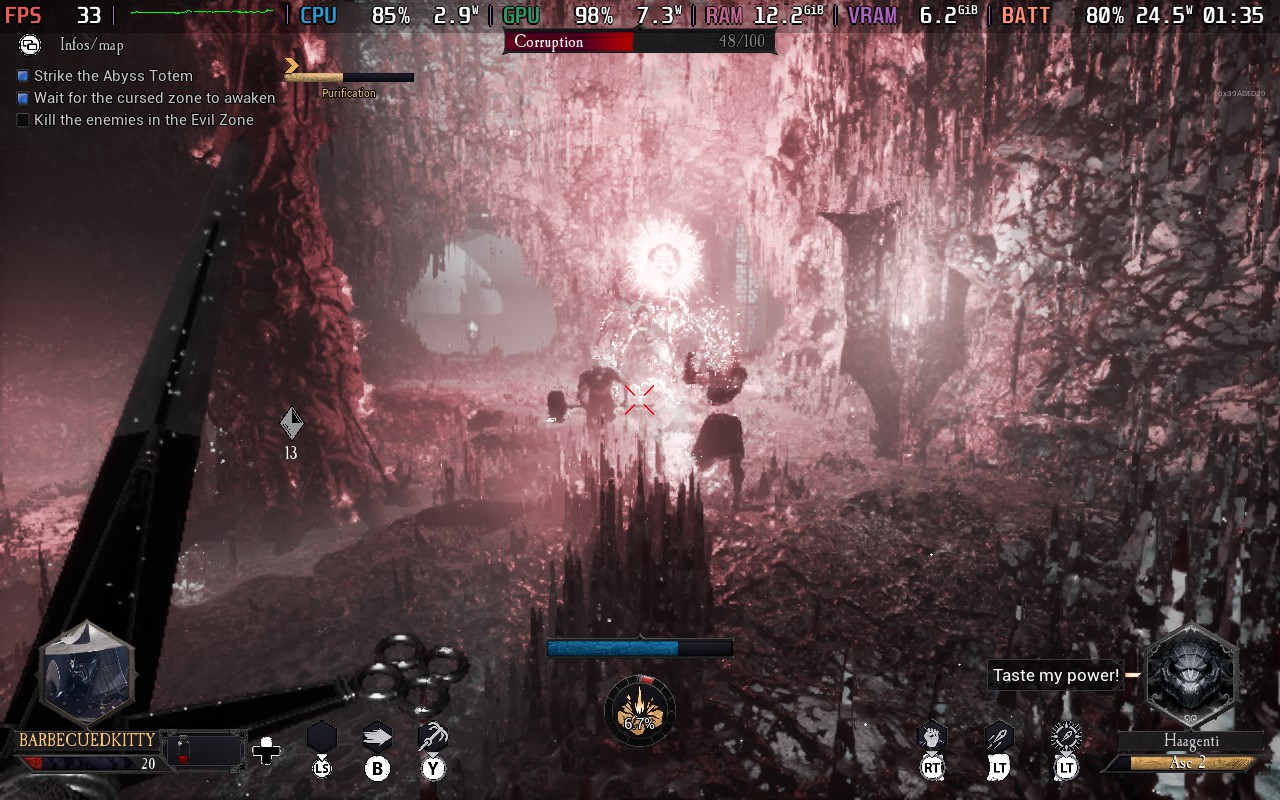
Daimon Blades with SteamDeck=0 Launch Option
There are still some minor problems here and there, especially with text size, but ultimately, it is much better than how it was before. I hope it continues to get optimization because I could see this being a great game to play on the Deck, but it still needs a little bit of help. I can’t wait to see how Daimon Blades will get better as time goes on.
If you enjoyed this article, check out the rest of the content on SteamDeckHQ! We have a wide variety of game reviews and news that will help your gaming experience. Whether you're looking for news, tips and tutorials, game settings and reviews, or just want to stay up-to-date on the latest trends, we've got you covered!

RECENT NEWS
Categories
Accessories
Anbernic
Android
ASUS ROG Ally
ROG Xbox Ally
Classics on Deck
Community
Cryobyte33
Deals
Deck Mods
Emulation
Events
Featured Post
Game News
Game News
General Game News
HandheldHQ
Hardware
Lenovo
Linux
MagicX
MSI
Nintendo
ONE-NETBOOK
Opinion
Other Reviews
Accessory Reviews
Handheld Reviews
PlayStation
Proton
Retro Handhelds
Anbernic
AYANEO
AYN
GPD
MagicX
MANGMI
Miyoo
Retroid
Rumors
TrimUI
SDHQ
Steam
Steam Controller
Steam Frame
Steam Machine
SteamOS
The Unsupported Report
Uncategorized
Uncategorized
VR
Recent Tips & GUIDES
recent reviews