


If you haven't yet, follow us on X (Twitter), Mastodon, or Bluesky to know when we post new articles, and join our Reddit or Subscribe to us on YouTube to check out our content and interact with our awesome community. Thank you for supporting us!
Every week, I write up an article about free games you can get for your Steam Deck. While there are some games directly on Steam, the bulk of them will come from Epic, GOG, and Amazon Prime. And even though they are not on Steam directly, we can still play them. There are a few ways to do it, including NonSteamLaunchers and the Heroic Launcher, but a new Decky Loader plugin may make the cake as the best way to play these games on the Steam Deck.

Meet Unifideck, a new plugin made by mubaraknumann, which aims to give us the easiest way to play these games on the Deck. It feels very similar to Junkstore, another Decky Plugin that does something similar, but Unifideck takes it a step further in a way that makes all of the games in each store even more accessible by adding them directly into your library as a dedicated tab, and it's fantastic.
To use this plugin, you will have to have the Decky Plugin Framework installed on your Steam Deck. You can follow our guide on how to get this installed and set up.
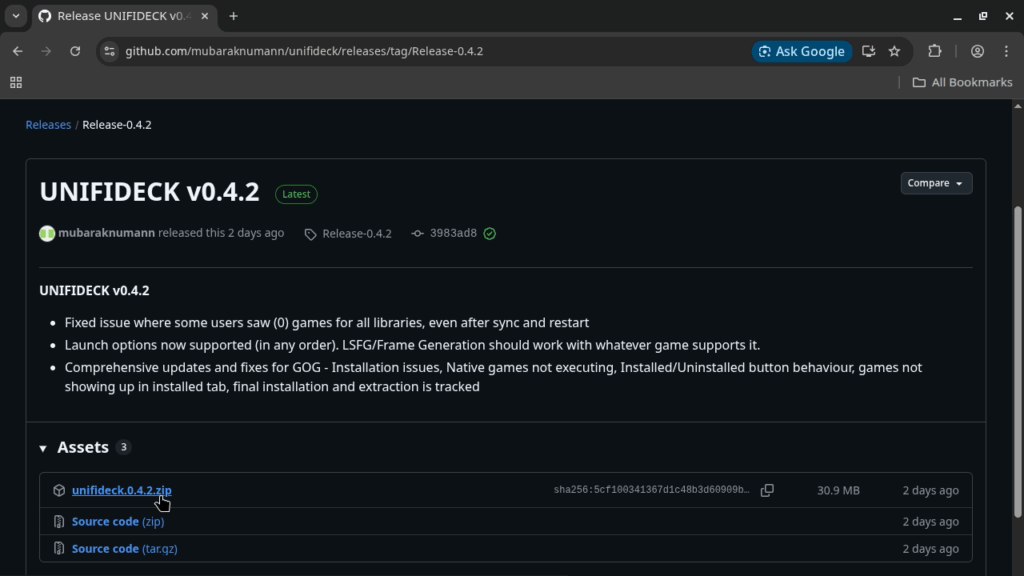
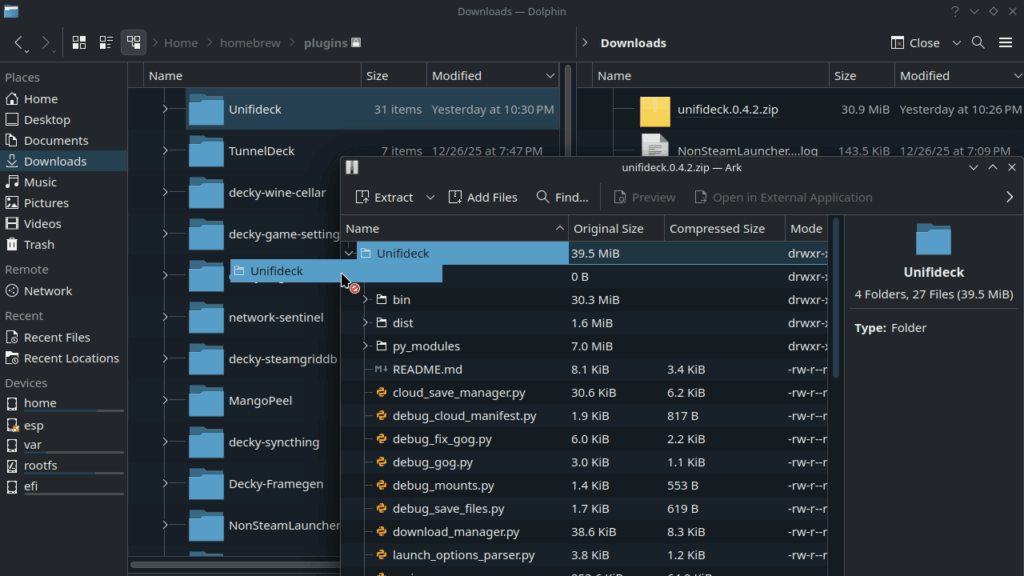
Currently, the plugin isn't on the Decky Store, so you will have to go to GitHub for the plugin and download the latest version (0.4.2 at the time of writing). Once done, you will have to put the Unifideck folder in the home/deck/homebrew/plugins folder for it to show up in the Decky list. If you have developer mode on, you can also install the plugin in game mode from the zip.
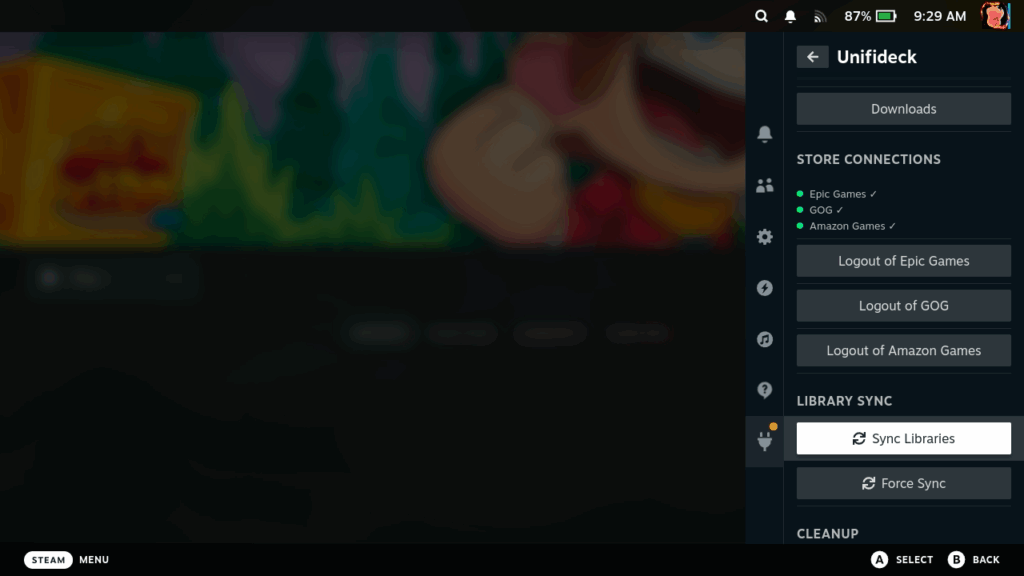
Once it is in, it's extremely easy to set up. Go to the plugin and log in to Epic, GOG, or Amazon Prime to authenticate with the plugin. Once done, click on the "Sync Library" button and let the plugin sync the libraries and get the artwork. After that, restart your Deck (or restart Steam directly), and all of the games you own will be added to their respective tabs.
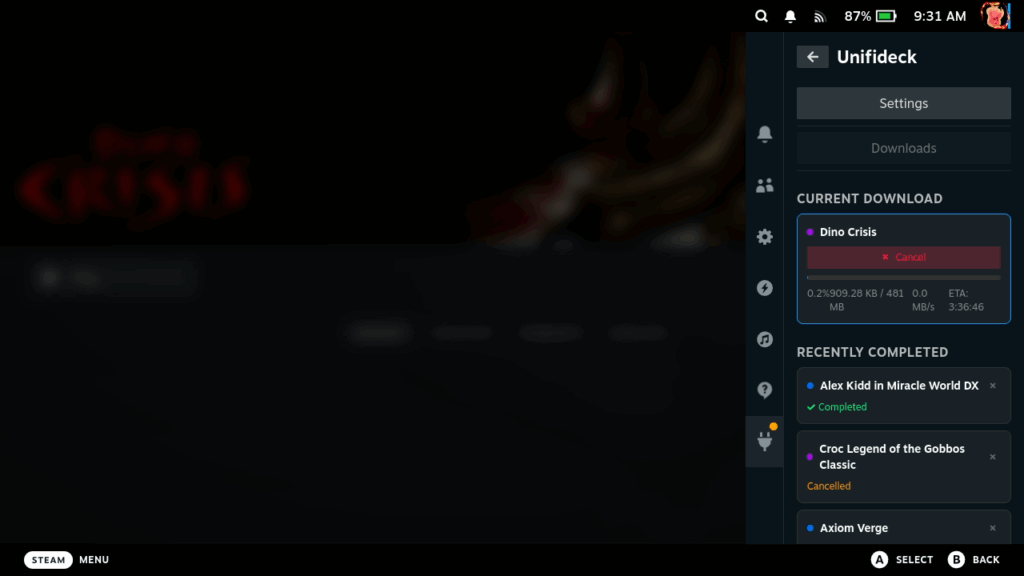
Now you have to press a specific button in the top right to actually install the game before hitting play, but after that, you should be able to just hit play and dive into the game. You can check the download progress within the plugin, with all the info displayed nicely.
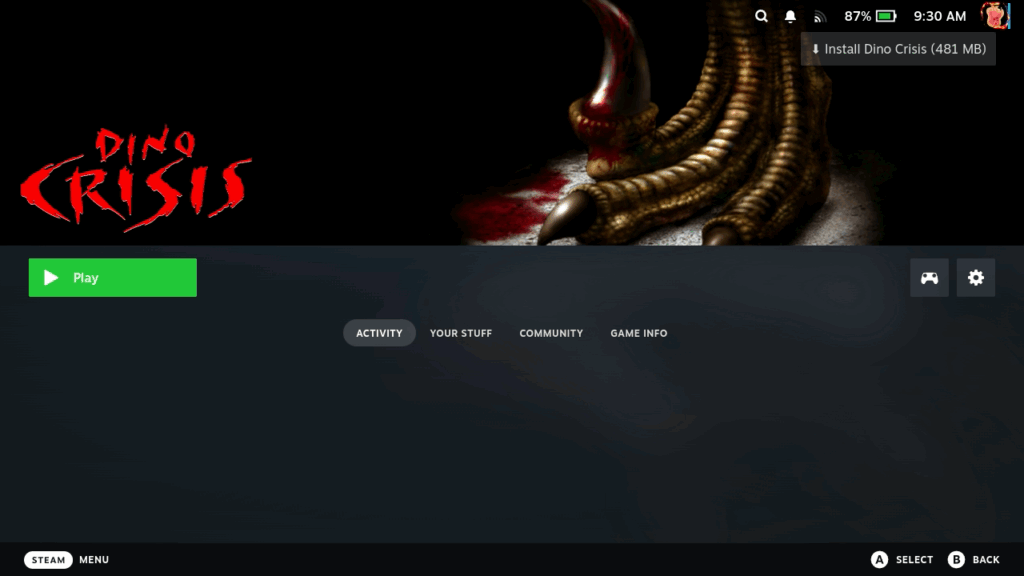
And that's really it. It's all extremely easy and simple to understand and do, all within the default Steam Deck Game Mode screen and Unifideck UI. It does still have some kinks to iron out, like some games from Epic not running (which fixed themselves after a reboot), slow downloads from GOG, needing to use the touchscreen to click "Install" for the games, and the automatic artwork not being the best, but it's a great start for a plugin that was released 1 week ago.
Will Unifideck replace the Heroic Launcher for me? Not just yet. I would like to see some of these kinks ironed out first before I go all in with it. But it does a lot more than the other options out there right now, and that's just fantastic.
If you enjoyed this article, check out the rest of the content on SteamDeckHQ! We have a wide variety of game reviews and news that will help your gaming experience. Whether you're looking for news, tips and tutorials, game settings and reviews, or just want to stay up-to-date on the latest trends, we've got you covered!

RECENT NEWS
Categories
Accessories
Anbernic
Android
ASUS ROG Ally
ROG Xbox Ally
Classics on Deck
Community
Cryobyte33
Deals
Deck Mods
Emulation
Events
Featured Post
Game News
Game News
General Game News
HandheldHQ
Hardware
Lenovo
Linux
MagicX
MSI
Nintendo
ONE-NETBOOK
Opinion
Other Reviews
Accessory Reviews
Handheld Reviews
PlayStation
Proton
Retro Handhelds
Anbernic
AYANEO
AYN
GPD
MagicX
MANGMI
Miyoo
Retroid
Rumors
TrimUI
SDHQ
Steam
Steam Controller
Steam Frame
Steam Machine
SteamOS
The Unsupported Report
Uncategorized
Uncategorized
VR
Recent Tips & GUIDES
recent reviews




How does this new plug-in interact with already installed games from these platforms?
It will basically create a second install of the game. So they shouldn't cause the other any issues, but saves won't transfer over unless there are cloud saves.
First 1.5 pages are about nothing to do with the article.
Pages?
It really only works if Steam Deck is your only device and you never go into Desktop Mode.
See, the problem is that literally every single game in your GOG and Epic library are added to Steam as if they're installed "non-steam games," so if you try to browse your library in desktop mode (where the tab system doesn't exist), everything is just listed as a big dump into your library. Same with if you're browsing to stream a game from your Steam Deck, it lists your entire library as installed and ready to play.
So it's a great idea, but with really messy execution, at least for now.
That's valid. It does look messy in Desktop mode, though it does group them into individual collections. I don't think I would mind as much if I didn't have overlapping titles. Like, if I had Epic-only games in the library, it wouldn't bother me as much. But now I have two copies of some games, which is a little obnoxious.