If you haven't yet, follow us on X (Twitter), Mastodon, or Bluesky to know when we post new articles, and join our Reddit or Subscribe to us on YouTube to check out our content and interact with our awesome community. Thank you for supporting us!
I remember the TimeSplitters series when I was growing up, and it was one of the series I never got a chance to play myself. I loved the concept, though. A first-person shooter where you travel through time, both in the past and the future, and it looked like so much fun. Now, with emulation, we could go back and play these games, which is very tempting, but what is even more tempting is a brand new fan project that captures the spirit of the three original games and brings it into one of the best community projects I have seen yet.
TimeSplitters Rewind is basically a remake of the TimeSplitters games, bringing them all under one roof with a ton of content. We have maps from across all three games, online and offline story modes, challenges, over 90 characters, 40+ weapons, 20 Arcade Game Modes, and even a new game mode for online play. The entire thing is free, and with this being early access, even more content will most likely be available in the future.
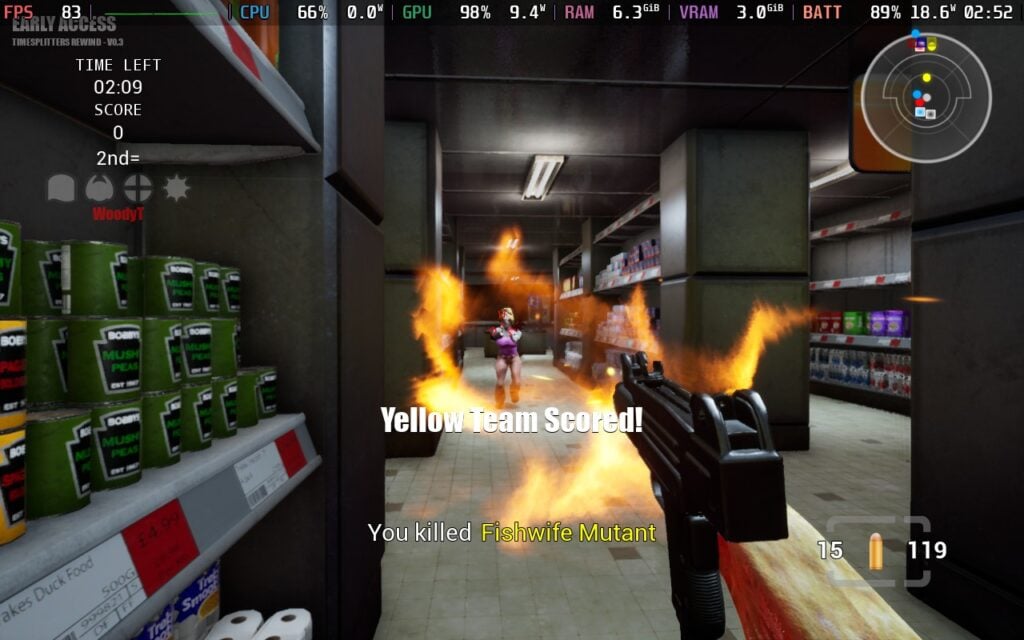
As this is an early release, there will most likely be some bugs to iron out, but it's pretty amazing to say the least. And for us Steam Deck users, it's actually playable and very enjoyable so far. It does require a little bit of tweaking, and we do have to manually install it, but the pros heavily outweigh the cons, and I am all for it.
Installing TimeSplitters Rewind is pretty easy and straightforward. All you have to do is head to Desktop Mode, download the files from their website, extract it to your Desktop (or any folder you want to extract it to), add the .exe to Steam, and then go to the properties on Steam and force compatibility to Proton. I used the newest Proton GE (10-25), and that's where a bulk of my testing is. It should also be compatible with other Proton layers, so you should be okay using Proton Experimental or Proton 10.
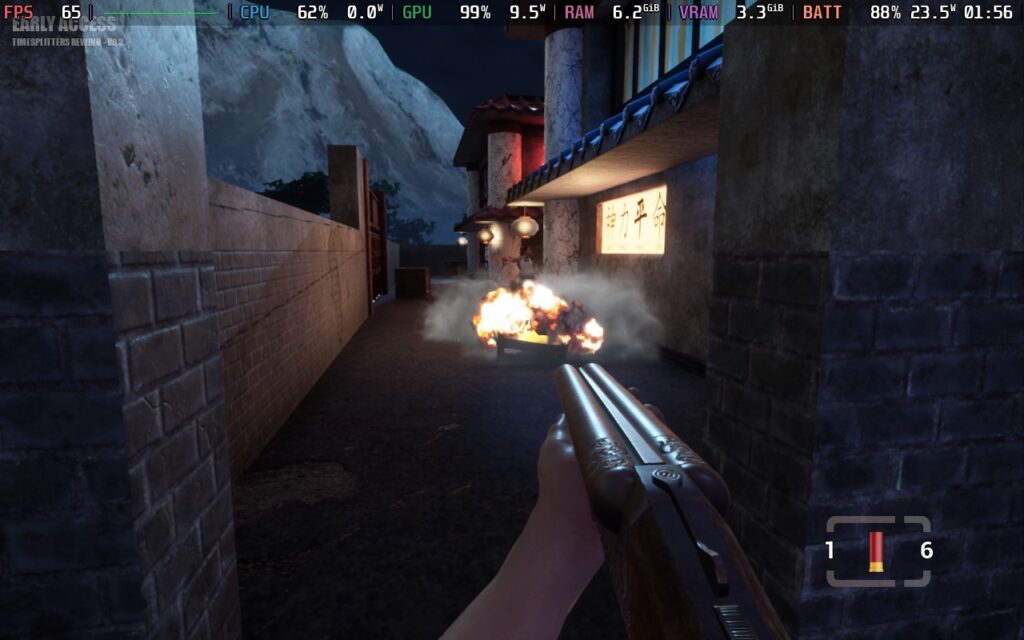
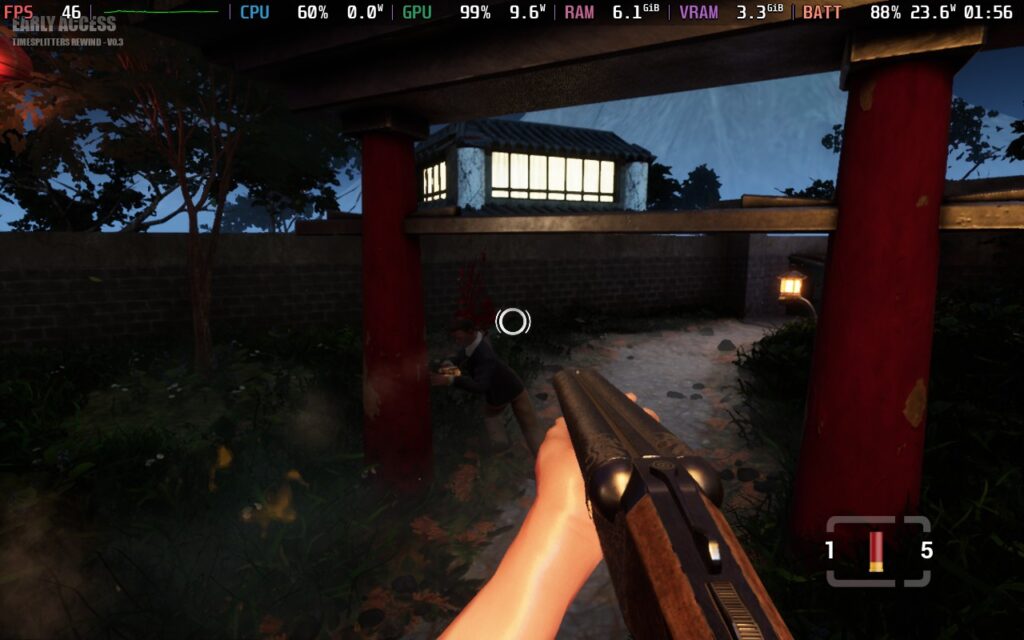
As for performance, it runs pretty well on the Steam Deck, but it definitely needs some changes for optimal play. It defaults to the highest quality settings, and while it is playable, the first level shows some massive drops. If you are okay setting this to 30 FPS locked, it should be playable throughout. However, I prefer higher framerates for games like this, so I set the resolution scale to 90 and Shadows to Low, which got me around 45 FPS average.
Setting the Shadows down to Low didn't affect the game as much visually, but it kept framerate up on the higher end, sometimes even hitting 60 FPS, so I highly recommend keeping it that way.
I also highly recommend increasing the gamepad sensitivity. It was horrible for me by default, but I felt much better once I increased it to 1.5 from the default 0.7.
However, after all is said and done, this is a solid experience on the Steam Deck. It looks great, even at lower quality shadows, feels great with the gamepad, and is packed with a ton of content. Pair that with the online story mode, challenges, and so much more, and this is a fantastic experience that is crazy to be free. I look forward to seeing how early access progresses and how updates will come out, because this is an experience you won't want to miss.
You can download TimeSplitters Rewind from their website.
If you enjoyed this article, check out the rest of the content on SteamDeckHQ! We have a wide variety of game reviews and news that will help your gaming experience. Whether you're looking for news, tips and tutorials, game settings and reviews, or just want to stay up-to-date on the latest trends, we've got you covered!

RECENT NEWS
Categories
Accessories
Anbernic
Android
ASUS ROG Ally
ROG Xbox Ally
Classics on Deck
Community
Cryobyte33
Deals
Deck Mods
Emulation
Events
Featured Post
Game News
Game News
General Game News
HandheldHQ
Hardware
Lenovo
Linux
MagicX
Nintendo
ONE-NETBOOK
Opinion
Other Reviews
Accessory Reviews
Handheld Reviews
PlayStation
Proton
Retro Handhelds
Anbernic
AYANEO
AYN
GPD
MagicX
MANGMI
Retroid
TrimUI
SDHQ
Steam
Steam Machine
SteamOS
The Unsupported Report
Uncategorized
Uncategorized
Recent Tips & GUIDES
recent reviews