


If you haven't yet, follow us on X (Twitter), Mastodon, or Bluesky to know when we post new articles, and join our Reddit or Subscribe to us on YouTube to check out our content and interact with our awesome community. Thank you for supporting us!
While the Steam Deck can already do so much on its own, it amazes me how the community will push it further. A lot of this is done within the Decky Plugin Framework, which injects community-made plugins into Game Mode. These can do a variety of things, like inject lossless scaling frame generation or allow you to easily change the artwork of all of your Steam games. Now, a new plugin is on the horizon, and it's going to make playing foreign games easier.
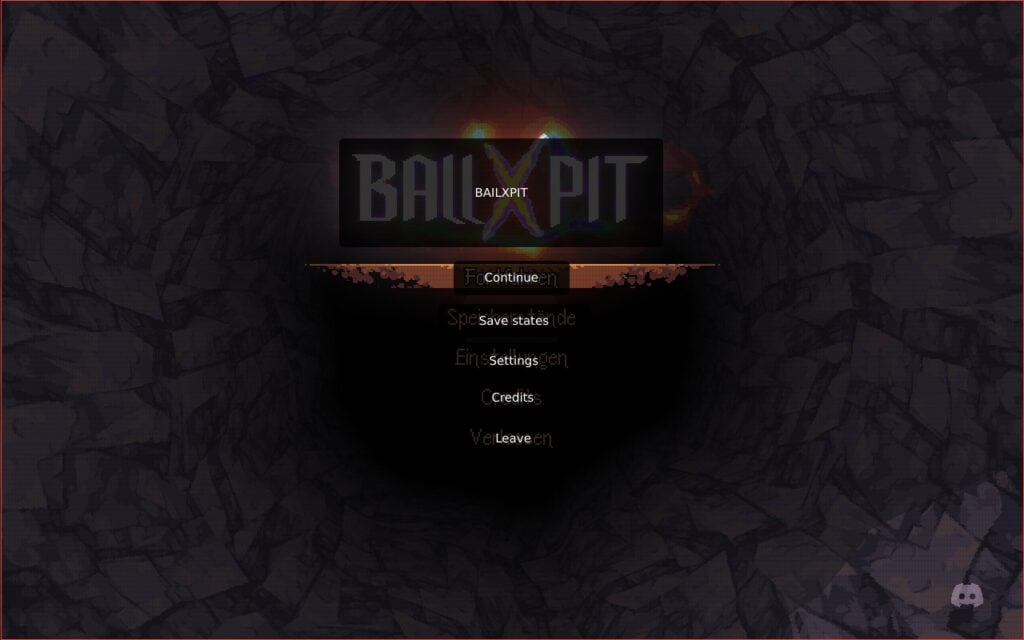
That's where the Decky Translator plugin comes in. This new plugin, made by cat-in-a-box, will translate whatever is showing on the screen at any given time with the press of a button. It can use one of three different text recognition software (RapidOCR, OCR.Space, and Google Cloud Vision), and use either Google Translate or Google Cloud Translation to translate whatever is showing on the screen. We also have multiple options for output language:
- English
- Spanish
- French
- German
- Italian
- Portuguese
- Russian
- Japanese
- Korean
- Chinese (Simplified or Traditional)
- Arabic
- Dutch
- Hindi
- Polish
- Turkish
- Ukranian
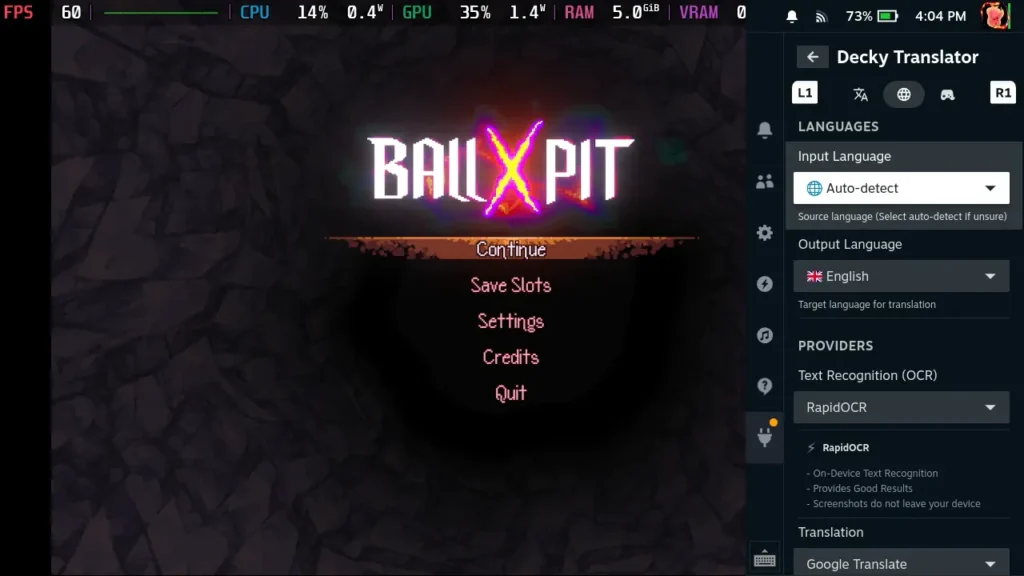
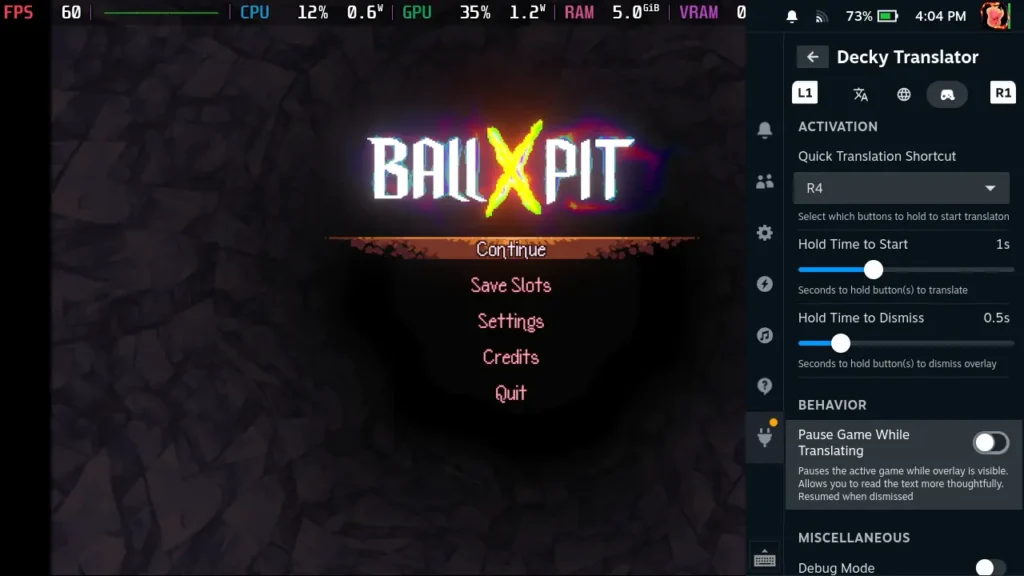
For the most part, this works really well. I tried it in a couple of games, and it had no issues finding the text on the screen and translating it. With BALL x PIT specifically, it got every text line on the main menu and translated it from German into English. It detected it all with ease, and it was easy to read the translations. We also have some nice options to customize its auto-detection, and if we know the language, we can set the input language manually.
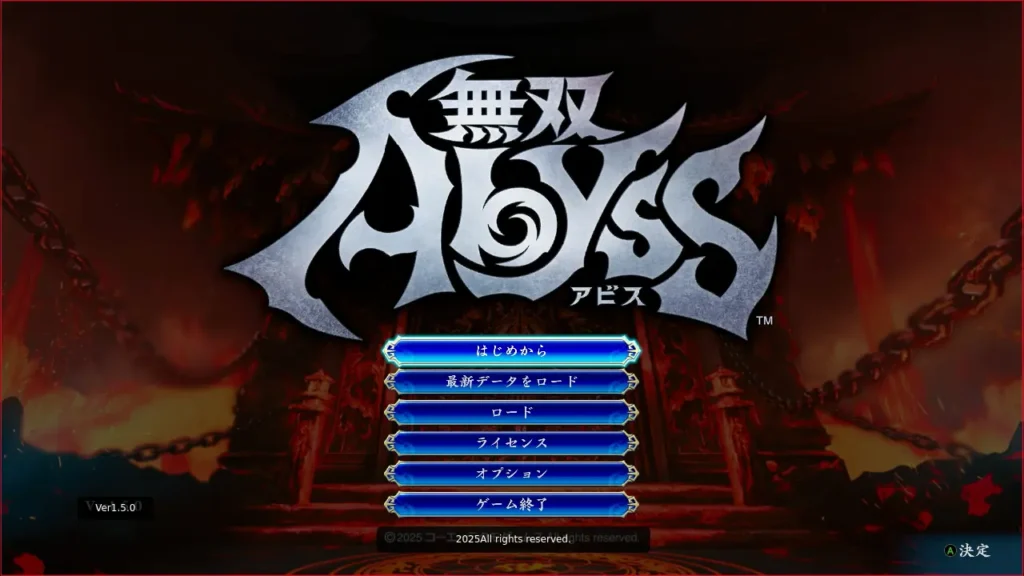
However, it isn't perfect. When setting Warriors Abyss to Japanese, the detection didn't find the main menu text. It would get some of the text on the screen, but not all of it. Even when I set the text detection down to make sure it can detect more text boxes, it still didn't find it.
Despite the minor issues, I think it's a great plugin and has some great ideas. I would love to see if it would be possible to do translations in real-time, which could be great for some games that don't support the English language or are released first in Japan (like the Trails series). Still, this is a nice way to translate different languages on the page with ease.
You can download the Decky Translator plugin from their GitHub, and once it's downloaded, you have to either move the downloaded folder into the plugins folder manually or install it via the ZIP in Decky's developer mode. The plugin should hopefully be on the Decky store soon, which will make installing it much easier.
If you enjoyed this article, check out the rest of the content on SteamDeckHQ! We have a wide variety of game reviews and news that will help your gaming experience. Whether you're looking for news, tips and tutorials, game settings and reviews, or just want to stay up-to-date on the latest trends, we've got you covered!

RECENT NEWS
Categories
Accessories
Anbernic
Android
ASUS ROG Ally
ROG Xbox Ally
Classics on Deck
Community
Cryobyte33
Deals
Deck Mods
Emulation
Events
Featured Post
Game News
Game News
General Game News
HandheldHQ
Hardware
Lenovo
Linux
MagicX
Nintendo
ONE-NETBOOK
Opinion
Other Reviews
Accessory Reviews
Handheld Reviews
PlayStation
Proton
Retro Handhelds
Anbernic
AYANEO
AYN
GPD
MagicX
MANGMI
Miyoo
Retroid
Rumors
TrimUI
SDHQ
Steam
Steam Controller
Steam Machine
SteamOS
The Unsupported Report
Uncategorized
Uncategorized
Recent Tips & GUIDES
recent reviews




The main question: can it translates offline? Google translate can download language packages and work without internet connection. It will be perfect if plagin can made it too