


If you haven't yet, follow us on X (Twitter), Mastodon, or Bluesky to know when we post new articles, and join our Reddit or Subscribe to us on YouTube to check out our content and interact with our awesome community. Thank you for supporting us!
The AYN Thor was provided by AYN for review. Thank you!
I have always loved handhelds, ever since my first time picking up my Game Boy Advance. It has always made games feel more meaningful to me because I can now carry it around and bring it wherever I go. However, that love exploded when the Nintendo DS came out. It was so unique, with two screens to play games, ways to communicate with friends like Pictochat, and how cool it was to use the Stylus to interact with games. Those were good times, and in some way, I have longed to be able to play games like that again, and because of the AYN Thor, I have.
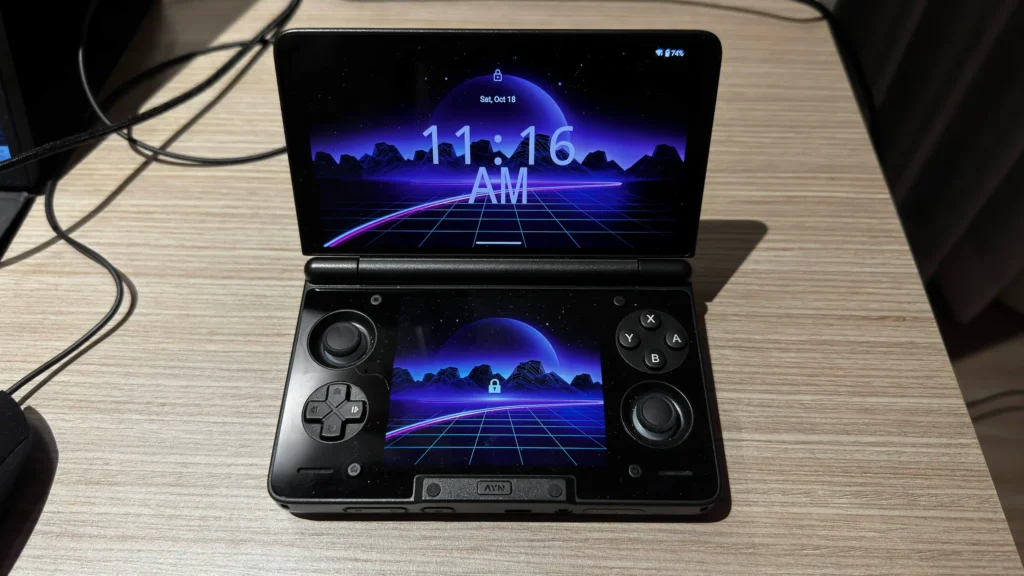
I have been playing around with this dual-screen Android handheld for a couple of days so far, and I may have fallen in love. It's perfect for DS emulation, visuals pop with the OLED screens, and it feels wonderful to carry around thanks to how lightweight and small it is. Even with some minor downsides, it is just a joy to use.
I am currently working on a larger review with more testing, but I wanted to share some of my first impressions of the device. There is definitely more testing coming, and a longer review with in-depth looks at emulation, gaming performance, features, and design will be out in the next week and a half, but even before I get into that, I think this is a worthwhile handheld to pick up.
While SteamDeckHQ does support emulation and preservation, we do NOT support piracy. All games being tested are dumped from legally purchased games of ours. We will never link to any websites or sources to download any ROMs.
Design, Ergonomics, And The Grips
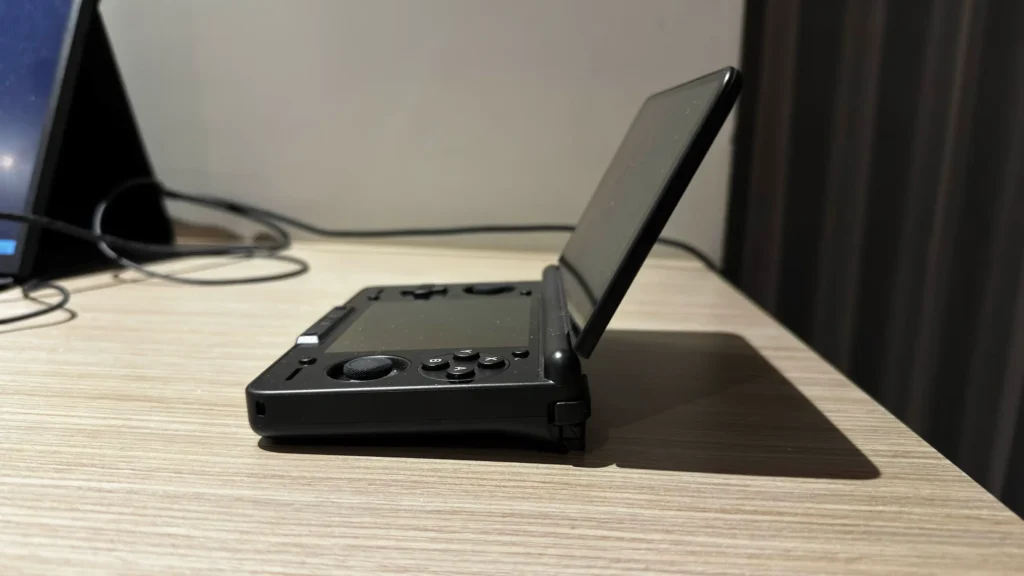
As soon as I took the AYN Thor out of its box, I was stunned. The device immediately made me think of the Nintendo DS with its sleek design and size. I remember putting it in my pocket and gleefully walking around, reminding me of the days I used to take my DS wherever I went so I could continue playing Pokémon Platinum and Kingdom Hearts 358/2 days. Even opening it up and seeing the screens light up just brought me back, though the top screen is significantly larger than the DS, and the two joysticks exist.
I was enamored with the design, but holding it is another story. As much as I love how it looks, my hands have grown and become much larger, and trying to hold the Thor for a long period of time will result in cramps. However, AYN sent over a grip to go along with it, which is part of the Accessory pack. I didn't get all the accessories from the pack, only the grip, but that is the most important part for sure.
Putting the grips on the Thor is as simple as sliding it in, and it makes holding the device significantly better. I can actually comfortably grip the handheld fully, without worrying about cramping up, and it's a night and day difference. My hands do feel a little bit off and slightly further down than I would like, and using the grip does make it harder to put in my pocket, but the comfort from the grips outweigh this entirely.
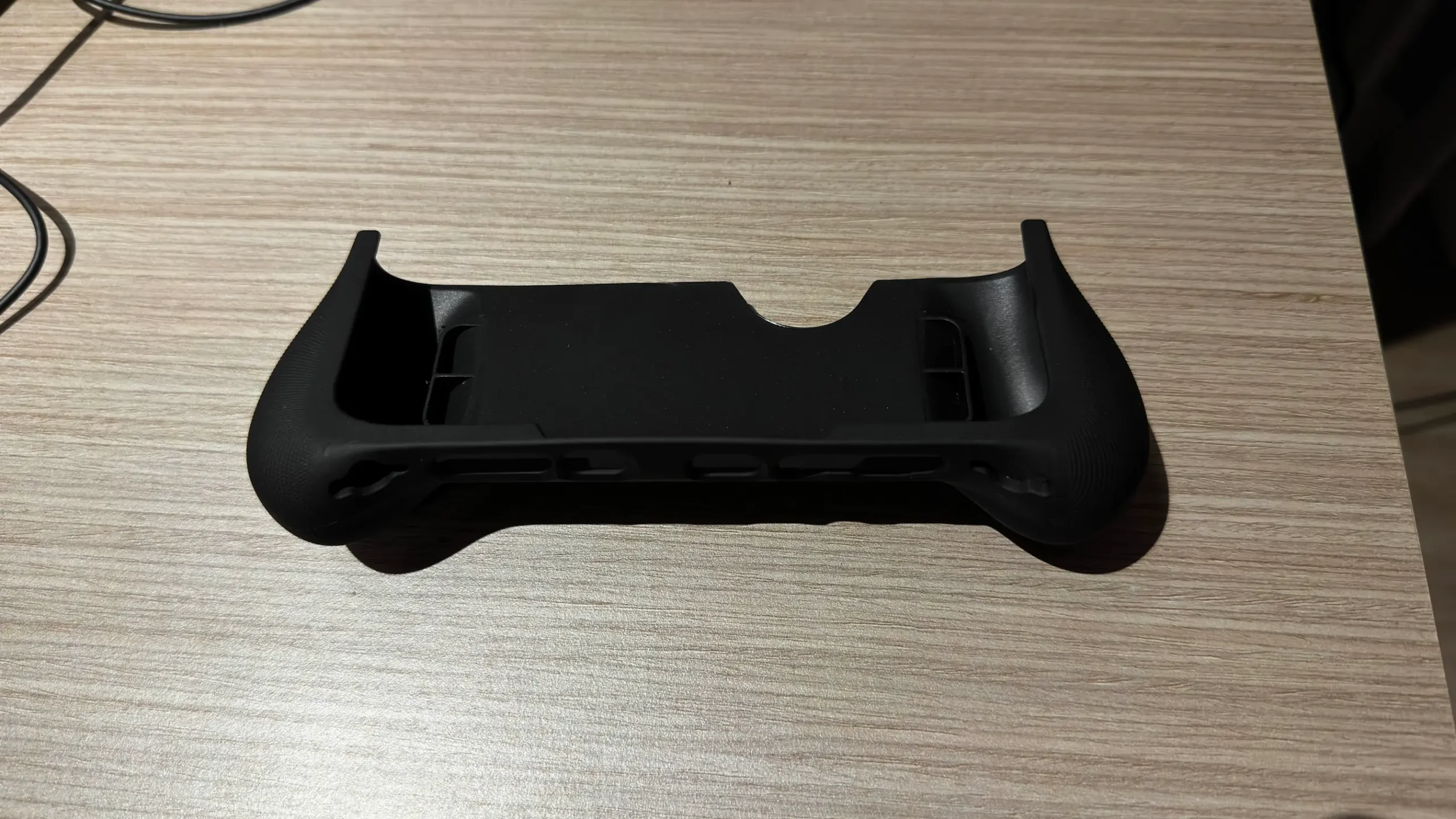
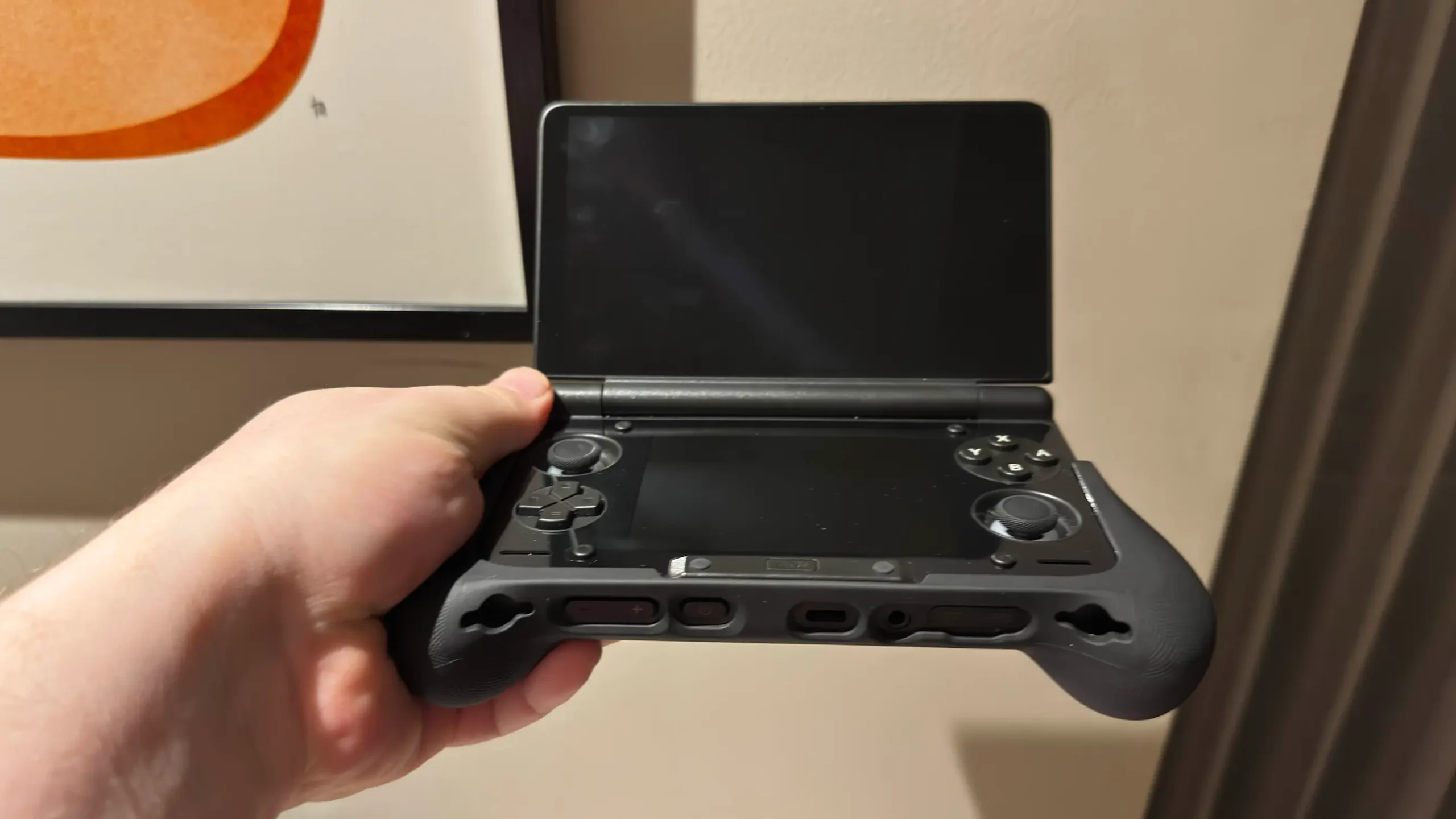
If you have smaller hands, the grips may not be necessary, though. My wife has smaller hands and actually preferred not using the grips at all, so I would say it will depend on your hand size. For myself, I need those grips.
While the device is small, I didn’t find it difficult to use any of the triggers. I have fat fingers, so I was worried the smaller buttons and triggers would be tough to use, but I was pleasantly surprised how easy it was to actually tough and utilize the triggers. There is a good amount of pushback to them, making it easy to control how much I push down, and it felt impactful.
The OLED Screens And Multi-Tasking
Alright, let's get to the main attraction now, shall we? The AYN Thor utilizes two OLED screens in their device. While I won't go too much into detail yet, the colors of each screen are vibrant and beautiful, just what I would expect from OLED. It makes the Thor feel like a premium device that I find hard to move away from. I am a huge fan of OLED in general, which is why I still use my Steam Deck over the Ally X for the most part.
With the two screens comes some unique ways to actually use the handheld, and one of my favorites is multitasking. We are able to use one screen for one app, while the other can be used for a different one. This came handy for testing, since I could have stats for battery, RAM, CPU, and GPU on the bottom screen while I played on the top. It was also nice to be able to download files and see them as soon as I downloaded them.
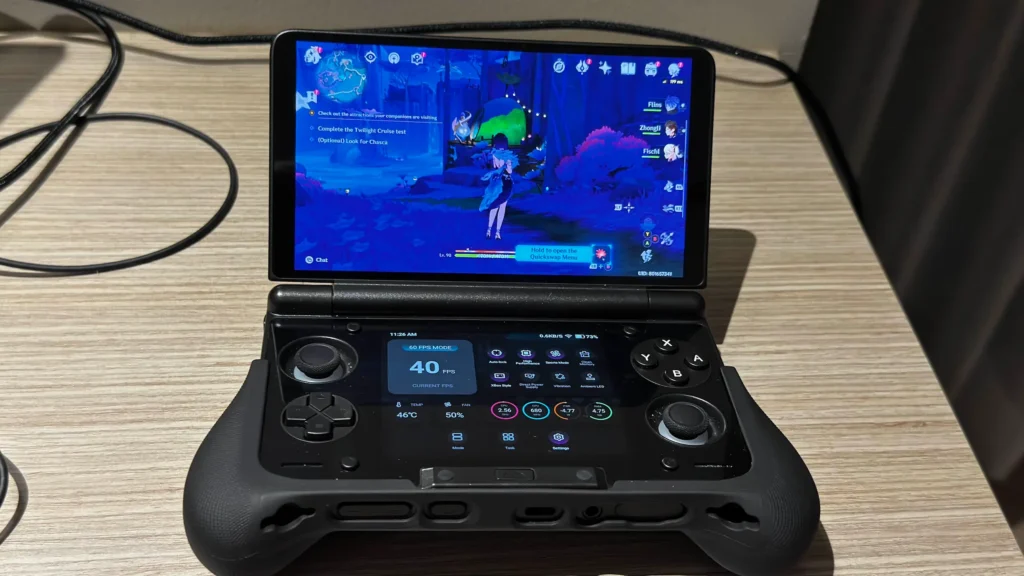
Both screens are very responsive to touch, though I did notice that I couldn't swipe up to close apps on the bottom screen. I was still able to press the home button and do it from the top screen, but not from the bottom. This may also be because of my fat fingers, but it was still bothersome. Even still, being able to multitask like this is pretty amazing.
Emulation And Game Performance
One of the big appeals for a dual-screen device is emulation, and it is definitely able to handle most that comes its way. With the Snapdragon 8 Gen 2 chip inside, it is able to handle up to the PS3/Switch for emulation. Still, some of my favorite single-screen emulation was GameCube, PSP, and PS2. They all fit very well, feel great, and perform as expected from my testing so far.
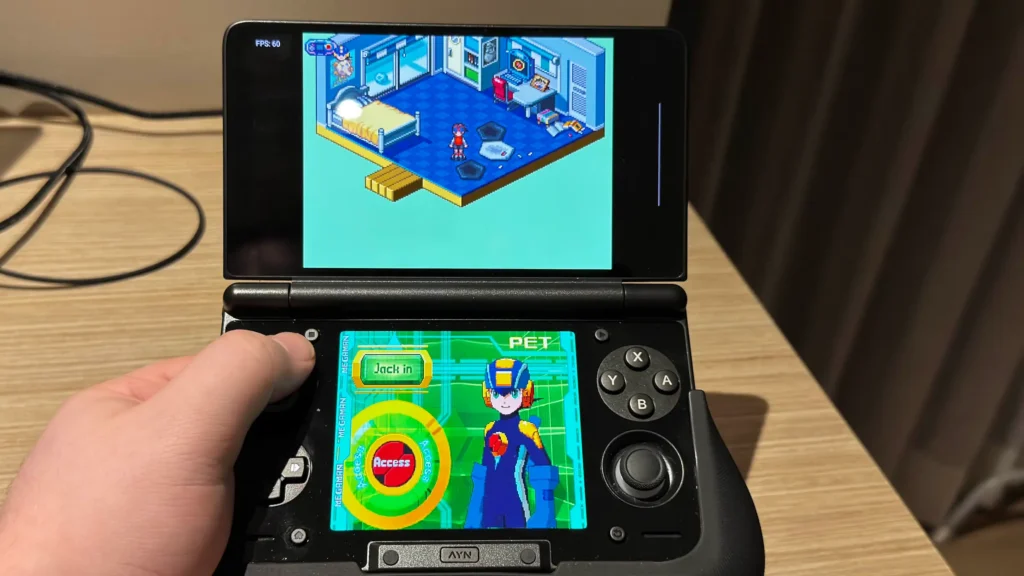
However, the AYN Thor shines with DS and 3DS emulation. Being able to utilize both screens makes it feel more realistic to the original devices, and they are running exceptionally well so far. With both the top and bottom screens being touch screens, we will be able to use the bottom screen as intended, and even though I am only missing a stylus, it still feels fantastic compared to playing without a touch screen.
I still have more to test for our full review, but I have played enough to feel confident that performance for emulation is going to be solid. I have had no issues whatsoever, and even got to play a good chunk of Castlevania: Dawn of Sorrow while walking around Thailand. I actually started to forget why I was here and just sat down to play. And with the gorgeous OLED screens, it will be difficult to find a handheld like this that gives the same kind of experience for the price.
As for actual Android performance, it’s holding very well so far. I was able to play Call of Duty at 60 FPS on Very High, as well as Genshin Impact at 30 FPS on a mix of medium and high settings. I didn’t notice any drops from my time so far, and with the top OLED screen, the visuals were big and beautiful. The controller was automatically recognized as well, making it easy to pick up and play. I had to set up my controller through the emulator settings for each of the other emulators, so it was nice to just have it recognize.
I also tested out a little of playing some Steam games on the device using GameNative, and it works decently well. I am a bit limited with my version of the handheld, which only has 8GB of RAM, but I was able to play and enjoy Hollow Knight. Due to the low RAM, my testing for the review will be limited in this aspect, since I can't test the more demanding titles, but I will be playing around with it more. I still think it's awesome that this is even possible.
Playing like this can heat the device up, so having good control over the fan will be essential. By pressing the AYN button in the bottom middle of the device, we can bring up a control panel that allows us to set the performance mode, fan speed, check CPU/GPU stats, and change our screen from 60 to 120Hz. It’s simple, easy to understand, and has almost all the information I want to see just perfectly at the bottom screen. The framerate counter wasn’t the most accurate for the game I was playing, and I wish it showed estimated remaining battery life, but it’s nice to have overall.
Traditional Vs. Odin Launcher
I haven’t gone too much into launchers just yet, but I don’t necessarily have a preference between the two. On one had, the normal Android interface is more familiar and I like the background and app layout. Ok the other hand, the Odin Launcher has a more streamlined interface that I preferred navigating using the gamepad. I still need more time to really see which I preferred, but right now, I’m more indifferent.
Conclusion...So Far
Honestly, I have been having a blast with the AYN Thor, more than I expected. Of course, dual-screen emulation has been a high point, and I still find it shocking how well it works and how much fun it is to play some of the classic games I remember from years ago with a touchscreen. However, I fell in love with how easy it is to multitask with both screens, the color, and gaming performance for both PS2 and GC emulation, and the more difficult Android games like Genshin Impact. It's a little uncomfortable to hold without the grips, but with a size similar to the Nintendo DS, and it being generally lightweight, it's just fantastic to take with and use.
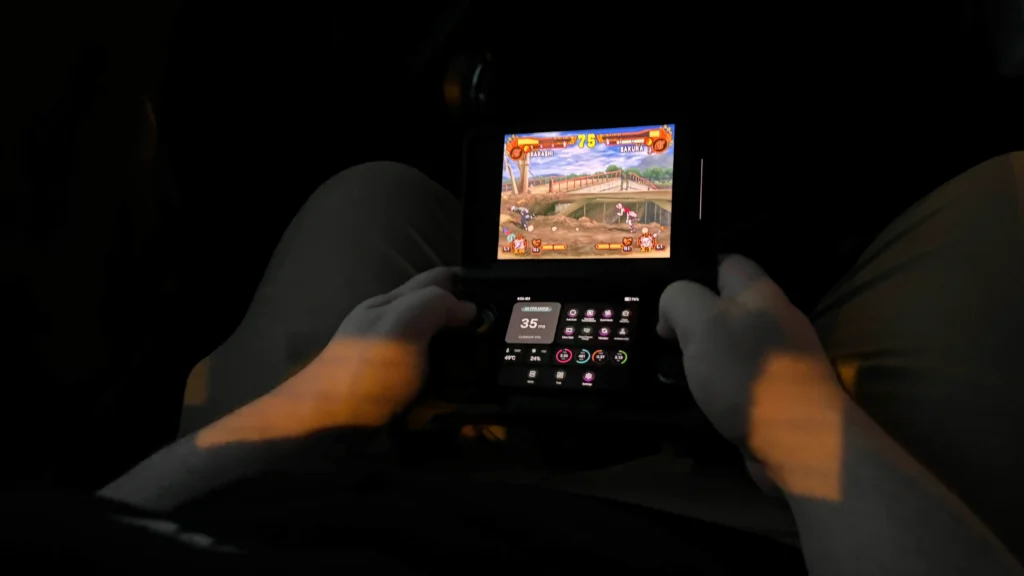
I do have more to test for the full review, but if I had to be definitive right now, I would say the AYN Thor is a must-have purchase if you are looking for a dedicated device for emulation and Android gaming.
The AYN Thor can be purchased from their website starting at $299 with the Snapdragon 8 Gen 2 chip that I recommend. You can also pay $349 or $399 for more storage and RAM if desired.
The AYN links above are using an affiliate link, which gives us a little back from sales at no extra charge to you. All proceeds go back into SDHQ and its development.
If you enjoyed this article, check out the rest of the content on SteamDeckHQ! We have a wide variety of game reviews and news that will help your gaming experience. Whether you're looking for news, tips and tutorials, game settings and reviews, or just want to stay up-to-date on the latest trends, we've got you covered!

RECENT NEWS
Categories
Accessories
Anbernic
Android
ASUS ROG Ally
ROG Xbox Ally
Classics on Deck
Community
Cryobyte33
Deals
Deck Mods
Emulation
Events
Featured Post
Game News
Game News
General Game News
HandheldHQ
Hardware
Lenovo
Linux
MagicX
Nintendo
ONE-NETBOOK
Opinion
Other Reviews
Accessory Reviews
Handheld Reviews
PlayStation
Proton
Retro Handhelds
Anbernic
AYANEO
AYN
GPD
MagicX
MANGMI
Retroid
TrimUI
SDHQ
Steam
Steam Machine
SteamOS
The Unsupported Report
Uncategorized
Uncategorized
Recent Tips & GUIDES
recent reviews

In my opinion not worth it, most people that still buys a 3DS is because Pokemon transfer, games that run natively etc, the only good thing is the oled screen and you can maybe play some android games but nothing more.
If anyone reads this it's bteer for you to buy a 2ds XL or New 3Ds XL
Found used ones in good state between 120-200€
While I understand what you are saying, I still feel the AYN Thor is worthwhile. It can most definitely play Android games, and those OLED screens are amazing and can't be beat. It's true we don't have access to Pokemon Transfer, but we do have access to play every NDS and 3DS game, as well as games from the GameCube and PS2 eras, and have the chance to play some PC/Steam games as well. Not to mention the features it has as an Android device like web browsing, productivity apps, and more. For not much more than the DS you mention, you are getting a package that looks nicer and has more to offer in general.
Now the question is, would it be better to buy one of these or get a New 3DS XL to hack?
Hmm well, the AYN Thor's screen will be infinitely better than the 3DS. Plus, it's more powerful and can handle PS2 and GC emulation easily, along with Android games. So, I would probably choose the AYN Thor personally.