


If you haven't yet, follow us on X (Twitter), Mastodon, or Bluesky to know when we post new articles, and join our Reddit or Subscribe to us on YouTube to check out our content and interact with our awesome community. Thank you for supporting us!
Up until recently, RPCS3, like most PC applications, was built with a keyboard and mouse in mind. Recent updates, however, have had a keen focus on improving the experience when using a controller, and specifically, when using the emulator on a handheld device such as the Steam Deck.
The developers behind the project just released a video that highlights recent improvements to the handheld experience while using the emulator:
Firstly, the in-game overlay has been improved, allowing players to alter more game settings without having to reset the emulator, such as the emulator's resolution. It all ends up being a very sleek and controller-friendly interface. You can open the overlay by pressing SELECT + START, which helps prevent it from interfering with your handheld's built-in overlay, such as if it required you to press the STEAM button on a Steam Deck.
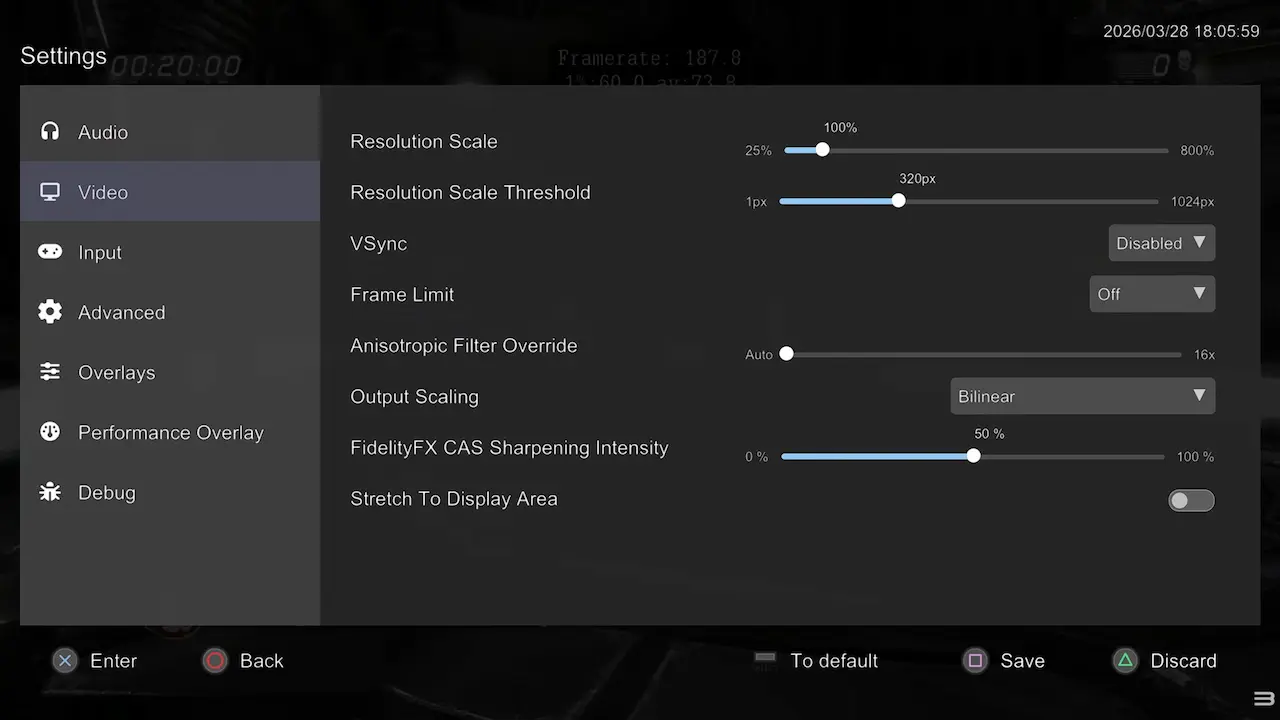
The team points out that this change greatly benefits handhelds, as handheld players often have to tweak their settings to compensate for the weaker hardware in such devices. This means you can spend less time testing and more time playing!
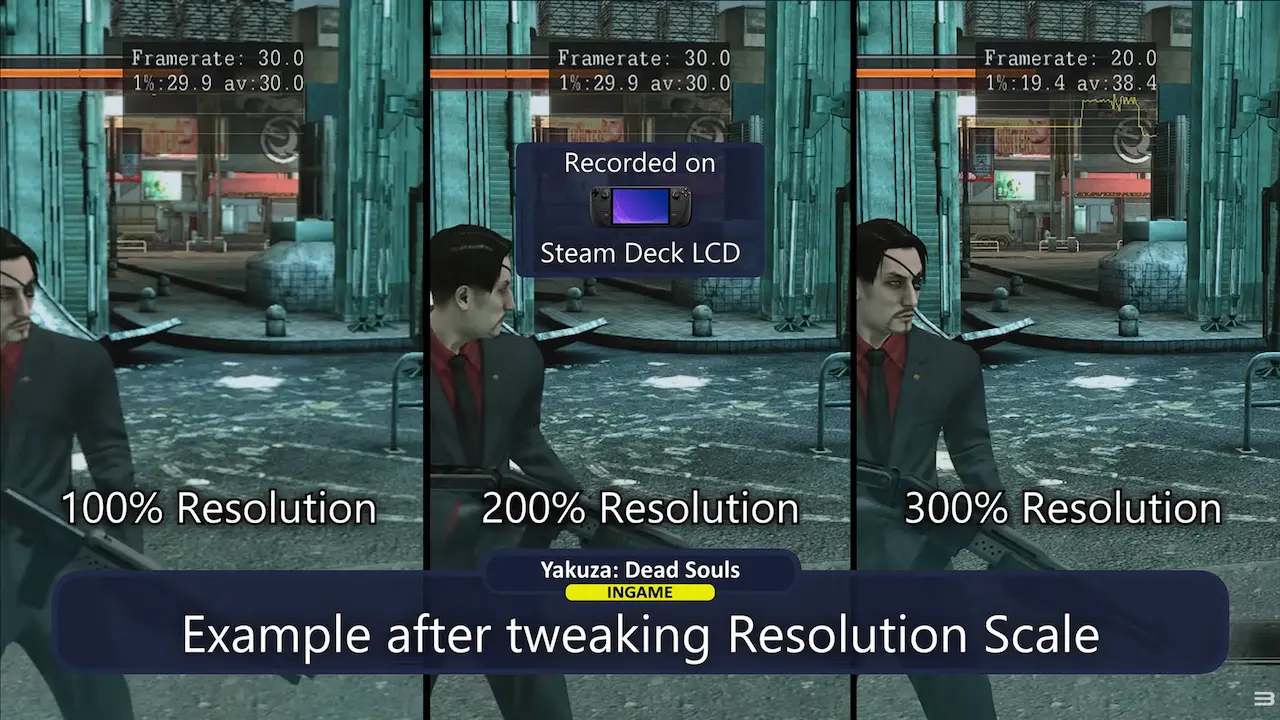
We were also treated to a couple of performance tests. Yakuza: Dead Souls plays at a steady 30 FPS on the Steam Deck, while Skate 3 looks fantastic on the ROG Ally. Ratchet & Clank: Tools of Destruction does suffer from some slowdown, however.
One of the brand new features is the ability to add PS3 games as a "Non-Steam Shortcut"; it doesn't just let you boot PS3 games directly from Steam, it also transfers the game's artwork from RPCS3 to Steam, to give it that genuine look in your Steam library.
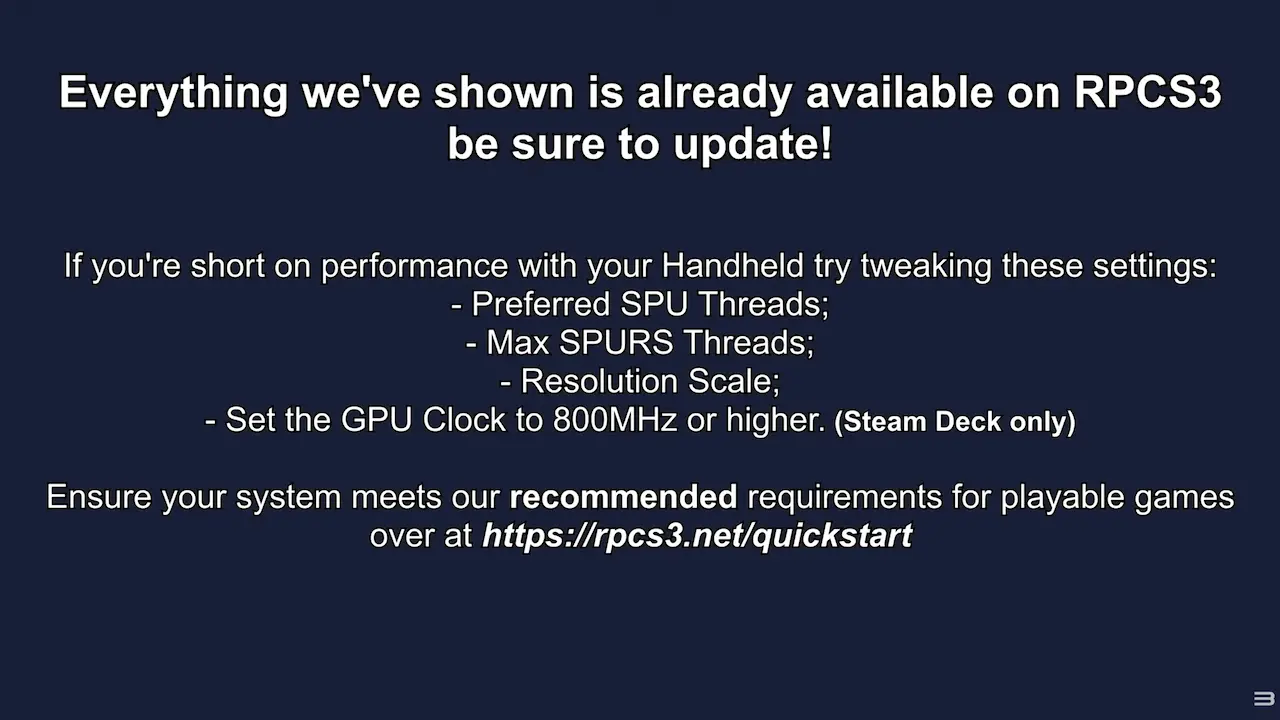
The video ends on a helpful note, detailing some optimization tips the RPCS3 team has found helpful when getting games to run well on handheld devices. The SPU thread tip can especially help on the Steam Deck.
Will you be trying out RPCS3 on your handheld? It's not something I've tried personally, but I would be interested to know what games you've tried in the comments below.
If you enjoyed this article, check out the rest of the content on SteamDeckHQ! We have a wide variety of game reviews and news that will help your gaming experience. Whether you're looking for news, tips and tutorials, game settings and reviews, or just want to stay up-to-date on the latest trends, we've got you covered!

RECENT NEWS
Categories
Accessories
Anbernic
Android
ASUS ROG Ally
ROG Xbox Ally
Classics on Deck
Community
Cryobyte33
Deals
Deck Mods
Emulation
Events
Featured Post
Game News
Game News
General Game News
HandheldHQ
Hardware
Lenovo
Linux
MagicX
Nintendo
ONE-NETBOOK
Opinion
Other Reviews
Accessory Reviews
Handheld Reviews
PlayStation
Proton
Retro Handhelds
Anbernic
AYANEO
AYN
GPD
MagicX
MANGMI
Miyoo
Retroid
Rumors
TrimUI
SDHQ
Steam
Steam Machine
SteamOS
The Unsupported Report
Uncategorized
Uncategorized
Recent Tips & GUIDES
recent reviews




One of my favorite game series on ps3 was the uncharted series. I tried giving it a go on rpcs3 a few years ago on steam deck, and i struggled to get it running anywhere near what you could term as 'playable'. (Not sure what the fps was but i'm not to fussed with all that, I just play a game and when it feels 'off' you just know!) I'd be interested to know if other folks have the games running well on steam deck/rog ally before I give it another go, because otherwise I could end up going down a rabbit hole after playable performance, that might not even be achievable! I heard that the new breakthrough on the cell processor emulation was good, but i'm just wondering..."how good?"
I believe the only game I ever tried on RPCS3 was Midnight Club LA, and that is notoriously hard to run on an emulator, so I would be interested in seeing if that game is improved too.
Also kind of sad that PS3 emulation seems to be in a better state than the original Xbox's emulation, you would think it would be the other way around.