


If you haven't yet, follow us on X (Twitter), Mastodon, or Bluesky to know when we post new articles, and join our Reddit or Subscribe to us on YouTube to check out our content and interact with our awesome community. Thank you for supporting us!
Little Nightmares III is just a few short weeks away from its launch on October 9th, and there's a demo available on Steam. We thought we'd check it out and see how the game performs on the Steam Deck and if this is one we'll be able to enjoy on the go, or sat under a blanket on our sofa, as the case may be.
The demo is a pretty short one, easily completable in under 30 minutes, but it does give us a glimpse of the game's style as well as how performance might be on the Steam Deck.
Little Nightmares III (Demo) - Gameplay Impressions
Little Nightmares III looks to capture a similar atmosphere to its predecessors, with dark, moody environments, which look great on a Steam Deck OLED, plenty of unnerving ambient sounds, and the classic giant monsters who threaten to do unspeakable things to your tiny people.
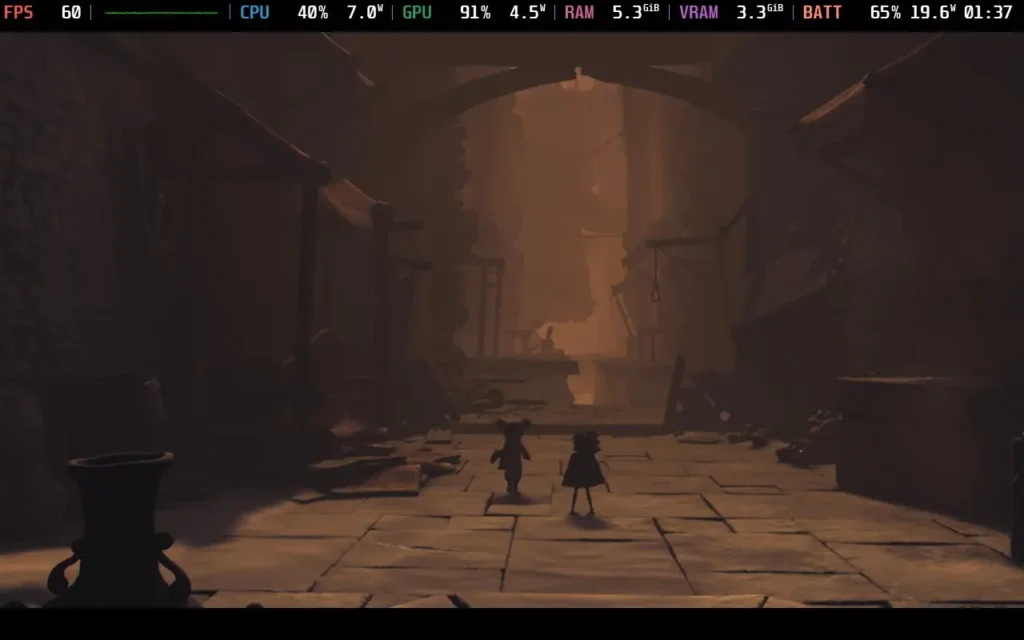
I did struggle with a couple of things in the demo, namely depth perception during some of the movement, but this is something I always struggle with in 2.5D games. In terms of the actual presentation, puzzles, and feel of the game, it seems like Little Nightmares III is keeping the same high quality as its predecessors, despite changing hands of developers.
The AI partner could have handled one of the puzzles better, one that required both players to jump at the same time. Seeing as an AI would know exactly when a player jumps, it should just copy the player's movement, rather than have the player try to copy the AI's movement.
The game also seems to be very generous with its checkpoints; seemingly every encounter or puzzle has an autosave before it, so if you do fail at it, you can try again right away.

Little Nightmares III (Demo) - Steam Deck Performance Tested
Little Nightmares III does have a 1280x800 resolution as an option, but the game still displays in 16:9, sadly, giving us black borders on the top and bottom. On the plus side, the game recommends you use a controller to play, and the controls work great on the Steam Deck.
The demo defaults to the lowest settings, although with 100% resolution scaling, and caps the game to 30 FPS. I raised that cap to 60 FPS and was pleasantly surprised to see the Steam Deck manage to hold it throughout most of the demo. There were only a couple of occasions when the giant used their light where the FPS dropped into the 50s, but it's possible we could be playing Little Nightmares III at 60 FPS with some gentle upscaling.
Despite the game being on "low" settings, it still looked great, and doesn't compromise the atmosphere of the game, with lighting, shadows, and some post-processing effects still in use.
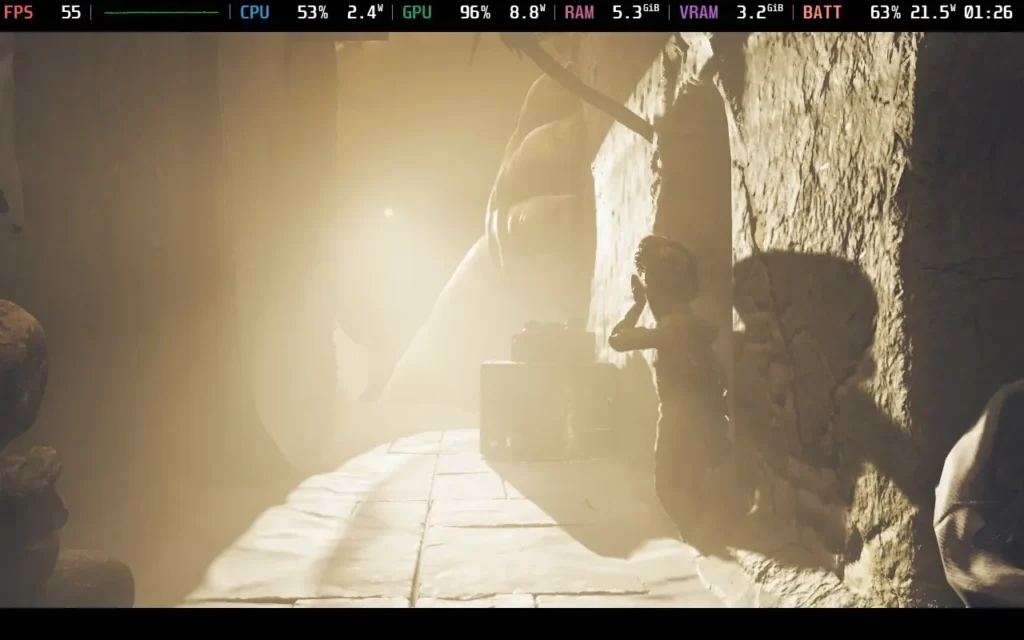

Power draw was pretty high during the demo, mostly being around 16-21W, so don't expect any more battery life than 2.5 hours from a Steam Deck OLED, and around 1.5 hours from a Steam Deck LCD.
Final Thoughts
The Little Nightmares III demo gives me a lot of hope that we could be playing the full release at 60 FPS with some upscaling, or at least 40 FPS without upscaling when it launches later in October. Either way, this one should easily be playable on the Steam Deck.
If you enjoyed this article, check out the rest of the content on SteamDeckHQ! We have a wide variety of game reviews and news that will help your gaming experience. Whether you're looking for news, tips and tutorials, game settings and reviews, or just want to stay up-to-date on the latest trends, we've got you covered!

RECENT NEWS
Categories
Accessories
Anbernic
Android
ASUS ROG Ally
ROG Xbox Ally
Classics on Deck
Community
Cryobyte33
Deals
Deck Mods
Emulation
Events
Featured Post
Game News
Game News
General Game News
HandheldHQ
Hardware
Lenovo
Linux
MagicX
Nintendo
ONE-NETBOOK
Opinion
Other Reviews
Accessory Reviews
Handheld Reviews
PlayStation
Proton
Retro Handhelds
Anbernic
AYANEO
AYN
GPD
MagicX
MANGMI
Retroid
TrimUI
SDHQ
Steam
Steam Machine
SteamOS
The Unsupported Report
Uncategorized
Uncategorized
Recent Tips & GUIDES
recent reviews






Little Nightmares 3
Hi, I bought the full version, which was released yesterday. Unfortunately, the game crashes on Steam Deck with a LowLevelFatalError when starting. Tested with all current Proton versions (V9, V10 Beta, Experimental, Hotfix). Checking local data sometimes allows a one-time start, but after exiting and restarting the game, it crashes again. Any suggestions?
Interesting. I reviewed the full release and it didn't have those problems. Have you verified all the game files as well? Deleted and reinstalled the game?
Thank you for your reply. Yes, I reinstalled the game on the deck twice. What do you mean by verified? I also checked and repaired the local files via Steam.