まだの方は、X(Twitter)、Mastodon、Blueskyでフォローし、新しい記事が投稿されたらお知らせください。また、Redditに参加したり、YouTubeに登録して、私たちのコンテンツをチェックしたり、素晴らしいコミュニティと交流してください。応援ありがとうございました!
This week is stacked with great games, and that includes OPUS: Prism Peak. It looks like a gorgeous narrative adventure, and I’ve been lucky enough to get a review copy for it. While I need a little more time to finish the review, I do want to discuss the performance so far on the Steam Deck. I would consider this a test to see how playable it actually is instead of a definitive recommendation, but I still wanted to go over it since it will be released tomorrow.
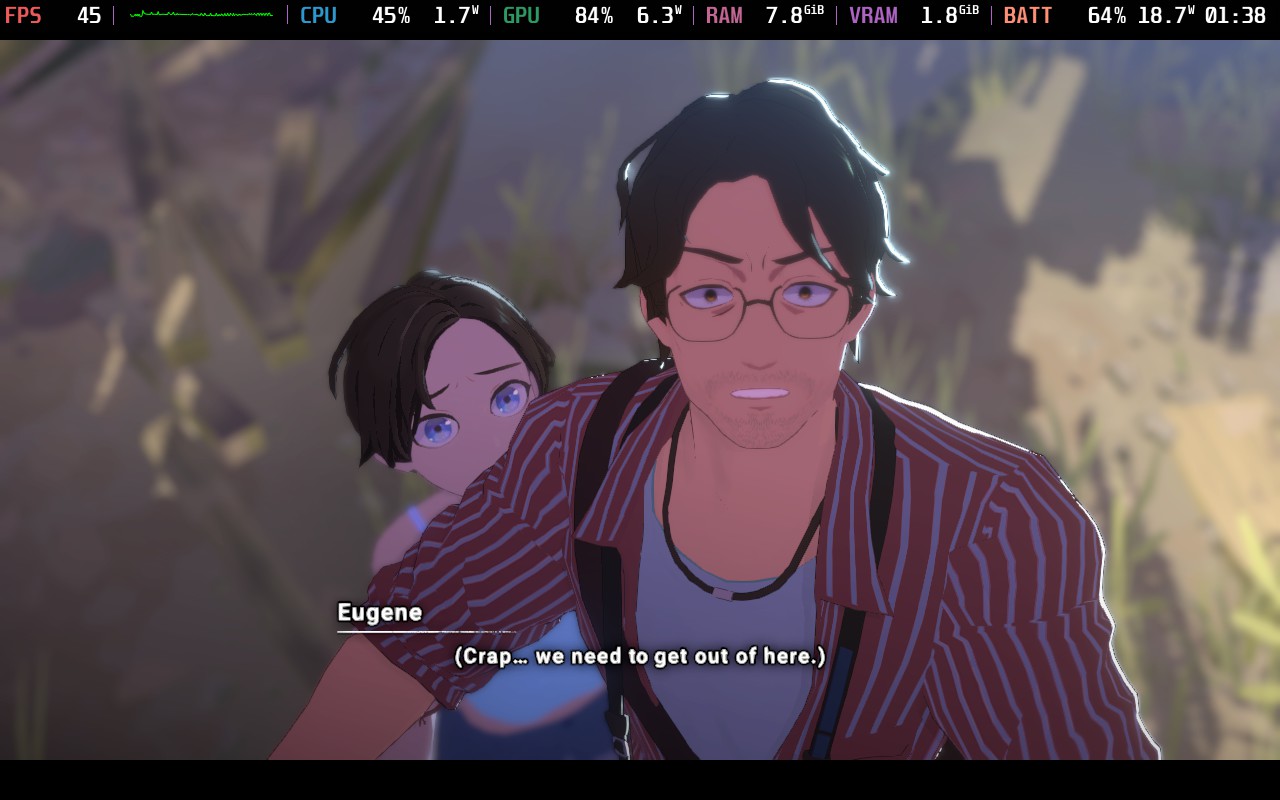
The game starts off defaulting to the medium quality preset and 30 FPS, which are the lowest settings that are available. However, it arguably looks pretty fantastic. The models are clear, the visuals pop, and it’s quite stable at the framerate. Still, I wanted to test it further and see just how well the game is performing on the deck and if we can push it a little further.
As far as the settings go, there are only three presets, Medium, High, and Ultra, and we cannot change specifics. And as for the in-game framerate limit, we can choose between 30, 45, and 90. And even when putting in the SteamDeck=0 launch option, those were all the in-game options I had. This makes testing easier, but it also means we can’t completely configure how we want OPUS to look.
Almost immediately, I could also cross out the Ultra preset. While it was able to stay above 30 FPS in the opening, it dropped way below as soon as we were able to start walking around in the forest. This happens pretty immediately, so I don’t have much faith that this will be the preset we can use. However, the High preset was better and was able to stay over 30 FPS in that same area, so I focused on testing Medium vs High. And even at the Medium preset, the frame rate would not go to 60 FPS, so I was left with trying to get it to run at a stable 30 or 45.
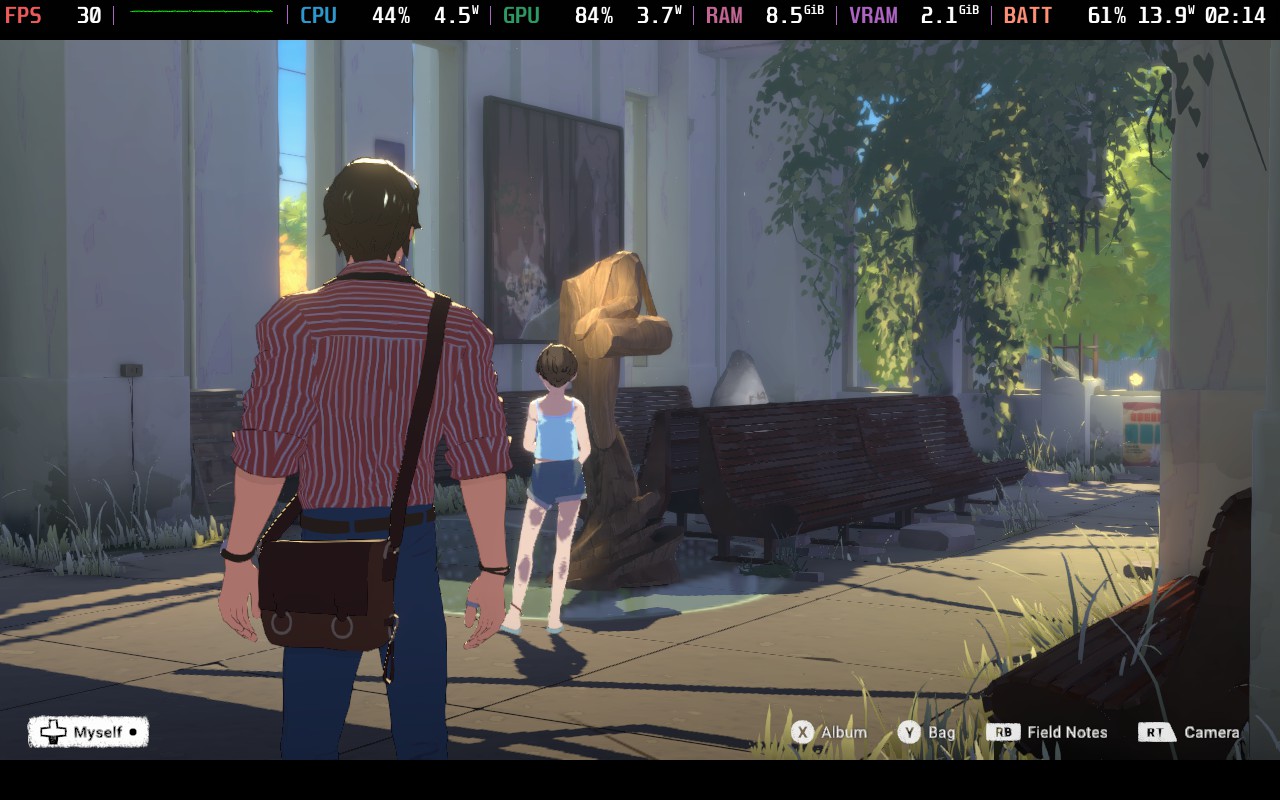
There aren’t many visual differences between Medium and High settings, but the most immediately noticeable is shadows. The detail of the shadows, especially around the edges of the shadows, is clearly more detailed in High settings. This will be especially noticeable in cutscenes. There are also some slight lighting differences, with the high preset being a little darker. This does change how the scene looks a bit, but not enough to ruin the quality.
So, I started going to the game, and I started to see why the default was set to 30 FPS and Medium. As soon as we got to some more complicated places with a lot of models around, like the factory, the framerate would drop. It wouldn’t go below 30 FPS on Medium, but it would go down to 35. And when set to High quality, I could sometimes see it dip down to 27 or 28. There are also going to be some cutscenes where playing on High will drop the framerate below 30.
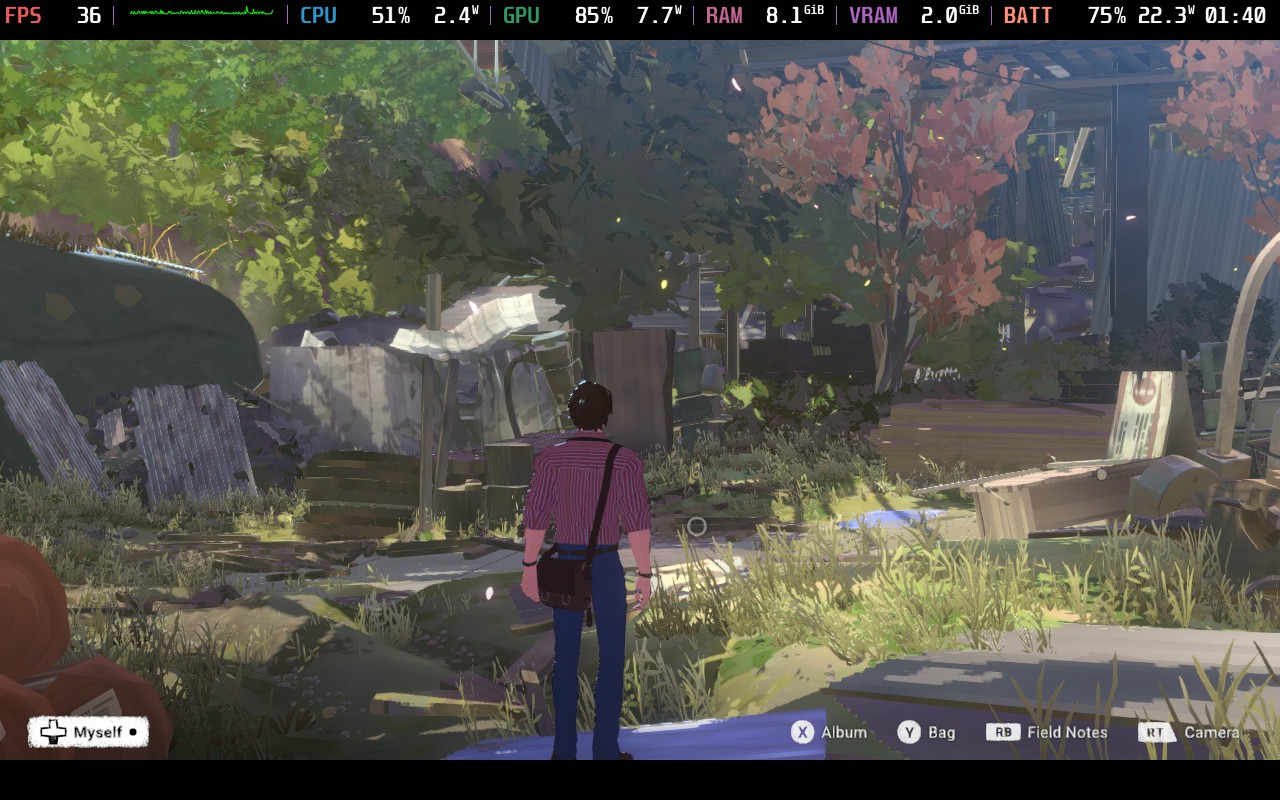
Now there is more of OPUS: Prism Peak that I need to play, but based on what I’ve experienced so far, I can say two things. First, the Medium preset with 30 FPS lock should be the most stable way to play the game. Trying to push it up further to 45 FPS can work in a lot of scenarios, but it will not be stable in more complex scenes. Second, playing at the high preset at 30 FPS might be doable, but there are going to be drops in cut scenes and slight drops in more complex areas. It does make it look better, but it comes at a cost of performance.
Ultimately, I would say OPUS: Prism Peak deserves to be Verified, especially since the default settings do work. I do wish that we could customize a little bit more, but it should be enjoyable on the go.
この記事を楽しんでいただけたなら、SteamDeckHQ の他のコンテンツもチェックしてみてください!あなたのゲーム体験に役立つゲームレビューやニュースを幅広く取り揃えています。ニュース、ヒントやチュートリアル、ゲーム設定やレビューをお探しの方も、最新のトレンドを知りたい方も、ぜひご利用ください!

最近のニュース
カテゴリー
Accessories
Anbernic
Android
ASUS ROG Ally
ROG Xbox Ally
Classics on Deck
Community
Cryobyte33
Deals
Deck Mods
Emulation
Events
Featured Post
Game News
Game News
General Game News
HandheldHQ
Hardware
Lenovo
Linux
MagicX
MSI
Nintendo
ONE-NETBOOK
Opinion
Other Reviews
Accessory Reviews
Handheld Reviews
PlayStation
Proton
Retro Handhelds
Anbernic
AYANEO
AYN
GPD
MagicX
MANGMI
Miyoo
Retroid
Rumors
TrimUI
SDHQ
Steam
Steam Controller
Steam Frame
Steam Machine
SteamOS
The Unsupported Report
Uncategorized
Uncategorized
VR
Xbox
最近のヒント&GUIDES
新着レビュー