If you haven't yet, follow us on X (Twitter), Mastodon, or Bluesky to know when we post new articles, and join our Reddit or Subscribe to us on YouTube to check out our content and interact with our awesome community. Thank you for supporting us!
As a fan of the Dead Island series ever since it initially released, it only made sense for me to gravitate towards Dying Light. Made by the same studio (Techland), Dying Light pushed what made Dead Island so great, doubling down on brutal first-person zombie killing and adding a larger emphasis on parkour and the importance of platforming. It was a great combination, and one I found myself falling in love with all over again in Dying Light: The Beast.
The game is wonderful so far, and I am having a blast diving back into Dying Light's fantastic gameplay loop. It's just as good and gorgeous as I remember. However, I have only had access for a few days, so I unfortunately haven't had the chance to play through the entire game for our review. Still, I do want to take a moment to touch up on whether it will be playable on the Steam Deck based on the first few hours of the game, especially with the confusing system requirements they published.
So, that will be the focus of this article! And while there are some conflicting areas, I would say there's a good chance this is going to be a solid experience on the go.
Dying Light: The Beast Steam Deck Performance So Far
Starting off in Dying Light: The Beast left me with mixed feelings. On one hand, performance was showing some great signs to start, but I quickly learned that the game was defaulting frame generation on. So, I went ahead and turned it off, which did seemingly bring the framerate down, but still kept it above a playable rate.
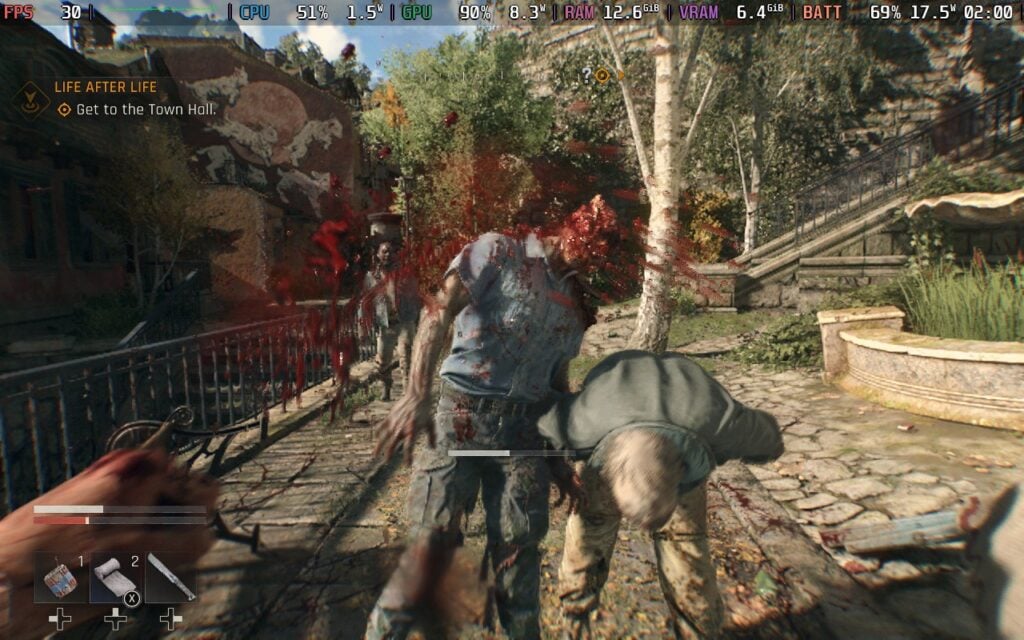
The real test for the performance came after the initial prologue, where we had to get to a monastery to establish it as our first safe house. Here, we get a range of framerates, going upwards into the 40s, and sticking around the 30s. However, it almost never went below 30 at the Monastery. The only time it consistently stuck below 30 was when fighting our first Chimera, which had some camera angles that would drop the framerate to 25 FPS.
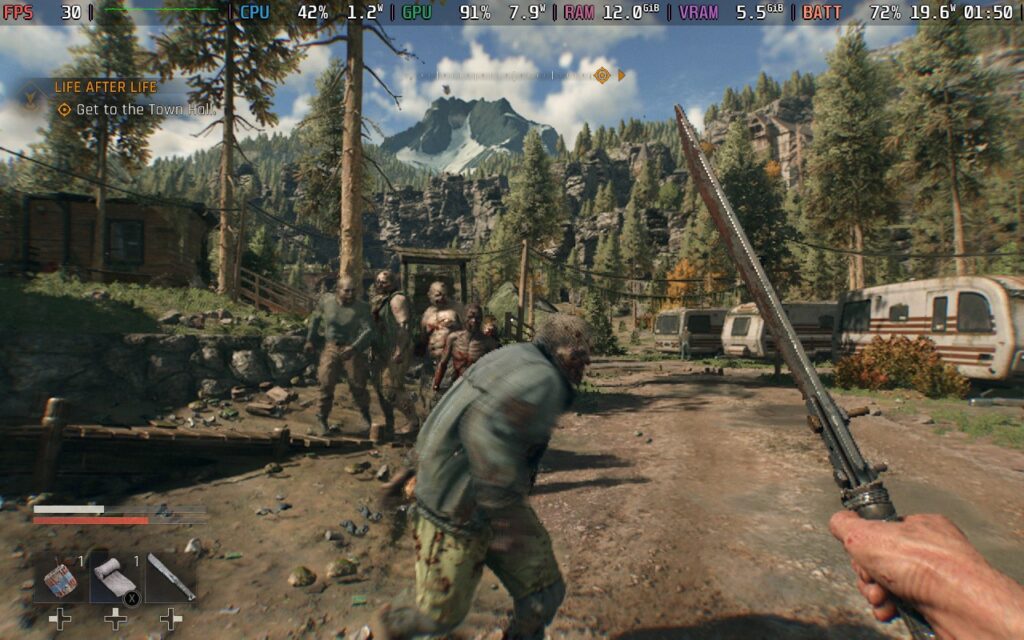
Afterwards, I was free to start exploring the open world, and I was happy. The game stuck above 30 FPS the whole time, with some areas spiking in battery drain to 20W and others sticking around 17W - 18W. I was running around the camping town and the city with ease, and there was only one actual drop I experienced in the city, during the daytime, while fighting 12 zombies at a time. There were also stutters when running around quickly, especially on the rooftops in the larger city. It never got too bad, but there was one time the game froze for a full second.
I would say the game should be very playable for the most part, with some possibility of stuttering and drops in very busy moments. This will only really happen outside, since inside areas run very well, and the Deck was handling 10+ enemies on screen all at once and doing okay. It will just start to drop when there's too much happening past that, or fighting off so many enemies in a very detailed area.
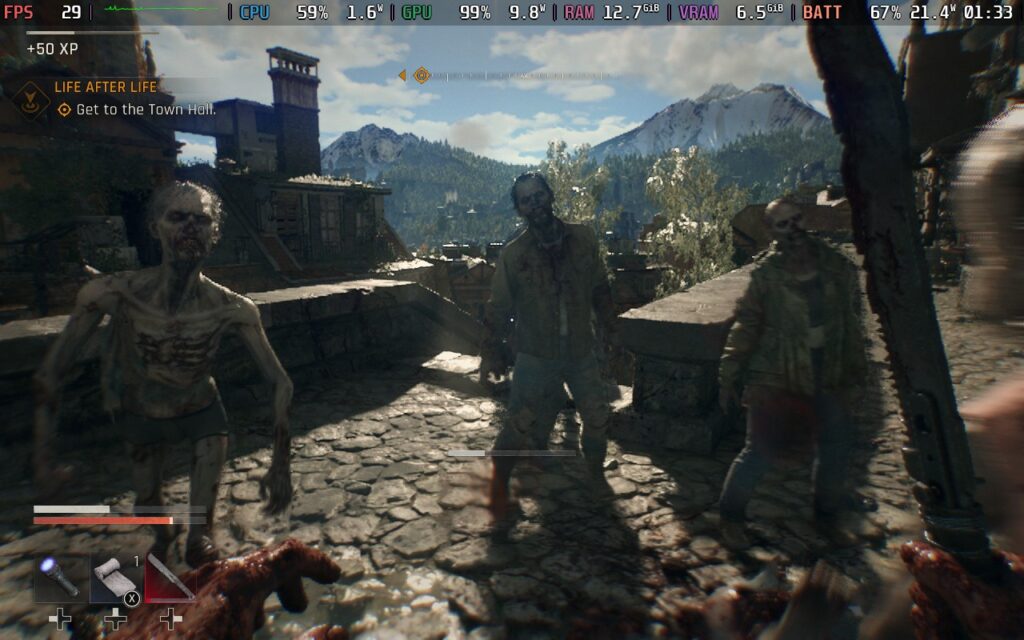
It all looked pretty decent as well, and I ended up preferring either TAAU or XeSS upscaling for my favorite visuals at Performance. The default settings on the Steam Deck range from Low LOD, Shadows, and Ambient Occlusion, to Medium Particles and Motion Blur, with High textures and lots of other effects turned on. It's a solid offering for the default.
Dying Light: The Beast has a lot of options to change, and there are a few that I tested initially to start. When I review games, I tend to stick to default settings until I find stress points to optimize for, and other than that one Chimera fight, I haven't found one yet. However, there are two specific options I wanted to test and find out what the best performers are: Renderer Mode and Upscalers.

The game comes with support for DirectX (DX) 11 and 12, and while DX12 offers more options like more upscalers and frame generation, DX11 tends to run a little better on the Steam Deck. However, that isn't the case here. Ultimately, performance was around the same between DX11 and DX12, and with the extra offerings that come from DX12, I felt it was best to just stick there instead.
Then comes the upscalers. The game has support for TAAU, XeSS, and FSR 2 and 3. So, I decided to test all of them and see which is best. From my testing, all on Performance mode, I found that TAAU and XeSS are slightly better than FSR here, but TAAU is a little better compared to both. It was very minor, with a .2W difference in some cases, but it was still a difference. Because of this, I would say it's mild enough to choose whichever upscaler you want to.
With the tests and articles we wrote yesterday about FSR 4 getting leaked and usable on the Steam Deck, I decided to also see if FSR 4 is recognized and works. And I can say that yes, yes it does. Using the Decky Framegen method, I was able to inject and use FSR 4. The game already has support for the upscaler, and a specific toggle for it as well, but it had some issues when I tried to set it that way and it killed the GPU.
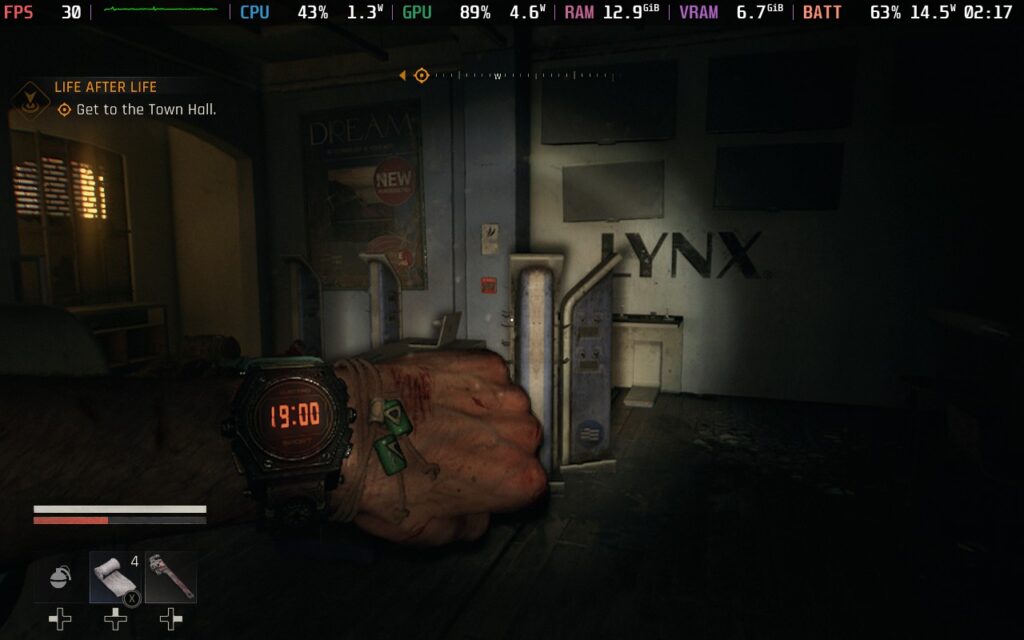
I also decided to test Lossless Scaling, which I feel does work better than the in-game FSR frame gen slightly. It still introduced some input lag, and there were some stutters and slowdowns felt, but it wasn't constant. Ultimately, I still preferred 30 FPS without frame generation over 50-60 with Lossless. It felt smoother and more consistent, there were fewer stutters, and virtually no input lag.
Prior to release, I was worried about playing Dying Light: The Beast on the Steam Deck. It sounded like the CPU requirements may be too much for it. However, I was wrong. From my time with it so far, it has been stable, looks solid, and has been a blast to enjoy. I was surprised by the default settings automatically setting some to High and Medium, and while there are some minor drops here and there, it rarely moves from the 30 FPS in general gameplay. Frame generation works okay, though it introduces more drops and input lag than I would like.
Still, I am happy to say that from what I have played so far, Dying Light: The Beast is going to be great to play on the Steam Deck.
Dying Light: The Beast can be purchased for $59.99.
If you enjoyed this article, check out the rest of the content on SteamDeckHQ! We have a wide variety of game reviews and news that will help your gaming experience. Whether you're looking for news, tips and tutorials, game settings and reviews, or just want to stay up-to-date on the latest trends, we've got you covered!

RECENT NEWS
Categories
Accessories
Anbernic
Android
ASUS ROG Ally
ROG Xbox Ally
Classics on Deck
Community
Cryobyte33
Deals
Deck Mods
Emulation
Events
Featured Post
Game News
Game News
General Game News
HandheldHQ
Hardware
Lenovo
Linux
MagicX
MSI
Nintendo
ONE-NETBOOK
Opinion
Other Reviews
Accessory Reviews
Handheld Reviews
PlayStation
Proton
Retro Handhelds
Anbernic
AYANEO
AYN
GPD
MagicX
MANGMI
Miyoo
Retroid
Rumors
TrimUI
SDHQ
Steam
Steam Controller
Steam Frame
Steam Machine
SteamOS
The Unsupported Report
Uncategorized
Uncategorized
VR
Recent Tips & GUIDES
recent reviews