


If you haven't yet, follow us on X (Twitter), Mastodon, or Bluesky to know when we post new articles, and join our Reddit or Subscribe to us on YouTube to check out our content and interact with our awesome community. Thank you for supporting us!
There are a multitude of ways to find new games to play on the Steam Deck, but the most prominent of those is the Steam Deck Verified system. This is a badge system made by Valve that checks games on their storefront, and if they are a "great experience", they get a green checkmark on their store page. As far back as I can remember, I have been pointing out how the system has its flaws, and the green checkmark is not a good indication of how well a game runs, and now, we have more proof of that fact.
Borderlands 4 is currently on sale for $48.15 on GreenManGaming, which saves over $20 off MSRP.
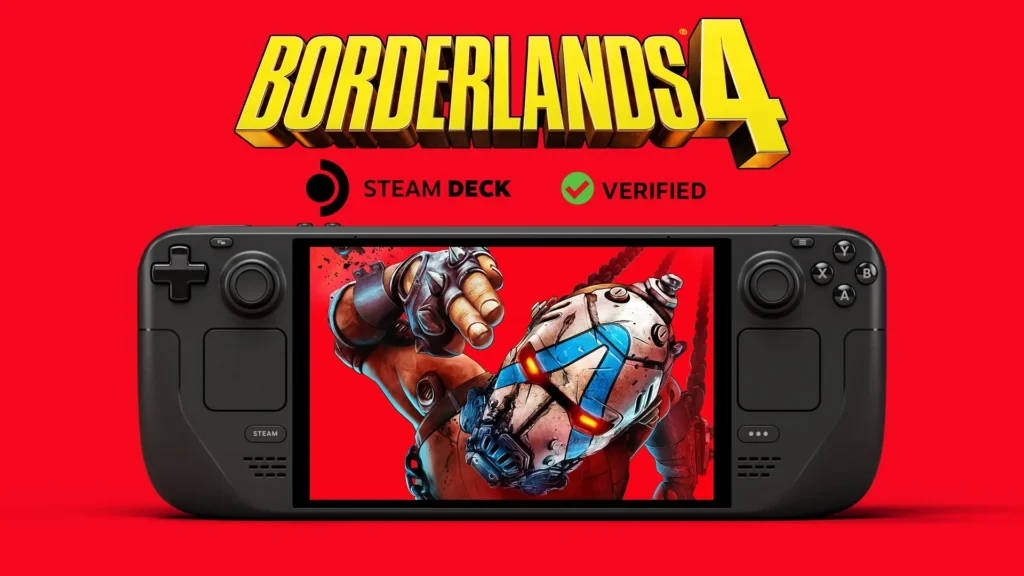
Yesterday, Borderlands 4 got the Steam Deck Verified badge, meaning that Valve has acknowledged that the game is a "great experience" on the Steam Deck. In the rating breakdown, it mentions that the game has a good default controller configuration, good default graphics settings, shows the correct controller icons, and in-game text is legible on the Deck's smaller screen.
Knowing how Borderlands 4 performed on the Steam Deck previously, I was very skeptical right out of the gate. However, I wanted it to be accurate, so I decided to give it the benefit of the doubt, download the game, and try it for myself. Ultimately, I was not surprised by the experience.
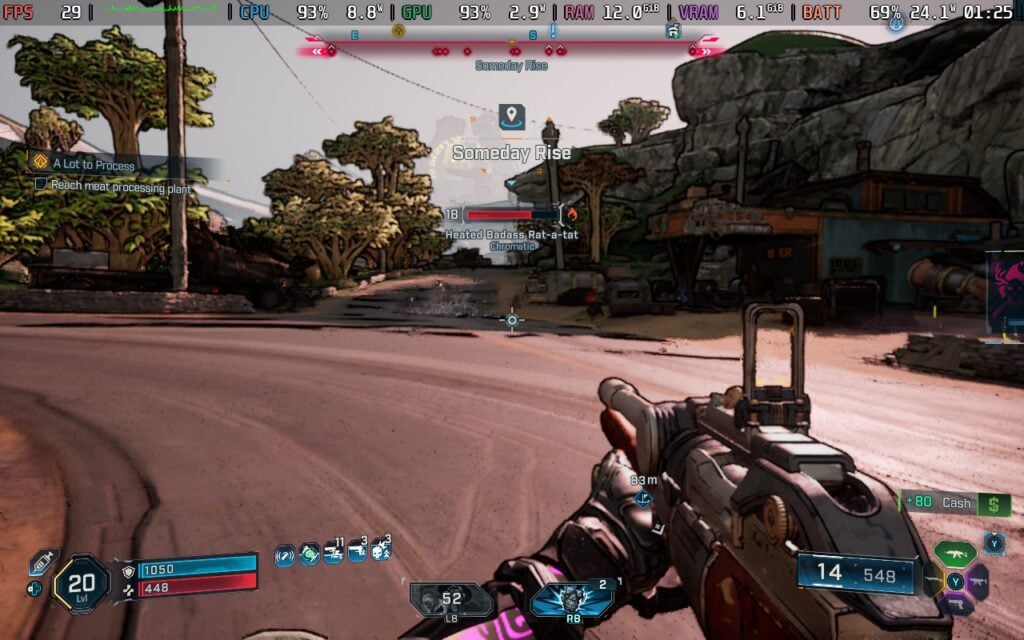
The game no longer has any settings that can be changed right out of the box; we will have only two options: Quality and Performance. However, this doesn't really matter much, as both presets looked and performed around the same.
I will give Gearbox some credit. The game is running better in general. It is hitting above 30 FPS when standing still, and in some areas, even hitting above 40 after everything is loaded in. This is significantly better than how it was previously, so I will tip my hat in this aspect. However, this feeling of appreciation for optimization doesn't last long.
We can walk and run around without going below 30 FPS, and even stick above 30 in smaller scuffles. But as soon as we get into larger fights, there's no stopping the drops. Depending on how many enemies are on the screen and how many explosions there are, we could see drops going down into the high 10s, causing some major stuttering and slowdowns that are not only felt but also ruin the experience. I would generally avoid larger fights on the Deck, but that's quite hard to do when some of the best moments of Borderlands 4 are these fights.
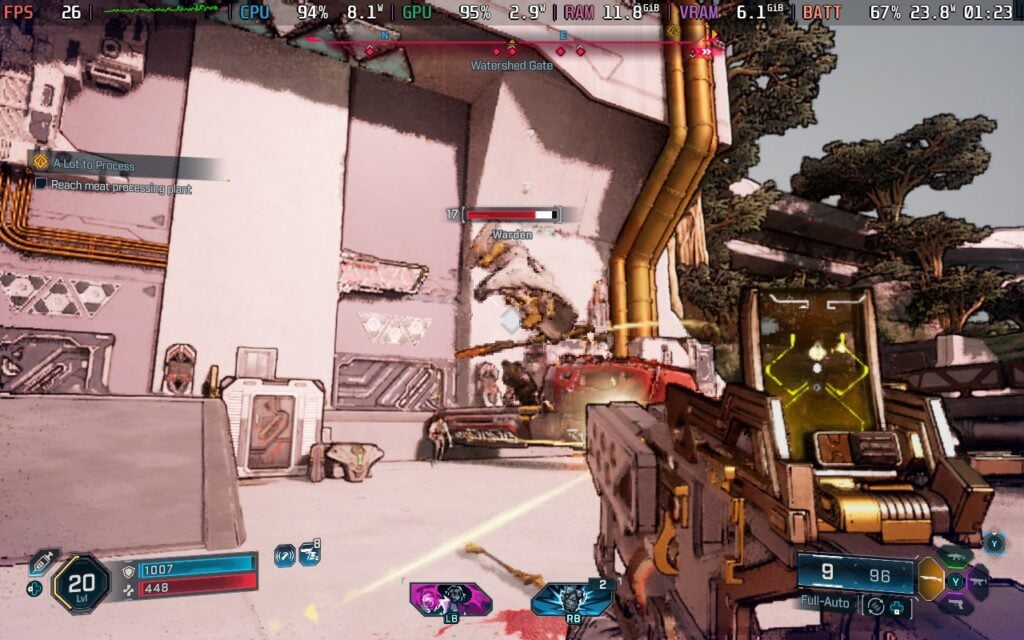
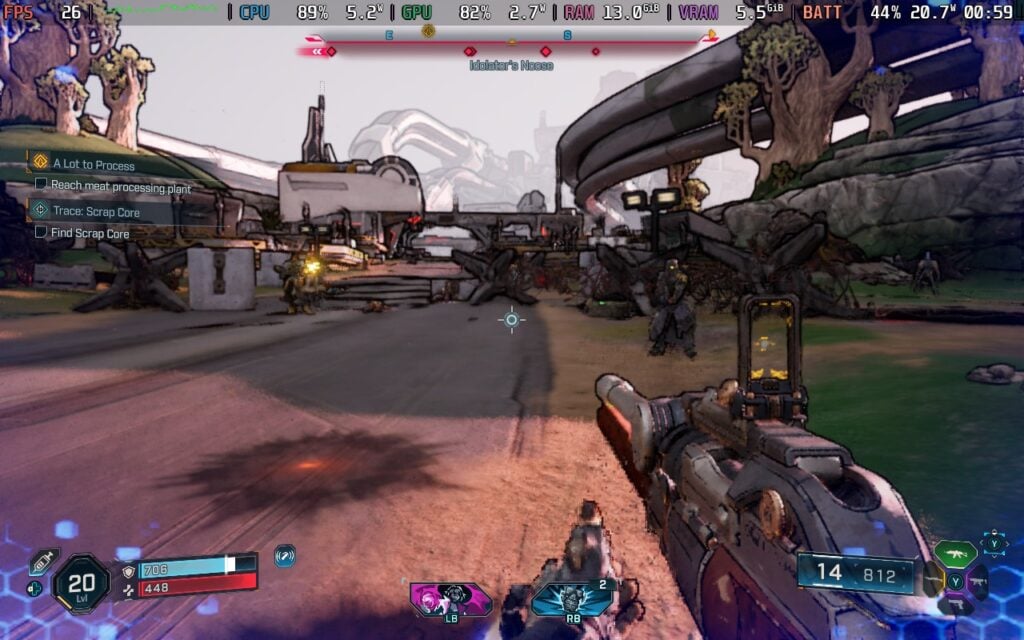
And then we have the visuals, which are nowhere near great. Is it playable? Yes, I would say so. However, it is extremely blurry with lots of unloaded textures and models that need extra time to look decent. It's easy to see the textures loading in, with some models blinking as their textures start to gain detail. Combined with the framerate drops, it's very jarring. The combat can distract from it, but with the stuttering and drops, it's like choosing which is the best of the worst.

Ultimately, this isn't a "great experience" in the slightest, and not one I would recommend in general. I know that this is subjective, but with Valve claiming that all Verified games are a "great experience" on the Deck, I feel these games need to be held to a higher standard. The Verified rating can sway people or convince them to buy a specific game, so the information should be standardized with a clear set of guidelines for the bare minimum. From my experience, Borderlands 4 does not meet that minimum, and I disagree with the green checkmark it now has.
I do hope it will get better with more optimization, but as it stands right now, I would not get this for your Steam Deck.
Borderlands 4 can be purchased on Steam for $69.99. But if you want to save some money, you can get it on GreenManGaming for $48.15.
The GreenManGaming links above are using an affiliate link, which gives us a little back from sales at no extra charge to you. All proceeds go back into SDHQ and its development.
If you enjoyed this article, check out the rest of the content on SteamDeckHQ! We have a wide variety of game reviews and news that will help your gaming experience. Whether you're looking for news, tips and tutorials, game settings and reviews, or just want to stay up-to-date on the latest trends, we've got you covered!

RECENT NEWS
Categories
Accessories
Anbernic
Android
ASUS ROG Ally
ROG Xbox Ally
Classics on Deck
Community
Cryobyte33
Deals
Deck Mods
Emulation
Events
Featured Post
Game News
Game News
General Game News
HandheldHQ
Hardware
Lenovo
Linux
MagicX
Nintendo
ONE-NETBOOK
Opinion
Other Reviews
Accessory Reviews
Handheld Reviews
PlayStation
Proton
Retro Handhelds
Anbernic
AYANEO
AYN
GPD
MagicX
MANGMI
Retroid
TrimUI
SDHQ
Steam
Steam Machine
SteamOS
The Unsupported Report
Uncategorized
Uncategorized
Recent Tips & GUIDES
recent reviews



Since I understood that many games that got no verification that works flawlessly for me the only thing that I check is protondb. Sure it's not working for non Steam games but there you find other sources and those are rare. Usually ever game I wanted to play, old and new runs in my deck in a way I am usually happy with. But I always enjoyed tinkering since the old MSdos times and I'm using Linux for many years already so it was never an issue for me. So yeah I usually ignore the SteamDeck verification in steam but I also understand that this is pretty sad for people that want to check them and rely on it. If it a game that runs great or does not run according to the verification by valve, if you offer a system like this, it should be correct (if it's a fps issue you can always make it playable with a remark so no one can complain)
For sure, the whole point of Valve's verification system was to bridge the gap between PC and Consoles, so that players didn't have to think about whether or not their system can play a game.
Unfortunately, the repeated mistakes they're making means that the system can't be trusted, bordering on misleading/false advertising, seeing as Verified games are used in marketing to sell systems.