The AYANEO Pocket AIR Mini was provided by AYANEO for review. Thank you!
Over the years, I have played with a lot of different AYANEO devices. It started off focusing on their handheld Windows PCs, which I really enjoyed. However, since then, they have started branching out to lower-powered retro handhelds. Since then, they have released some pretty fantastic devices, and there’s one that I have been really excited to get my hands on. The AYANEO Pocket AIR Mini intrigued me when I saw it at the Tokyo Game Show last year, and I’ve been wanting to put it through its paces myself. Now, I have had the chance to, and this little powerhouse exceeded my expectations for what a handheld at this price could do.
While I didn’t actually plan this, this review was coming off right after I wrote my review for the TrimUI Smart Pro S, a solid handheld that is under $100. What makes this crazy is that there’s a clear gap in power, despite them both being relatively cheap. There are some obvious differences, especially when it comes to form factor and screen size, but I was surprised that the Pocket AIR Mini could push more power for the same price, and it makes it one of the best options for a cheap handheld that can really hold its own.
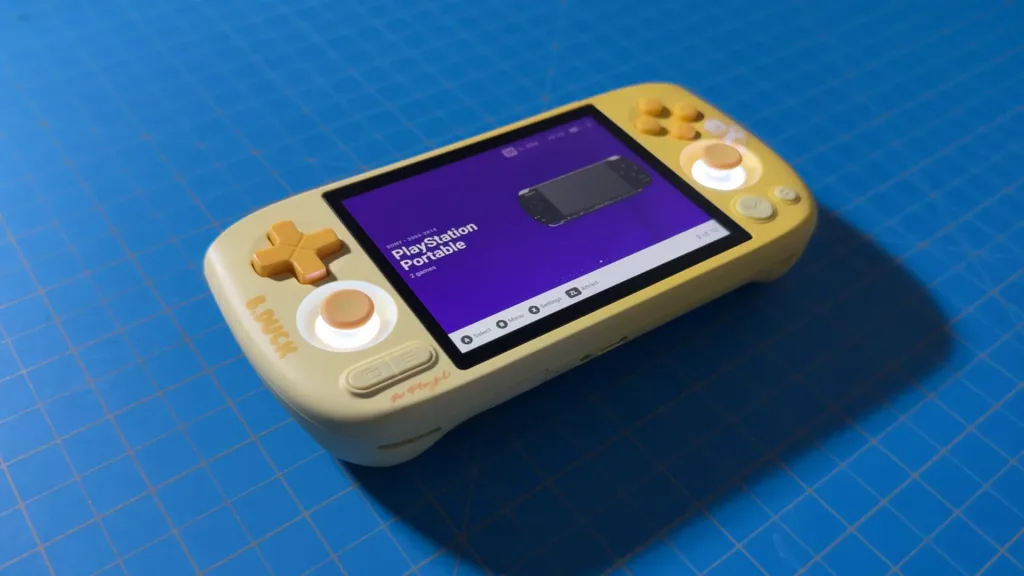
Models, Specs, and Price
With the AYANEO Pocket AIR Mini, there are two models, where only the RAM and SSD sizes are changed. There's a model with 2GB RAM and 32GB SSD, and a 3GB RAM and 64GB SSD model. Otherwise, all of the internal specs remain the same. Here are the specs:
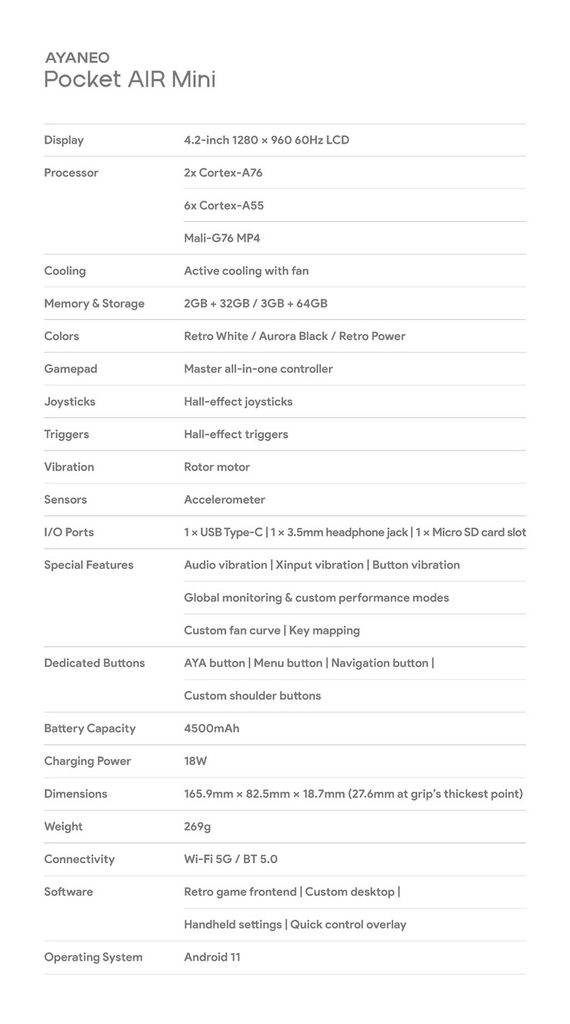
As for the model sent to me, AYANEO provided me with the special edition B.Duck version with 3GB RAM and 64GB SSD storage space.
As for the price, the 2GB + 32GB models are $110, while the 3GB + 64GB models are $130. The specific B.Duck model that I am reviewing is a special edition and currently costs $140. They are all under the $150 mark, which puts this in the budget handheld category.
Build Quality
I have always been pleased with AYANEO’s build quality and the materials they use for their devices, and that hasn’t changed much with the Pocket AIR Mini. It’s a smooth, solid handheld that feels good in my hands. The plastic shell feels great against my fingers, and all the buttons feel nice to use. Other than a tiny air bubble that is underneath the edge of the screen that I cannot get out for the life of me, I have no complaints. Thankfully, the bubble is on the edge of the bezels, so it doesn’t impact gameplay or pop up in my line of sight often.
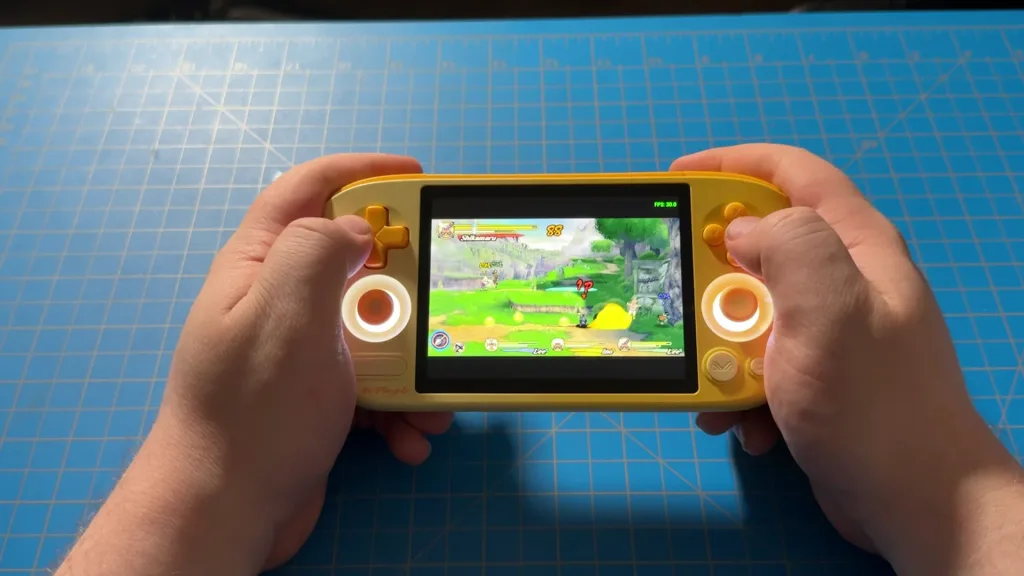
It also has a decent weight to it, making it feel like it is very high-quality. Arguably, I would say this is high-quality for a handheld of this price. The weight may be a little bit more on the heavier side than I would expect for a handheld of this size, but it’s still very manageable, and I would consider it a very portable-friendly weight.
Design
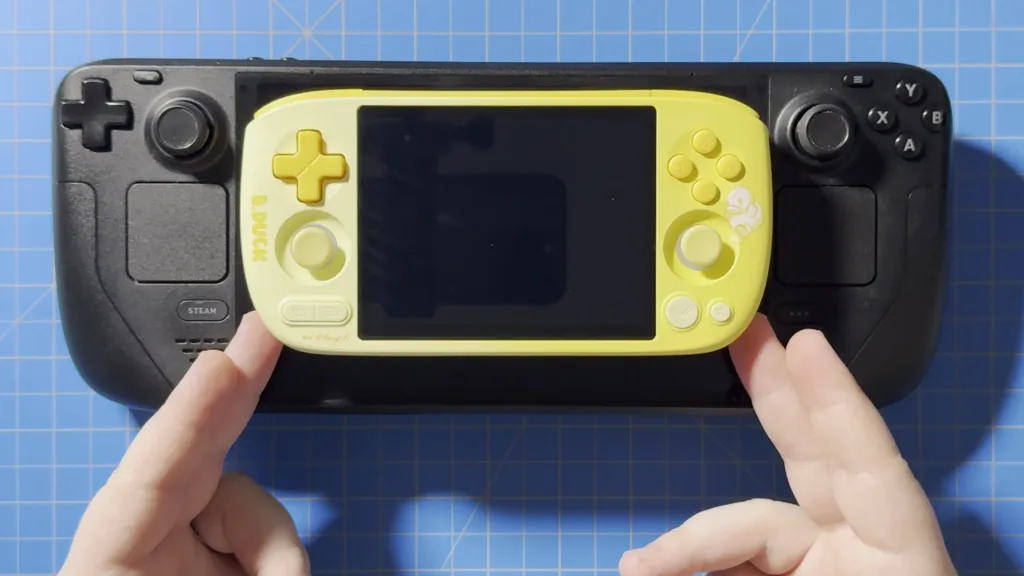
Now, let’s talk about this design. This is one of the smaller handhelds that I’ve ever used, which is by design. This is clearly meant to be a more portable device focused on gaming with a screen that supports the 4:3 aspect ratio. While I’m used to screens that are wider and focus on the more modern 16:9 aspect ratio, it wasn’t nearly as off-putting when playing 16:9 games as I thought it would be because of the screen. The device is very small and very portable, and this makes it very easy to slip into your pocket and take around wherever you go.
Then we have the buttons, and I love almost everything about them. Each button feels great to push down on; the joysticks are a little on the small side, but they're big enough to be able to move around a lot comfortably, and the analog triggers on the back are great to push down on. The usual issues I have with buttons or triggers that feel digital are nowhere to be found here. And I love symmetrical joysticks, which are clear and present on this device.
And because the device is on the smaller side, the positioning of the buttons is very comfortable. I can reach every single button and every single button and both triggers with ease. Despite how small it is, it is very comfortable to play games on.
If I had to choose two things I would want improved, it would be the feel of the tops of the joysticks and the position of the Start/Select buttons. They aren’t bad, but they do feel a little bit too smooth, and I found that my thumb is falling off a little bit if I use it too fast. This didn’t happen often, and it only really became an issue if I tried to move them around very fast. However, this criticism of the face being a little too smooth is not something that I would say is a large issue that I would worry about.
As for the Start/Select buttons, I’m not the biggest fan of them both being on the same side of the controller or being too far down. I like having the Start button on one side and the Select button on the other, making it so I can hit each one with a different thumb. With most controllers and handhelds offering a similar layout, it always takes me a moment to come back and remember where those buttons are. It’s not the end of the world, and because of how small the device is, they are still comfortable to use. However, it’s still something I’m not a huge fan of as a whole.
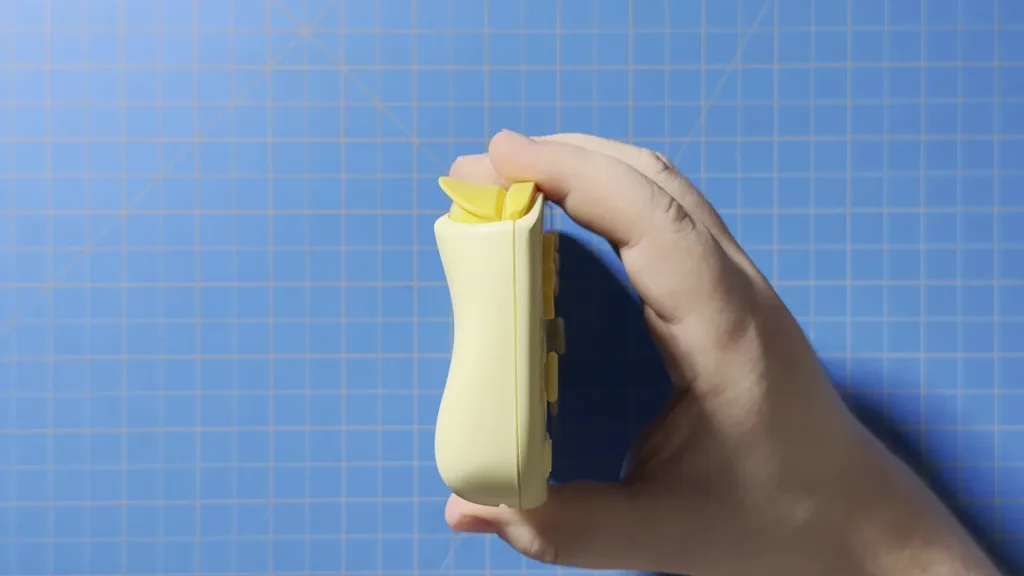
I also want to give some credit to the grip of the device. Despite being so small, there is actually an ergonomic grip on the back that is decently comfortable to hold. It doesn’t have any extra texture to make it easier to hold onto, but the way it’s molded still makes it easy and comfortable to grip. Even when waving it around with one hand, I didn’t feel it loosening up, and I still had a comfortable hold on it. I would consider this a signature of AYANEO’s devices, since they have done it with every handheld I have used from them, and it’s surprisingly always good.
AYASpace and AYASettings
As with all AYANEO devices, we do have some specific applications that come with it to enhance our experience and manage how our device performs.
First up is AYASpace, which is essentially a graphical frontend for emulated games, similar to ES-DE and Pegasus. It does have a nice interface with some cool features, like a way to view screenshots we take in-game, but I wasn't able to fully utilize it. I couldn't log in; neither my phone nor email would get a code, and none of my games had covers. It looked bland when trying to see the games themselves, and I just preferred using ES-DE or Pegasus with more unique themes and scrapers.
However, AYASettings is fantastic. This is essentially what AYASpace on handheld PCs is. In it, we can customize performance, change controller settings (like RGB lights), change fan settings, toggle different options, and customize our two extra buttons at the top of our device. And with the push of the AYA button, we can bring up a quick access menu to change most of these options at any time. I have always loved AYANEO's implementation of management tools like this, and I love it here as well.
Emulation/Game Performance
Android Games
With the Pocket AIR Mini being an Android device, we can access the Google Play Store and download apps. While the majority of them will work, not all of them will be fully optimized for the screen, so it may be difficult to play some of the games from the store. For example, Final Fantasy Dissidia starts off in Portrait mode, which makes setting it up a chore, but it will then fill up the screen when it starts to download data and play the game. So, there may be games that are encountered that don’t support the screen, and it doesn’t look good.
But there are games that do, like Genshin Impact. I decided to test it out on the Pocket AIR Mini, but I don’t recommend playing it or other demanding Android games on it. It needs a low-quality preset and a 30 FPS lock, and even still, it won’t stay stable in combat. I think this is a great device for emulation, especially for older consoles, but when it comes to playing more demanding Android games, I would stay away.
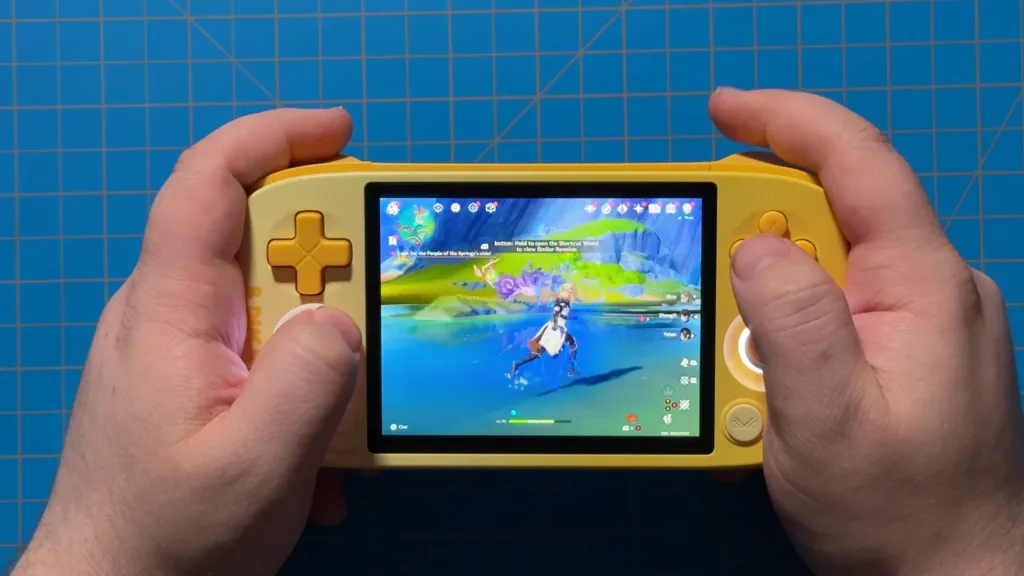
We are also on an older version of Android, which means there will be some newer apps that aren't compatible. I did try to test Zenless Zone Zero and Wuthering Waves, but since neither of them was compatible with the older Android 11, I couldn't download them to test.
PC Games
While the Pocket AIR Mini is more powerful than other handhelds in its price range, it still has limitations. One of the big ones is PC gaming. Recently, we’ve been able to use compatibility layers to play PC games on Android devices. Some of these devices can handle it quite well, and it’s only getting better as time goes on. However, playing any of these on the device is a no-go. Bigger games shouldn’t even be attempted, but even smaller games like BALL x PIT had trouble running. I wouldn't use this device to play PC games.
エミュレーション
As for emulation, there are some limits as well. Any systems above the GameCube/Wii will have trouble running. Even still, some GameCube/Wii games will have trouble being played on here, and the PS2 has some issues as well. However, almost everything underneath that will be perfect to play on the device.
The only issue with the older consoles would have to be the DS. Dual-screen emulation on a single screen has never been comfortable for me, and it’s only worse on this already smaller screen compared to the other handhelds. It’s possible to play it, but it’s nowhere near comfortable. It’s just not the right fit for a device like this, and I wouldn’t recommend it.
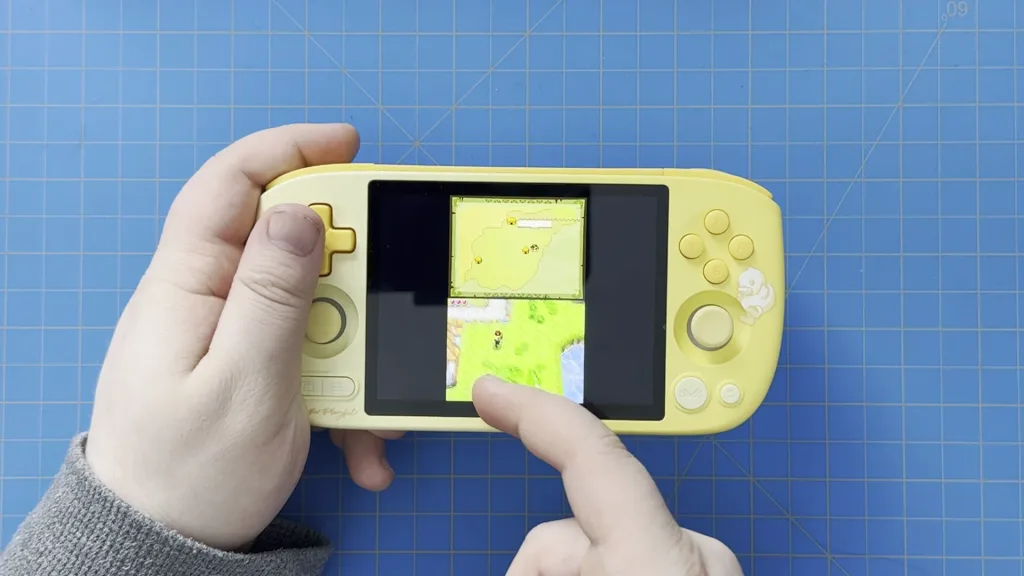
However, on the bright side, playing Nintendo 64, PS1, GameCube, and PS2 games is going to be amazing on the Pocket AIR Mini, thanks to its 4:3 aspect ratio screen. Games fit the entire screen perfectly, which makes them amazing to play this way. The 4:3 aspect ratio in general is perfect for emulation in general, since most older consoles fit this ratio better than the more common 16:9 that we see in modern screens.
Here’s a breakdown of the emulated games:
N64, GBA, PS1, and older Systems - There should be no issue playing any of these games on the Pocket AIR Mini. All of them run quite well, and with the N64 and PS1 utilizing the 4:3 aspect ratio, it feels perfect to play on the device.
GameCube/Wii - Even on the lower-end games at 1x resolution, there are going to be some drops. I wouldn’t consider it unplayable; I did enjoy playing Kirby Air Ride and Super Smash Bros Melee, but it wasn’t a perfect experience and did have some issues. Still, for the price, it’s hard to be upset that it can go this far with GameCube emulation at all.
PS2 - I got similar performance and issues to the GameCube. It could hold its frame rate for lower-end games, but there were still some minor drops. I wouldn’t say this device is perfect for GameCube or PS2 emulation, but the fact that some games are playable for this price is fantastic in itself. Just don’t expect to be able to play your entire library.
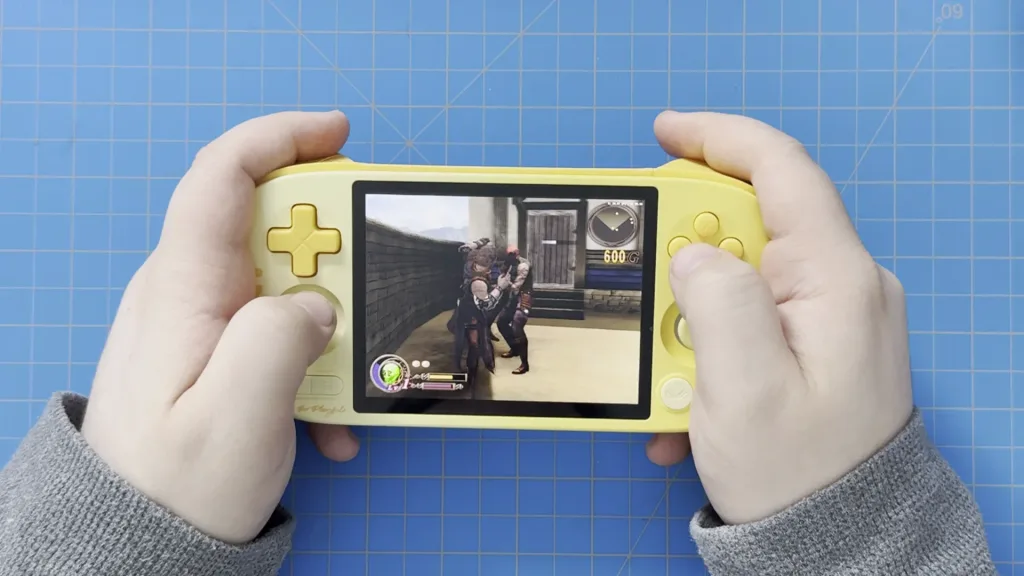
PSP - PSP games perform wonderfully here. Some simple games can be played at 8x resolution, such as Dragon Ball Z: Shin Budokai, while more demanding titles, like God of War: Ghost of Sparta, will still drop slightly at 1x. PSP games are generally very playable, but I’d recommend sitting at 2x or 3x at most. The small screen makes 1x look good, and I wouldn’t say it’s needed above that in general. The aspect ratio of the screen does mean PSP games have big black bars at the top and bottom, but it’s still a good size to play.
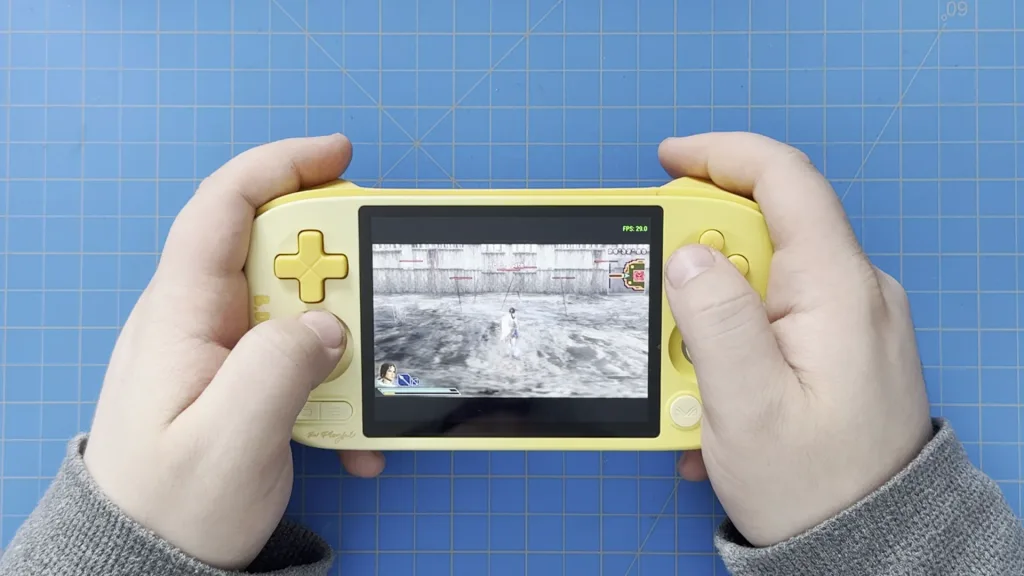
I was also quite impressed with the battery life of this small device. I was getting an average of 5-6 hours of battery life while emulating more intensive systems, like the PS2 and GameCube. Using less demanding systems, like GBA or PSP, can start the inch towards the 7-8 hour mark. However, charging does take some time. To go from 0 to 100%, it took around 2 1/2 hours. There may be ways to speed this up, but based on the out-of-the-box configurations, that’s how long it took me.
結論
The AYANEO Pocket AIR Mini stunned me. Not only is it extremely portable and comfortable to use, but the power it has exceeded my expectations for a device of this price. The slight issues, like the 4:3 screen not being great for all emulation systems, are not nearly enough to take away from how fantastic this handheld is. It punches well above what I expected for the price, is very portable, and is comfortable to use. Ultimately, in this economy, where everything is getting more expensive, the Pocket AIR Mini feels like a breath of fresh air.
The AYANEO links above are using an affiliate link, which gives us a little back from sales at no extra charge to you. All proceeds go back into SDHQ and its development.
この記事を楽しんでいただけたなら、SteamDeckHQ の他のコンテンツもチェックしてみてください!あなたのゲーム体験に役立つゲームレビューやニュースを幅広く取り揃えています。ニュース、ヒントやチュートリアル、ゲーム設定やレビュー、最新のトレンド情報など、あらゆる情報をお届けします。 カバーしています!


最近のニュース
カテゴリー
Accessories
Anbernic
Android
ASUS ROG Ally
ROG Xbox Ally
Classics on Deck
Community
Cryobyte33
Deals
Deck Mods
Emulation
Events
Featured Post
Game News
Game News
General Game News
HandheldHQ
Hardware
Lenovo
Linux
MagicX
MSI
Nintendo
ONE-NETBOOK
Opinion
Other Reviews
Accessory Reviews
Handheld Reviews
PlayStation
Proton
Retro Handhelds
Anbernic
AYANEO
AYN
GPD
MagicX
MANGMI
Miyoo
Retroid
Rumors
TrimUI
SDHQ
Steam
Steam Controller
Steam Frame
Steam Machine
SteamOS
The Unsupported Report
Uncategorized
Uncategorized
VR
最近のヒント&GUIDES
新着レビュー