


If you haven't yet, follow us on X (Twitter), Mastodon, or Bluesky to know when we post new articles, and join our Reddit or Subscribe to us on YouTube to check out our content and interact with our awesome community. Thank you for supporting us!
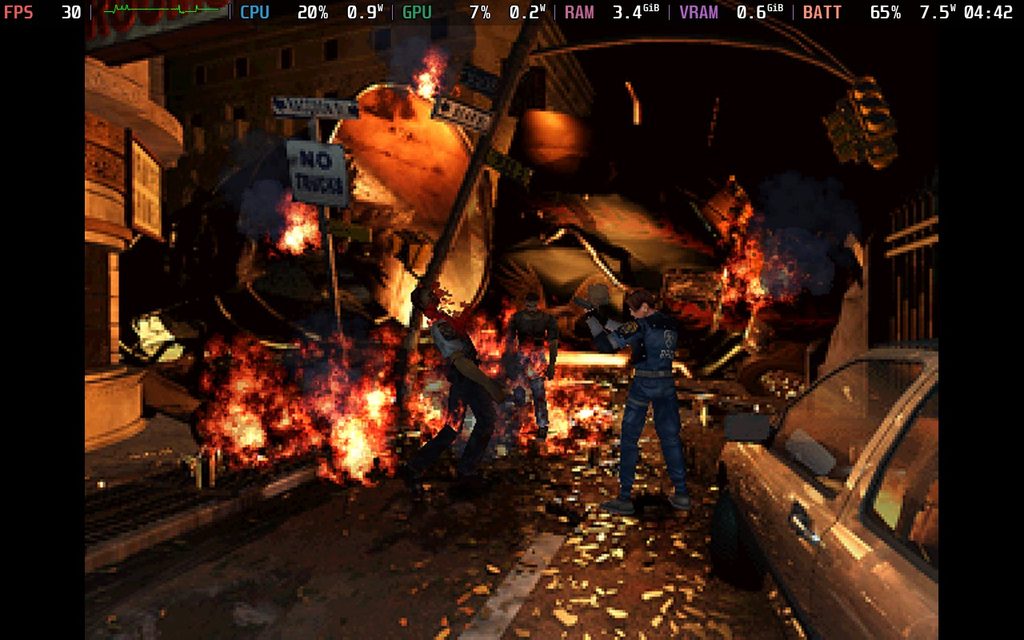
A new update for Proton Experimental has been released, and this is going to make playing the original Resident Evil games a lot easier. This update fixes Resident Evil 1 and 2, not only allowing them to be started without issue, but also fixing the FMV cutscenes. This should also fix both Dino Crisis 1 and 2, but you will need to manually enable Proton Experimental for each game.
However, Dino Crisis 2's cutscenes are still not working correctly, so it will need Proton GE 10-34 to show them correctly. But if you want the cutscenes to work, I recommend starting the game with Proton Experimental and then adding the game to the registry. After that, close the game and change the Proton layer to GE 10-34. If you try to add the game to the registry on GE 10-34, it will crash.
The new Proton Experimental update should automatically download if you already have the experimental layer. If not, just search for Proton Experimental in the Steam store on your Steam Deck and download.
Proton Experimental 4/10/26 Update Changelog:
- Now playable: Resident Evil (1996), Resident Evil 2 (1998), Dino Crisis, Dino Crisis 2, Universe Generator: The Golden Sword.
- Added support for SteamWorks SDK 1.64.
- Fixed audio playback when playing intro videos in BIRDCAGE.
- Fixed DCS World Steam Edition getting stuck on launch.
If you enjoyed this article, check out the rest of the content on SteamDeckHQ! We have a wide variety of game reviews and news that will help your gaming experience. Whether you're looking for news, tips and tutorials, game settings and reviews, or just want to stay up-to-date on the latest trends, we've got you covered!

RECENT NEWS
Categories
Accessories
Anbernic
Android
ASUS ROG Ally
ROG Xbox Ally
Classics on Deck
Community
Cryobyte33
Deals
Deck Mods
Emulation
Events
Featured Post
Game News
Game News
General Game News
HandheldHQ
Hardware
Lenovo
Linux
MagicX
Nintendo
ONE-NETBOOK
Opinion
Other Reviews
Accessory Reviews
Handheld Reviews
PlayStation
Proton
Retro Handhelds
Anbernic
AYANEO
AYN
GPD
MagicX
MANGMI
Miyoo
Retroid
Rumors
TrimUI
SDHQ
Steam
Steam Machine
SteamOS
The Unsupported Report
Uncategorized
Uncategorized
Recent Tips & GUIDES
recent reviews






Does this go for Resident Evil 3: Nemesis as well? It wasn't mentioned in the article and I'm away from my steam deck so I can't check fir myself.