



まだの方は、X(Twitter)、Mastodon、Blueskyでフォローし、新しい記事が投稿されたらお知らせください。また、Redditに参加したり、YouTubeに登録して、私たちのコンテンツをチェックしたり、素晴らしいコミュニティと交流してください。応援ありがとうございました!
The games that Hideo Kojima makes are some of my favorites, and for me, it all started with Metal Gear Solid (MGS). These games are some of my favorites to go back to and play, and I am so glad that Konami brought them to PC. Before the Master Collection, the only Metal Gear games on PC were Metal Gear Solid V and Survive, so I was happy to be able to play Metal Gear Solid 1-3. However, I have noticed the games, specifically MGS 2 and 3, draining a lot more than I believe they should. These are older games and should not be drainign over 16W in battery just to play them. Luckily, I came across a great fix that not only brings down battery drain, but improves the experiecne on the Steam Deck.
You can get the game on GreenManGaming for $50.99 using coupon code May15.
While I was searching, I came across MGSHDFix, a project created by Lyall on GitHub. This is a collection of improvements for MGS 2 and 3, as well as Metal Gear 1 and 2, which adds in custom resolution support, launcher skips, and much more. There's a lot of great changes with this fix, but it's the latest update that caught my eye. The 3.0.3 update, which was released two weeks ago, has a big fix that improves battery drain on the Steam Deck. This is due to a performance regression with the latest patch of the game with window event handling moving to a separate thread, which caused higher battery drain due to the thread running even when it didn't need to. Now, MGSHDFix fixes this, and it makes a huge difference.
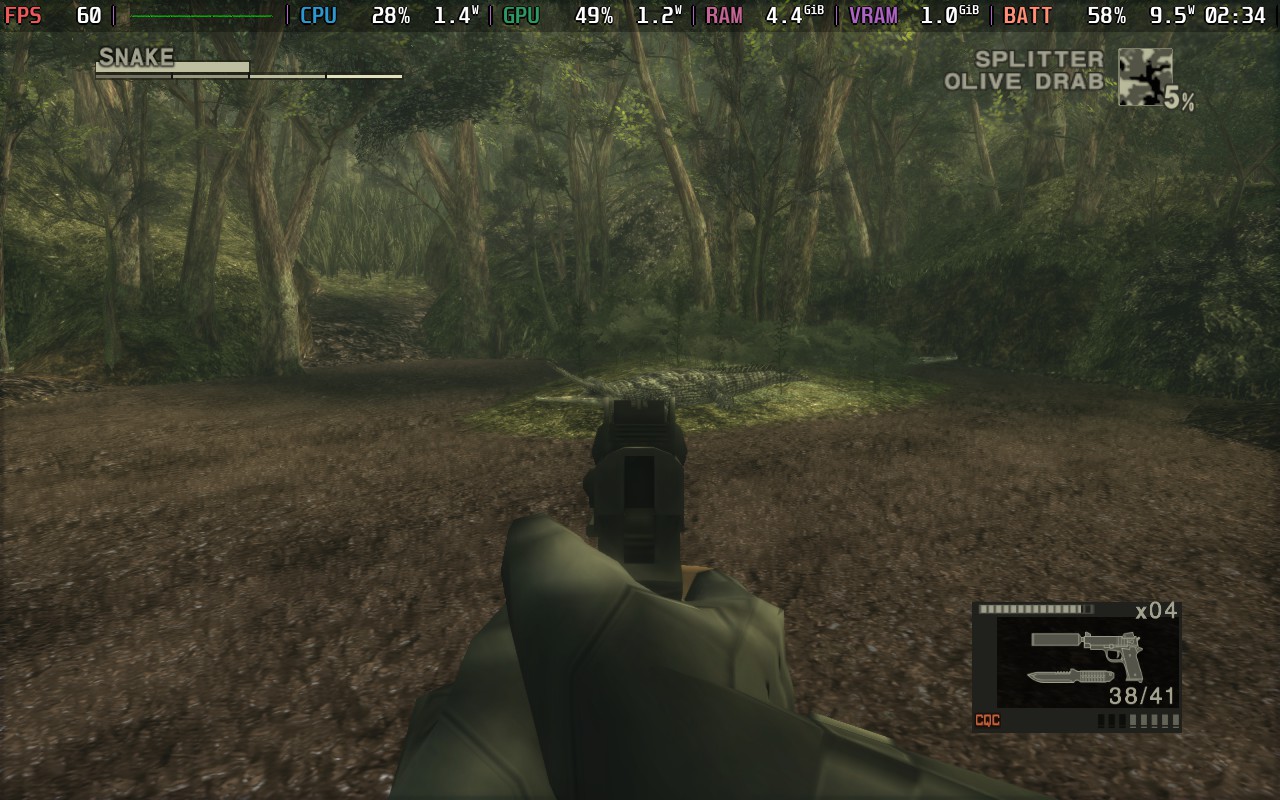
Installation is relatively easy as well. All you have to do is download the newest version of the fix from GitHub and extract all the contents to the game folders, which you can find easily by right clicking the game's name in your library, going to manage, and clicking on browse game files. After that, go to the new plugin folder in your game contents and run the MGSHDFix config tool. You will need to have ProtonTricks downloaded from the Discover Store, and once you choose any game from the list and start the config tool, you can immediately save and exit. This is done so the config tool can generate a settings file that is needed.
And after that, you will have to put in the launch option for each game in their preferences. Here is the launch option you will need:
WINEDLLOVERRIDES="wininet,winhttp=n,b" %command%Then, all you have to do is boot the game, and the changes will be obvious and immediate. From my testing, MGS 2's battery drain went from 16W to 12W just in the opening area, and I have seen screenshots showing even bigger drops down to 8W in later areas. MGS 3 went from 16W to 9W as well in the opening area. And in both comparisons, we can see some big changes in the CPU usage, which is huge. And of course, we have the resolution support, which will now fill the entire screen due to 16:10 resolutions now working.
There are a bunch of other options that can be changed within the config tool, like increasing texture size limits, support for custom PS2 glyphs, set internal resolutions for supersampling and downsampling, and much more. But even without changing anything, the experience has already improved immensely on the Steam Deck. Not only is the battery drain much lower, but having 16:10 resolution support is even more of a treat. And with how easy it is to install and use, deciding to use it feels like a no-brainer.
There are also some big changes coming in the future as well, with the team currently working on making sure the effects in the game are running at the right speeds, since a lot of them run at double speeds due to them being hard coded to 30 FPS on the PS2 version. There are also fixes coming for Depth of Field, since it doesn't scale correctly on higher resolutions. So it sounds like there's still a lot to look forward to here.
Metal Gear Solid Master Collection Vol. 1 is available for $59.99 on Steam, but you can get it on GreenManGaming for $50.99 using coupon code MAY15.
この記事を楽しんでいただけたなら、SteamDeckHQ の他のコンテンツもチェックしてみてください!あなたのゲーム体験に役立つゲームレビューやニュースを幅広く取り揃えています。ニュース、ヒントやチュートリアル、ゲーム設定やレビュー、最新のトレンド情報など、あらゆる情報をお届けします。 カバーしています!

最近のニュース
カテゴリー
Accessories
Anbernic
Android
ASUS ROG Ally
ROG Xbox Ally
Classics on Deck
Community
Cryobyte33
Deals
Deck Mods
Emulation
Events
Featured Post
Game News
Game News
General Game News
HandheldHQ
Hardware
Lenovo
Linux
MagicX
MSI
Nintendo
ONE-NETBOOK
Opinion
Other Reviews
Accessory Reviews
Handheld Reviews
PlayStation
Proton
Retro Handhelds
Anbernic
AYANEO
AYN
GPD
MagicX
MANGMI
Miyoo
Retroid
Rumors
TrimUI
SDHQ
Steam
Steam Controller
Steam Frame
Steam Machine
SteamOS
The Unsupported Report
Uncategorized
Uncategorized
VR
最近のヒント&GUIDES
新着レビュー





"Before the Master Collection, the only Metal Gear games on PC were Metal Gear Solid V and Survive"
Metal Gear Solid and Metal Gear Solid 2 had PC versions. You can find the first one in GOG. The second one is no longer available outside of the Master Collection, and from what I had read it was inferior to the PS2 version (although there is are mods that fix several of the issues)