まだの方は、X(Twitter)、Mastodon、Blueskyでフォローし、新しい記事が投稿されたらお知らせください。また、Redditに参加したり、YouTubeに登録して、私たちのコンテンツをチェックしたり、素晴らしいコミュニティと交流してください。応援ありがとうございました!
There has been an emerging number of recompilations and native PC ports that have made playing older games significantly better on modern hardware. Before, we would have to rely on emulation, which is great, but it lacked native support that could add enhanced features like higher framerate support, better aspect ratio support, mods, updated graphics, and more. There have been a ton of these for Nintendo 64, GameCube, and PS1 games, but this one in particular is one of the few I am most excited about.
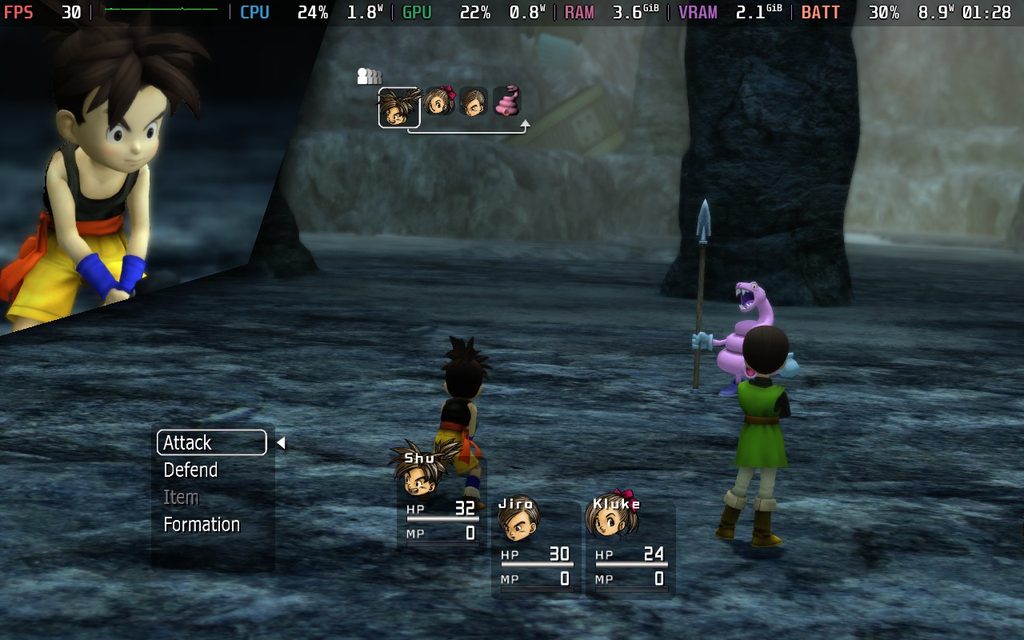
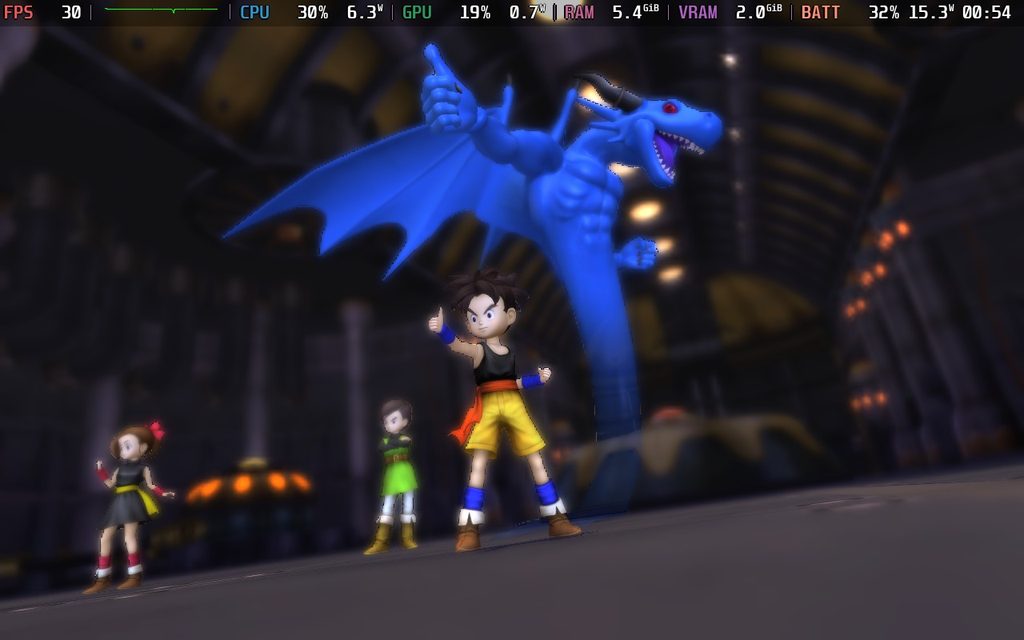
On the Xbox 360, there was a game called Blue Dragon that was released. With designs from the incredible Akira Toriyama, this Xbox 360 exclusive has remained tied to Xbox console hardware, and there have been no re-releases. However, that didn’t stop the Re:Blue team. They took the game in its entirety, all three discs, and used them to create a native PC port with enhanced features. This not only makes it playable on modern hardware, but it also comes with better visuals, higher framerate support, and a specific version for Linux that works like a charm on the Steam Deck.
Re:Blue has just been released, but thanks to the developers, I had a chance to check it out early and see for myself how it’s running on the Deck.
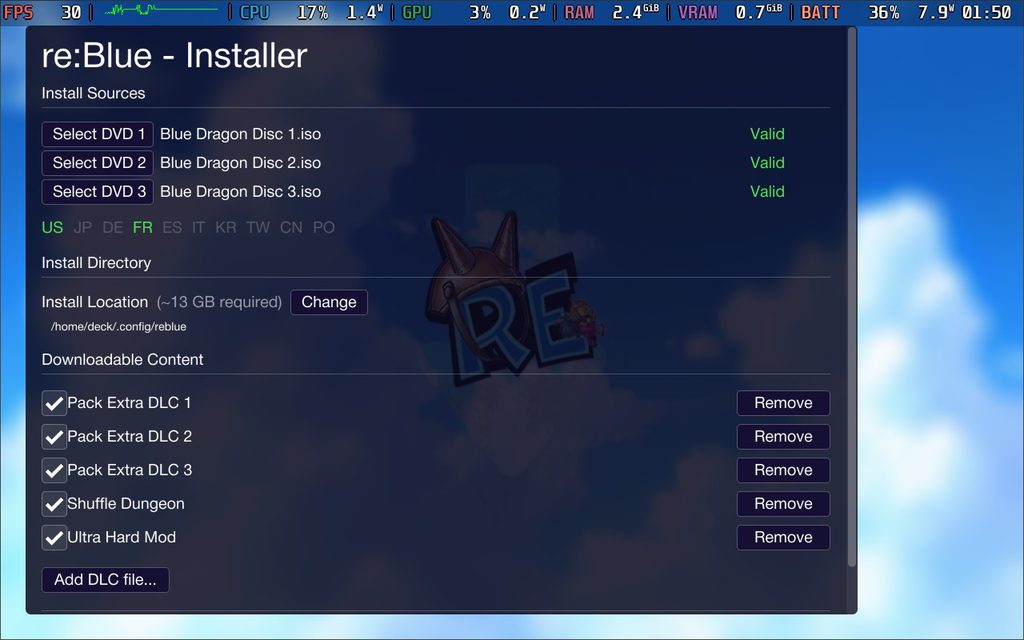
Installation was super easy. Once you have the AppImage, put it in its own folder in desktop mode, along with your legally dumped copies of the game and any of the DLC. If you want to keep track of the install, I also recommend creating a folder in the same spot as the AppImage to install the game. Once that’s done, start the AppImage and link the discs and DLC. After that, click on install, and you should be good to go.
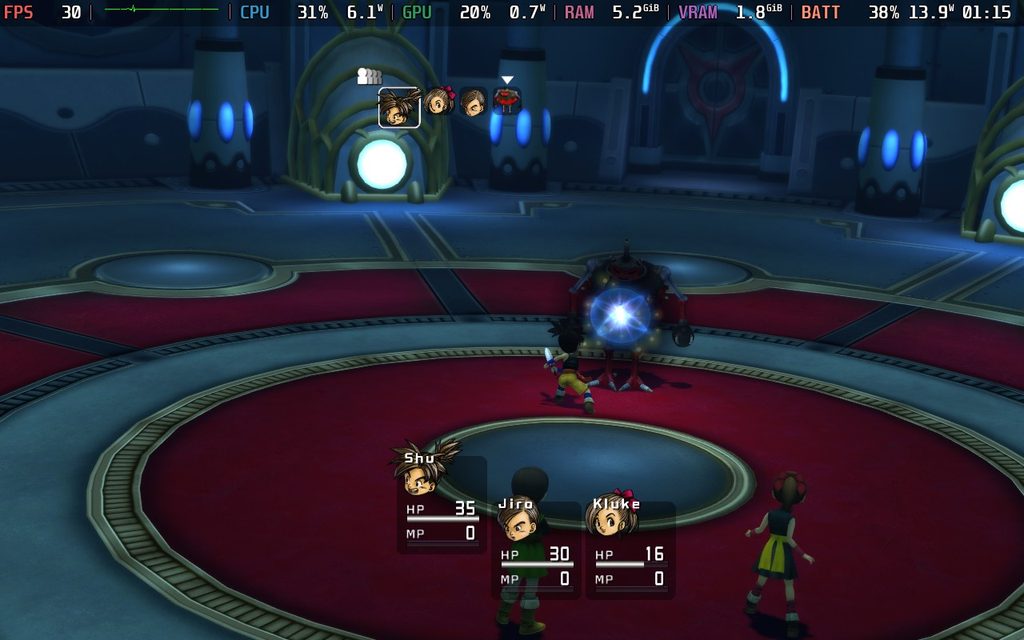
And honestly, it’s pretty amazing. The team has clearly done an incredible job getting this PC port of Blue Dragon up and running. The game I thought I would not be able to play again, except with emulation, is brought to life with fantastic enhancements that make it feel like it was made for PC. It’s also pretty great on the Steam Deck, though it does have a few hiccups here and there.
At the default settings, which go to the Medium preset, the game plays perfectly. It recognized the controller, keeps a solid 30 FPS, and battery drain sticks to 11W and below. It looks, feels, and plays wonderfully, and it still feels incredible that we’re able to play this natively on the Deck.

However, when I updated the client and played again, the battery drain was significantly higher than before. I’m not sure what exactly changed, since I didn’t change any settings, but it may be draining around 16W-17W now.
While it plays perfectly fine at 30 FPS, I did try to increase the framerate to see how stable it could be. For whatever reason, the framerate would increase, and battery drain would go up, but the game still felt like it was being played at 30. I’m not sure why; it’s possible that I need to change some settings to make it work, but I wasn’t able to figure it out when I first tried it.
Still, that doesn't change how awesome it is to play on the Steam Deck. It still feels wonderful, and I am so glad this exists. Being able to play Blue Dragon on the Deck feels unreal sometimes, and it's so great to play. I am sure there will be more improvements over time, and I am looking forward to seeing what the team will be doing next.
Re:Blue can be downloaded from GitHub.
この記事を楽しんでいただけたなら、SteamDeckHQ の他のコンテンツもチェックしてみてください!あなたのゲーム体験に役立つこと間違いなしのゲームレビューやニュースを幅広く取り揃えています。ニュース、ヒントやチュートリアル、ゲーム設定やレビューをお探しの方も、最新のトレンドを知りたい方も、ぜひご利用ください。

最近のニュース
カテゴリー
Accessories
Anbernic
Android
ASUS ROG Ally
ROG Xbox Ally
Classics on Deck
Community
Cryobyte33
Deals
Deck Mods
Emulation
Events
Featured Post
Game News
Game News
General Game News
HandheldHQ
Hardware
Lenovo
Linux
MagicX
MSI
Nintendo
ONE-NETBOOK
Opinion
Other Reviews
Accessory Reviews
Handheld Reviews
PlayStation
Proton
Retro Handhelds
Anbernic
AYANEO
AYN
GPD
MagicX
MANGMI
Miyoo
Retroid
Rumors
TrimUI
SDHQ
Steam
Steam Controller
Steam Frame
Steam Machine
SteamOS
The Unsupported Report
Uncategorized
Uncategorized
VR
最近のヒント&GUIDES
新着レビュー