まだの方は、X(Twitter)、Mastodon、Blueskyでフォローし、新しい記事が投稿されたらお知らせください。また、Redditに参加したり、YouTubeに登録して、私たちのコンテンツをチェックしたり、素晴らしいコミュニティと交流してください。応援ありがとうございました!
I have always loved using the Heroic Launcher when playing games from Epic and GOG on the Steam Deck. This fantastic open source launcher has been around for quite a while, but it has become my go-to for third-party games. Today, has gotten even better with its latest update, providing a better UI for devices like the Steam Deck.

The new 2.21.0 update just dropped, and with it, we have a new console-like UI to utilize. With it, we can open up and run installed games. It’s a great idea, and should be wonderful when in Game Mode on the Deck. However, it’s a little bit too bare bones to be something I would use primarily. It’s a great idea, but all we can do with it is run the games we have installed. We can’t change any settings or even install new games; we can only find and launch ones we’ve already installed. I hope they expand this more, because I do like the idea, but it’s not something I would replace the default UI with yet.
Luckily, this update comes with a bunch of great new additions aside from that. There’s a new deals page to check out current GOG promotions, achievements for GOG games are now displayed on the game info page, and the Wine manager page has been cleaned up with a new setting screen. We also have direct SteamGridDB support to pick our own covers directly and slap them onto whatever games we want.

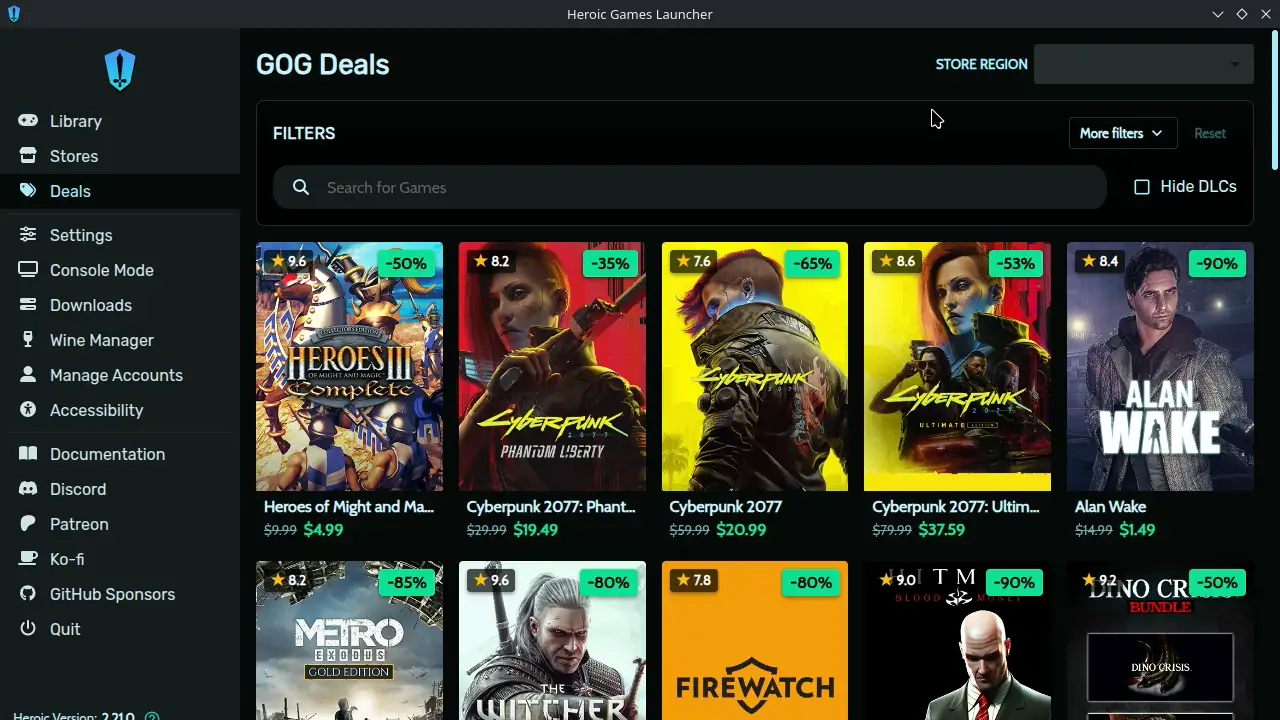
It’s a pretty big update in general, and you can check out the full change log for it on their GitHub release page.
You can install the Heroic Launcher through the Discover Store or download the AppImage from their GitHub. New updates are usually a little delayed on the Discover Store, but the update should come within the day.
この記事を楽しんでいただけたなら、SteamDeckHQ の他のコンテンツもチェックしてみてください!あなたのゲーム体験に役立つゲームレビューやニュースを幅広く取り揃えています。ニュース、ヒントやチュートリアル、ゲーム設定やレビュー、最新のトレンド情報など、あらゆる情報をお届けします。 カバーしています!

最近のニュース
カテゴリー
Accessories
Anbernic
Android
ASUS ROG Ally
ROG Xbox Ally
Classics on Deck
Community
Cryobyte33
Deals
Deck Mods
Emulation
Events
Featured Post
Game News
Game News
General Game News
HandheldHQ
Hardware
Lenovo
Linux
MagicX
MSI
Nintendo
ONE-NETBOOK
Opinion
Other Reviews
Accessory Reviews
Handheld Reviews
PlayStation
Proton
Retro Handhelds
Anbernic
AYANEO
AYN
GPD
MagicX
MANGMI
Miyoo
Retroid
Rumors
TrimUI
SDHQ
Steam
Steam Controller
Steam Frame
Steam Machine
SteamOS
The Unsupported Report
Uncategorized
Uncategorized
VR
最近のヒント&GUIDES
新着レビュー