まだの方は、X(Twitter)、Mastodon、Blueskyでフォローし、新しい記事が投稿されたらお知らせください。また、Redditに参加したり、YouTubeに登録して、私たちのコンテンツをチェックしたり、素晴らしいコミュニティと交流してください。応援ありがとうございました!
Ever since I started playing more with retro handhelds and went deeper into RetroAchievements, I’ve been enamored with playing through classic games I used to love. It has been a lot of fun, and I felt a renewed excitement for it. However, setting it up can be a pain. There are tons of different emulators for different systems, and even some that are better than others. Using a script like EmuDeck on the Steam Deck simplified the process, installing and optimizing the emulators for the Deck. Having something like this for my retro handheld, especially on Android, would be incredible. Thankfully, this isn’t something we’ll have to wait for much longer.
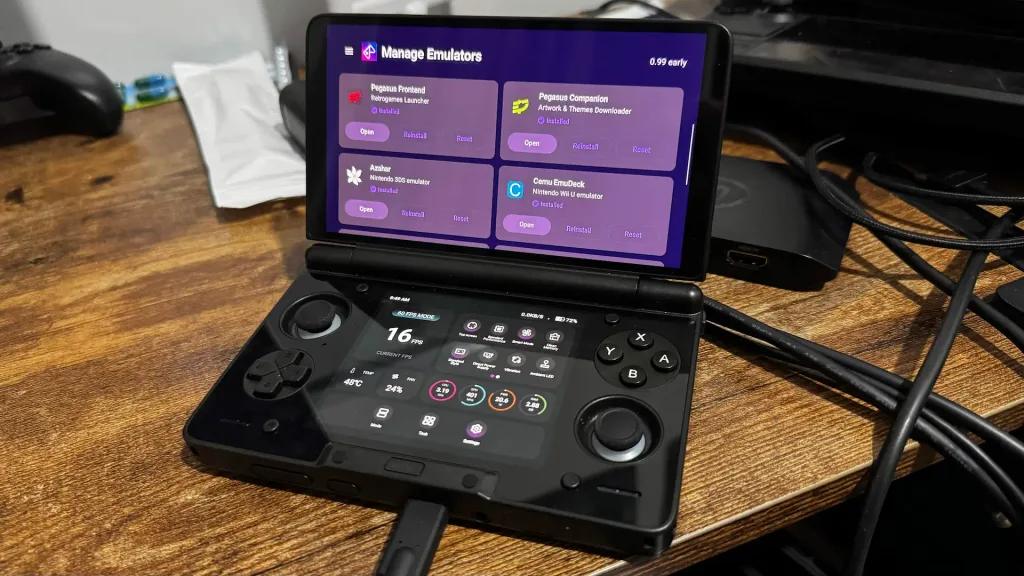
DragoonDorise, the creator of EmuDeck, is creating an Android version of EmuDeck to simplify installing and optimizing emulators on Android handhelds. This means all you’ll have to do is install EmuDeck and follow the prompts to set up almost every system possible to emulate on Android. It currently even covers the new original Xbox emulator, and comes with the Pegasus frontend, which is a decent way to look at all the emulated games you have installed on your device.
I had a chance to check it out for myself and see how well it’s doing what it’s promising to do. The app is currently in Beta, so I expected some issues, but it generally works quite well.
It’s a fantastic first step to making emulation on Android as easy as possible, and it could make setting things up as easy as possible. There are already tons of supported handhelds to optimize in the emulators for, including the AYN Thor, Anbernic RG557, AYANEO Pocket S2, and Retroid Pocket 6, and I would consider that the biggest step EmuDeck needs to take. There are so many Android handhelds out there, and if you release this app, you need to make sure as many as possible are supported. I also very much appreciated the file structure. It automatically creates, which eliminates having to create folders and set up where to install games for yourself. We also have some of the great features from the desktop version, such as cloud saves.
I would still say there also needs to be a little bit more fine-tuning for specific systems. For example, if you’re using a dual-screen handheld, like the AYN Thor, we should have a specific emulator/fork download for the DS and Cemu to allow for dual-screen support. Currently, the DS is set to RetroArch, and I would much rather it be set to MelonDS and optimized automatically to run DS games on both screens. I also encountered some small issues with configuring, where the settings wouldn’t automatically apply, and I was basically stuck on configuring. Forcing EmuDeck to close fixed this for me, but it was still an issue. I also had some problems installing apps like Pegasus Companion to get artwork for the games, but powering through the initial setup and reinstalling from the main screen worked fine.
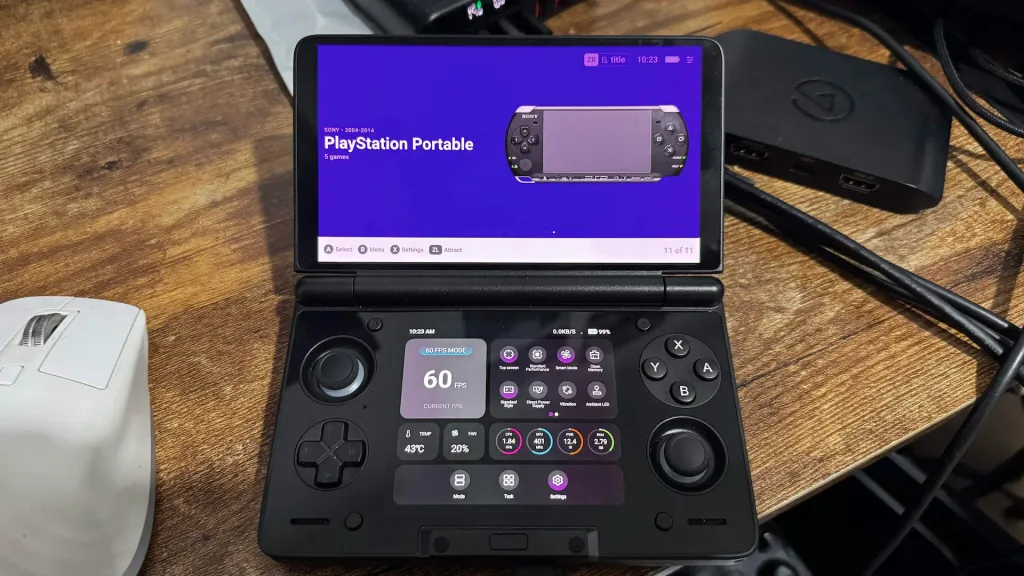
Overall, it’s hard not to see this as a fantastic option for Android emulation. The wealth of devices it already supports, and the automatic downloading. Setting up and optimizing emulators makes getting ready to play games significantly easier. There’s a little bit of manual application to configure and install them initially, but that’s not something that the app can get around due to Android restrictions.
As of right now, EmuDeck for Android is in beta and is only available for Patreon subscribers. However, the plan is to have two different versions of EmuDeck, with a free version that everyone can use and an early access version only available to Patreon. There’s no timeline on exactly when this will be released, but this is a great tool to get everything set up.
この記事を楽しんでいただけたなら、SteamDeckHQ の他のコンテンツもチェックしてみてください!あなたのゲーム体験に役立つゲームレビューやニュースを幅広く取り揃えています。ニュース、ヒントやチュートリアル、ゲーム設定やレビュー、最新のトレンド情報など、あらゆる情報をお届けします。 カバーしています!

最近のニュース
カテゴリー
Accessories
Anbernic
Android
ASUS ROG Ally
ROG Xbox Ally
Classics on Deck
Community
Cryobyte33
Deals
Deck Mods
Emulation
Events
Featured Post
Game News
Game News
General Game News
HandheldHQ
Hardware
Lenovo
Linux
MagicX
MSI
Nintendo
ONE-NETBOOK
Opinion
Other Reviews
Accessory Reviews
Handheld Reviews
PlayStation
Proton
Retro Handhelds
Anbernic
AYANEO
AYN
GPD
MagicX
MANGMI
Miyoo
Retroid
Rumors
TrimUI
SDHQ
Steam
Steam Controller
Steam Frame
Steam Machine
SteamOS
The Unsupported Report
Uncategorized
Uncategorized
VR
Xbox
最近のヒント&GUIDES
新着レビュー