まだの方は、X(Twitter)、Mastodon、Blueskyでフォローし、新しい記事が投稿されたらお知らせください。また、Redditに参加したり、YouTubeに登録して、私たちのコンテンツをチェックしたり、素晴らしいコミュニティと交流してください。応援ありがとうございました!
I really enjoy the Borderlands games. While none of them have stacked up to Borderlands 2, I do appreciate a lot of the improvements and tight gameplay in Borderlands 4. It has been tons of fun roaming around the large open world, taking on bounties and side quests, hunting monsters, and collecting loads of guns. And recently, there was a big update to the game, which many have claimed has actually helped performance on the Steam Deck. So, I wanted to put it to the test.
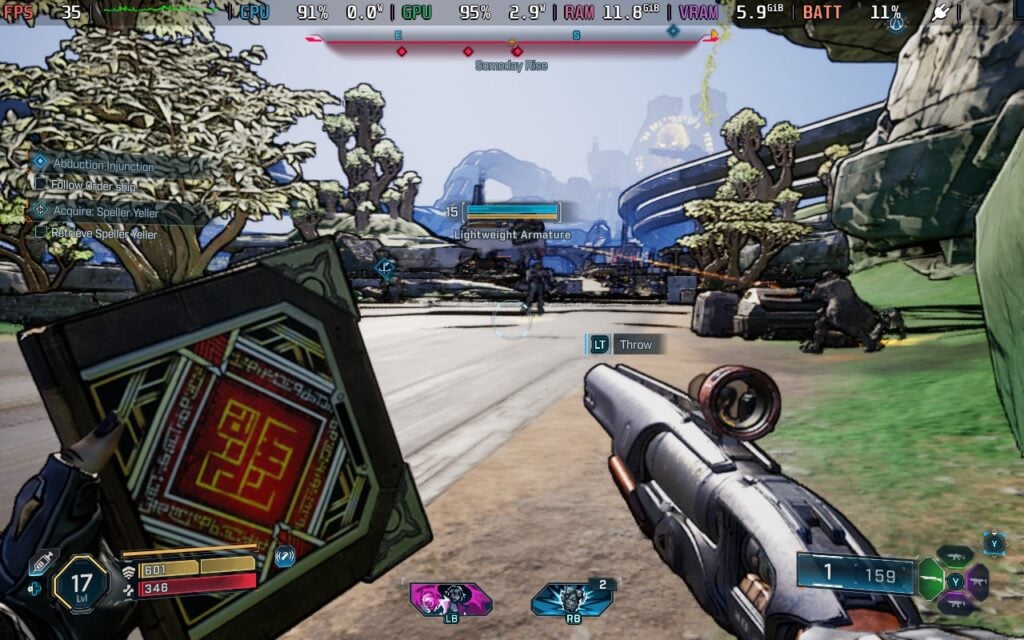
With this new update, there have been a ton of optimizations for the game, which help it overall. This does extend to the Steam Deck as well, and overall, it is performing better and sticking closer to 30 FPS. However, while it is more playable, I wouldn't consider the experience more enjoyable or recommend playing it on the Deck.
On the plus side, we do get 30 FPS and above way more often. In almost every fight I was in, which included a couple of bosses and bounties, it never went below 30. It was way more stable than I remember, making it more playable in these fights and when it started to get very hectic. This is a big improvement from when the game was released, and I would consider it playable about 90% of the time.
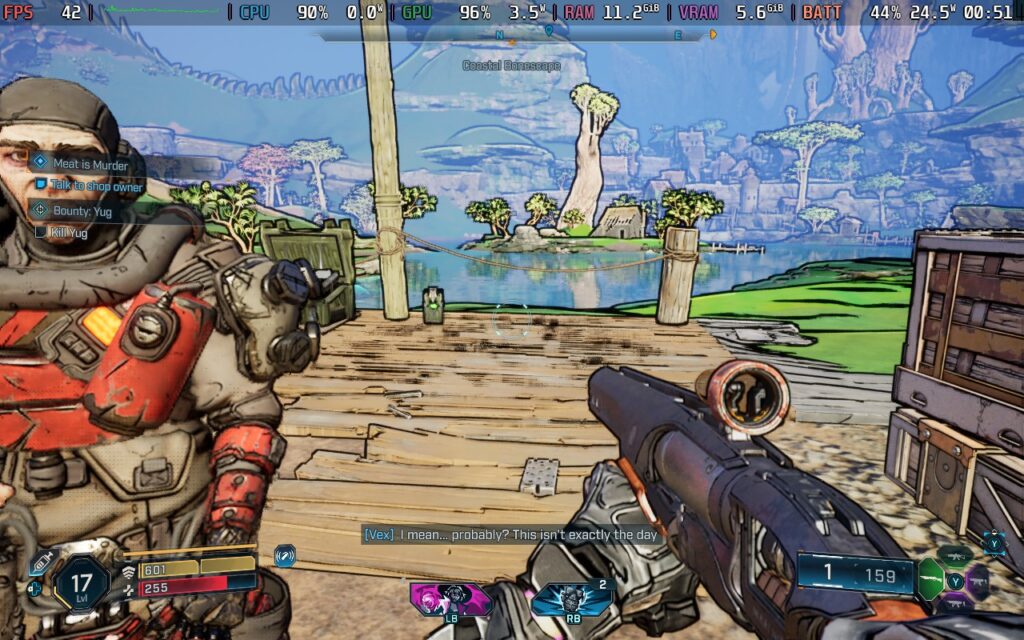
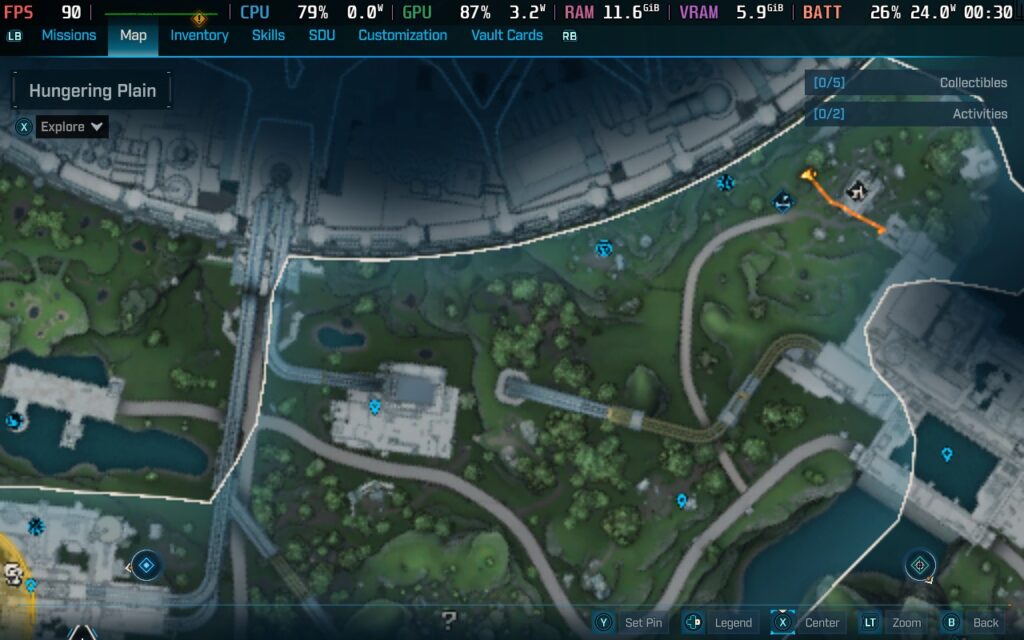
However, there are still some big compromises that need to be made when playing on the go. The game uses heavy upscaling, so it's extremely blurry and pixelated. It's doable when in-game and in combat, but it can get a little too hard to see what is going on when fights get very chaotic. This also extends to the map, where all of the icons are extremely blurry and near-impossible to make out. It made planning my next move, and even just fast traveling, so difficult.
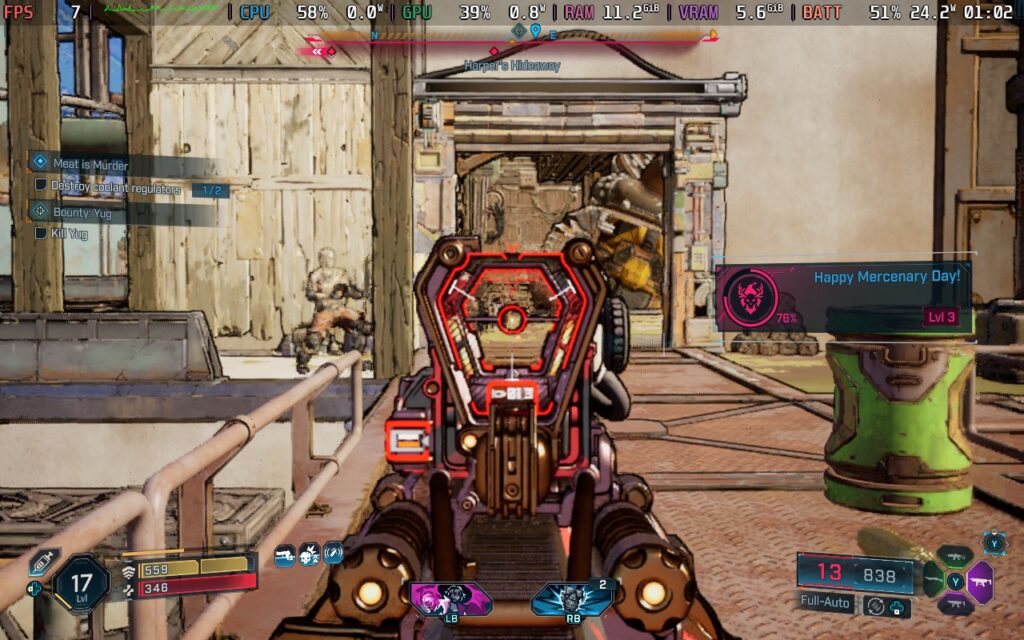
And this update doesn't fully alleviate performance issues as well. There were still some drops when traveling on our bike through some areas fast, which could go into the 20s, and performance was almost always on the cusp of going under 30 in fights. I noticed most of the drops were coming when driving fast through very crowded areas, but it ultimately went back to normal once I got through those areas.
There were also a few times where the entire game would slow to a crawl and stutter. This brought it down to 14 or 15 FPS, sometimes even below 10, and would stay that way for about 2-3 minutes. It seemed to be random; I couldn't figure out a specific cause for it, but it did happen a couple of times to make it feel somewhat consistent.
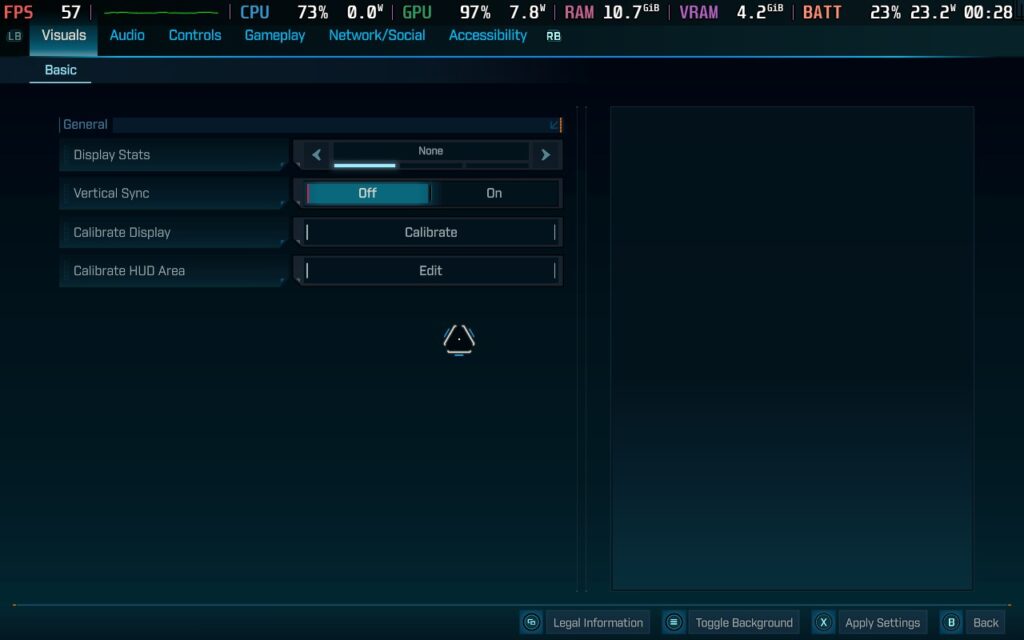
We also have a lack of graphical settings, which is a little bit of a bummer. We can't change the graphics settings when playing on the Steam Deck, unless we use the SteamDeck=0 %command% launch option. So, there's no way to change or make the game look any better out of the box.
So, while Borderlands 4 does run better, it still falls short of being an experience I would recommend on the Steam Deck. It does stick to 30 FPS more often, but we have to deal with significant blurriness and pixelation, as well as some drops in very condensed areas or when driving fast through the world. If you are looking for a way to do some light grinding in between sessions on more powerful PCs, this will be great. However, playing through the full game only on the Deck may lead to some bitterness due to all the compromises that need to be made.
Borderlands 4 is $69.99 on Steam, but can be purchased for $59.49 on GreenManGaming with coupon code DEC15.
この記事を楽しんでいただけたなら、SteamDeckHQ の他のコンテンツもチェックしてみてください!あなたのゲーム体験に役立つゲームレビューやニュースを幅広く取り揃えています。ニュース、ヒントやチュートリアル、ゲーム設定やレビュー、最新のトレンド情報など、あらゆる情報をお届けします。 カバーしています!

最近のニュース
カテゴリー
Accessories
Anbernic
Android
ASUS ROG Ally
ROG Xbox Ally
Classics on Deck
Community
Cryobyte33
Deals
Deck Mods
Emulation
Events
Featured Post
Game News
Game News
General Game News
HandheldHQ
Hardware
Lenovo
Linux
MagicX
MSI
Nintendo
ONE-NETBOOK
Opinion
Other Reviews
Accessory Reviews
Handheld Reviews
PlayStation
Proton
Retro Handhelds
Anbernic
AYANEO
AYN
GPD
MagicX
MANGMI
Miyoo
Retroid
Rumors
TrimUI
SDHQ
Steam
Steam Controller
Steam Frame
Steam Machine
SteamOS
The Unsupported Report
Uncategorized
Uncategorized
VR
最近のヒント&GUIDES
新着レビュー