


A couple of new updates have been released for the ROG Ally recently, with some awesome improvements that will help the device and game performance! There was a new BIOS released 3 days ago, revision 331, that enhanced the overall system stability, and on the 30th of this month, we will see an MCU update to fix a rate bug that swaps control modes and an Aura plugin update to align RGB brightness with the new updates.
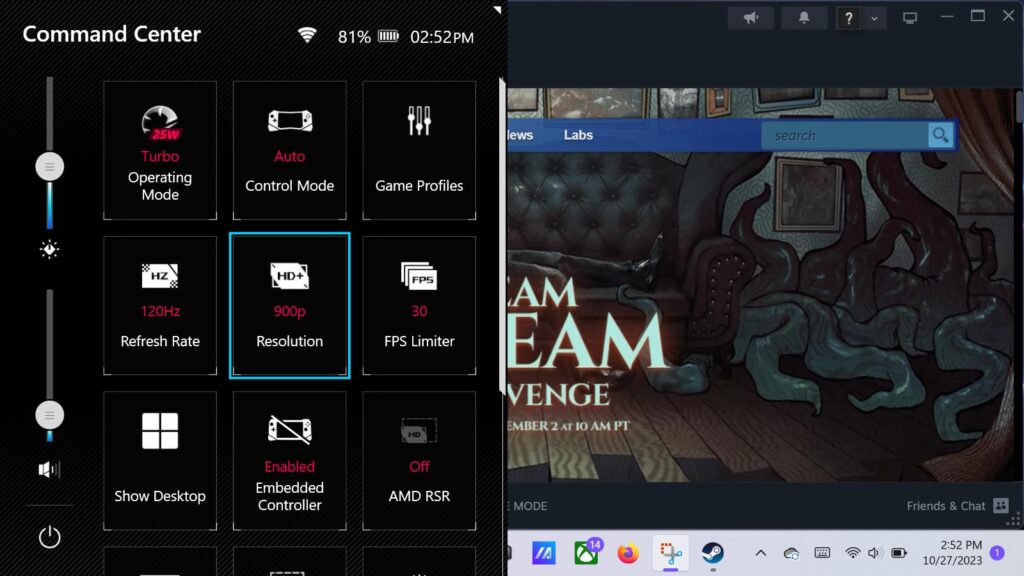
But the biggest part of the updates is the GPU driver that has been updated. This new driver addresses a couple of bugs that prevented the ROG Ally from launching Resident Evil Village and EA Sports FC 24 from launching, and a bug that stopped the Ally from recognizing some 8K monitors. It also adds support for the 1600x900 resolution. This option can help us save some power from 1080p but keep it looking better than 720p. It is a nice balance between the two.
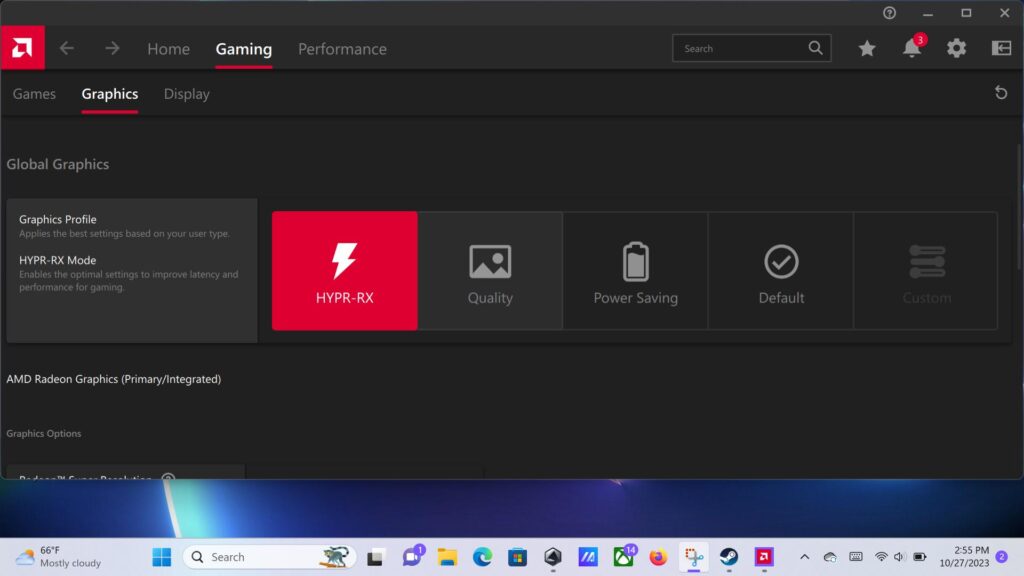
The driver also adds support for a new feature from AMD called HYPR-RX. This new technology will make Super Resolution, Anti-Lag, and Boost technologies all work together to boost performance even further and heavily reduce any latency. So far, the technology has been implemented in many games, including Cyberpunk 2077, Forza Horizon 5, Destiny 2, and more. You can enable HYPR-RX in AMD's Adrenaline software.
All of these can be updated either through the MyASUS app or the update center of Armoury Crate.
ROG Ally Updates 10/24 - 10/30 Changelog:
BIOS 331 on 10/24 through MyASUS
- Enhancement: Optimized overall system stability.
iGPU driver v31.0.22017.3004 on 10/27/23 through MyASUS
- New feature: Added support for AMD HYPR-RX. Read more about HYPR-RX here.
- Enhancement: Added support for 1600x900 screen resolution
- Bugfix: Fixed a bug that prevented EA SPORTS FC™ 24 from launching
- Bugfix: Fixed a bug that prevented Resident Evil Village from launching
- Bugfix: Fixed a bug that prevented the Ally from recognizing 8K 60Hz external monitors
MCU 315 on 10/30/23 through Armoury Crate SE
- Bugfix: Fixed a rare bug where Ally controls would randomly switch from gamepad mode to desktop mode under certain conditions.
Aura Plugin 1.3.15.1 on 10/30/23 through Armoury Crate SE
- Enhancement: Aligned RGB brightness adjustment to work with the new code from MCU 315.
If you enjoyed this article, check out the rest of the content on SteamDeckHQ! We have a wide variety of game reviews and news that are sure to help your gaming experience. Whether you're looking for news, tips and tutorials, game settings and reviews, or just want to stay up-to-date on the latest trends, we've got your back.

RECENT NEWS
Categories
Accessories
Anbernic
Android
ASUS ROG Ally
ROG Xbox Ally
Classics on Deck
Community
Cryobyte33
Deals
Deck Mods
Emulation
Events
Featured Post
Game News
Game News
General Game News
HandheldHQ
Hardware
Lenovo
Linux
MagicX
MSI
Nintendo
ONE-NETBOOK
Opinion
Other Reviews
Accessory Reviews
Handheld Reviews
PlayStation
Proton
Retro Handhelds
Anbernic
AYANEO
AYN
GPD
MagicX
MANGMI
Miyoo
Retroid
Rumors
TrimUI
SDHQ
Steam
Steam Controller
Steam Frame
Steam Machine
SteamOS
The Unsupported Report
Uncategorized
Uncategorized
VR
Xbox
Recent Tips & GUIDES
recent reviews




I’m really glad to see the 1600x900 resolution support finally being officially added to the ROG Ally. I’ve been using a manual workaround for that for a while now because 1080p can be such a drain on the battery, but 720p feels just a little too soft on a screen of this quality. It really is that "Goldilocks" zone for handheld gaming.
The stability updates in BIOS 331 are also a relief. I tend to be a bit obsessive about system optimization, especially since I recently upgraded my home lab setup. I’ve been using a 400GB-RI-2.5Inch NVMe SSD https://serverorbit.com/solid-state-drives-ssd/nvme-ssd/400gb-ri-2-5inch for some dedicated local storage tasks, and it’s made me really appreciate the difference that "Read Intensive" endurance and consistent firmware stability make. It’s nice to see that same level of developer attention being brought to a consumer handheld, fixing those annoying launch bugs for games like Resident Evil Village. Dealing with driver crashes is the last thing you want when you're just trying to relax on the couch.
Do you think 900p will eventually become the default standard for these handhelds, or will players always prefer 1080p with heavy FSR instead?