まだの方は、X(Twitter)、Mastodon、Blueskyでフォローし、新しい記事が投稿されたらお知らせください。また、Redditに参加したり、YouTubeに登録して、私たちのコンテンツをチェックしたり、素晴らしいコミュニティと交流してください。応援ありがとうございました!
If you are looking for a relaxing game, Tiny Glade should be on your radar. There are no goals, no combat, and no management simulation; all you do is build your own diorama with castles, cottages, ruins, and more to create your own medieval town with as much fine-tuning as you would like. And with the newest update, it should be easier to control when playing on the Steam Deck.
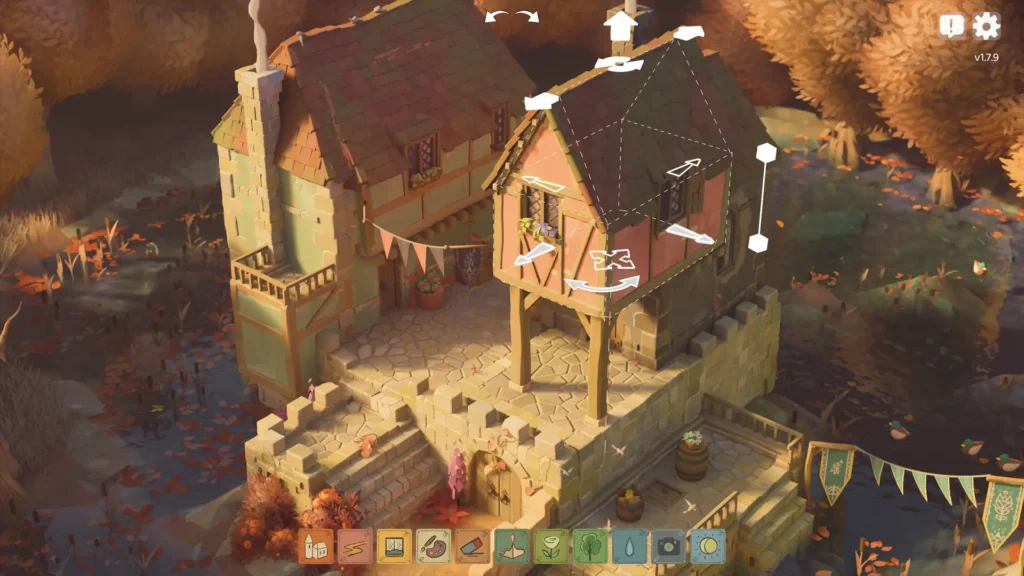
With patch 1.11.2, there are new camera control options and new defaults for the Steam Deck for rotation and zooming in. When playing on Deck, you will now rotate around the center of the screen instead of via wherever the cursor is. This also translates to zooming, which will now focus on the center of the screen instead of wherever your cursor is. This will be especially helpful on the Steam Deck, but you can always change it back to the old way if you prefer.
The update also makes a couple of miscellaneous fixes and changes, with some that do relate to the Deck. The default resolution scale has been set to 0.7, more graphics troubleshooting options have been added to Vulkan extension settings, the resolution scale will no longer shrink and stay low when alt-tabbing, and the toolbar will no longer go out of the bounds of the game's window.
アップデートの完全な変更履歴は、Steam Community Postで見ることができる。

Tiny Glade is available on Steam for $14.99 and is rated Playable due to needing a community controller configuration, showing incorrect controller icons, small in-game text, and needing to manually bring up the virtual keyboard.
この記事を楽しんでいただけたなら、SteamDeckHQ の他のコンテンツもチェックしてみてください!あなたのゲーム体験に役立つゲームレビューやニュースを幅広く取り揃えています。ニュース、ヒントやチュートリアル、ゲーム設定やレビュー、最新のトレンド情報など、あらゆる情報をお届けします。 カバーしています!

最近のニュース
カテゴリー
Accessories
Anbernic
Android
ASUS ROG Ally
ROG Xbox Ally
Classics on Deck
Community
Cryobyte33
Deals
Deck Mods
Emulation
Events
Featured Post
Game News
Game News
General Game News
HandheldHQ
Hardware
Lenovo
Linux
MagicX
MSI
Nintendo
ONE-NETBOOK
Opinion
Other Reviews
Accessory Reviews
Handheld Reviews
PlayStation
Proton
Retro Handhelds
Anbernic
AYANEO
AYN
GPD
MagicX
MANGMI
Miyoo
Retroid
Rumors
TrimUI
SDHQ
Steam
Steam Controller
Steam Frame
Steam Machine
SteamOS
The Unsupported Report
Uncategorized
Uncategorized
VR
最近のヒント&GUIDES
新着レビュー