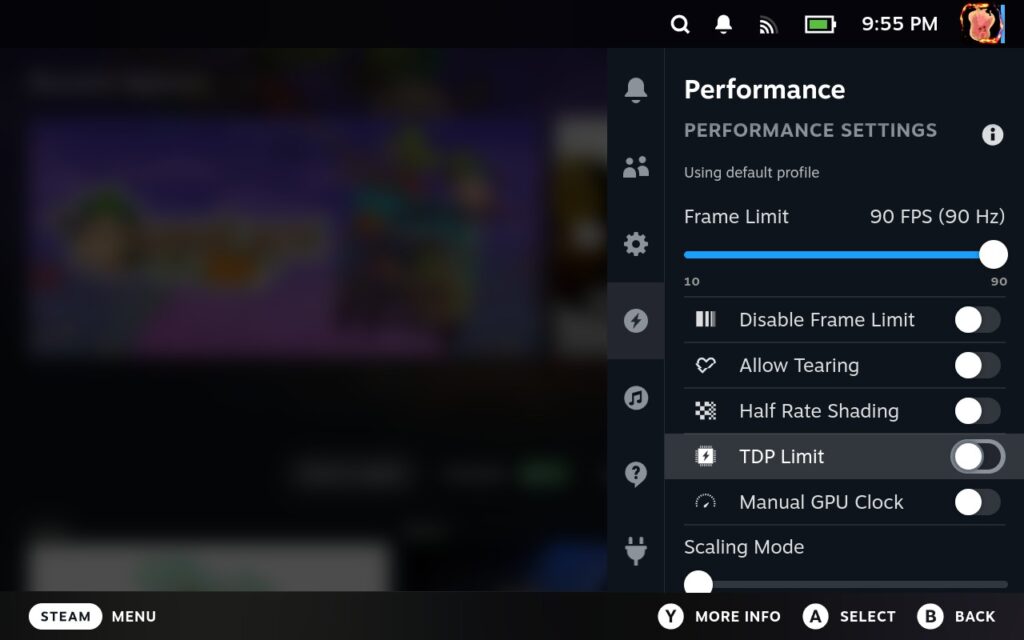
Earlier today, a new update was released for the Steam Deck Beta Client branch that brought in some nice changes for newcomers. The biggest two parts of the update were easily the embedded Chromium build in Steam getting an update to a newer version and the quick access performance menu having descriptions for each setting. This is especially nice since you can now see for yourself what each setting does and how it will affect the system. There were also some nice bugs fixed, which is always wonderful to see.
You can get into the beta client branch by going to your System Settings and switching over to the beta version.
Steam Deck Beta Client 1/18/24 Update Changelog:
一般
- Updated embedded Chromium build in Steam to 109.0.5414.120
- Updated the quick access performance menu with descriptions for each setting, including how they affect the system and the expected power/performance/visual quality tradeoffs.
- Fixed a case where the sdcard was set as the default install location on reboot.
- Fixed a case where the network status icon would fail to render for virtual networks.
- Fixed store button on main menu remaining disabled in Family View even if store permissions were granted to the account.
蒸気入力
- Fixed occasionally creating an extra virtual controller that is non-responsive
この記事を楽しんでいただけたなら、SteamDeckHQ の他のコンテンツもチェックしてみてください!あなたのゲーム体験に役立つゲームレビューやニュースを幅広く取り揃えています。ニュース、ヒントやチュートリアル、ゲーム設定やレビューをお探しの方も、最新のトレンドを知りたい方も、ぜひご利用ください!

最近のニュース
カテゴリー
Accessories
Anbernic
Android
ASUS ROG Ally
ROG Xbox Ally
Classics on Deck
Community
Cryobyte33
Deals
Deck Mods
Emulation
Events
Featured Post
Game News
Game News
General Game News
HandheldHQ
Hardware
Lenovo
Linux
MagicX
MSI
Nintendo
ONE-NETBOOK
Opinion
Other Reviews
Accessory Reviews
Handheld Reviews
PlayStation
Proton
Retro Handhelds
Anbernic
AYANEO
AYN
GPD
MagicX
MANGMI
Miyoo
Retroid
Rumors
TrimUI
SDHQ
Steam
Steam Controller
Steam Frame
Steam Machine
SteamOS
The Unsupported Report
Uncategorized
Uncategorized
VR
Xbox
最近のヒント&GUIDES
新着レビュー