まだの方は、X(Twitter)、Mastodon、Blueskyでフォローし、新しい記事が投稿されたらお知らせください。また、Redditに参加したり、YouTubeに登録して、私たちのコンテンツをチェックしたり、素晴らしいコミュニティと交流してください。応援ありがとうございました!
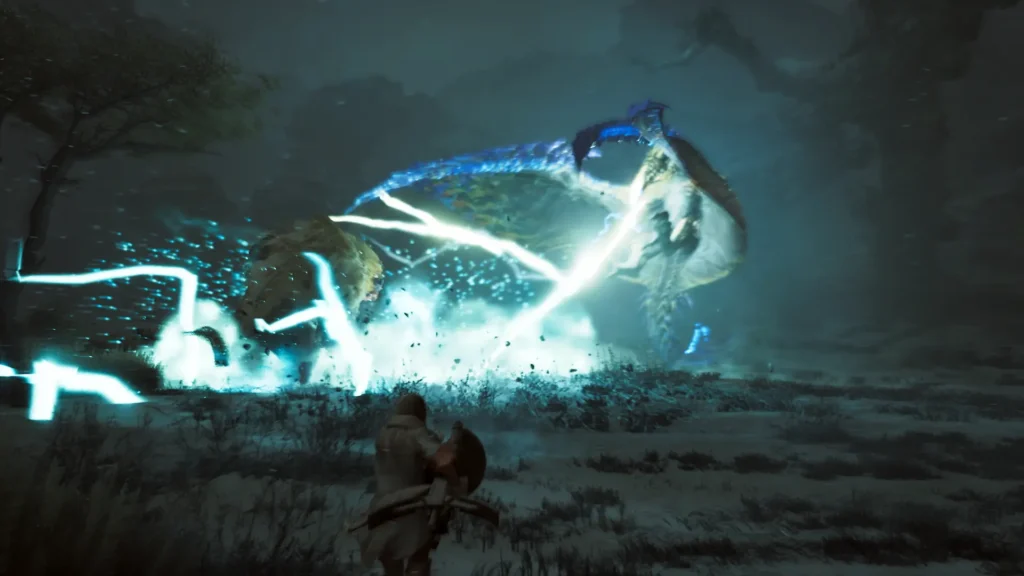
A new Proton GE update was released with a good chunk of fixes for games, as well as some huge changes for controllers for support outside of Steam.
There are three new methods for utilizing controllers outside of Steam. The first is a DS4 Spoof, which is aimed at converting the newer DualSense and DualSense Edge controllers into a readable DS4 format for games that don’t support DualSense. This can include games like Assassin’s Creed Odyssey, Origins, and 3 Remastered. The second method is an XInput converter, which will convert controllers into XInput inputs. This is best for games where the native controller inputs don’t work well, and they work better as XInput. The third method is a Steam Input Fallback, which will make the controller be recognized as a Steam Input controller. This is best for games that have a hard Steam Input dependency, like Monster Hunter Wilds.
There was also some updated fixes for multiple games, including LEGO Marvel Super Heroes 2, Elder Scrolls Online, and Dungeon Town. Black Desert Online and Monster Hunter Wilds had some controller fixes, while support for PlayStation controller audio in non-Sony games has been added. Killing Floor 3’s video-related crash has been fixed, the ARM Steam runtime has been updated, and all of the layer’s components, including DXVK and VKD3D, have been updated.
There was also a quick hotfix with Proton GE 11-5 that fixes Easy Anti-Cheat, so I recommend downloading 11-5 instead.
プロトンGEについて、Steamデッキでの入手方法、アップデートの方法などをご存じない方は、プロトンGEガイドをご覧ください!なぜGEを持つことが重要なのか、その理由も説明しています。
Proton GE 11-4 Update Changelog:
This is AKA the "Controller fixup" release.
First the non-controller related changes:
Wine And Graphics
- Updated the Wine base and rebased the GE patch sets.
- Updated DXVK, DXVK-NVAPI, VKD3D, and VKD3D-Proton.
- Rebased OptiScaler/upscaler support.
- Refreshed the Wine-Wayland/EM-11 patch set with fullscreen, focus, scaling, pointer, IME, colorspace, and deadlock fixes.
- Stopped automatically showing DXVK shader compiler text unless explicitly requested through DXVK_HUD.
Video And Audio
- Fixed a race in Media Foundation source-reader cleanup that could break Street Fighter 6 cutscenes unless debug logging was
enabled. - Rebased the GE FFmpeg/WineDMO video playback patches onto the updated Wine base.
- Added socket validation needed to avoid the Killing Floor 3 video-related crash.
- Continued the long-running WinePulse timing recovery work for audio streams.
- Packaged the PipeWire ALSA plugin for both x86_64 and aarch64 as it's useful for some games and the DS5 haptics audio device enumeration
Controller Support
- Finalized DualShock 4, DualSense, and DualSense Edge haptics, controller-speaker audio, and hotplug handling.
- Fixed controller audio and endpoint handling when switching between Sony controller models.
- Added support for Sony controller functionality in non-Sony titles such as Assassin’s Creed Shadows, Mirage, Valhalla, and
Black Flag Resynced. - Added DualSense-to-DualShock 4 spoofing.
- Added Sony HID-to-XInput conversion, including conventional two-motor rumble translation.
- Added an ISteamInput006 compatibility fallback for games that require Steam Input.
- Fixed Black Desert controller detection and startup crashes.
- Added Monster Hunter Wilds controller and USB audio handling.
Game Fixes
- Fixed the Star Citizen unsupported-OS message-box crash and its condition check.
- Disabled executable ASLR for Assassin’s Creed Revelations to handle its dynamic executable relocation behavior.
- Improved the Monster Hunter Wilds save import fix so missing Steam userdata paths no longer cause Protonfixes errors.
- Added or updated fixes for Dungeon Town, Heroes Chronicles, ESO, Heroes of Newerth Reborn, LEGO Marvel Super Heroes 2, and
several other titles. - Made the ICU forwarder stubs prefer native DLLs to fix a launcher crash in Cyberpunk 2077
- Removed old game-drive exceptions and added stricter Steam library path validation.
- Added numeric UMU_ID fallback, so umu-123456 can supply app ID 123456 when SteamGameId is unavailable.
ARM64
- Backported LLVM-mingw ARM64X support.
- Updated the ARM64 Steam Runtime SDK.
- Enabled ARM64X DXVK and VKD3D-Proton modules.
- Fixed Meson linker flag propagation for cross-compiled projects.
Next, a deeper explanation of the new controller options:
These are mainly introduced for usage outside of steam, although they can also be useful within steam when steam-input isn't working as well as it could or when wine-wayland is being used and subsequently steam controller profile switching can't be used due to the overlay not working in wine-wayland.
First, disable Steam Input:
- Open the game’s Steam Properties.
- Select Controller.
- Set the per-game override to Disable Steam Input.
NOTE: When running outside Steam, Steam Input is already absent.
OPTION 1: DS4 Spoof
PROTON_SONY_DUALSENSE_AS_DUALSHOCK4=1 %command%
Function: Wine presents the DualSense or Edge as a real DS4, including the DS4 device identity and report layout. This normally
preserves the game’s native PlayStation mappings and DS4 icons. This is useful for games that have full DS4 support but are missing DS5/DS5 Edge support.
Example use cases:
- Assassin’s Creed Odyssey
- Assassin’s Creed Origins
- Assassin’s Creed III Remastered, including Liberation Remastered
OPTION 2: XInput Convert
PROTON_SONY_HIDRAW_XINPUT=1 %command%
Function: Wine converts DS4, DualSense, or DualSense Edge input into a correctly mapped XInput controller. Conventional XInput rumble is translated back to the Sony controller. This does not alter the game’s artwork, so the game may continue displaying Xbox or otherwise incorrect icons. This is for games whose Sony controller handling produces incorrect mappings, commonly because their controller profiles or icon support are incomplete. Typical incorrect game behavior will detect the controller, but show Xbox icons due to PS icons not being implemented in the game, and mappings also being incorrect.
Examples:
- Assassin’s Creed II
- Assassin’s Creed Revelations
- Assassin’s Creed IV: Black Flag
- Black Desert Online
OPTION 3: Steam Input Fallback
  PROTON_SONY_HIDRAW_XINPUT=1 \
  PROTON_STEAMINPUT_XINPUT_FALLBACK=1 \
  %command%
Function: Provides a compatible fake Steam Input device and forwards XInput controllers and mappings to it. For Sony
controllers, it works with XInput Convert: the Sony input is first mapped correctly to XInput, then exposed through the fake
Steam Input device. For non PS controllers that already register themselves as XInput devices, it just forwards the device as the Steam input device. This is For games with a hard dependency on Steam Input that need to run without the Steam client or with steam input disabled. It is also useful under Wine-Wayland when Steam Input profile switching cannot operate because the Steam overlay is unavailable or broken.
Example:
- モンスターハンター ワイルド
These modes are automatically enabled for the currently known affected Steam app IDs, but the environment variables remain
available for testing and newly discovered games.
None of these options should be needed for games that have proper, full DS4 + DS5 + DS5 Edge support.
PROTON_SONY_HIDRAW_XINPUT=1 Should be most useful for older games that either only have partial PS controller support without proper icons, or no PS controller support at all.
PROTON_STEAMINPUT_XINPUT_FALLBACK=1 Should rarely need to be used. As far as I know the only use case I've found is Monster Hunter Wilds, which is a steam-only PC game anyway, so steam input should work correctly there to begin with. In case it doesn't this will work with steam input disabled on the game (for example if you want to use wine-wayland -and- have full controller support).
この記事を楽しんでいただけたなら、SteamDeckHQ の他のコンテンツもチェックしてみてください!あなたのゲーム体験に役立つゲームレビューやニュースを幅広く取り揃えています。ニュース、ヒントやチュートリアル、ゲーム設定やレビュー、最新のトレンド情報など、あらゆる情報をお届けします。 カバーしています!

最近のニュース
カテゴリー
Accessories
Anbernic
Android
ASUS ROG Ally
ROG Xbox Ally
Classics on Deck
Community
Cryobyte33
Deals
Deck Mods
Emulation
Events
Featured Post
Game News
Game News
General Game News
HandheldHQ
Hardware
Lenovo
Linux
MagicX
MSI
Nintendo
ONE-NETBOOK
Opinion
Other Reviews
Accessory Reviews
Handheld Reviews
PlayStation
Proton
Retro Handhelds
Anbernic
AYANEO
AYN
GPD
MagicX
MANGMI
Miyoo
Retroid
Rumors
TrimUI
SDHQ
Steam
Steam Controller
Steam Frame
Steam Machine
SteamOS
The Unsupported Report
Uncategorized
Uncategorized
VR
Xbox
最近のヒント&GUIDES
新着レビュー