


まだの方は、X(Twitter)、Mastodon、Blueskyでフォローし、新しい記事が投稿されたらお知らせください。また、Redditに参加したり、YouTubeに登録して、私たちのコンテンツをチェックしたり、素晴らしいコミュニティと交流してください。応援ありがとうございました!
One of the beautiful things about the PC ecosystem is being able to get games from many different locations. Some of these are different launchers like Steam, including GOG Galaxy, Epic Games, and many more. There are a plethora of ways to install it on the Steam Deck, but one of the easiest is NonSteamLaunchers. The easy-to-use script will automatically download and install any of the supported launchers you want, and there are already tons on there. Today, the script got a brand new update, and it adds in some nice new options to install stuff we can use on the go.
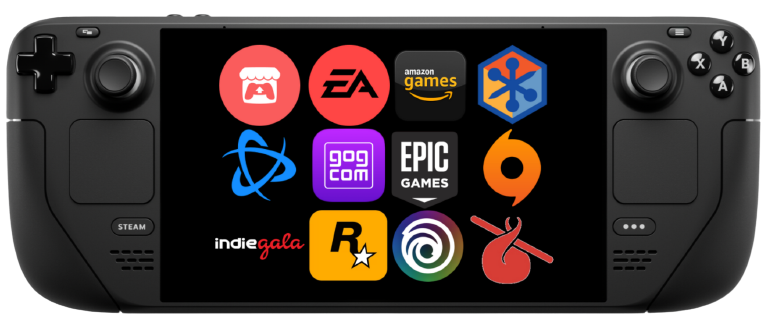
In the Desktop version of the script, there are five new options to install:
- Boosteroid Cloud Gaming
- Stim.io
- Venge.io
- Rocketcrab.com
- WatchParty.me
The top two of these options are cloud gaming, while Venge.io is a web-based FPS game, Rocketcrab is online board games, and WatchParty is a way to watch videos and movies with friends. The script already supports most, if not all, of the most important launchers, so it's great to have some less known options as well.
The Decky Loader plugin version of the script, which needs to be installed manually, brings back RemotePlayWhatever, which allows you to remote play with any game in your library, including non-Steam titles.
On top of that, the creator of NonSteamLaunchers, moraroy, announced that he would remove the Separate App ID option from the script. This means all the launchers you install will be under one prefix, and you cannot keep them in their containers. Personally, I am not the biggest fan of this idea since I like to keep each launcher on its own more easily manage it. We can still use it through a command line, but it is harder to access and use. Hopefully, it will stay an option for those who want it, like me, and moraroy will allow it to stay.
The script should auto-update if you already have it downloaded by launching it, but if it doesn't, you can download it via GitHub. You can also follow our guide on how to get it you want, and it's fairly easy to use.
この記事を楽しんでいただけたなら、SteamDeckHQ の他のコンテンツもチェックしてみてください!あなたのゲーム体験に役立つゲームレビューやニュースを幅広く取り揃えています。ニュース、ヒントやチュートリアル、ゲーム設定やレビュー、最新のトレンド情報など、あらゆる情報をお届けします。 カバーしています!

最近のニュース
カテゴリー
Accessories
Anbernic
Android
ASUS ROG Ally
ROG Xbox Ally
Classics on Deck
Community
Cryobyte33
Deals
Deck Mods
Emulation
Events
Featured Post
Game News
Game News
General Game News
HandheldHQ
Hardware
Lenovo
Linux
MagicX
Nintendo
ONE-NETBOOK
Opinion
Other Reviews
Accessory Reviews
Handheld Reviews
PlayStation
Proton
Retro Handhelds
Anbernic
AYANEO
AYN
GPD
MagicX
MANGMI
Miyoo
Retroid
Rumors
TrimUI
SDHQ
Steam
Steam Controller
Steam Machine
SteamOS
The Unsupported Report
Uncategorized
Uncategorized
最近のヒント&GUIDES
新着レビュー




Nice, thanks I didn't even knew this existed 😁
It can definitely be helpful!