まだの方は、X(ツイッター)またはマストドンでフォローし、新しい記事の投稿をお知らせください。また、Redditに参加したり、YouTubeに登録して、私たちのコンテンツをチェックしたり、素晴らしいコミュニティと交流してください。応援ありがとうございます!
Earlier today, a new update for EmuDeck dropped, bringing in a fantastic slate of new improvements, a brand-new UI, and the return of the 3DS emulator Citra. All of which are going to be great to enhance your emulation experience on the Steam Deck.
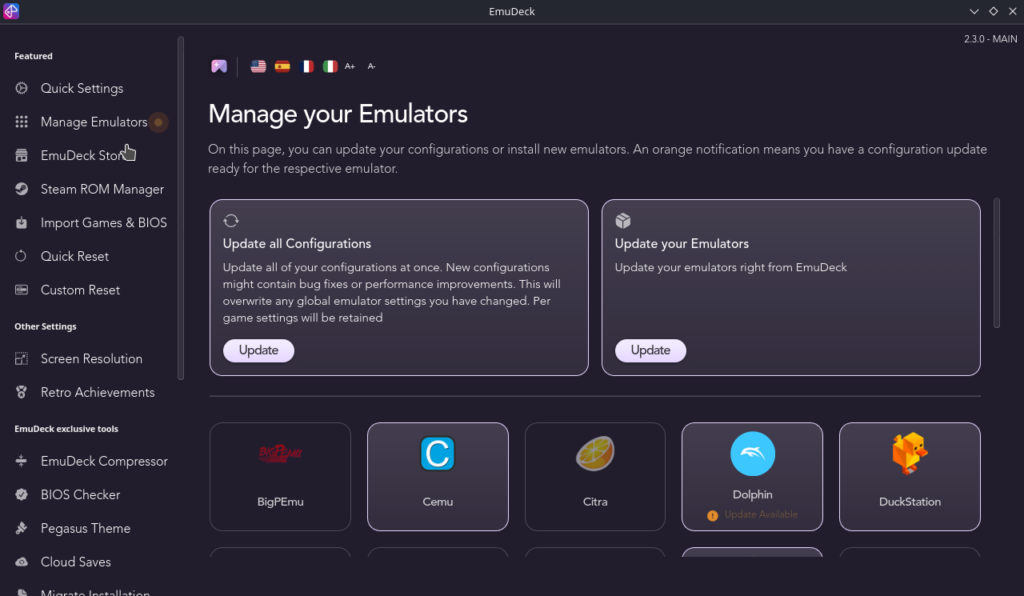
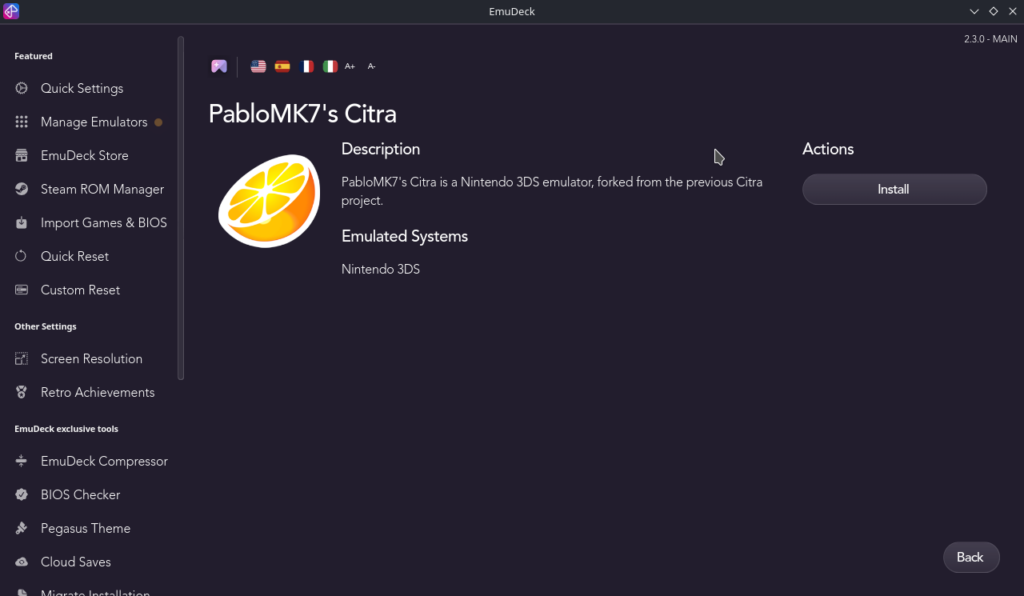
The biggest two changes are easily the new unified UI and Citra returning. This new interface makes it significantly easier to find and see everything, and it looks much cleaner overall. We also have the return of Citra, via PabloMK7's fork, and the Lime3DS emulator, which is another fork of Citra.
On top of that, we also have partial multilanguage support, a button to remove SRM entries in managing emulators, you can now auto setup emulators based on your Steam Deck's device language, and EmuDeck's plugin can now update emulators from Game Mode. However, you do need to install the plugin via EmuDeck and not the Decky Loader store for this feature.
You can download the new update by launching EmuDeck in Desktop Mode, or if you haven't yet done so, you can follow our guide on how to install it.
EmuDeck 2.3 Update Changelog:
- New unified UI
- Button to remove SRM entries in manage emulators
- Partial Multilanguage support
- Auto setup emulators on your device's language
- Lime3DS, a Citra fork has been added
- Citra is back! We've added PabloMK7 Citra's fork
- EmuDecky:
- Now you can update emulators from gaming mode ( install from EmuDeck, not the Decky Store)
この記事を楽しんでいただけたなら、SteamDeckHQ の他のコンテンツもチェックしてみてください!あなたのゲーム体験に役立つこと間違いなしのゲームレビューやニュースを幅広く取り揃えています。ニュース、ヒントやチュートリアル、ゲーム設定やレビューをお探しの方も、最新のトレンドを知りたい方も、ぜひご利用ください。

最近のニュース
カテゴリー
Accessories
Anbernic
Android
ASUS ROG Ally
ROG Xbox Ally
Classics on Deck
Community
Cryobyte33
Deals
Deck Mods
Emulation
Events
Featured Post
Game News
Game News
General Game News
HandheldHQ
Hardware
Lenovo
Linux
MagicX
MSI
Nintendo
ONE-NETBOOK
Opinion
Other Reviews
Accessory Reviews
Handheld Reviews
PlayStation
Proton
Retro Handhelds
Anbernic
AYANEO
AYN
GPD
MagicX
MANGMI
Miyoo
Retroid
Rumors
TrimUI
SDHQ
Steam
Steam Controller
Steam Frame
Steam Machine
SteamOS
The Unsupported Report
Uncategorized
Uncategorized
VR
最近のヒント&GUIDES
新着レビュー