Managing an entire airport is hard, and it makes it even harder when you don't have all the information you need. Luckily, that won't be much of a problem now! SimAirport got a new update today that focuses some performance and Quality-of-Life improvements, but the big star of the show is the revamped UI for the Steam Deck.
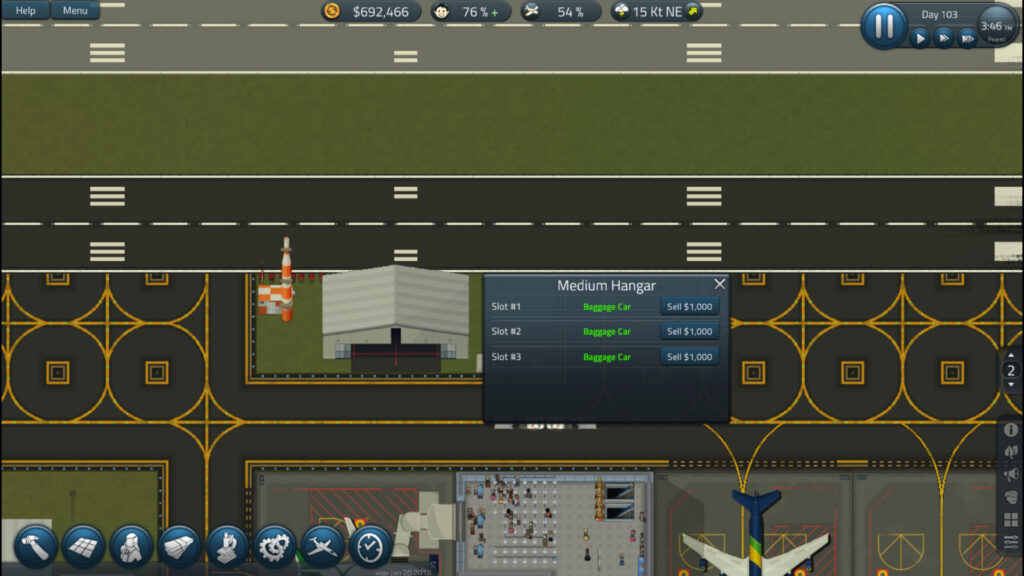
Before the update, there were two specific UI windows that were having issues fitting on the screen: Quick Scenario and Airline Detail View. Now, with this patch, both these windows have now been reworked to fit on the screen, making it easier for us to see the details of our beautiful airport. On top of that, the developers also made it easier to bring up the on-screen keyboard by making it pop up automatically when something needs to be typed in!
Along with the Steam Deck updates, the Airline Details View has been split into two columns. The left side contains satisfaction information, while the right side has contracts. This makes everything easier to see and quicker to get the information. Below the columns, the negotiated deal has a wider section to make it easier to read. There were also some minor adjustments, and a second patch is coming that brings even more improvements!
SimAirport, the airport management simulator, is available on Steam for $24.99. It is rated Unsupported, but is reported to work on the Steam Deck. It also has a native Linux build, which is always appreciated!
この記事を楽しんでいただけたなら、SteamDeckHQ の他のコンテンツもチェックしてみてください!あなたのゲーム体験に役立つゲームレビューやニュースを幅広く取り揃えています。ニュース、ヒントやチュートリアル、ゲーム設定やレビューをお探しの方も、最新のトレンドを知りたい方も、ぜひご利用ください!

最近のニュース
カテゴリー
Accessories
Anbernic
Android
ASUS ROG Ally
ROG Xbox Ally
Classics on Deck
Community
Cryobyte33
Deals
Deck Mods
Emulation
Events
Featured Post
Game News
Game News
General Game News
HandheldHQ
Hardware
Lenovo
Linux
MagicX
MSI
Nintendo
ONE-NETBOOK
Opinion
Other Reviews
Accessory Reviews
Handheld Reviews
PlayStation
Proton
Retro Handhelds
Anbernic
AYANEO
AYN
GPD
MagicX
MANGMI
Miyoo
Retroid
Rumors
TrimUI
SDHQ
Steam
Steam Controller
Steam Frame
Steam Machine
SteamOS
The Unsupported Report
Uncategorized
Uncategorized
VR
Xbox
最近のヒント&GUIDES
新着レビュー