まだの方は、X(Twitter)、Mastodon、Blueskyでフォローし、新しい記事が投稿されたらお知らせください。また、Redditに参加したり、YouTubeに登録して、私たちのコンテンツをチェックしたり、素晴らしいコミュニティと交流してください。応援ありがとうございました!
I’ve been having a great time playing through DragonSword: Awakening, and if you’re a fan of gacha games, you’re going to love this one. Imagine if Genshin Impact was stripped of all of its predatory microtransactions, and all you were left was the giant RPG. That is DragonSword.
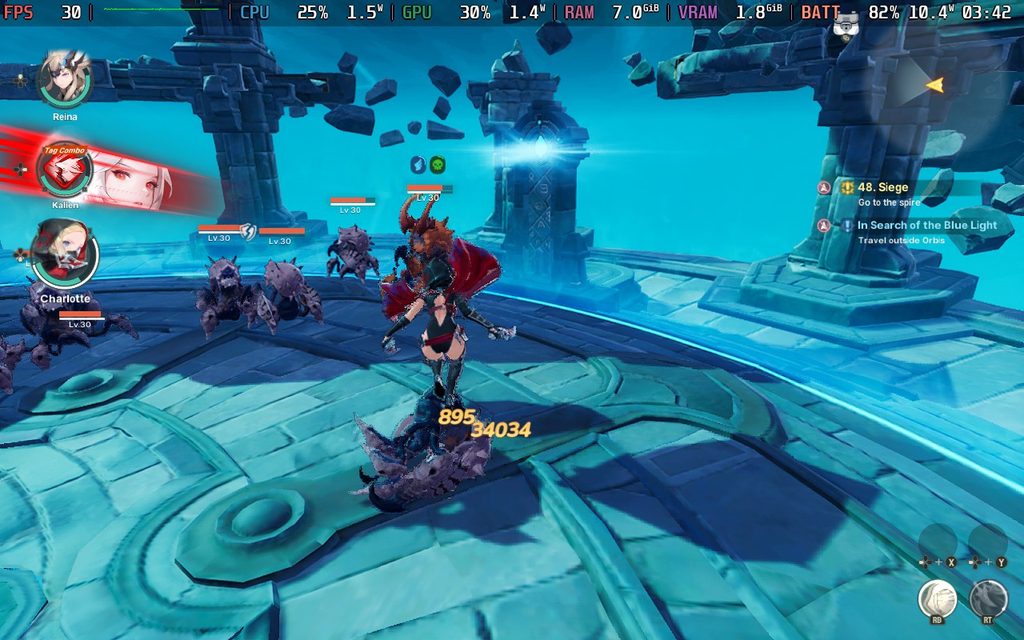
Since I received my review key late from developer Hound13, I still need a little bit more time to finish off my review. However, I have done my testing, played more than enough to give an assessment on how the game is running on the Steam Deck. I prioritized testing the largest areas, the biggest battles, and going through the map as quickly as I could, and I discovered some interesting issues. However, in the end, I would consider it very playable.
DragonSword defaults to medium (Normal) settings with FSR upscaling on Balanced. With these settings, it can hit between 30 and 40 FPS, and it looks pretty good for the most part. It was actually a bit surprising, since the game is built on Unreal Engine 5, which generally has unoptimized games for the Deck. DragonSword: Awakening isn't one of them. However, the pixelation from upscaling on Balanced is pretty obvious and jarring at times, especially when walking into some of the buildings in certain lighting or traveling around the world during daytime.
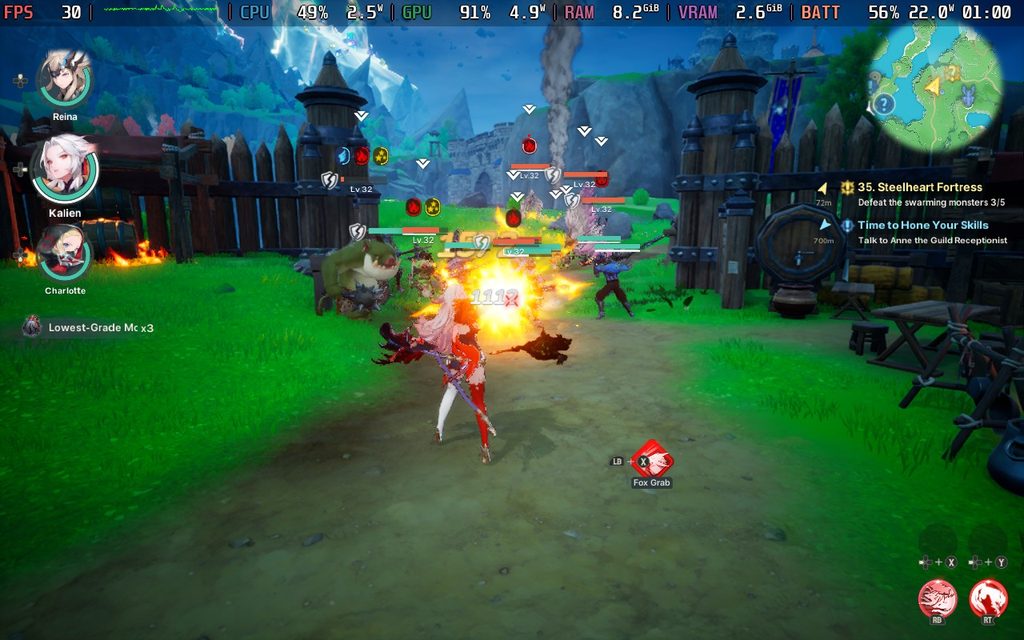
After some testing, I did find a group of settings that I preferred over everything else. We can actually turn upscaling all the way up with TSR or FSR at High Quality (both generally look the same) and keep it at a solid 30 FPS by turning the Effects to Low. We can keep everything else at Normal, and with the reduction of effects, we get a much sharper-looking game that still sticks to 30 FPS.
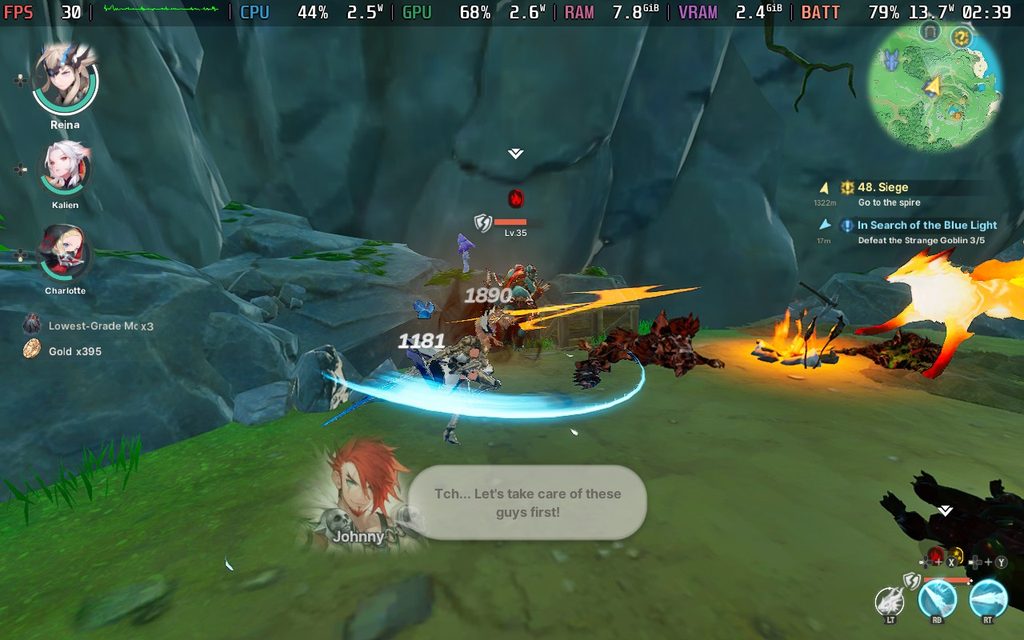
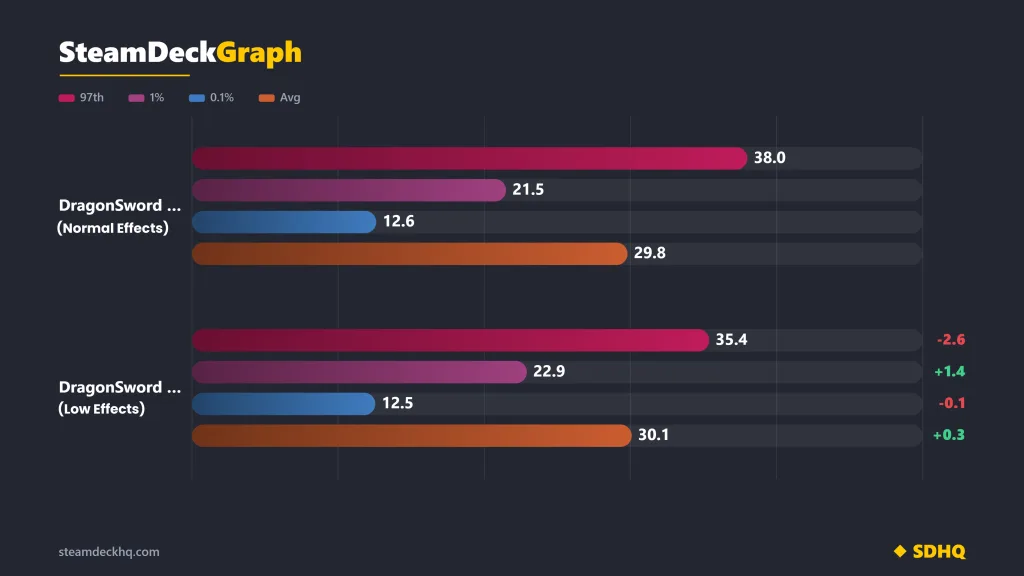
I tested this in one of the larger fights of the game with over 20 enemies and over 10 allies on the screen, and there was a very clear difference. I went through the entire fight with Normal settings and TSR at High Quality vs Effects on Low and everything else on Normal with TSR at High Quality, all with a 30 FPS lock. Looking at the numbers, it’s clear that Effects Low has a better 1% and average, but the 97th percentile is higher on the graph where everything is set to Normal.
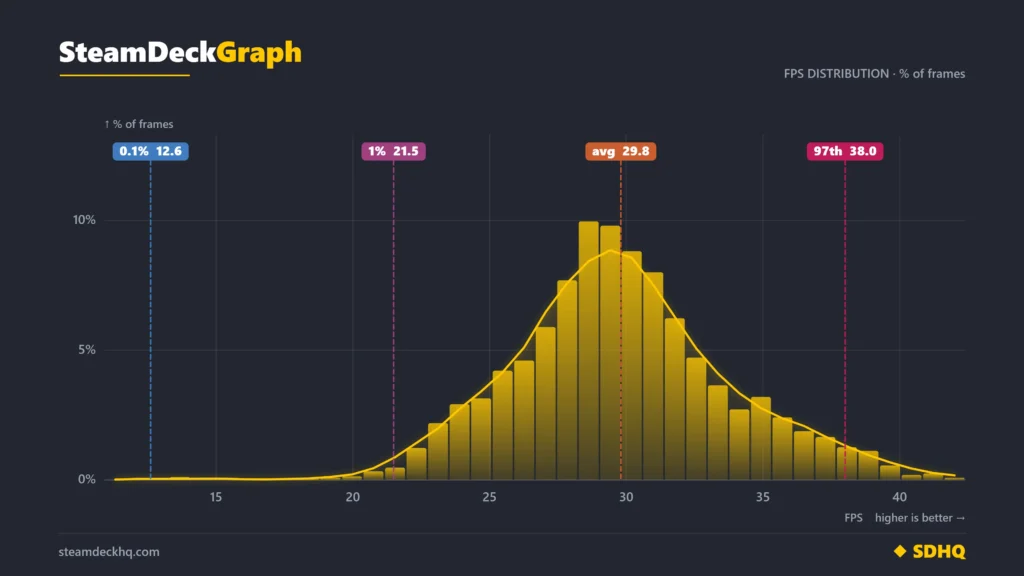
This can be explained by looking at the distribution charts. In the Effects Low chart, we see that a majority of framerates are sticking at and around 30 FPS more often. However, in the Normal chart, there are more framerates below 30, sticking to around 24-29, and more above 30. This is due to the game trying to catch up after the framerate drops, which leads to more stuttering. It’s better to have more stable framerates, sticking to 30 versus some above and some below. With this logic, we can see that turning the Effects to Low makes the game significantly more stable and enjoyable.
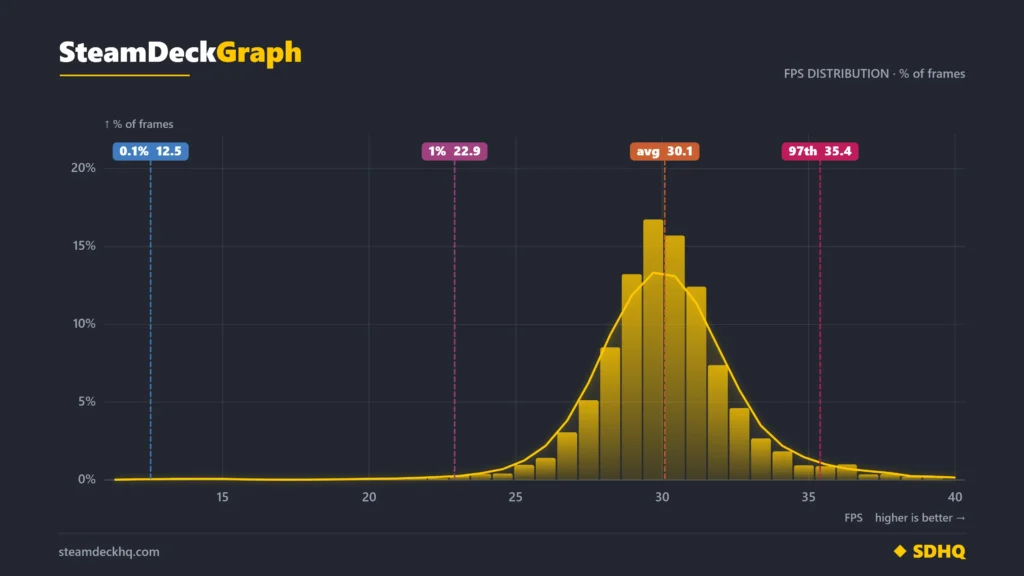
The game can handle 40 FPS and above in most areas, but in the larger fights and some boss fights, there will be too many enemies or so much going on that the framerate will dip. I found it much more enjoyable to keep the game at 30 FPS and stable versus 30-40 fluctuations. There are even some fights that drop below 30 FPS, though this wasn't super common. So, keeping it at 30 FPS not only keeps the game as stable as possible, but will also keep battery drain down to allow longer play sessions (which are very beneficial here).
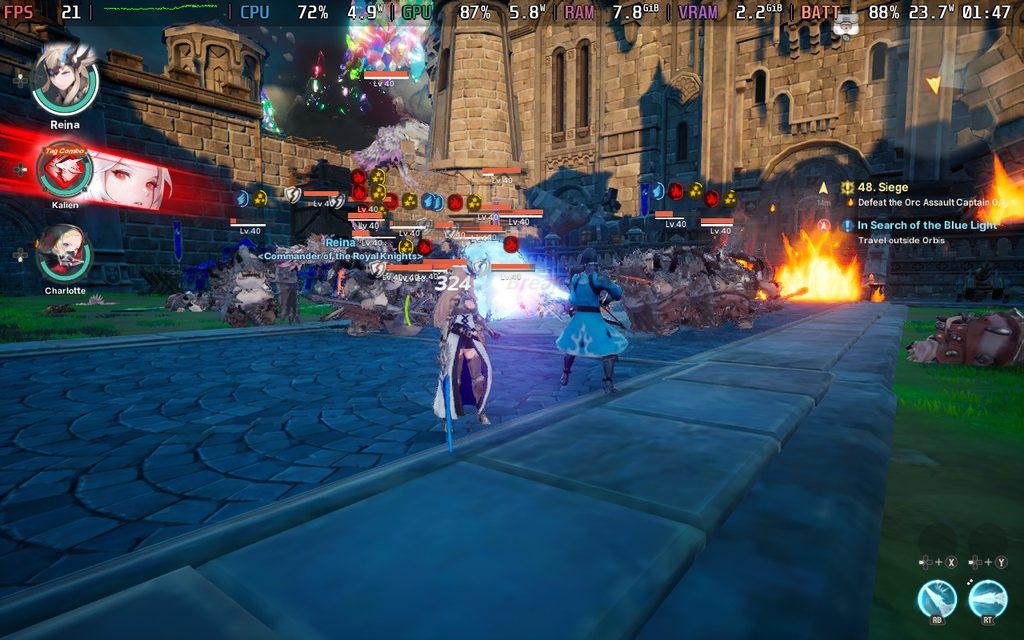
Ultimately, we will need some compromises, but by turning Effects down to Low and capping the framerate at 30 FPS, DragonSword: Awakening becomes wonderfully playable on the Steam Deck. For an open-world RPG built on Unreal Engine 5, I was impressed with how well it was performing and how right at home it feels on the Deck. It's a wonderful experience to take on the go, and hats off to Hound13 for optimizing it as well as they did.
この記事を楽しんでいただけたなら、SteamDeckHQ の他のコンテンツもチェックしてみてください!あなたのゲーム体験に役立つゲームレビューやニュースを幅広く取り揃えています。ニュース、ヒントやチュートリアル、ゲーム設定やレビュー、最新のトレンド情報など、あらゆる情報をお届けします。 カバーしています!

最近のニュース
カテゴリー
Accessories
Anbernic
Android
ASUS ROG Ally
ROG Xbox Ally
Classics on Deck
Community
Cryobyte33
Deals
Deck Mods
Emulation
Events
Featured Post
Game News
Game News
General Game News
HandheldHQ
Hardware
Lenovo
Linux
MagicX
MSI
Nintendo
ONE-NETBOOK
Opinion
Other Reviews
Accessory Reviews
Handheld Reviews
PlayStation
Proton
Retro Handhelds
Anbernic
AYANEO
AYN
GPD
MagicX
MANGMI
Miyoo
Retroid
Rumors
TrimUI
SDHQ
Steam
Steam Controller
Steam Frame
Steam Machine
SteamOS
The Unsupported Report
Uncategorized
Uncategorized
VR
Xbox
最近のヒント&GUIDES
新着レビュー