まだの方は、X(Twitter)、Mastodon、Blueskyでフォローし、新しい記事が投稿されたらお知らせください。また、Redditに参加したり、YouTubeに登録して、私たちのコンテンツをチェックしたり、素晴らしいコミュニティと交流してください。応援ありがとうございました!
We have seen a lot of reviews for Dragon Age: The Veilguard, and the praise for BioWare returning to form has gotten me very excited. I am a huge fan of the old BioWare games, especially Mass Effect and Dragon Age Origins, so my excitement for Veilguard has been high since its announcement. Knowing the minimum recommended specs and how much RAM it is asking for, I have been very curious to see how it runs on the Steam Deck. I have heard rumblings from some reviewers how it was running, but nobody that does more in-depth testing and pays attention the same way I do.
While we pre-purchased the game since we did not receive a pre-release key, we got a key sent yesterday, giving us a chance to check out the game before it releases! So, we took a look at how the game is running on the Steam Deck so far, and we do have some thoughts from the first hour of play.
Before I get into it, these are purely impressions and not indicative of our full review or recommendation. This is going to be our thoughts on how Steam Deck performance could be throughout the game. Our thoughts on the content will be coming in our full review. And a big thank you to EA for sending a key over for us to check out.
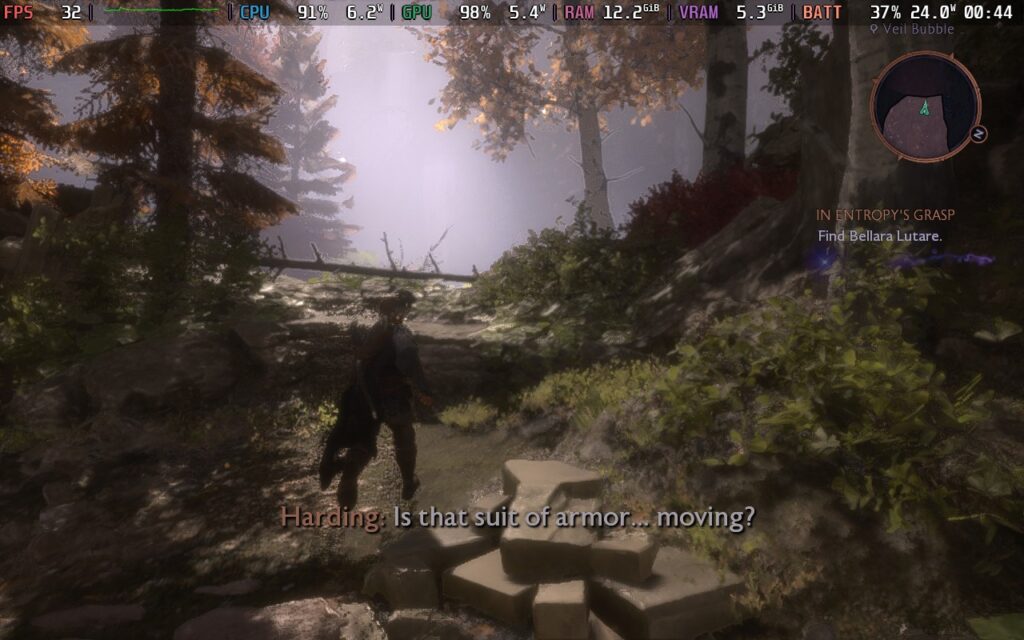
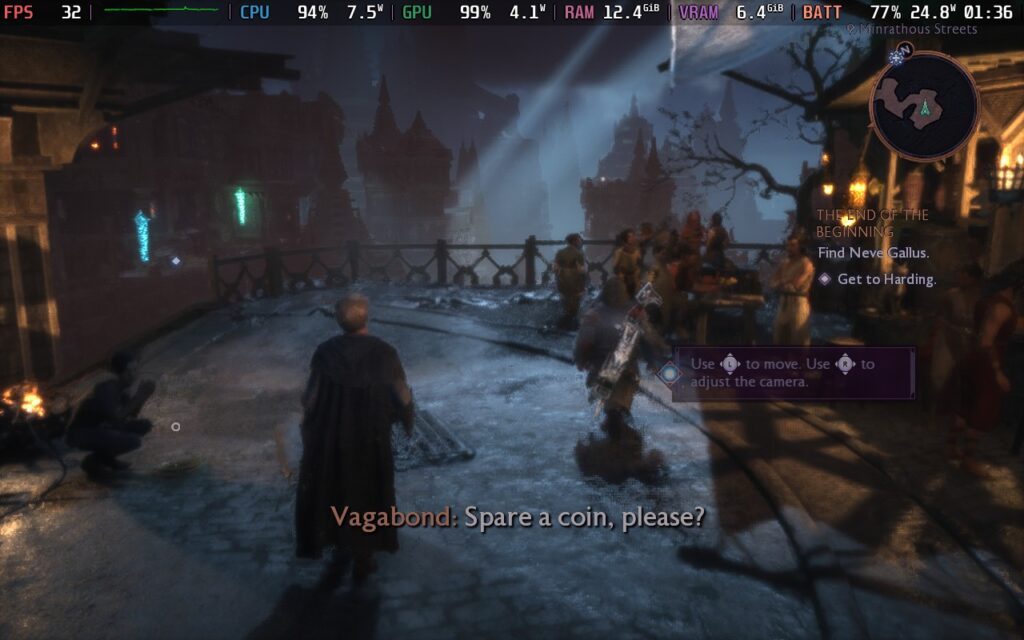
I am really enjoying Dragon Age: The Veilguard on the Steam Deck, and a lot of my worries are gone. The game runs pretty decently for a brand-new 3D Action RPG that really looks beautiful, even at the lowest settings. This can keep the game running at around 30 - 38 FPS when running around and in fights, with some drops in some cutscenes below 30 and some closed-off areas hitting upwards of 45 FPS. It did stick above 30 FPS during the fights I did have, which included using some abilities and running around while fighting multiple enemies.
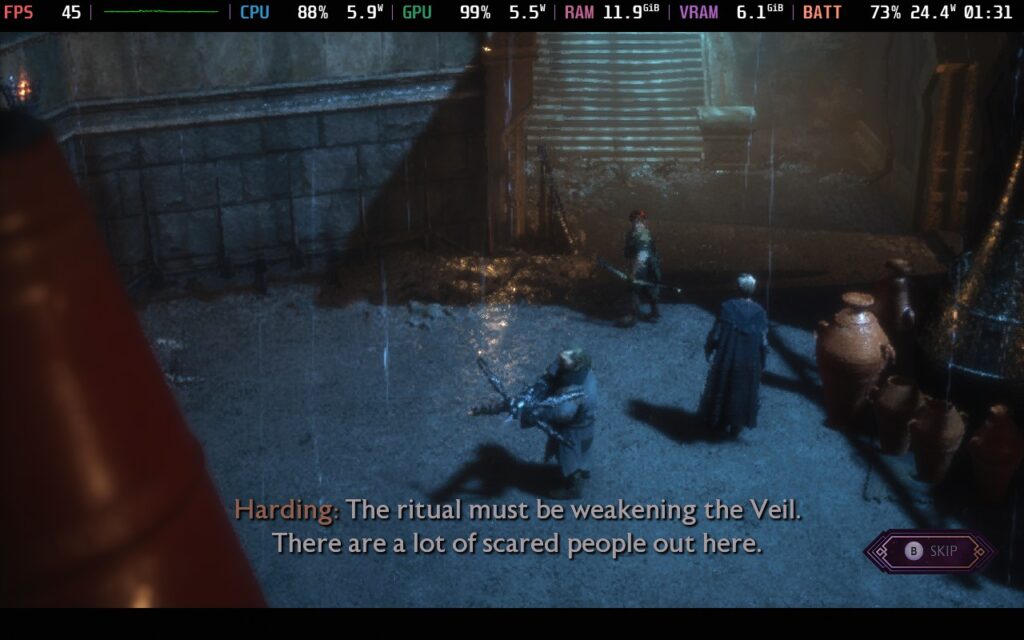
While the default settings do work, there is one change I do recommend making. It will start off at the lowest settings possible, which includes FSR upscaling being set at Ultra Performance. This makes the game look a bit too blurry for my taste, and I think the overall visual quality suffers from it. So, to make the experience more enjoyable, I recommend setting FSR at Performance instead. It makes the game look significantly better and less blurry/fuzzy, and I think it makes a difference.
With FSR set to Performance, I stuck above 30 FPS in almost every scenario that the lowest possible settings did. There were a couple more drops to 28, but almost every fight stuck to 30 FPS and above while keeping the game looking significantly better. There may be some other settings I could bring up as well, but I think, for the most part, this may be the best way to enjoy the game. With how demanding it is, I don't think we will get to squeeze more out of it, but more testing is required.
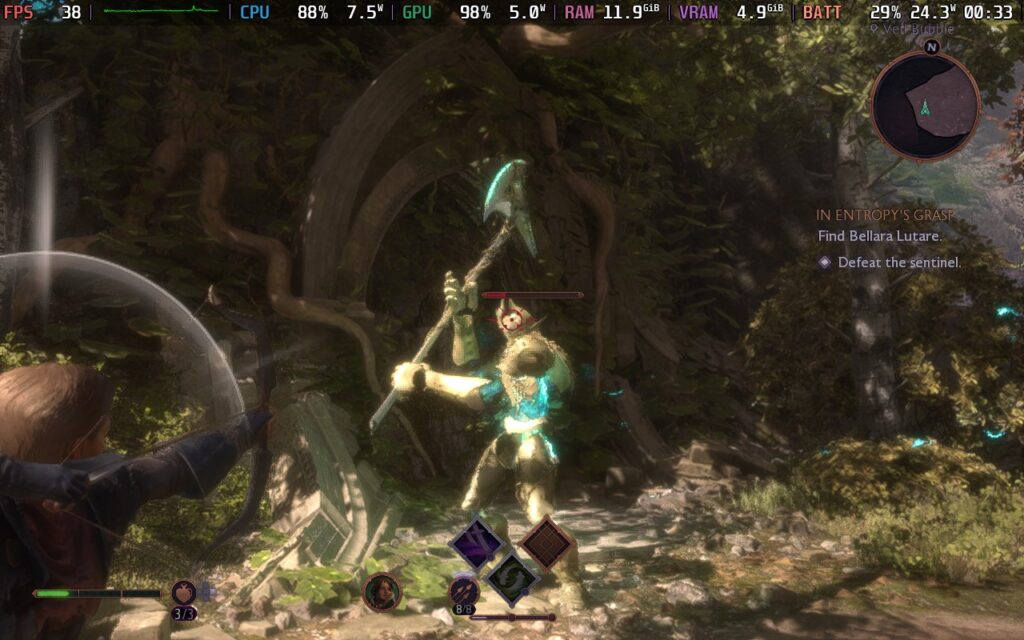
I also tested the game with Intel XeSS upscaling, and I still found that FSR was better looking and performed better overall at the Performance quality. At Ultra Performance, XeSS does look better, but FSR still looks better overall.
I was also very happy to see that RAM did stick below 13GB for the most part! It would usually fluctuate between 11.5GB and 12.5GB, with some minor spikes to 13.1GB, but it never got too close to crashing. It could change going into later parts, but so far, I have been very pleased with the RAM usage.
Overall, I would say Dragon Age: The Veilguard is playable. I do recommend changing the FSR to Performance for a better visual experience, but I would say it is playable on the Steam Deck. Based on what I have played so far, I feel optimistic about the whole game being very awesome to play on the go and not run into crashes. There will be some drops here and there, especially in some cutscenes, but it is largely very playable.
Dragon Age: The Veilguard can be purchased ahead of its release today for $59.99.
この記事を楽しんでいただけたなら、SteamDeckHQ の他のコンテンツもチェックしてみてください!あなたのゲーム体験に役立つゲームレビューやニュースを幅広く取り揃えています。ニュース、ヒントやチュートリアル、ゲーム設定やレビュー、最新のトレンド情報など、あらゆる情報をお届けします。 カバーしています!

最近のニュース
カテゴリー
Accessories
Anbernic
Android
ASUS ROG Ally
ROG Xbox Ally
Classics on Deck
Community
Cryobyte33
Deals
Deck Mods
Emulation
Events
Featured Post
Game News
Game News
General Game News
HandheldHQ
Hardware
Lenovo
Linux
MagicX
MSI
Nintendo
ONE-NETBOOK
Opinion
Other Reviews
Accessory Reviews
Handheld Reviews
PlayStation
Proton
Retro Handhelds
Anbernic
AYANEO
AYN
GPD
MagicX
MANGMI
Miyoo
Retroid
Rumors
TrimUI
SDHQ
Steam
Steam Controller
Steam Frame
Steam Machine
SteamOS
The Unsupported Report
Uncategorized
Uncategorized
VR
Xbox
最近のヒント&GUIDES
新着レビュー