


まだの方は、X(ツイッター)でフォローし、新しい記事が投稿されたらお知らせします。また、Redditに参加したり、YouTubeに登録して、私たちのコンテンツをチェックしたり、素晴らしいコミュニティと交流してください。応援ありがとうございました!
Today, as I was scrolling through X, I noticed a very interesting post come up. Someone had discussed how they used a project called RT64 to port The Legend of Zelda: Majora's Mask to PC. When I read about the better gamepad support, high framerate, widescreen, and more, all with a high level of accuracy for the emulation, I was intrigued and really wanted to try it out. So, I did, and I was blown away by not only how fantastic it feels to play on the Steam Deck.
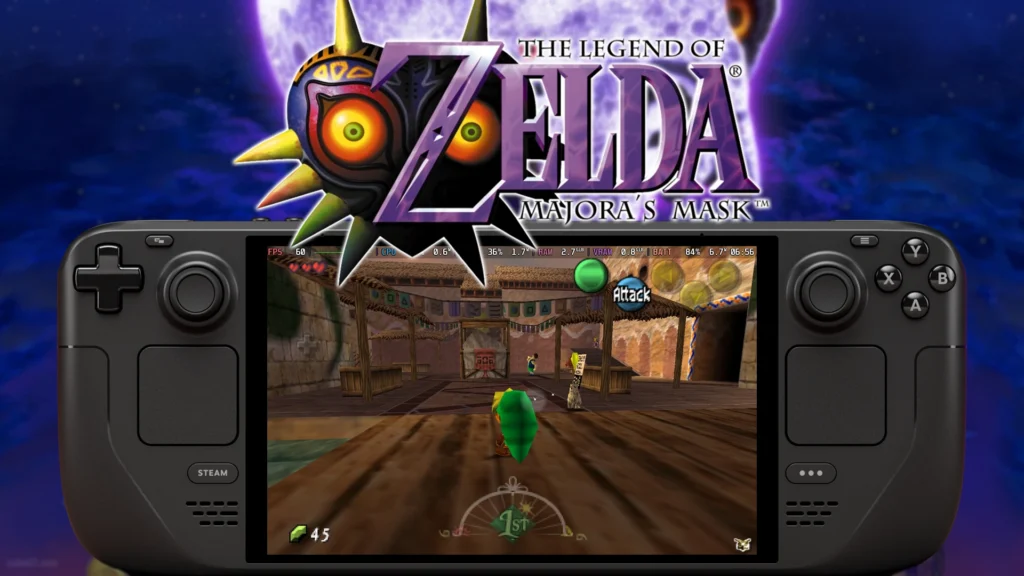
This is all made possible by Mr-Wiseguy's Zelda 64: Recompiled project. The project aims at using RT64 to port over both Majora's Mask and Ocarina of Time with a ton of improved features like instant loading times, low input lag, auto-saving, gyro aiming, and the wonderful effects coming from RT64 like high framerate and widescreen support. While Ocarina of Time support is coming soon, along with ray tracing, mod support, texture packs, randomized, and even a dual analog control scheme, it still feels amazing to play on Deck and is definitely worth the little amount of time needed to set it up!
So, here is our guide on how to set up Zelda 64: Recompiled to play Majora's Mask (and soon Ocarina of Time) on the Steam Deck:
NOTE: You will need a NTSC-U (USA) copy/ROM of The Legend of Zelda: Majora's Mask to use this. We will not provide the game or links on where to get it. While SteamDeckHQ completely supports emulation for game preservation, we don't condone piracy in any way, shape, or form.
How to Set Up The Legend of Zelda: Majora's Mask PC Port on Steam Deck
As I mentioned, the process is relatively easy, and as long as you have a copy of the game, this will be an extremely simple guide to follow.
ステップ1:
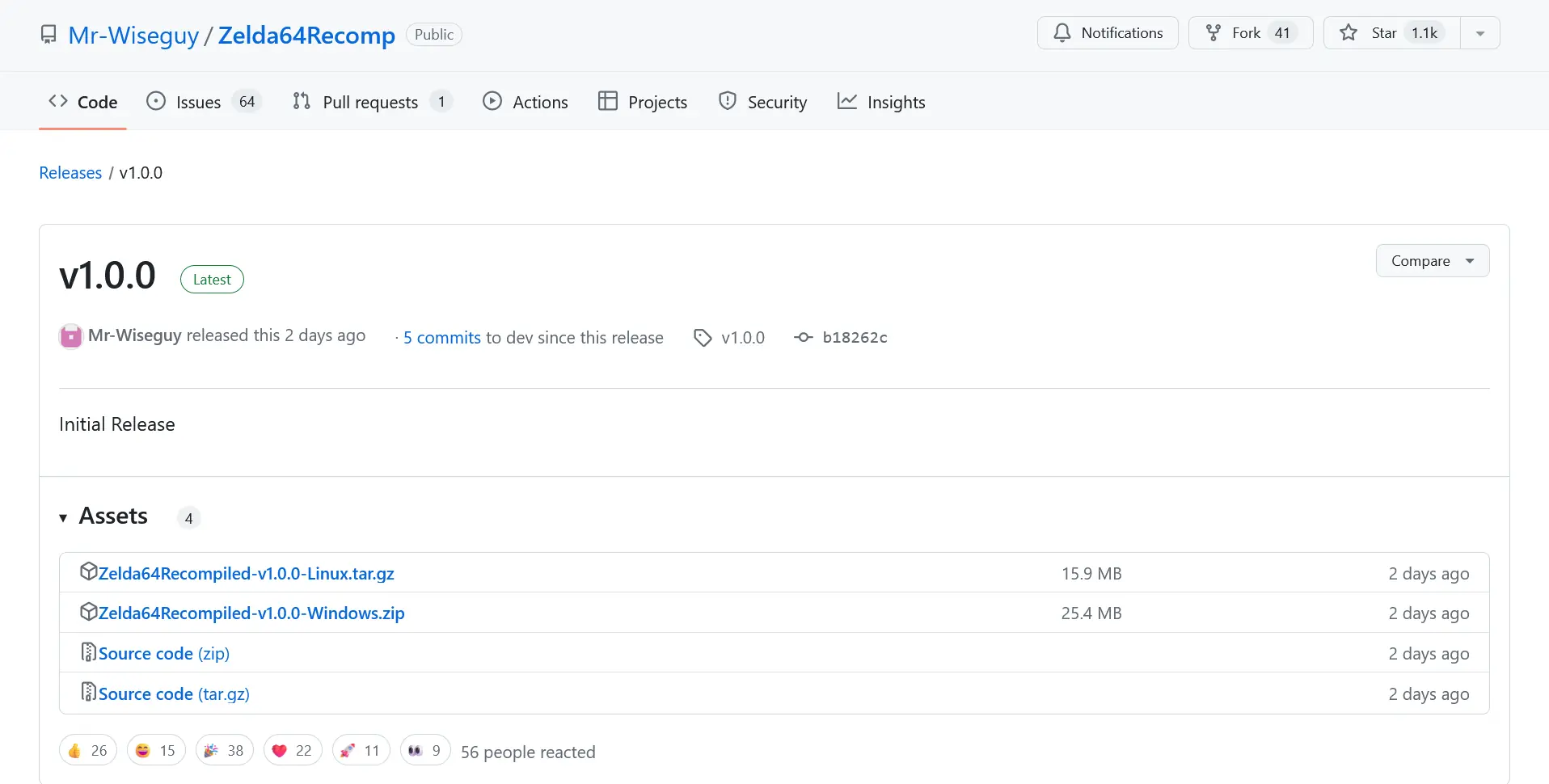
Head to Desktop Mode, go to Zelda 64: Recompiled's GitHub release for 1.0, and scroll down to download the "Zelda64Recompiled-v1.0.0-Linux.tar.gz."
ステップ2:
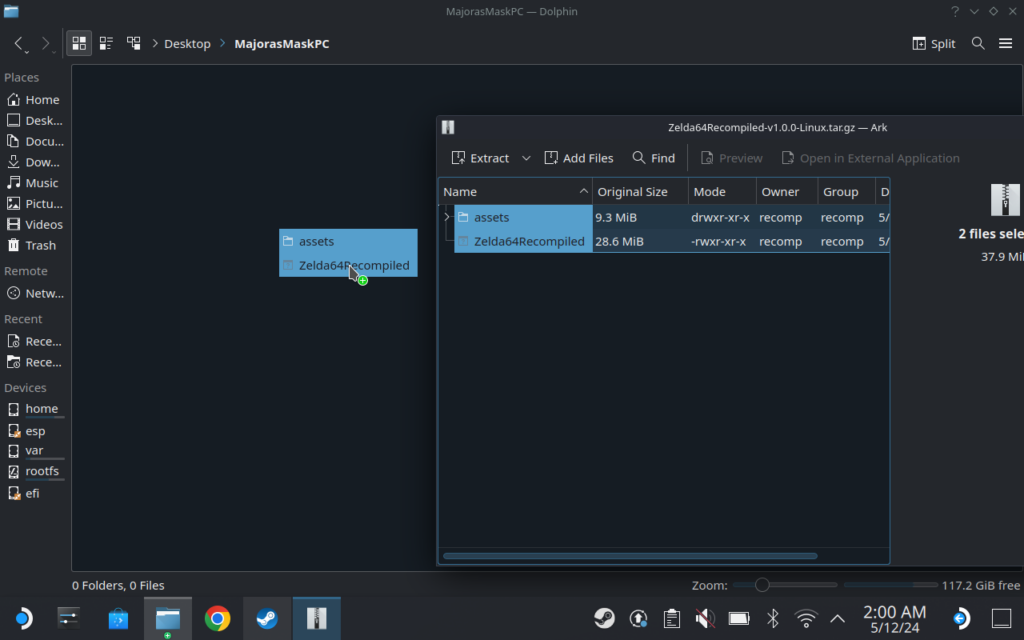
Now, we have to extract what we just downloaded into a new folder. I recommend creating a folder on your Desktop to put it in for ease of access, but as long as they are in a folder, there shouldn't be an issue.
ステップ3:
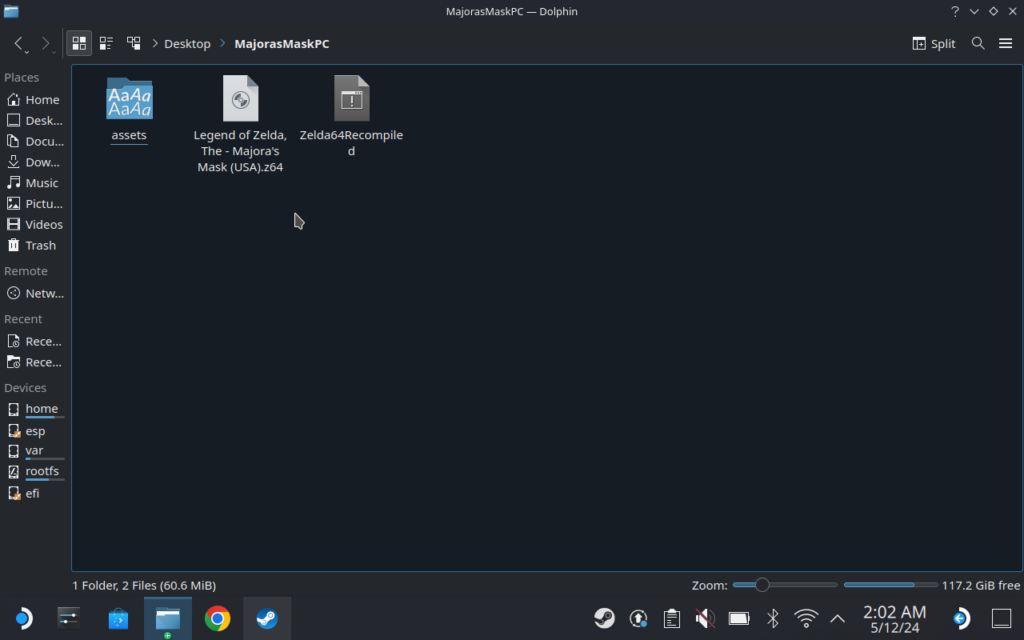
Then, take your copy of The Legend of Zelda: Majora's Mask and put it in the same folder.
ステップ4:
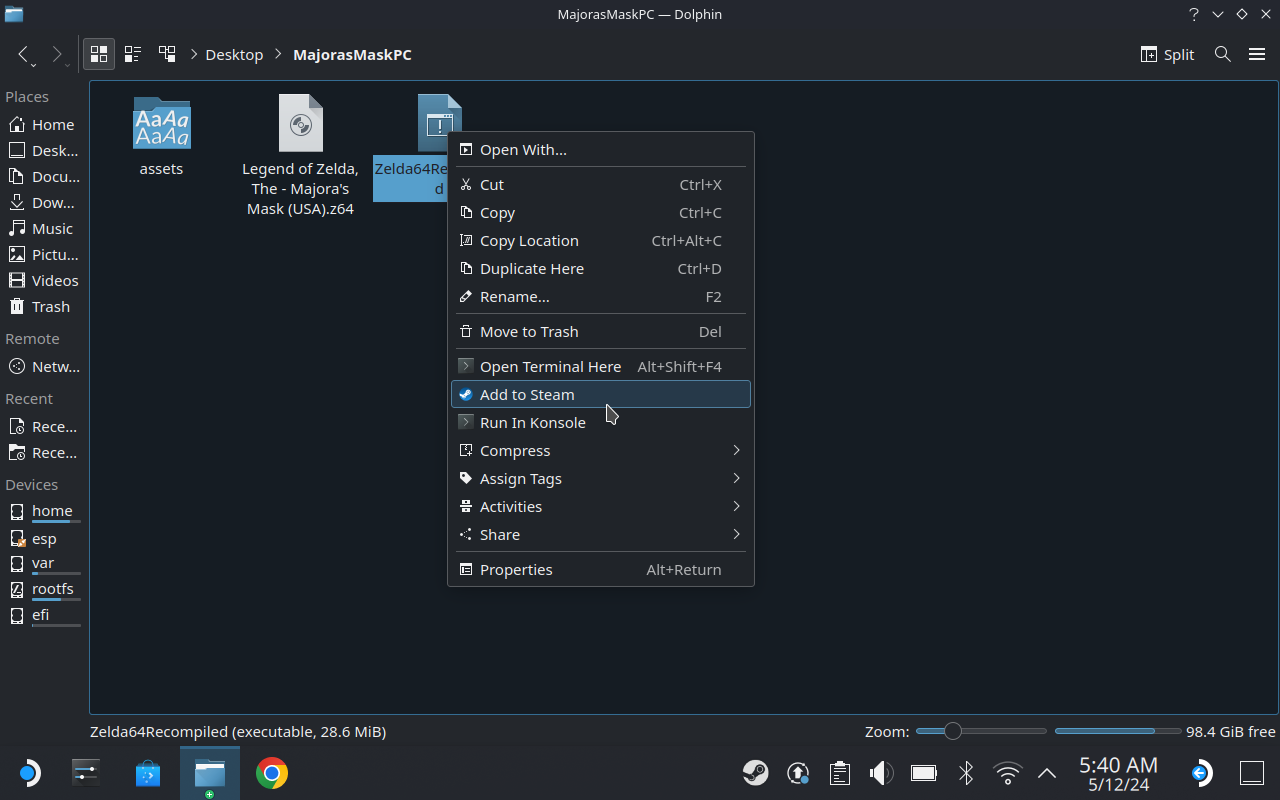
Finally, all you have to do is right-click on the executable and click on "Add to Steam." This will automatically put the shortcut in Steam, allowing you to easily access it via Game Mode!
Now, we can head to Game Mode and set everything up.
ステップ5:
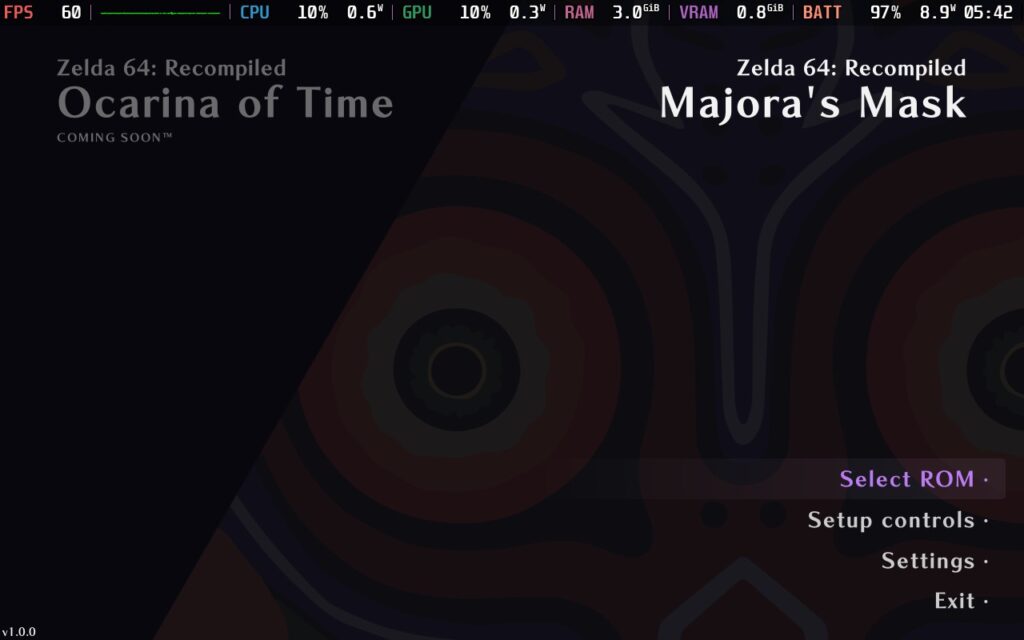
Open Zelda 64: Compiler and click on "Find ROM." Once you do, you will be taken to a new window to find and select the game. Once you select it, hit "Open" and you should see a new option to "Start Game."
Step 6 (Optional):
Now that this is done, you should be all set to play the game. Gamepad controls and resolution will be automatically set up, and you can play already. But, if you want gyro aiming for the bow and such, you will need to take one extra step.
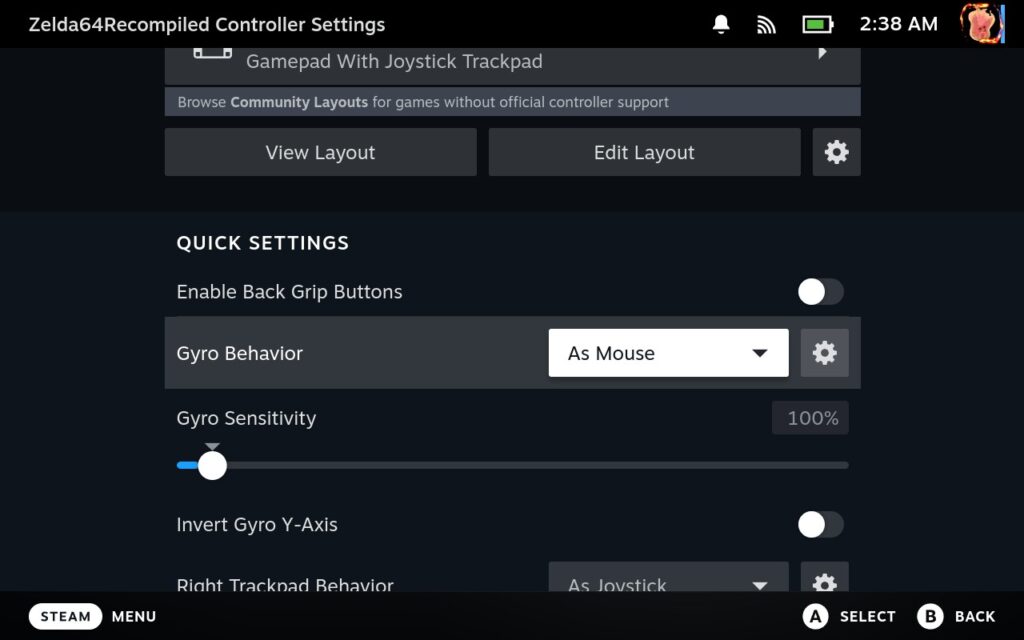
Go to your controller settings and set the "Gyro Behavior" to "As Mouse." Mr-Wiseguy does recommend changing the gyro behavior, so you don't need to be touching the right stick to allow gyro input. You can change it by clicking the gear button next to the Gyro Behavior settings.
And that's it! You should be all set to play Majora's Mask's PC Port on the Deck. This is an awesome project, and I love seeing things like this pop-up. With how far RT64 has come, we will hopefully see more awesome developers use it to port other N64 games. I have seen something similar with Super Mario 64, which I would need to try out and find again, but this feels like it could be the definitive way to experience classic N64 games on modern devices while staying relatively true to the original's feel.
There are some moments where battery drain can pop upwards to 15W, but for the most part, it will run at 60 FPS at around 6W battery drain for either 6.5 hours of battery life on LCD and 10 hours of battery life on OLED.
I can't wait to see how Ocarina of Time will be, especially with Ray Tracing involved.
If you enjoyed this guide, check out the rest of the content on SteamDeckHQ! We have a wide variety of game reviews and news that are sure to help your gaming experience. Whether you're looking for news, tips and tutorials, game settings and reviews, or just want to stay up-to-date on the latest trends, we've got your back.




Followed the guide to the letter, but when I hit play in steam, the deck says launching, the steam logo flashes for a moment, then back to the hit play screen again of steam.
Any ideas?
Maybe try creating a new shortcut and make sure that it is the app image file that is shortcutted
Thanks so much! can't believe I can relive this game so easily right now.
silly question maybe: can I add a graphic to the zelda64recompiled steam entry? It looks ugly now 😀
Is there any support for camera control with the right stick on the steam deck? Maybe a mod or something?
They are working on this for a future update!
Where can I find the ROM file? I have no idea on what to do please help );
We can't offer links to ROM files for legal reasons.
Ugh. Ran into a bug where even though I add this to Steam in Desktop mode (and it runs fine from the steam application in desktop mode) it just isn't there in Game mode. I updated my deck to the latest patch this morning and a number of Decky plugins are broken, so maybe that's contributing to the issue. Has anyone else experienced this issue?
Yeah I’m running into the same issue. I see it in Desktop mode.
I found out it’s a bug from SteamOS. It will be fixed.
how do you open this in linux. It just seems to open a read file in Caret
Is there any other ports like this for steam deck?
We are looking into it! We may have found an Ocarina of Time and Super Mario 64 port that is similar. We will be testing and creating guides for these if they work on Deck.
There's a few PC ports of N64 games, I believe Perfect Dark has a PC port now, and Super Mario 64 also if I recall correctly.
Likely we will see a few more as there is an N64 recompiler project that allows developers to recompile N64 games into native PC executables, so hopefully we will see enhanced versions of N64 games coming to PC in the future!