


Update 6/3/24 - Removed the "Fixing Epic Games Login" section since it isn't needed anymore.
まだの方は、X(ツイッター)でフォローし、新しい記事が投稿されたらお知らせします。また、Redditに参加したり、YouTubeに登録して、私たちのコンテンツをチェックしたり、素晴らしいコミュニティと交流してください。応援ありがとうございました!
Playing Epic games on the Steam Deck has always been a bit of work, but it is possible to do. You would need to go through the Epic Launcher in Desktop Mode and add it to Steam, or you could use the Heroic Launcher and add games directly to Steam, but it does still require you to go to Desktop Mode. You can add the launchers directly to Steam to access from Game Mode too, which works, but it will be significantly harder to use due to incorrect scaling. However, there is a new plugin that just released that seems to bridge this gap, bringing Epic games directly into Steam in a more uniform and easier-to-access way. That is the goal of Junk-Store.
Junk-Store, created by ebenbruyns and their team, was just released into the wild with its 1.0 release, and it is pretty amazing seeing the work that was done. By going into the plugin, you can log into Epic and get a list of your games shown to you, similar to how Steam shows you its library. Then, all you have to do is pick and choose the game you want to install, and there you go! It's just that easy and all in an incredible and clean interface.
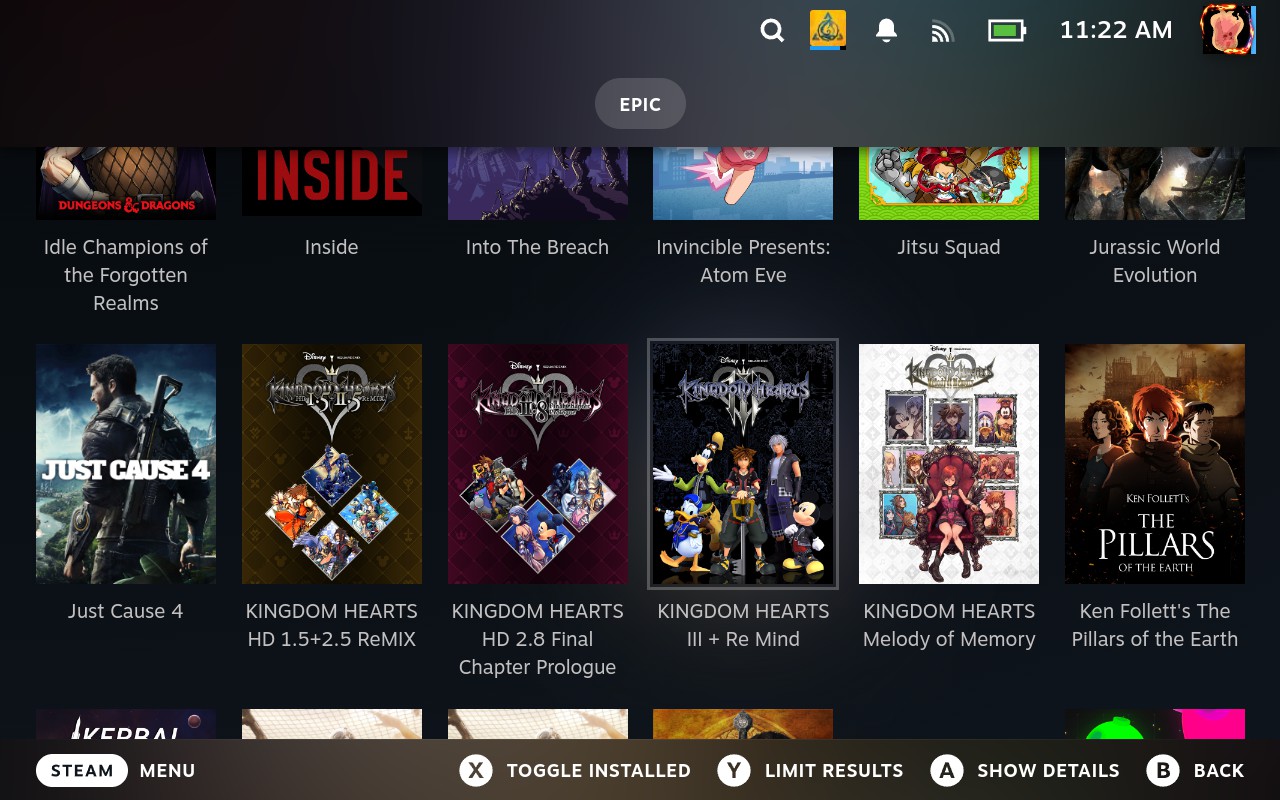
Before you start doing this, though, you need a couple of things. First, you will need Decky Loader, which can be installed easily by following our guide. Then, you will need the latest Proton GE, which you can get by following our other guide and using ProtonUp-QT! Decky Loader is a plugin framework that is needed to install the plugins, while Proton GE is recommended as some games won't work without this community fork of Proton. Some games can work without it, but better safe than sorry.
Now that both of those are discussed, we can install the plugin and start getting it running.
How to Install Junk Store From Decky Loader
ステップ1:
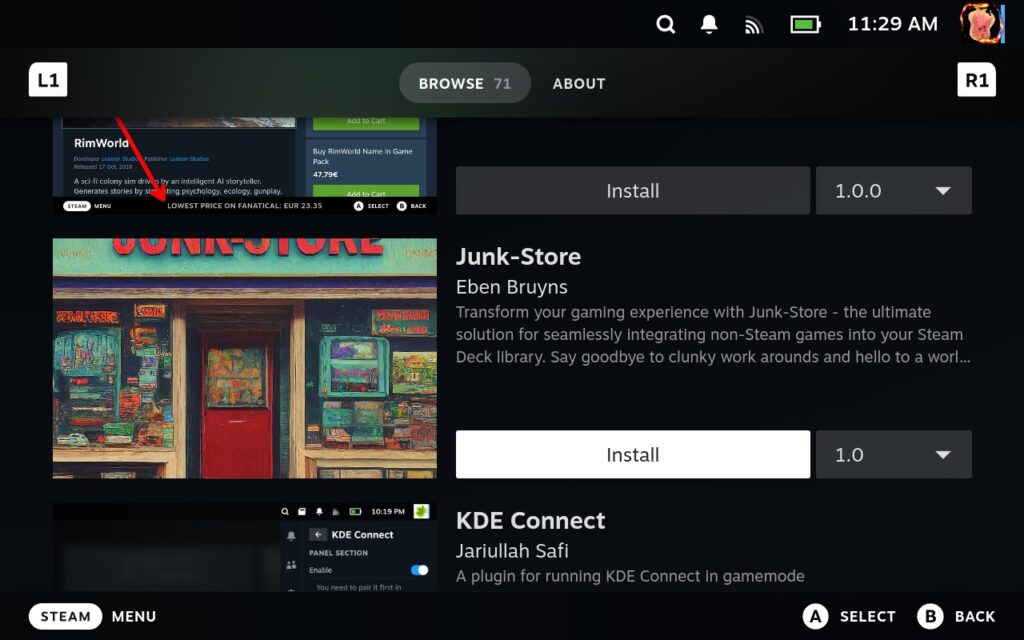
Go to the Decky Loader store by clicking the little store icon at the top right of the Decky Quick Access Menu. Then, scroll down and install Junk-Store, and make sure it is version 1.0.
ステップ2:
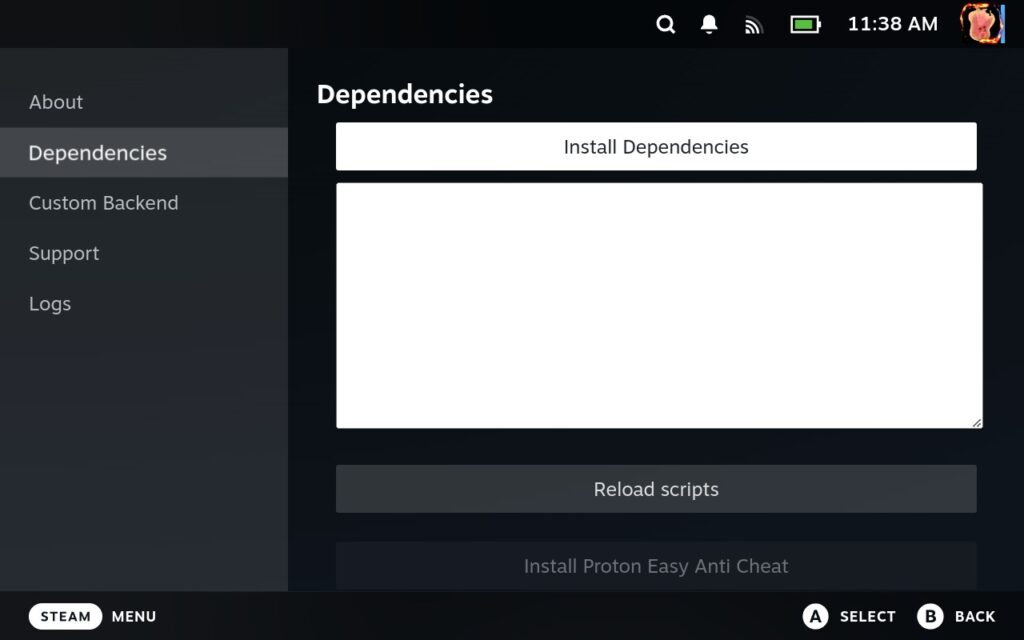
Once it is installed, you will find Junk-Store in your list of plugins. Click on it, and it will take you to a "Dependencies" page to install any specific programs and files you will need for the plugin. Make sure you click on "Install Dependencies," "Install Proton Easy Anti-Cheat," and "Install Proton BattlEye Runtime." Once you do, click on "Reload Scripts" and if done correctly, the anti-cheat and runtime options will be greyed out.
ステップ3:
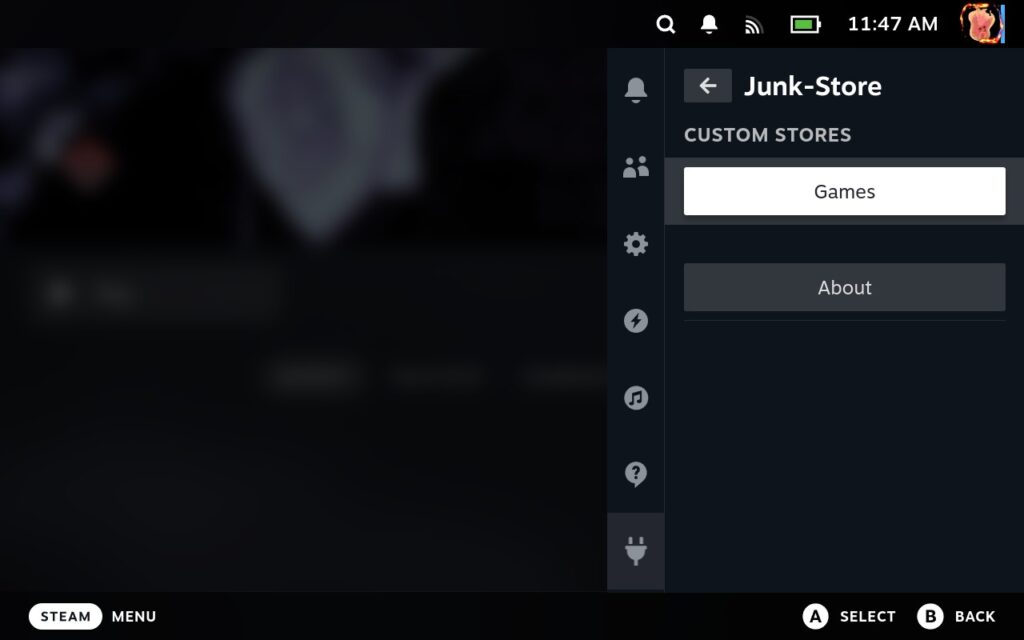
Once that is installed, you can exit out of the screen by pressing B. Then, you will need to go back into the plugin and select the "Games" option instead.
ステップ4:
This will take you to a new screen where you can log into Epic! Now, go ahead and click on the login button. I actually had a bit of trouble with this one. I typed my login into Epic, but there is some issue that will stop you from being able to log in and pop up with an error. Thankfully, this is a more common problem, and there is a quick solution to it.
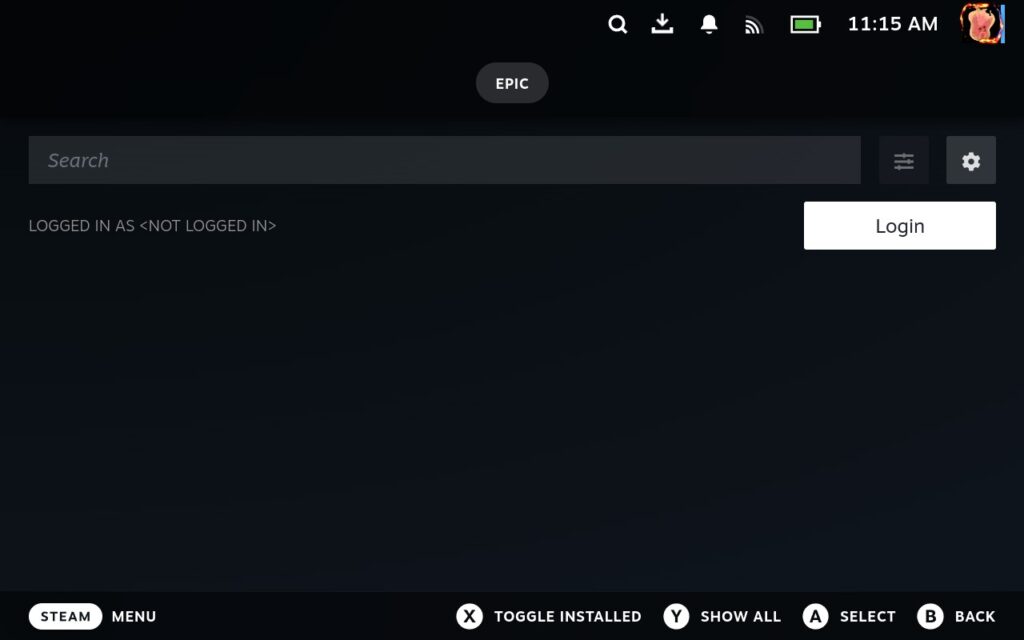
And that's really it! Now, you can go back into Junk-Store and start looking through and installing your games. There are a lot of options to customize your experience too, reminding me of a lot of the options Heroic Launcher gives when it comes to customizing games.
At the game library screen, there is a cogwheel that allows you to change your Install location from SSD (internal) or the Micro SD Card and turn on Offline mode, which allows you to play Epic Games without the Internet. If you have a lot of games and not all of them show up, make sure to press "Y" to show all of your games, as it will limit the games shown otherwise.
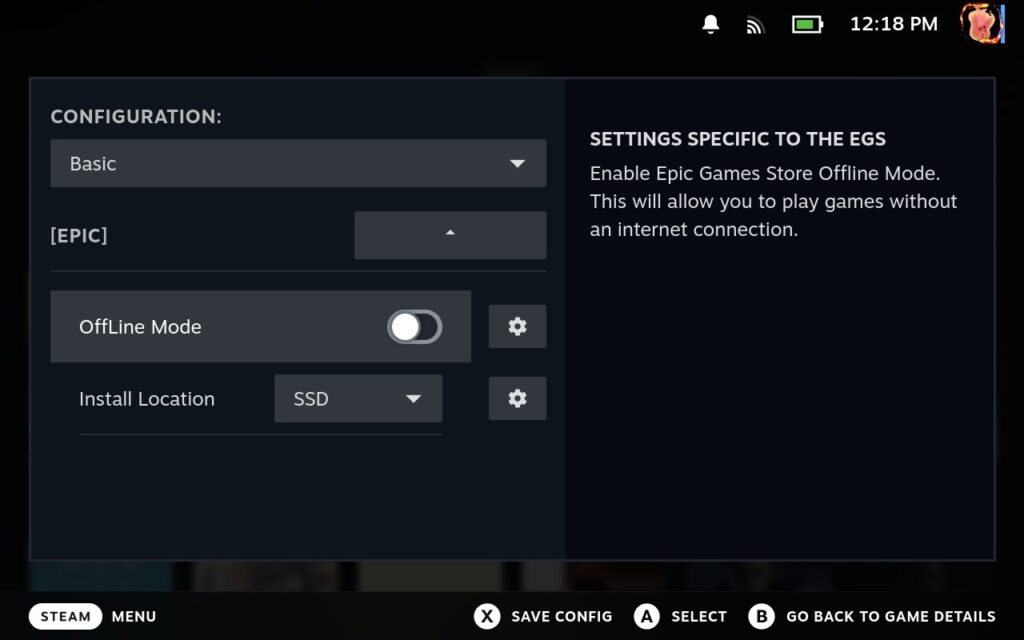
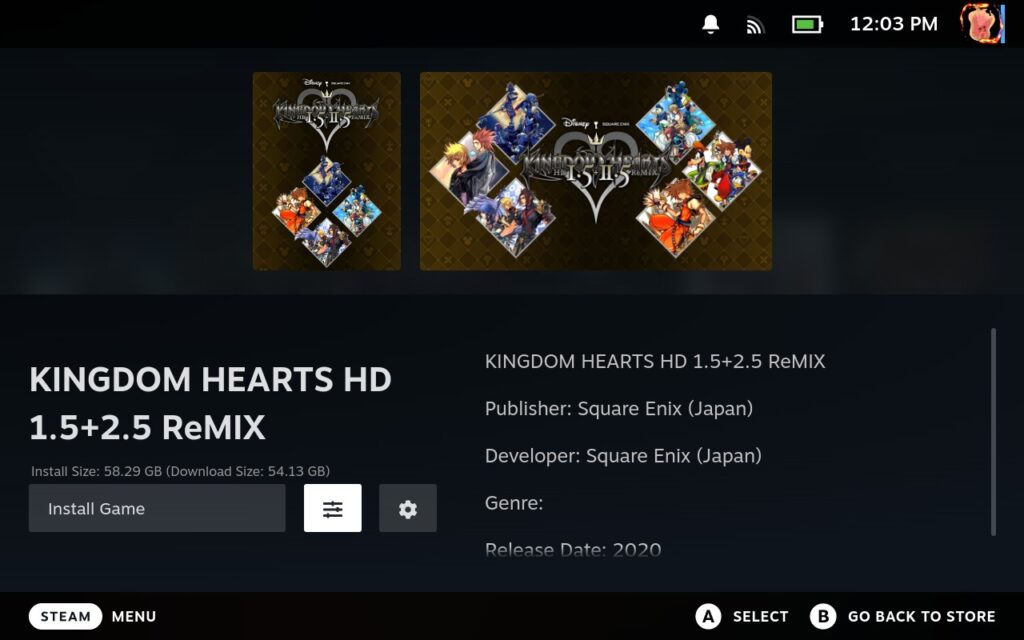
Then, you can select a game. There, you can install it directly and change some settings. You can change Proton Configuration, which allows you to turn on anti-cheats, ESync or FSync, VKD3D-Proton, Radv Perftest, and limit framerate. You can also find another menu to repair the game, uninstall it, boot up ProtonTricks, fix the Registry, Verify the game, and more!
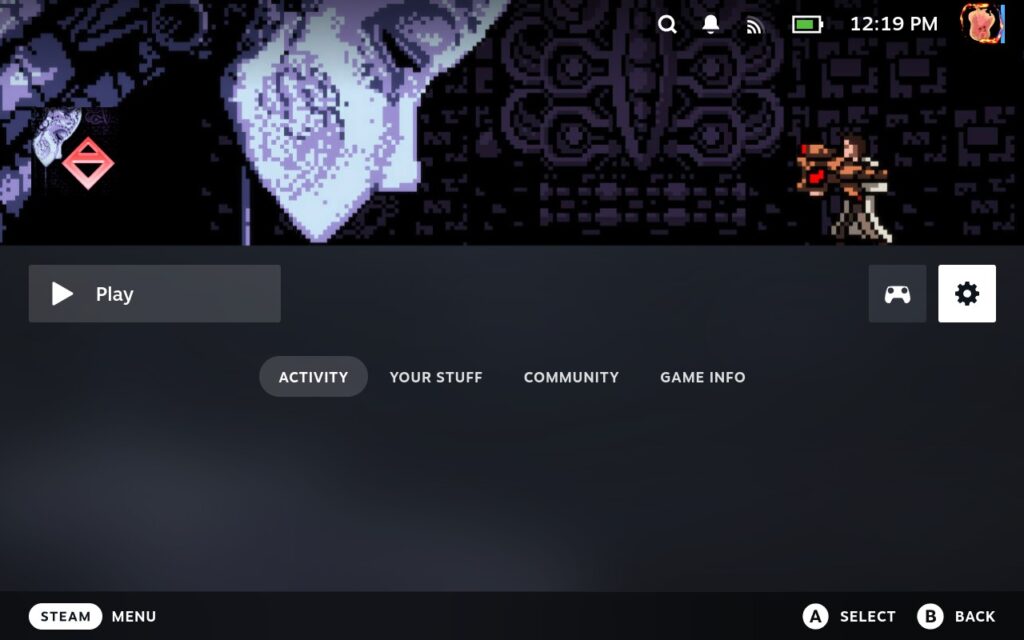
And yes, clicking on install will give you a shortcut in your "Non-Steam Games" section of your Steam library so you don't always have to go to Junk-Store to play!
I would also recommend changing the Compatibility preferences in each installed game to the latest version of Proton GE, which you can do from the preferences of each game's page on the Steam side.
And that's it! You should be all set to go. Not only does this make it significantly easier to look through and install games, it shows us in such a convenient and simple way. Not all games may work this way, but the developers do note that if a game works with Heroic Launcher or Lutris, it should work with Junk Store as well; it's just a matter of finding the right tweaks. I guess it's now time for me to install Kingdom Hearts and try to get it working again!
A big thank you to the team for making this plugin possible. If you'd like to support them directly, you can join their Patreon!
この記事を楽しんでいただけたなら、SteamDeckHQ の他のコンテンツもチェックしてみてください!あなたのゲーム体験に役立つゲームレビューやニュースを幅広く取り揃えています。ニュース、ヒントやチュートリアル、ゲーム設定やレビューをお探しの方も、最新のトレンドを知りたい方も、ぜひご利用ください!




Hello! Can i use this in windows version ?
Thank you for this tutorial, it works great and I can see all my Epic store games now. Is there a way to integrate GOG.com account as well?
There will be in the future!
I log into Epic using my xbox credentials, Junk store does not pop up the live login screen.
This still doesn't work, as some people said in the comments.
when i run "flatpak run com.github.derrod.legendary auth --disable-webview",
there is error"app/com.github.derrod.legendary/x86_64/master not install"
how about this?
How can you switch your Epic Account Login? Say my son wants to jump into his Fortnite once in awhile.
Unfortunately, you can't play Fortnite on the Steam Deck unless you stream it via GeForce NOW or xCloud. As for changing accounts, you can log out when you looking at Junk Store's interface at the top. I don't believe there is any fast account switching.
when i run "flatpak run com.github.derrod.legendary auth --disable-webview",
there is error"app/com.github.derrod.legendary/x86_64/master not install"
how about this?
Finally, a comfortable way to play all the games on my Steam device that I received for free from the store that wants to rival Steam.
And is Kingdom hearts running?
I don't believe the plugin changes any compatibility per se. KH just doesn't like Linux and this probably won't change that.
Yeah i know. Because the cutscenes cgi use a different DirectX than the game. And proton doesnt swap DirectX in a started game or session or instance.
Does this also work with Battle.net?
It appears as though the plugin is designed to work with just Epic for now, with some GOG support.
I haven't tried it myself, so can't give much more info.