


まだの方は、X(Twitter)、Mastodon、Blueskyでフォローし、新しい記事が投稿されたらお知らせください。また、Redditに参加したり、YouTubeに登録して、私たちのコンテンツをチェックしたり、素晴らしいコミュニティと交流してください。応援ありがとうございました!
Recently, I have been covering a lot of recompilations of retro games. These games, which are usually Nintendo 64 titles, have been fully decompiled, which gives us a chance to recompile them into native PC ports. The benefit of this over emulation is significant. We have higher frame rate support, better resolution support, mod support, and a wealth of other enhancements. However, there are so many that are released, and it can be hard to keep track of them. I didn’t even know that Goemon 64 had a PC port. Thankfully, there is a great tool we can use to not only keep track of the projects, but also download and set them up easily.
Before I get into the news, I just want to mention that SteamDeckHQ does not support any form of piracy and will never link to or discuss places where you could get ROMs or download games. We support emulation/recompilation as a form of preservation for older games that are no longer in circulation for consoles that are no longer manufactured.
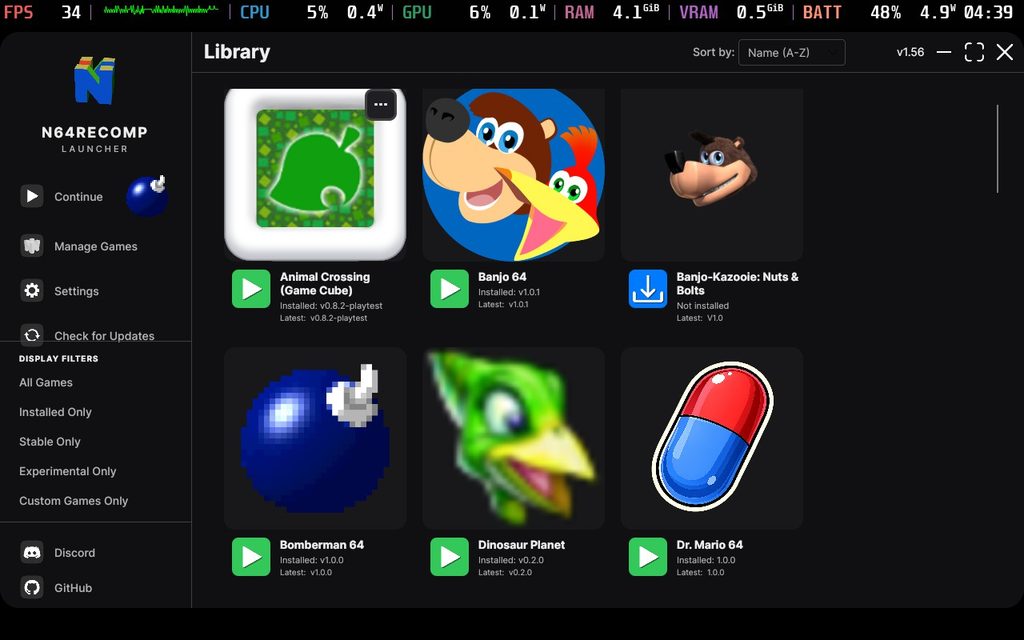
The N64RecompLauncher is the saving grace I was looking for. Developed by SirDiabo and posted on GitHub, this launcher allows us to nicely see and download the recompilations that have been released. As the name suggests, the bulk of these are Nintendo 64 games, which are displayed very nicely in the UI. However, it actually has support for other recompilations, including the recently covered Animal Crossing (GameCube) recomp and even the Dragon Ball Z Budokai recomp of the Xbox 360 game.
And it’s extremely easy to use. On the Steam Deck, we just have to install the Linux X64 version from GitHub, move all the downloaded files into a folder on our desktop, and then add the executable to Steam. After that, you should be able to access it in Steam game mode and use the gamepad support. You will have to supply your own legally dumped copies of each game, and you have to make sure to always select the Linux X64 version of each recompilation when you download it. There are some that don’t have Linux support yet, like the Animal Crossing reconciliation, so in cases like that, you will have to manually go to the installed files and add them to Steam directly.
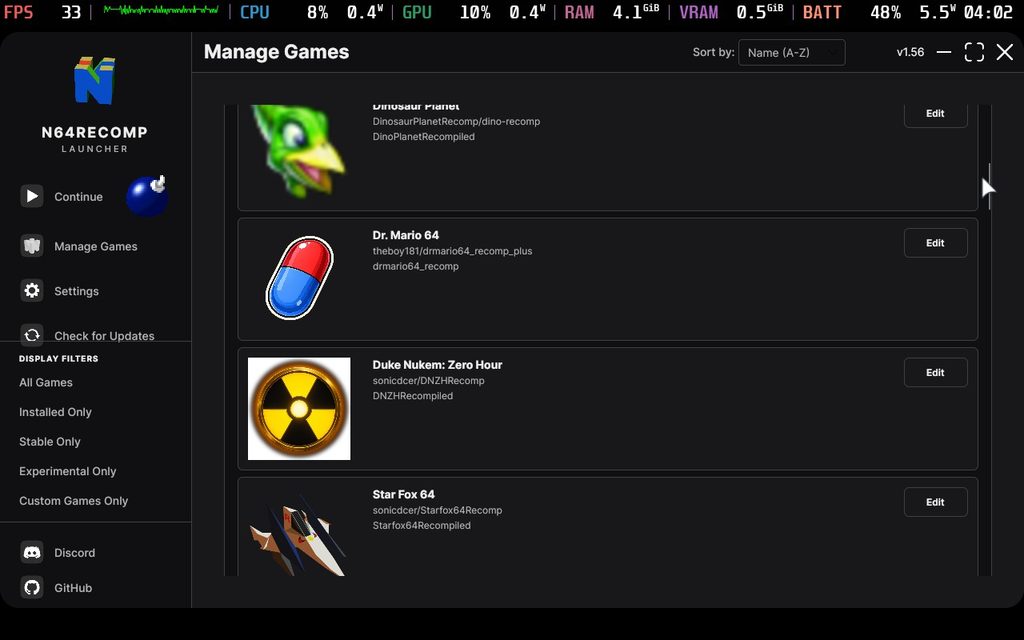
While it can be used in game mode, it's not the greatest. I ran into a few problems here and there trying to use only the gamepad to navigate the UI, with menus that wouldn't close at all, even when I opened a recomp. It just feels clunky and odd. Using our finger to navigate is leagues better, but I would say that this is a feature that needs more time in the oven before it's comfortably usable. Because of how odd it is and the fact that there are still some manual steps, I recommend just installing and getting the recomps set up in Desktop Mode.
Still, even with some of the extra steps and the clunky gamepad controls, this is the easiest way to keep track of and stay up-to-date when it comes to these projects. With some of these being very new, like Bomberman 64, which was released a few days ago, I am hoping that this launcher will continue to stay up-to-date with the newest projects. Hopefully, as more systems get games recompiled, we will see some better organization for all the systems.
この記事を楽しんでいただけたなら、SteamDeckHQ の他のコンテンツもチェックしてみてください!あなたのゲーム体験に役立つゲームレビューやニュースを幅広く取り揃えています。ニュース、ヒントやチュートリアル、ゲーム設定やレビュー、最新のトレンド情報など、あらゆる情報をお届けします。 カバーしています!

最近のニュース
カテゴリー
Accessories
Anbernic
Android
ASUS ROG Ally
ROG Xbox Ally
Classics on Deck
Community
Cryobyte33
Deals
Deck Mods
Emulation
Events
Featured Post
Game News
Game News
General Game News
HandheldHQ
Hardware
Lenovo
Linux
MagicX
Nintendo
ONE-NETBOOK
Opinion
Other Reviews
Accessory Reviews
Handheld Reviews
PlayStation
Proton
Retro Handhelds
Anbernic
AYANEO
AYN
GPD
MagicX
MANGMI
Miyoo
Retroid
Rumors
TrimUI
SDHQ
Steam
Steam Machine
SteamOS
The Unsupported Report
Uncategorized
Uncategorized
最近のヒント&GUIDES
新着レビュー




This is neat, especially for Deck users, but I'll continue using Lutris on the desktop for this. Mainly because it makes it incredibly easy to set SDL variables for controllers. I use an 8BitDo Ultimate 2, which has the Nintendo layout for the face buttons, but decomps treat it like the Xbox layout. Most of them don't let you remap controls, either, but this can be done by setting SDL_GAMECONTROLLERCONFIG. Lutris has a field for this in its settings that can be applied globally to all games, and the value to set for the variable can be generated with AntiMicroX.
Wait, how'd you get nuts & Bolts on that launcher? I don't see it in mine...