


まだの方は、X(Twitter)、Mastodon、Blueskyでフォローし、新しい記事が投稿されたらお知らせください。また、Redditに参加したり、YouTubeに登録して、私たちのコンテンツをチェックしたり、素晴らしいコミュニティと交流してください。応援ありがとうございました!
Recently, we have been seeing many videos and shorts showing off new custom boot videos on the Steam Deck, including one that mirrors the GameCube boot video and turns it into a Steam Machine. And yes, we absolutely did as well, since we can't wait for the new Steam Machine to release:
With these new boot videos and renewed interest, I wanted to create a guide showing how to easily get these custom videos and make them play on your Steam Deck. A lot of these videos are just as great, if not better, than the official ones on the Steam Point Store, so it's worth checking out for sure.
There are a few ways to do this, so we will go over each of them:
How to Download and Install Custom Boot Videos on the Steam Deck:
SteamDeckRepoManager (Recommended)
There are two ways that I would recommend downloading and installing these videos, and this one is generally the easier of the two.
ステップ1:
Head to Desktop mode and open up the Discover Store. From there, search for "Steam Deck Repo Manager", which should be created by CapitaineJSparrow, and download/install it.
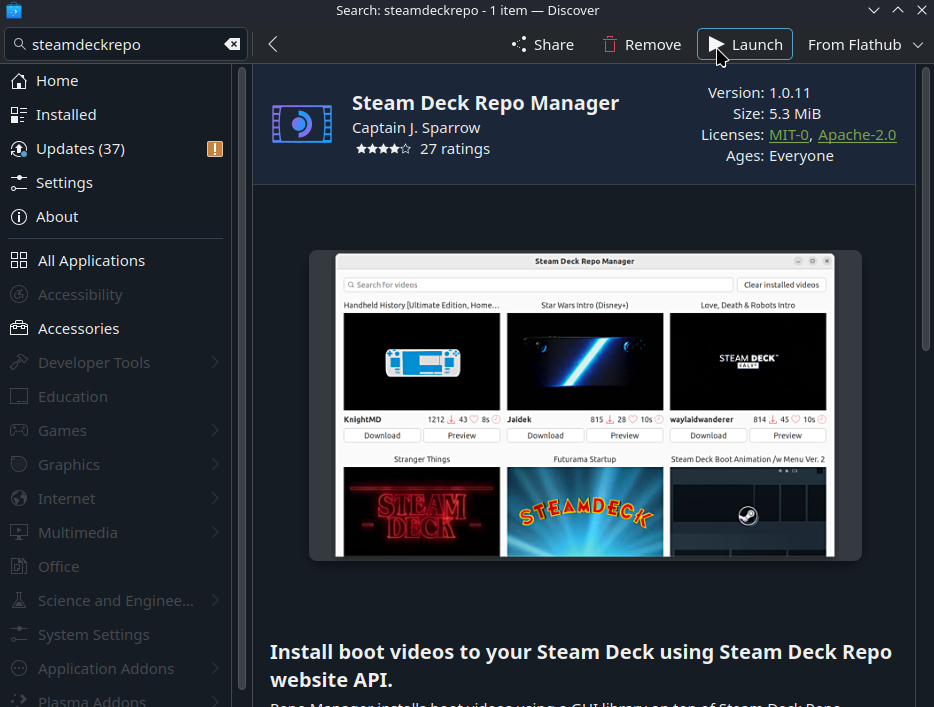
ステップ2:
Open up Steam Deck Repo Manager and find the boot video you want. Once you do, just hit the download button. It will automatically download and install the boot video of your choice. For this guide, I will be using the GabeCube boot video by KnightMD that is in the video above.
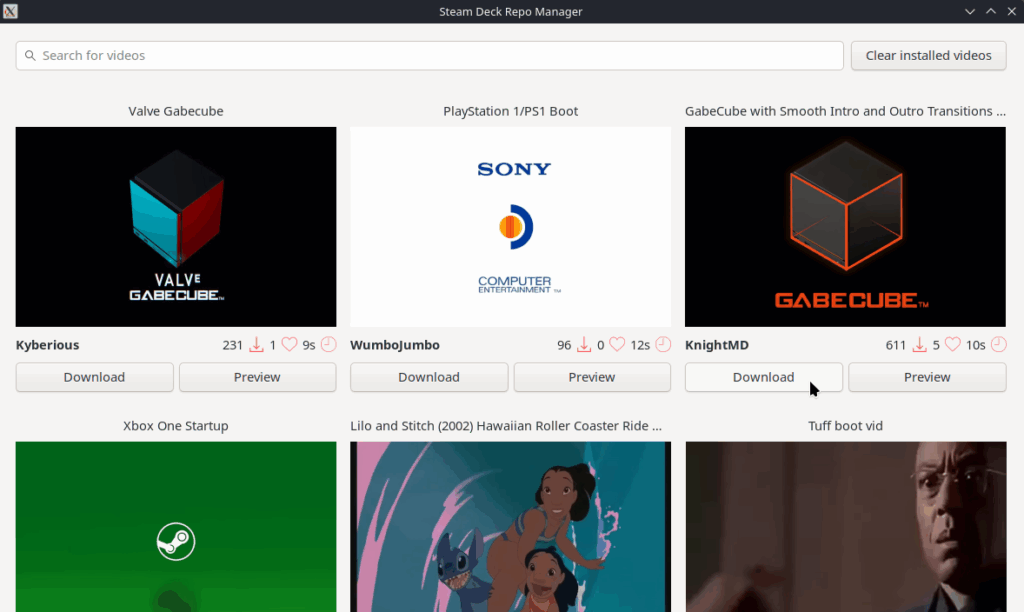
ステップ3:
After that, head back into Game Mode and go to the Customization tab. There, you can find your downloaded boot videos in the local section and enable them.
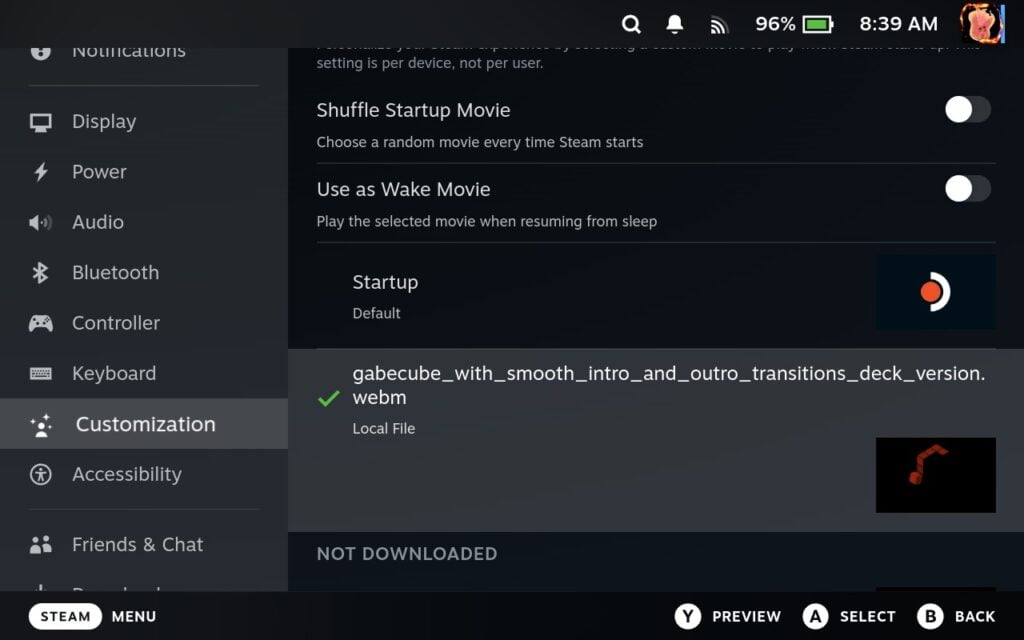
Step 4 (Optional):
If you want to do everything from Game Mode, you can add the Steam Deck Repo Manager to Steam and use it in Game Mode. I recommend changing the control scheme to Keyboard and Mouse. It's still a little awkward to use, but you can download, install, and enable boot videos all within Game Mode.


Manual Install
ステップ1:
Head to Desktop mode and open your web browser. Head to SteamDeckRepo.com and find the boot video you want.

ステップ2:
Once you do, just click the green download button at the top right of the screen. For this guide, I will be using the GabeCube boot video by KnightMD that is in the video above.

ステップ3:
Now, we have to get to the folder path where we will be putting the new videos we download. Unless you have done this before, we will have to create a couple of folders. So first, head to this folder path in your Dolphin file browser by pasting this into the top of Dolphin:
/home/deck/.steam/root/config/
ステップ4:
Once there, create a folder called "uioverrides", and then inside of it, create a folder called "movies" to top it off. From there, we should be in this specific folder path:
/home/deck/.steam/root/config/uioverrides/movies/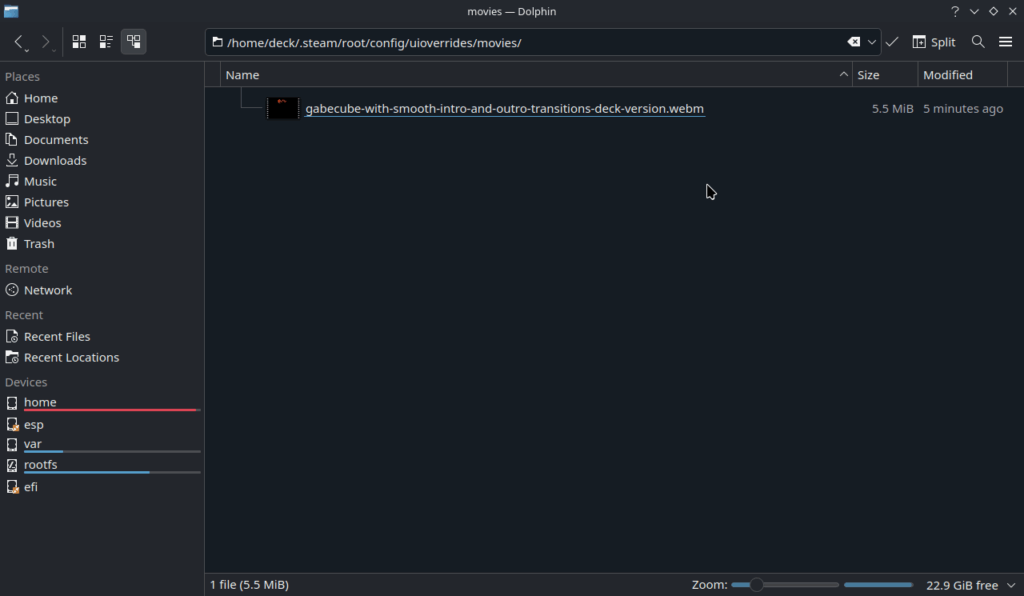
ステップ5:
Now, all you have to do is move your downloaded videos into the newly made "movies" folder to make them usable.
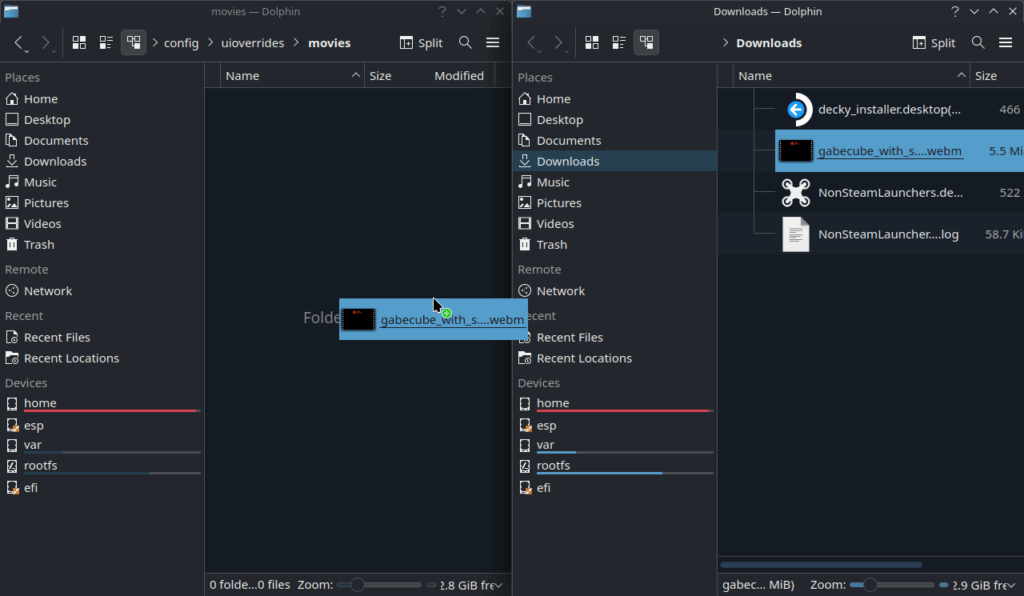
ステップ6:
Finally, just head to Game Mode, go to the Customization tab, and enable the boot video you want.
There is also a Decky Plugin called "Animation Changer" that can do all of this, but as of writing this guide, Decky is not working, so I will not be including it here. However, if it is working for you, you can download the Animation Changer plugin from the Decky store and try it for yourself.
And that's how to get custom boot videos on your Steam Deck! It's pretty fantastic when it works, and some of these videos are just incredible. Here are a few of my current favorites that I highly recommend checking out:
Rings by joaquim
Dreamcast by OneAteHundreds
Handheld History by KnightMD
Batman the Animated Series by Greg2B
There are many more apart from these, so check them all out on Steam Deck Repo to see for yourself what else they have.
このガイドを楽しんでいただけたなら、SteamDeckHQ の他のコンテンツもチェックしてみてください!あなたのゲーム体験に役立つゲームレビューやニュースを幅広く取り揃えています。ニュース、ヒントやチュートリアル、ゲーム設定やレビュー、最新のトレンド情報など、あらゆる情報をお届けします。 カバーしています!




i think the plugging "animation changer" still does not work 30th jan 2026
so this guide is very helpful
thank you very much