まだの方は、X(Twitter)、Mastodon、Blueskyでフォローし、新しい記事が投稿されたらお知らせください。また、Redditに参加したり、YouTubeに登録して、私たちのコンテンツをチェックしたり、素晴らしいコミュニティと交流してください。応援ありがとうございました!
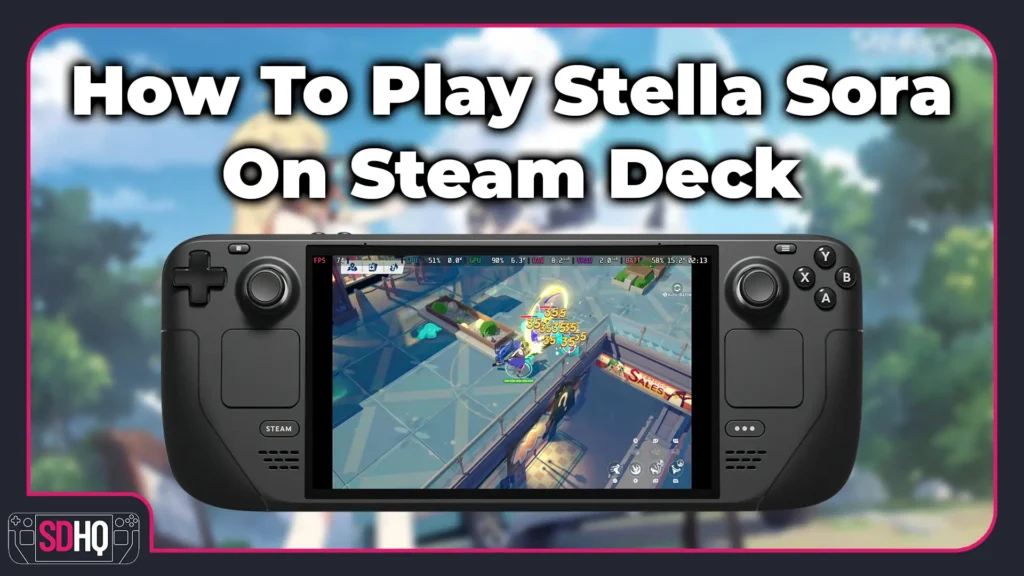
As much as I know how predatory they can be, I do find myself enjoying gacha games. It's fun to collect the characters and invest time to watch them grow stronger. I have played lots of them in my time, but Stella Sora is a little different to me. It strikes a balance between auto battler and roguelike, taking elements from both to create an engaging loop I was having a blast with.
So, with the new 1.4 update dropping, I wanted to take a moment to create a guide on how to get the game running on the Steam Deck! I also created a TikTok/short form video showing the process, as well as gameplay, so take a look there if you want to see it in action.
How To Play Stella Sora On Steam Deck
ステップ1:
Go into Desktop mode and head to the Stella Sora website. From there, hit download to download the installer we need.

ステップ2:
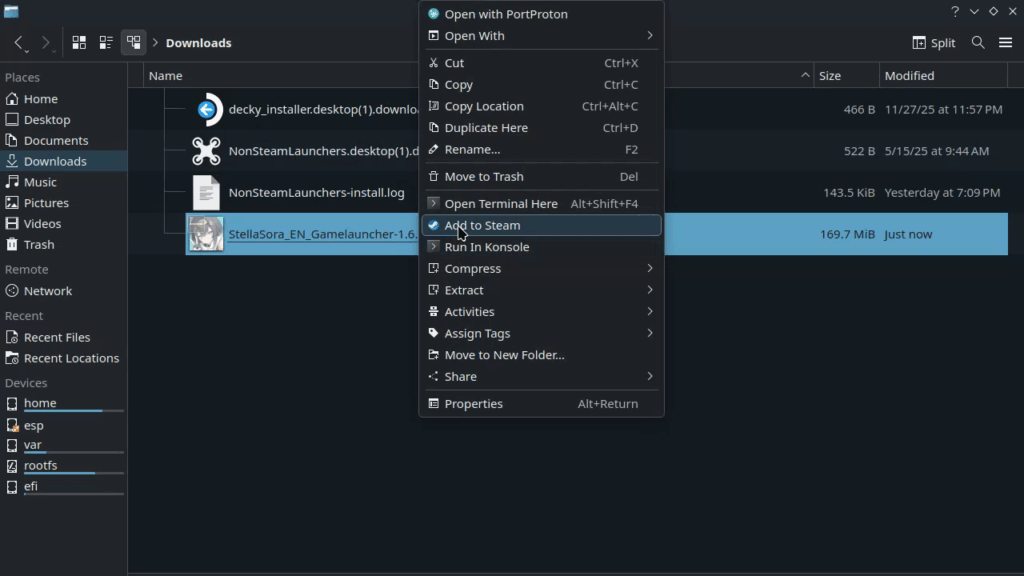
Go to where you downloaded the installer, usually in the "Downloads" folder, right click on it, and click "Add to Steam."
ステップ3:
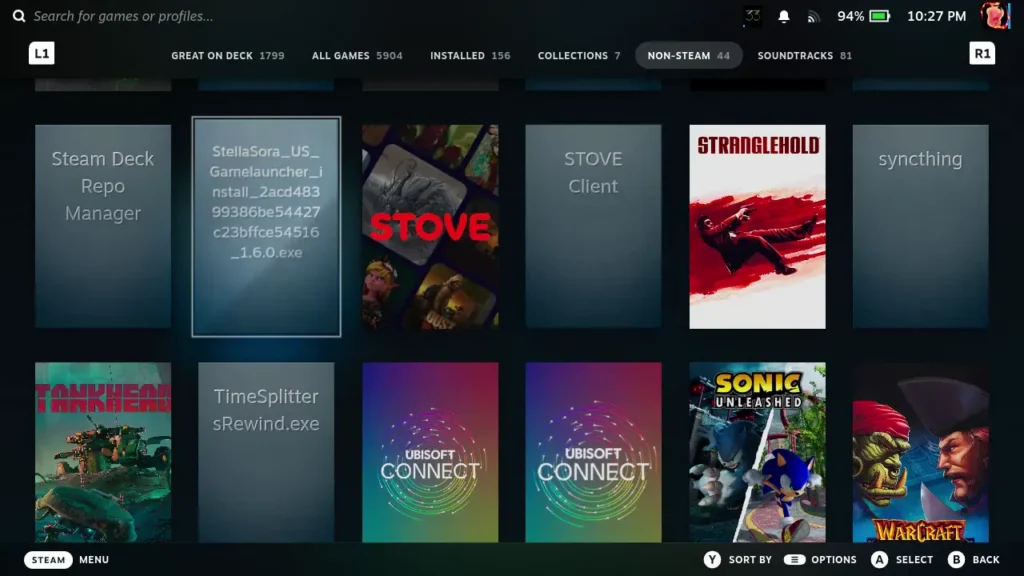
Go back into Game Mode and find your shortcut. It should be in the "Non-Steam" section of your library tab.
ステップ4:
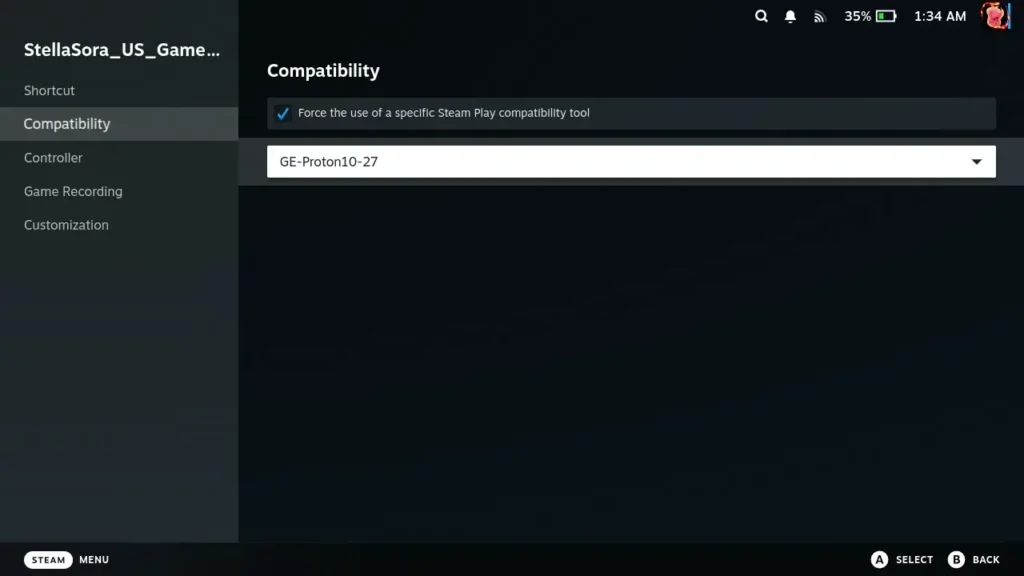
Click on the Cogwheel to go to the game's preferences. Find the "Compatibility" tab and set it to "GE-Proton 10-27." Now, the game should work with Proton 10 or Proton Experimental, but I default to GE-Proton for Non-Steam games. Here is our guide on how to get GE-Proton for yourself.
ステップ5:
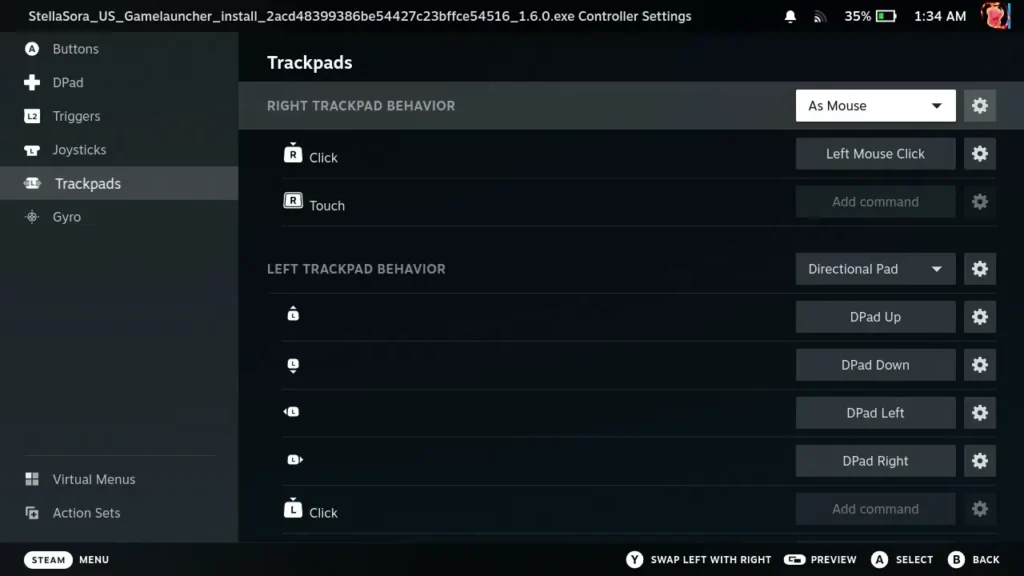
Head back to the game's page and go to the controller icon. Make sure the controller scheme is set to Gamepad Wtih Joystick Trackpad. Click on "Edit Layout", head to the "Trackpads" tab, and make sure to set the right trackpad to act As Mouse with the click to emulate a left mouse click. This will be necessary to navigate the installer and avoid using the touchscreen.
ステップ6:
Go ahead and launch the game! All you have to do from here is follow the installer, download and install any updates, log in, and there you go. You should be all set to play without any issues.
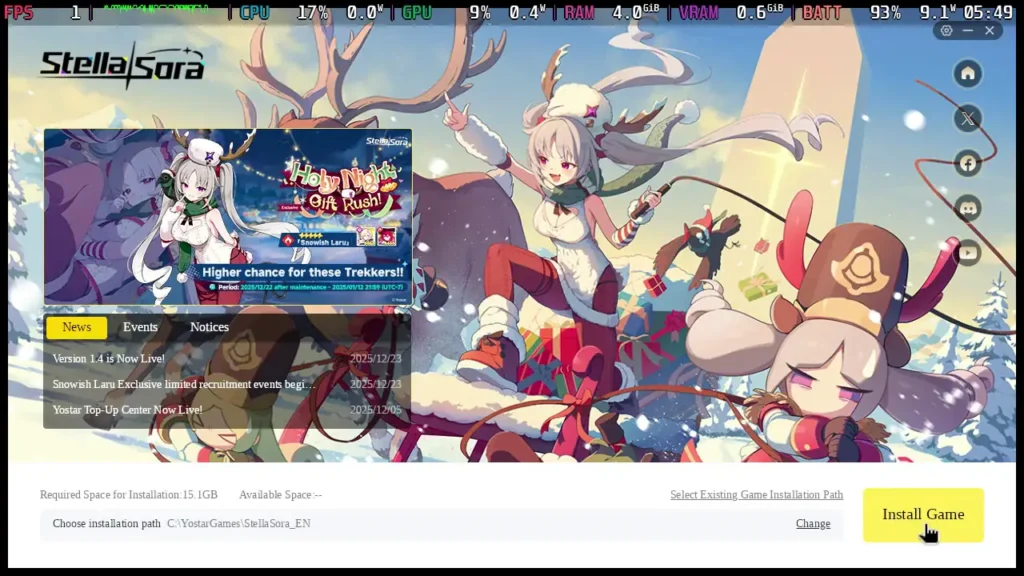
Now, Stella Sora is a joy to play on the Steam Deck and can easily hit 60 FPS without issue, but there are some little quirks here and there. For whatever reason, I had to "install the launcher" each time I ran the game, but it would always recognize the game is installed and would just run. I also had to manually log in each time, which was a bummer, but not the end of the world. And in-game, some of the voice dialogue went by extremely fast and I couldn't read it.

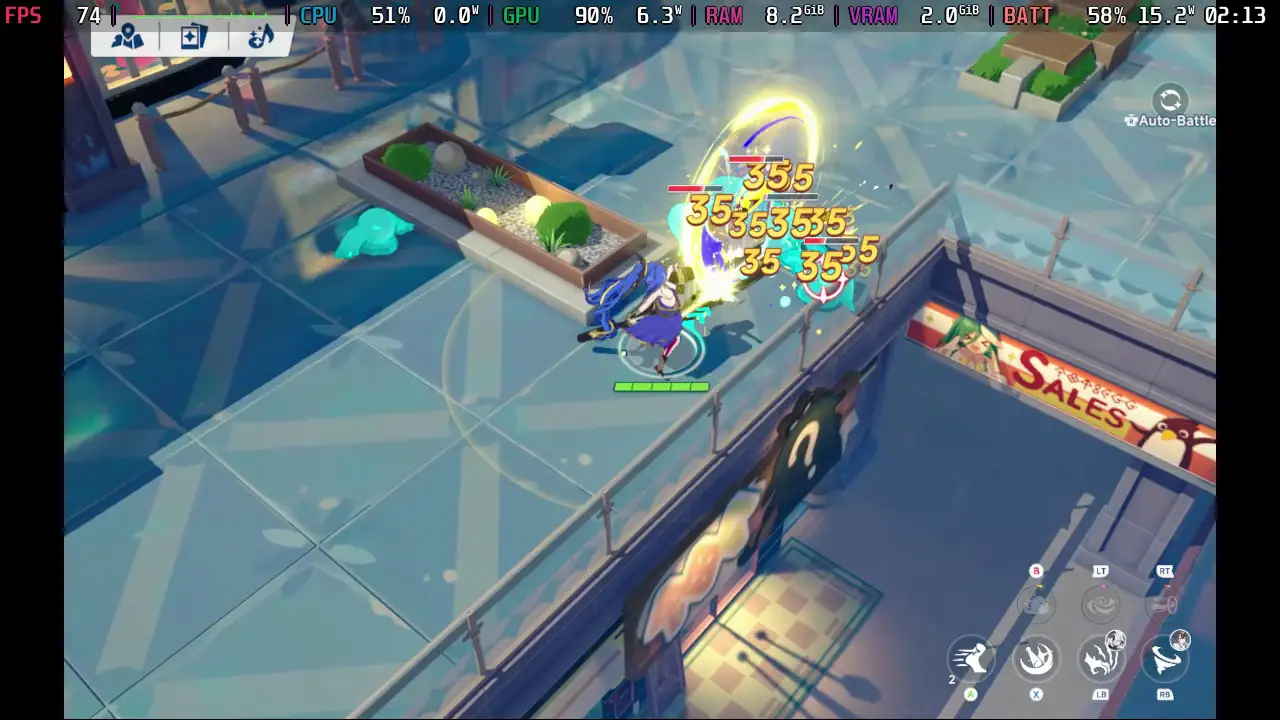
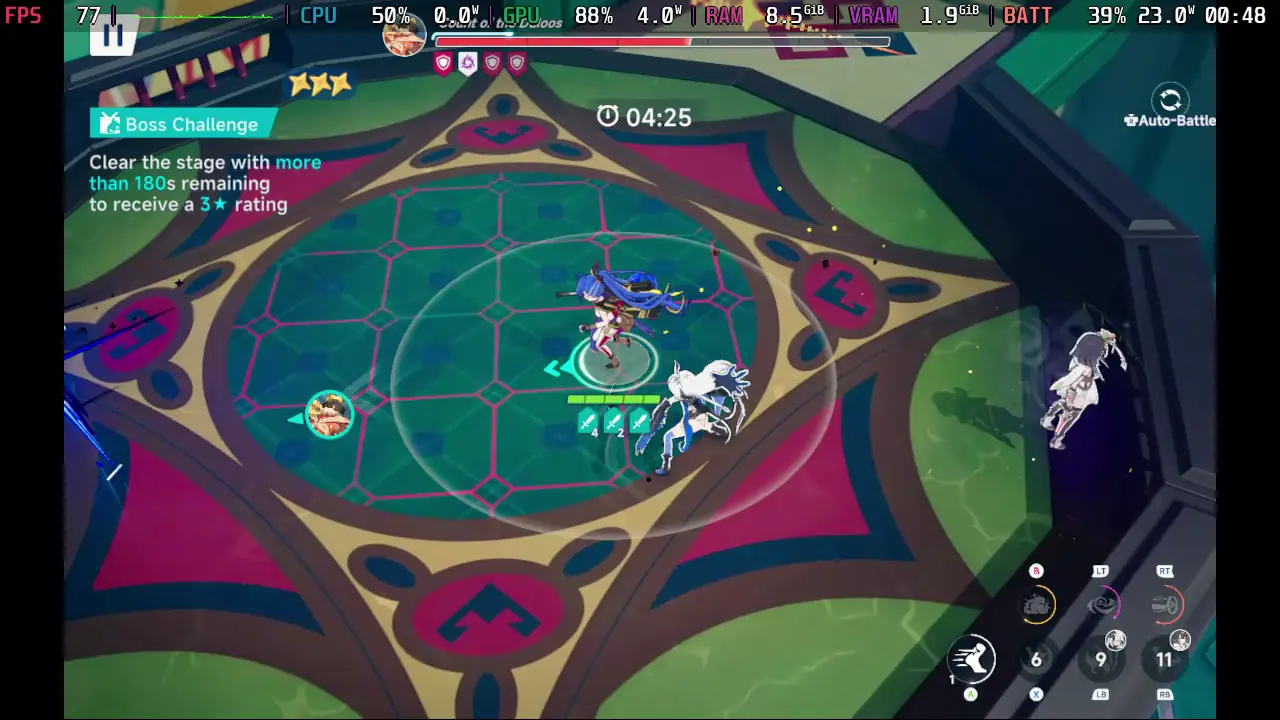
But, in the end, the game is playable and enjoyable on the Deck. It's possible these issues could be fixed in future Proton updates, but since the game doesn't natively support Linux or the Steam Deck, and it isn't on Steam or Epic, so we have to make do with it. Still, if you are looking for a way to play on the Steam Deck, this is it, and it works well.
このガイドを楽しんでいただけたなら、SteamDeckHQ の他のコンテンツもチェックしてみてください!あなたのゲーム体験に役立つゲームレビューやニュースを幅広く取り揃えています。ニュース、ヒントやチュートリアル、ゲーム設定やレビュー、最新のトレンド情報など、あらゆる情報をお届けします。 カバーしています!