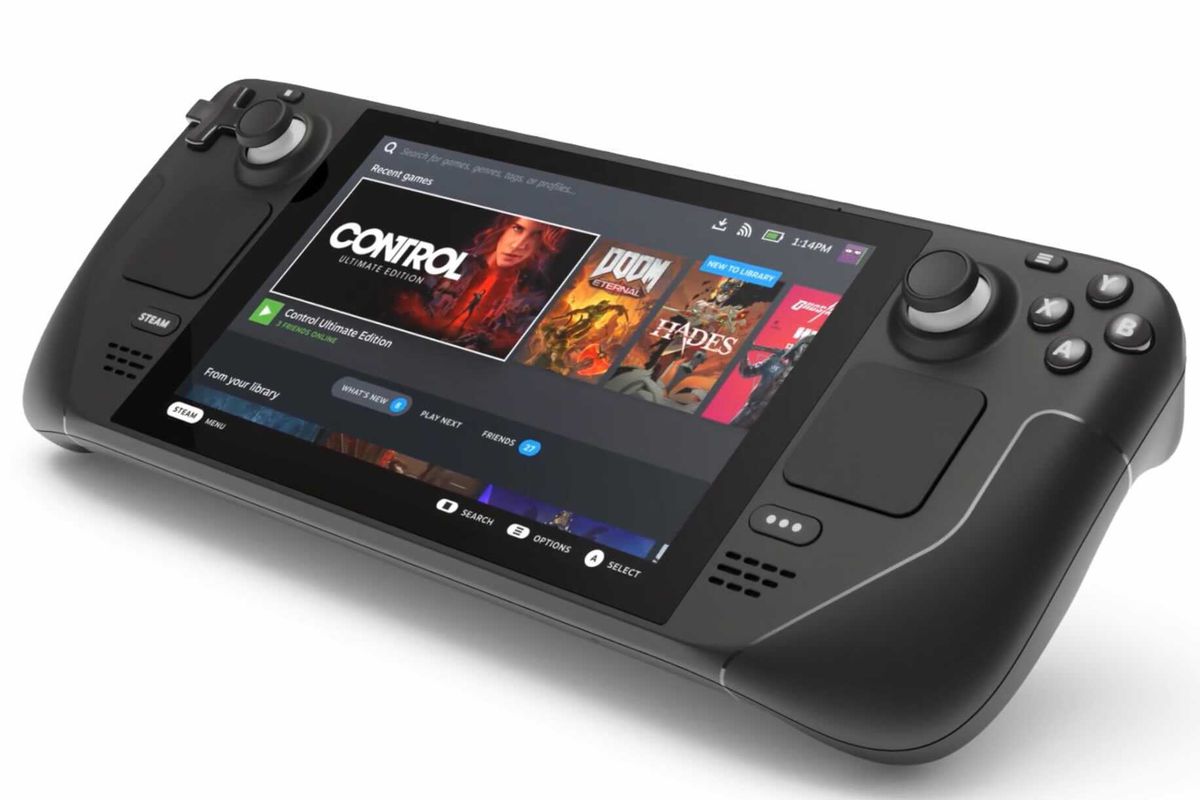
Where Winds Meet - Steam Deck Performance
In Game Mode, make sure that "Steam Input" is disabled under the "Controller" tab of the game's Steam options; otherwise, the game will not detect the Steam Deck's controller.
With that out of the way, you can finally play the game!
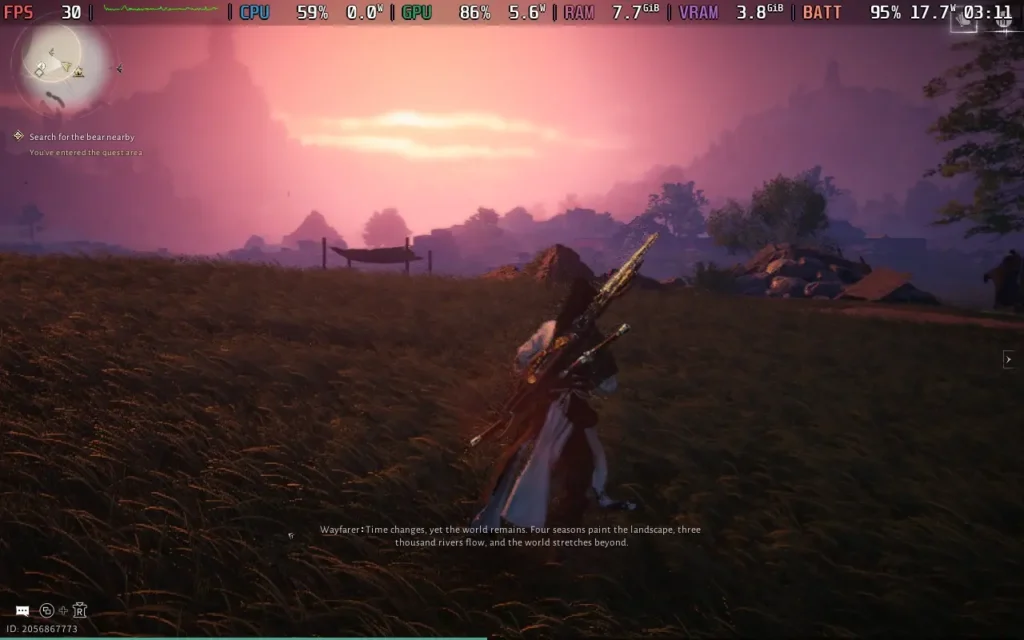
Unfortunately, Where Winds Meet does not give us access to the game settings until after we've played the prologue, which is rather baffling. This means we cannot adjust our graphical settings and have to make do with less than ideal performance. Fortunately, the prologue is just some QTEs and an easy combat tutorial (Which you can lose and still progress, don't ask me how I know that). It at least gets you used to the controls, which work well on the Steam Deck.
Once we are in the game proper, we can adjust some settings. I've screenshotted the settings I used below, but essentially, you'll want to run on the lowest settings, with FSR upscaling set to 60%. With these settings, we're generally CPU-bound, rather than GPU-bound.

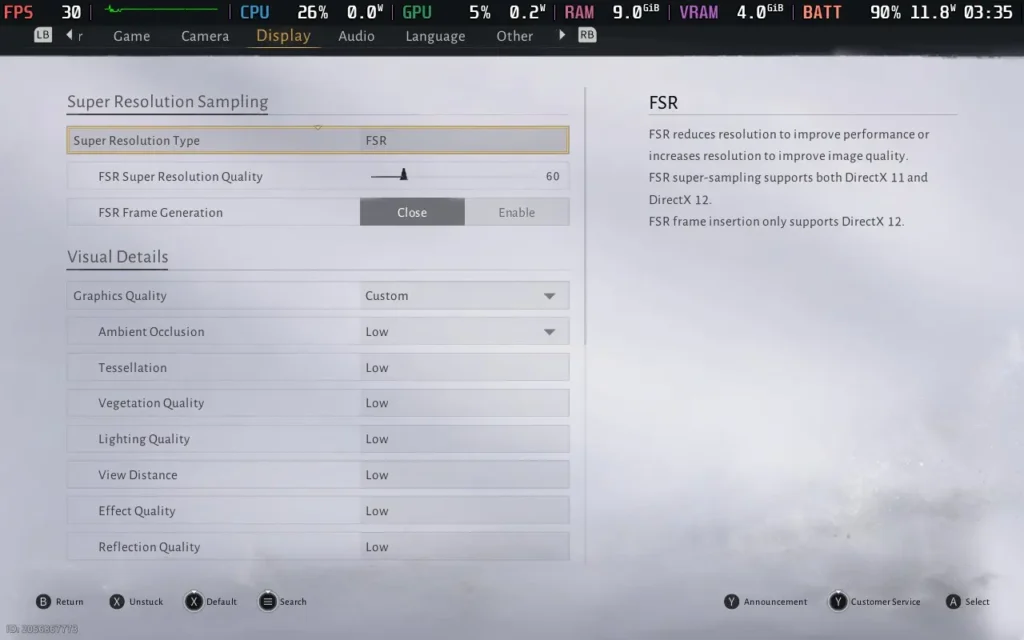
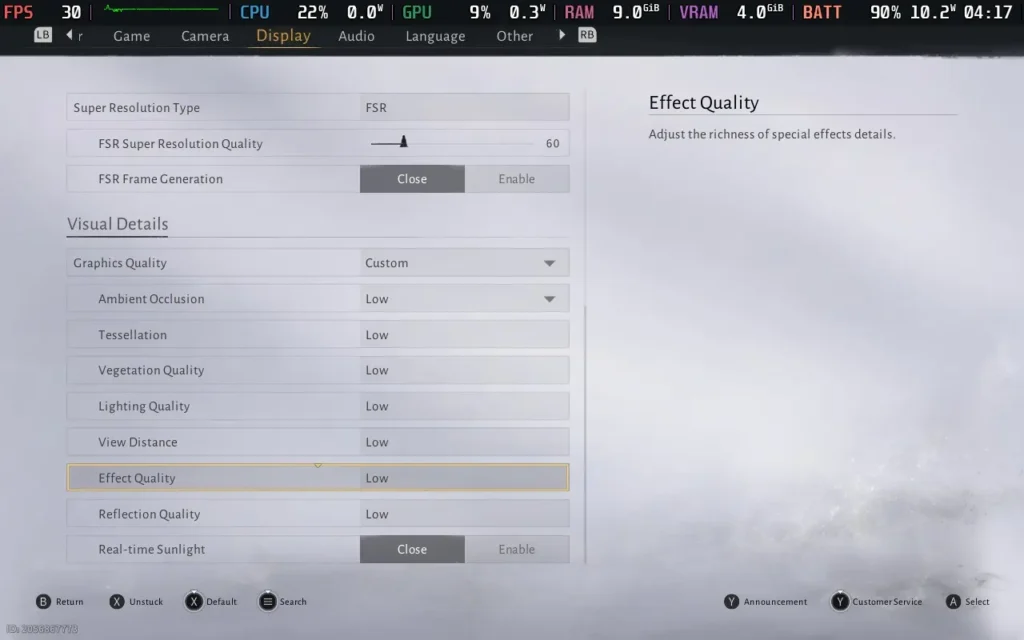
Sadly, even with the lower settings, we do struggle with performance. Out in rural areas, the game does by and large stick to 30 FPS, but once we get into any sort of area with a decent amount of NPCs, expect the performance to drop to unpleasant levels, around 20-25.
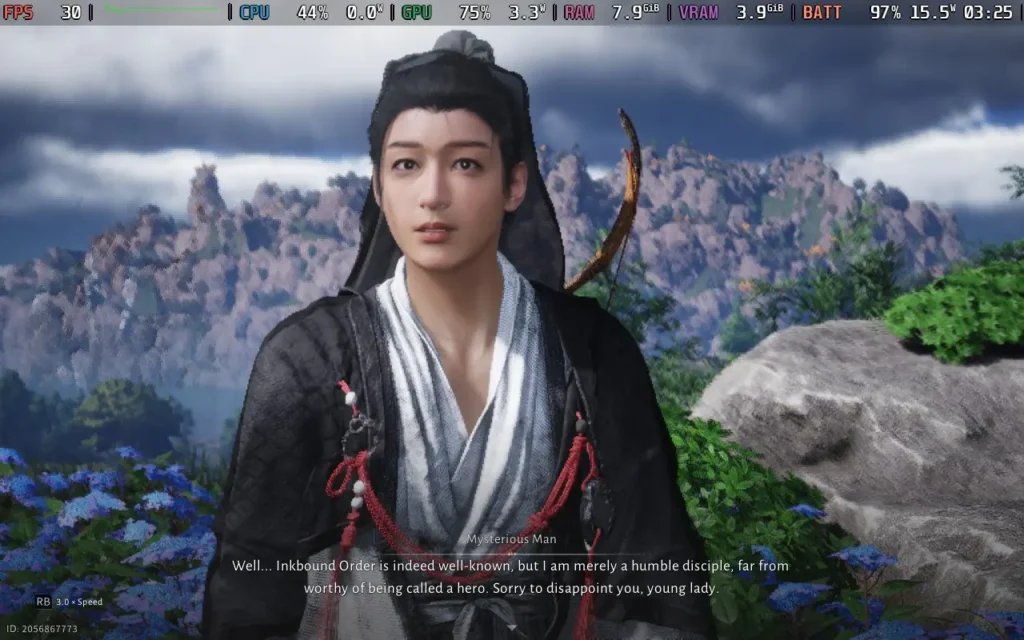
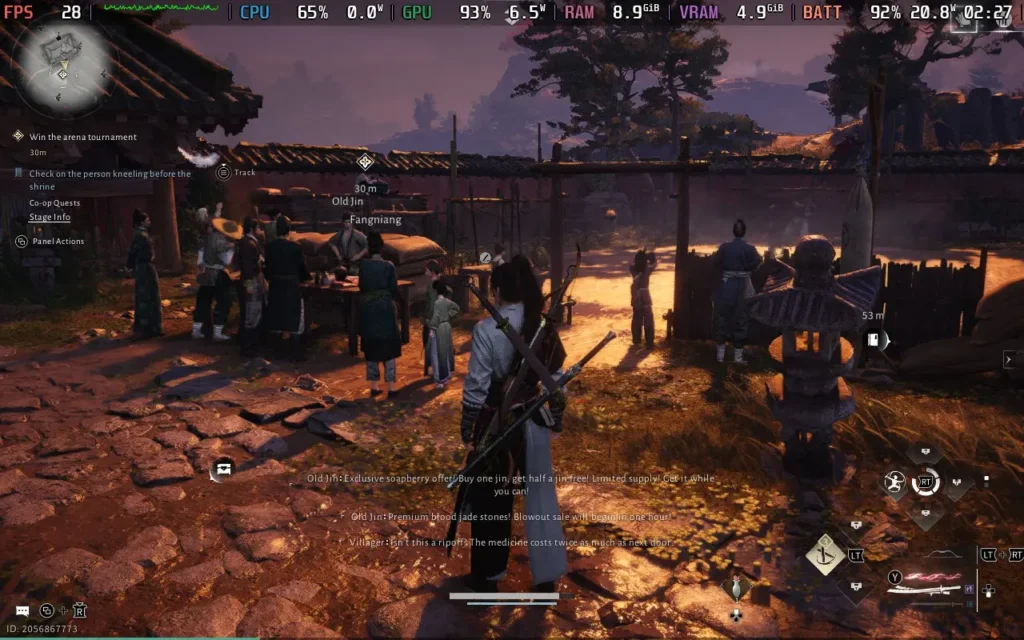

Power draw is also high, around 15W-21W, meaning you can expect about 2.5 hours of battery life on a Steam Deck OLED, and about 1.5 hours on a Steam Deck LCD.
Ultimately, I wouldn't call Where Winds Meet playable on the Steam Deck, but it's ever so close. A couple of optimizations here and there, and I'd be up for recommending this as a game to play on the Deck.

最近のニュース
カテゴリー
Accessories
Anbernic
Android
ASUS ROG Ally
ROG Xbox Ally
Classics on Deck
Community
Cryobyte33
Deals
Deck Mods
Emulation
Events
Featured Post
Game News
Game News
General Game News
HandheldHQ
Hardware
Lenovo
Linux
MagicX
Nintendo
ONE-NETBOOK
Opinion
Other Reviews
Accessory Reviews
Handheld Reviews
PlayStation
Proton
Retro Handhelds
Anbernic
AYANEO
AYN
GPD
MagicX
MANGMI
Retroid
TrimUI
SDHQ
Steam
Steam Machine
SteamOS
The Unsupported Report
Uncategorized
Uncategorized
最近のヒント&GUIDES
新着レビュー