まだの方は、X(ツイッター)またはマストドンでフォローし、新しい記事の投稿をお知らせください。また、Redditに参加したり、YouTubeに登録して、私たちのコンテンツをチェックしたり、素晴らしいコミュニティと交流してください。応援ありがとうございます!
Subsistence has been around for quite awhile at this point, and it's interesting to see it. The first-person open-world survival game is an intriguing one, especially since the goal of the project is to integrate base-resource micro-management that we see in real-time strategy titles like Starcraft and put them into a shooter. It's a solo dev project, and it's clear that they care since the game has been getting updated for the last eight years. While it was already playable on the Steam Deck, the newest update should help improve how it feels to play with a controller.
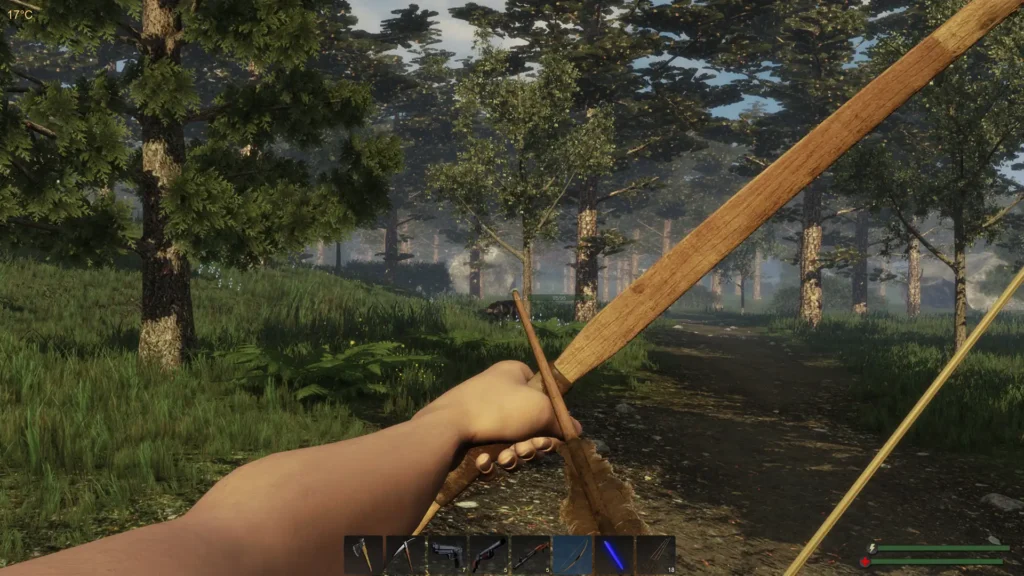
That's right! In the new Alpha 64 update, we now officially have controller support. The support should be covering all Xbox, PlayStation, Steam Deck, and generic controller types, all made with Steam Input! This was the basis the developer used for the controller support, which meant integrating Steam Deck controls would be super easy to do. Here is the control scheme that they created:
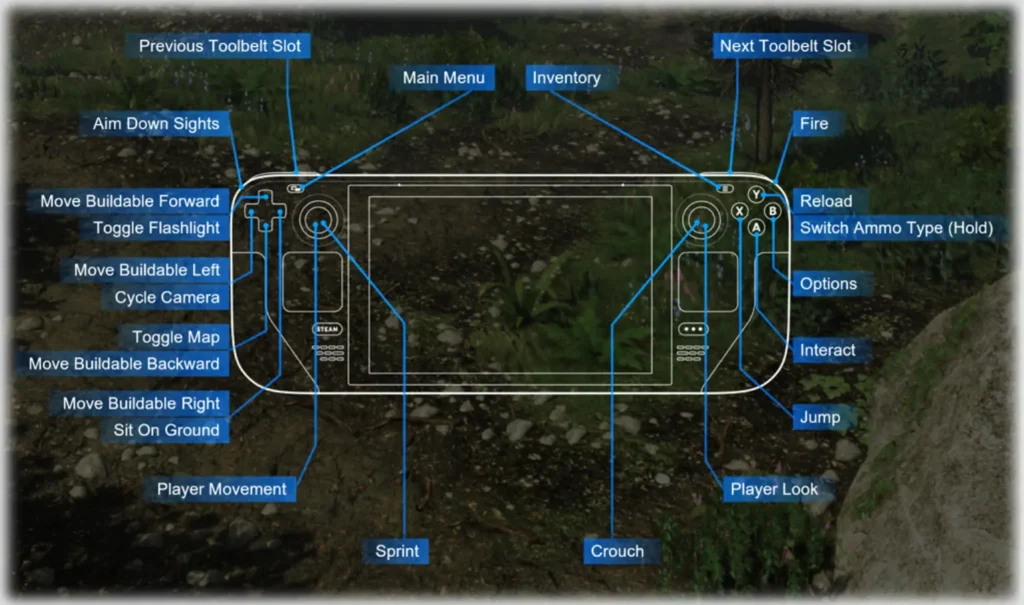
If you have a different layout for Subsistence right now, you will have to change it by going to the layout page and finding the corresponding recommended layout when you are going to load in layouts. This also comes with all new controls menu and better glyphs to not only be easier to read, but also show a little image of the item you would be interacting with that has a count next to it (only for items that have been dropped).
But that's not all! The new update includes new animations for building structures, inventory items, and navigation menu, customizable ADS (Aiming Down Sights) sensitivity, new prompts for in-game inputs, new toolbelt selecting, quick craft hotkey, and some other changes like Claymores being stackage and your vehicle will no longer fall through the vehicle bay if you recall it.
The full changelog can be viewed on their Steam Community Post.
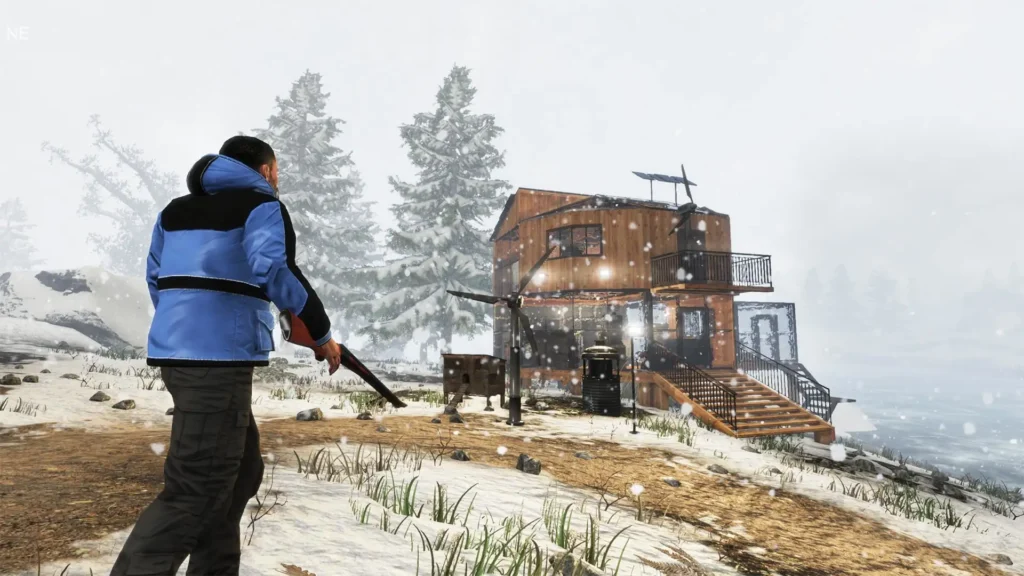
Subsistence can be purchased on Steam for $11.19 (20% Off sale until 9/8) and is rated Steam Deck Playable due to the launcher/setup tool, showing incorrect controller icons, needing to manually bring up virtual keyboard, small in-game text, and needing to change graphics settings for optimal gameplay.
この記事を楽しんでいただけたなら、SteamDeckHQ の他のコンテンツもチェックしてみてください!あなたのゲーム体験に役立つゲームレビューやニュースを幅広く取り揃えています。ニュース、ヒントやチュートリアル、ゲーム設定やレビュー、最新のトレンド情報など、あらゆる情報をお届けします。 カバーしています!

最近のニュース
カテゴリー
Accessories
Anbernic
Android
ASUS ROG Ally
ROG Xbox Ally
Classics on Deck
Community
Cryobyte33
Deals
Deck Mods
Emulation
Events
Featured Post
Game News
Game News
General Game News
HandheldHQ
Hardware
Lenovo
Linux
MagicX
Nintendo
ONE-NETBOOK
Opinion
Other Reviews
Accessory Reviews
Handheld Reviews
PlayStation
Proton
Retro Handhelds
Anbernic
AYANEO
AYN
GPD
MagicX
MANGMI
Miyoo
Retroid
TrimUI
SDHQ
Steam
Steam Machine
SteamOS
The Unsupported Report
Uncategorized
Uncategorized
最近のヒント&GUIDES
新着レビュー