まだの方は、X(Twitter)、Mastodon、Blueskyでフォローし、新しい記事が投稿されたらお知らせください。また、Redditに参加したり、YouTubeに登録して、私たちのコンテンツをチェックしたり、素晴らしいコミュニティと交流してください。応援ありがとうございました!
With Resident Evil Requiem right around the corner, we thought it'd be a good idea to go back through the fantastic catalogue of Resident Evil titles available on Steam and check how each of them performs on the Steam Deck.
Despite some dubious ratings given by Valve's verification system, I've been pleasantly surprised with the results!
Please note that the information provided was correct at the time of writing. However, updates to Proton, Valve compatibility ratings, and potential game patches could change results.

All Resident Evil Games on Steam Tested on Steam Deck:
Resident Evil (2015) - 5/5
- 16:10 Resolutions Supported: No
- Recommended TDP Limit: 15W
- Recommended FPS Limit: In-Game Frame Limit of 60 FPS
- Cloud Saves Supported: Yes
- Steam Deck Compatibility Rating: Verified
- Note: Force use of Proton-GE in Game Properties to View Cutscenes
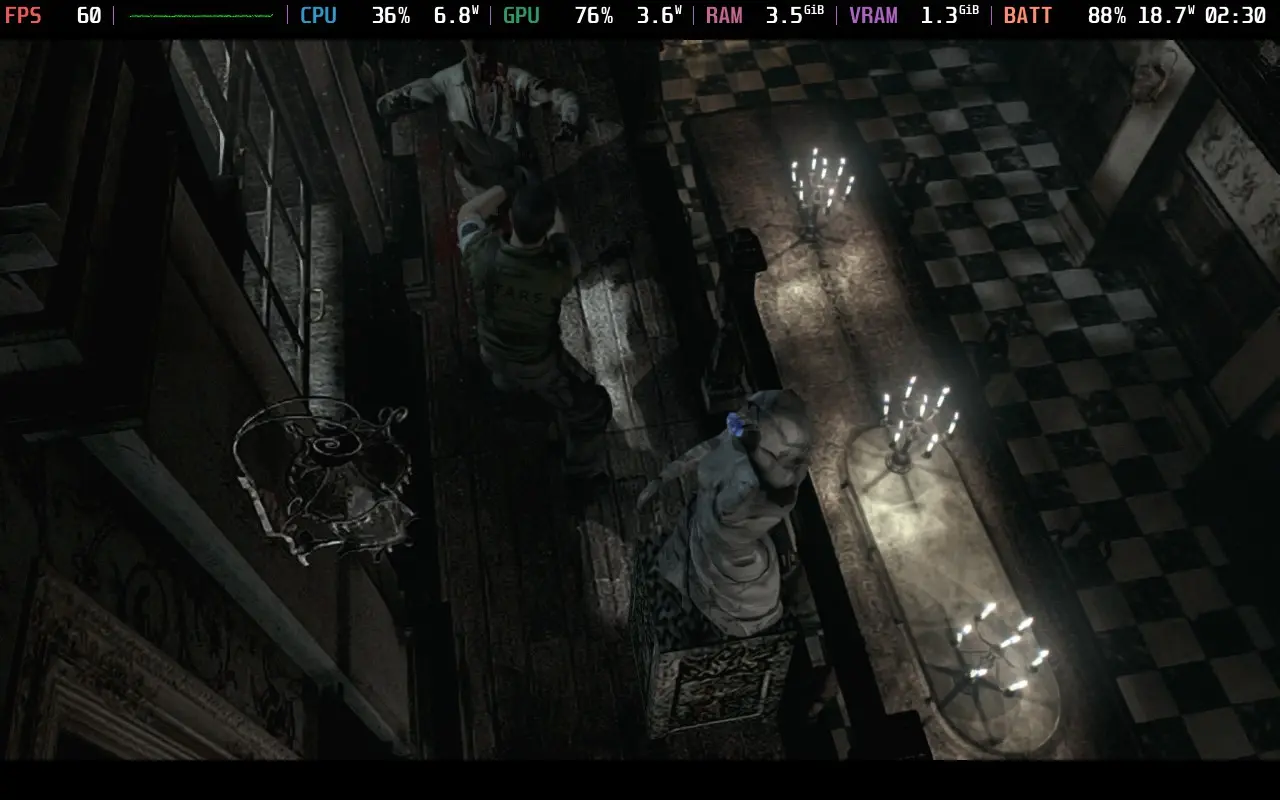
The 2015 HD Remaster of Resident Evil runs nearly perfectly on the Steam Deck. It doesn't support 1280x800 as a resolution, so we have to play at 1280x720 with borders. The cutscenes don't work unless you use Proton-GE, but aside from that, it's a perfect experience.
The game defaults to high settings, although you will need to adjust the frame rate cap to 60 FPS, as it defaults to 30. The game manages to maintain a stable 60 FPS, and you can always lower it to 30 FPS if you want to preserve battery life.
Resident Evil 2 (2019) - 5/5
- 16:10 Resolutions Supported: Yes
- Recommended TDP Limit: 8W
- Recommended FPS Limit: 45 FPS
- Cloud Saves Supported: Yes
- Steam Deck Compatibility Rating: Verified
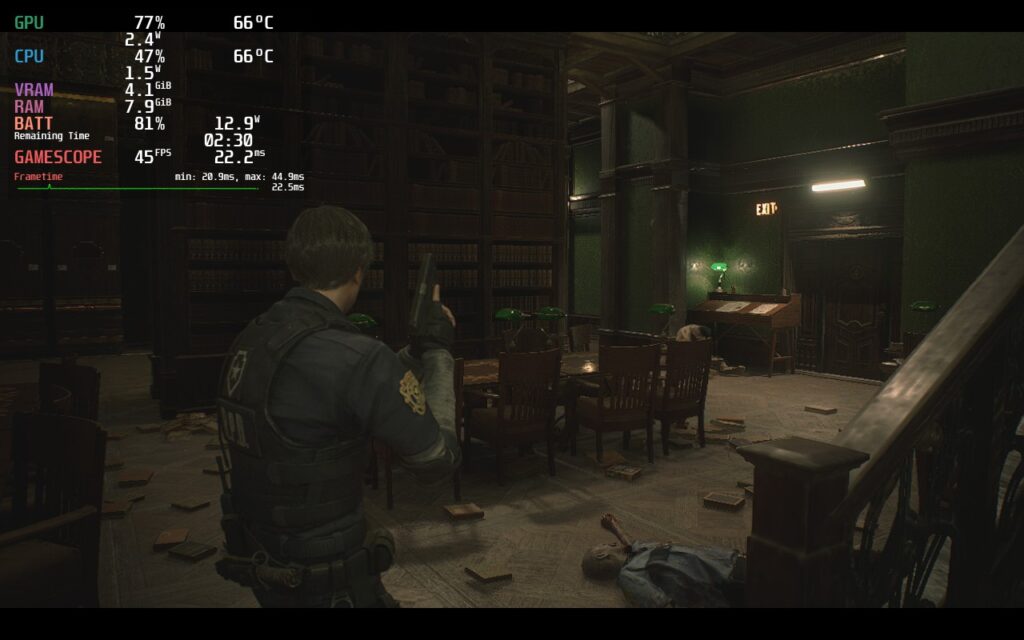
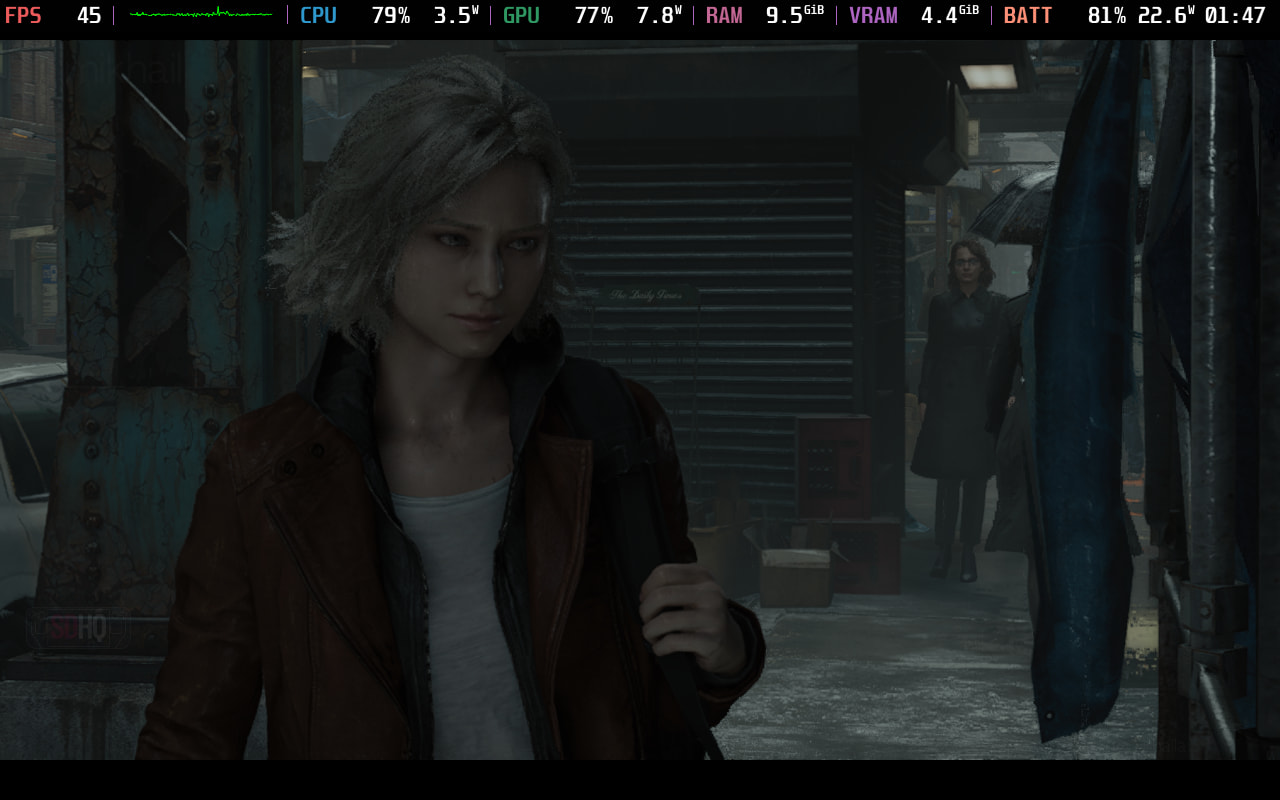
Resident Evil 2 is a little more difficult to run thanks to the newer remaster. But the Steam Deck can still pull it off pretty well. Using a mix of High and Medium settings, we can achieve a stable 45 FPS while still maintaining a respectable battery life. If you want the full rundown of our recommended settings, check out our review of Resident Evil 2 (2019).
Resident Evil 3 (2020) - 5/5
- 16:10 Resolutions Supported: No
- Recommended TDP Limit: 9W
- Recommended FPS Limit: 45 FPS
- Cloud Saves Supported: Yes
- Steam Deck Compatibility Rating: Playable
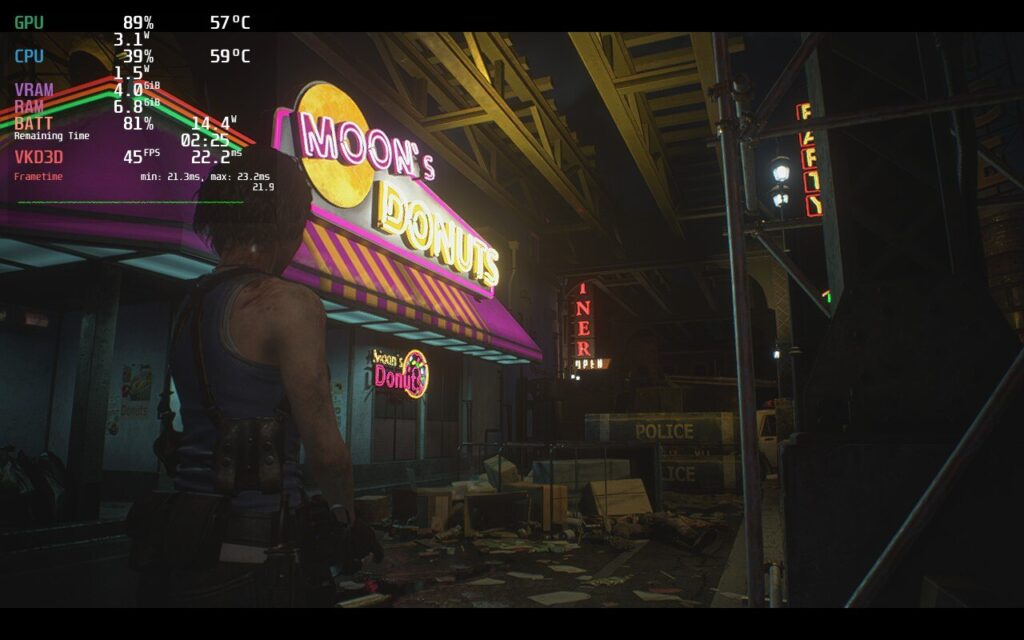
The Resident Evil 3 remaster, like RE2, is perhaps best played at 45 FPS, though we were able to run it at 60 FPS with slightly degraded visuals. The controls, as you would expect, work well, and we're able to get away with some pretty high visual settings on this one. Strangely, 1280x800 isn't supported here, despite the remakes of RE2 and RE4 supporting it.
If you want the full settings run-down, you can read our Resident Evil 3 (Remake) Review.
Resident Evil 4 (2023) - 4/5
- 16:10 Resolutions Supported: Yes
- Recommended TDP Limit: 10W
- Recommended FPS Limit: 30 FPS
- Cloud Saves Supported: Yes
- Steam Deck Compatibility Rating: Verified
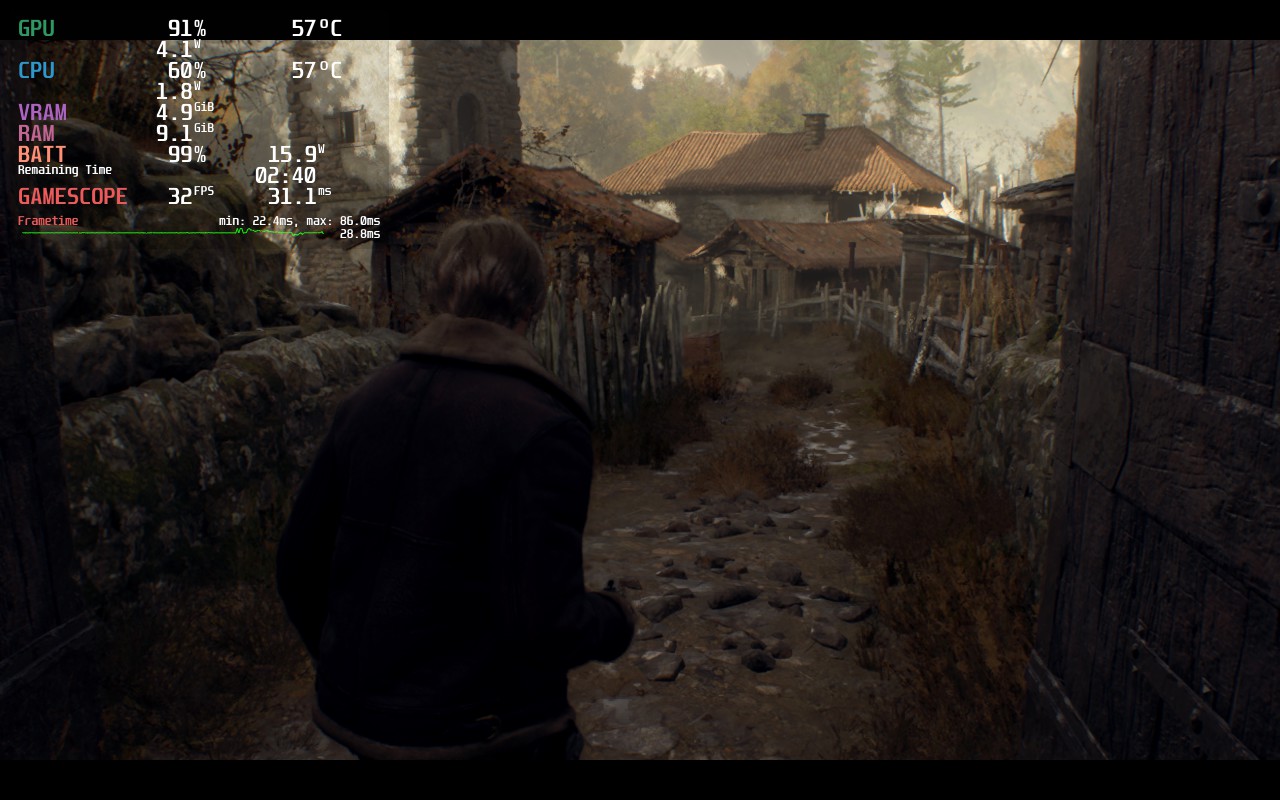
Resident Evil 4 (2023) still comes away looking very solid on the Steam Deck. We drop to 30 FPS with our recommended settings here, but the game looks great on Medium. As you would expect, the controls also work really well. If you want the full run-down on the game, read our review.
Resident Evil 0 / Zero (2016) - 4/5
- 16:10 Resolutions Supported: Yes (but still shows borders)
- Recommended TDP Limit: 15W
- Recommended FPS Limit: 60 FPS, set via in-game frame rate cap
- Cloud Saves Supported: Yes
- Steam Deck Compatibility Rating: Unsupported
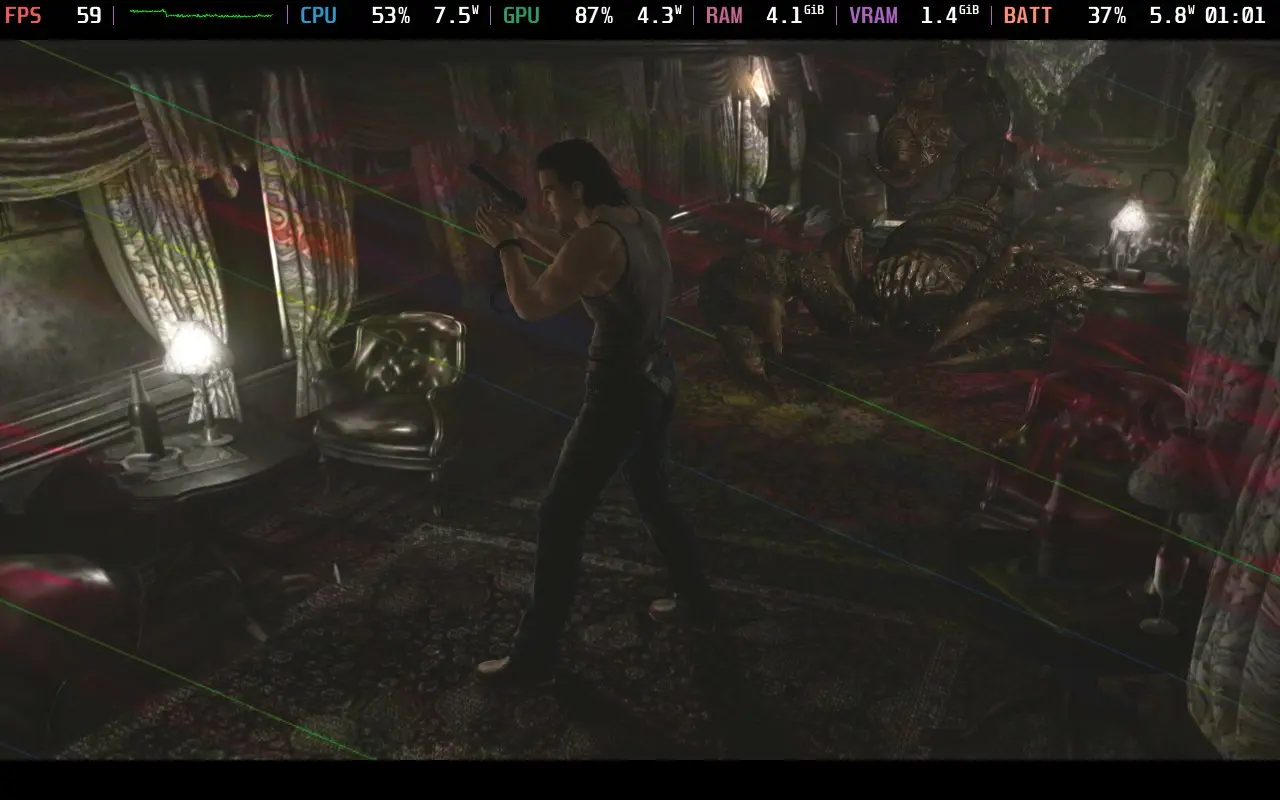
While Valve lists Resident Evil 0 as unsupported, I would list it as Playable. There are some visual effect issues, seemingly when dealing with rays of light, in that they appear multi-colored, but it doesn't prevent you from enjoying the game.
The game lets you set the resolution to 1280x800, but it's still played in 16:9, so there's not much benefit to choosing it over 1280x720. As you would expect, the controls work perfectly fine, at least as well as Resident Evil controls can work.
The game defaults to Low Shadow settings. I bumped these up to High and never noticed the GPU getting stressed. The game is more CPU-intensive, so the occasional frame drop into the 50s is due to CPU load, not the GPU. I ended up setting a manual GPU clock to 1200 MHz in SteamOS and using the in-game 60 FPS cap; there are occasional frame drops, but they aren't too noticeable.
Resident Evil 5 (2009) - 5/5
- 16:10 Resolutions Supported: Yes
- Recommended TDP Limit: 15W
- Recommended FPS Limit: 90 FPS
- Cloud Saves Supported: Yes
- Steam Deck Compatibility Rating: Unsupported
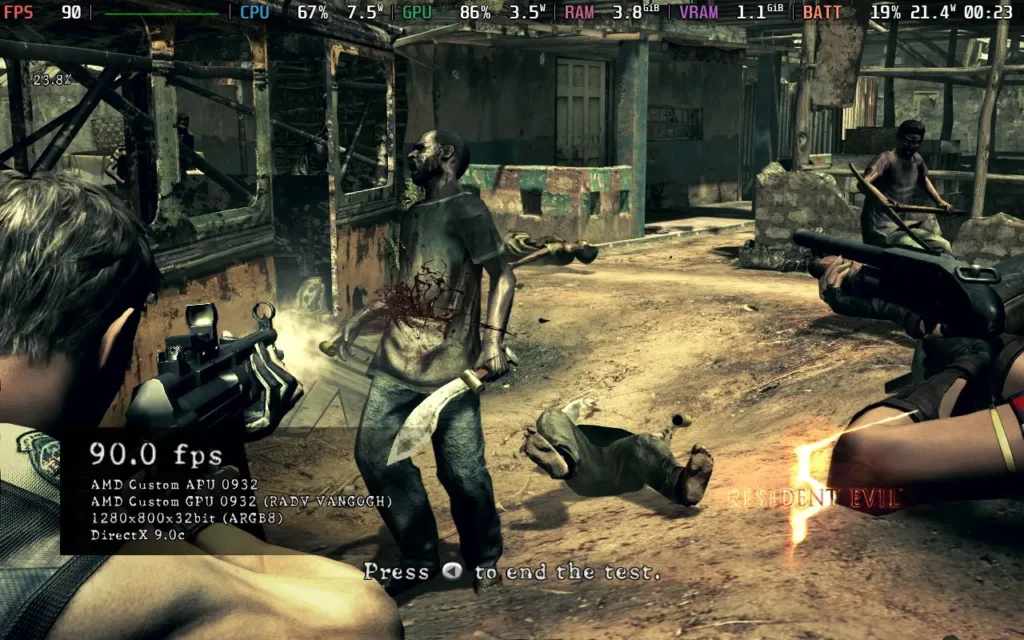
Despite being rated as Unsupported by Valve, Resident Evil 5 seems to run flawlessly on the Steam Deck. I upped all the settings to their maximum and set the frame limit to 60 FPS on my Steam Deck OLED, and then ran the in-game benchmarking tool that takes you through a few AI-controlled fights.
The result was a locked 60 FPS experience. The control scheme works very well, and I'm not sure why this one is rated as Unsupported. You can even play at 90 FPS with a few dips into the 80s if you wish.
Resident Evil 6 (2013) - 5/5
- 16:10 Resolutions Supported: Yes
- Recommended TDP Limit: 10W
- Recommended FPS Limit: 60 FPS
- Cloud Saves Supported: Yes
- Steam Deck Compatibility Rating: Verified
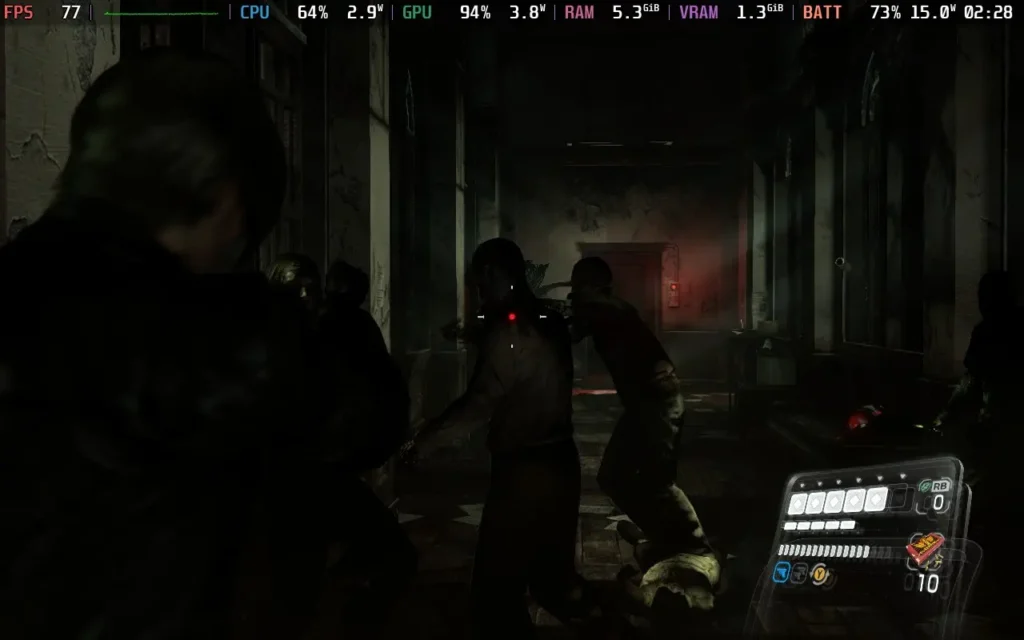
Resident Evil 6, much like RE5, runs great on the Steam Deck. It supports 16:10 resolutions, it can have an unlocked frame rate, and it has great controller support.
While you can technically play this at 90 FPS on a Steam Deck OLED for most of the time, I opted to lower the TDP Limit to 10W and keep a stable 60 FPS, saving some battery life. You can run with all graphical settings at their maximum.
Resident Evil 7: Biohazard (2017) - 5/5
- 16:10 Resolutions Supported: Yes
- Recommended TDP Limit: 15W
- Recommended FPS Limit: 60 FPS
- Cloud Saves Supported: Yes
- Steam Deck Compatibility Rating: Verified
- Note: Force use of Proton-GE to fix cutscenes
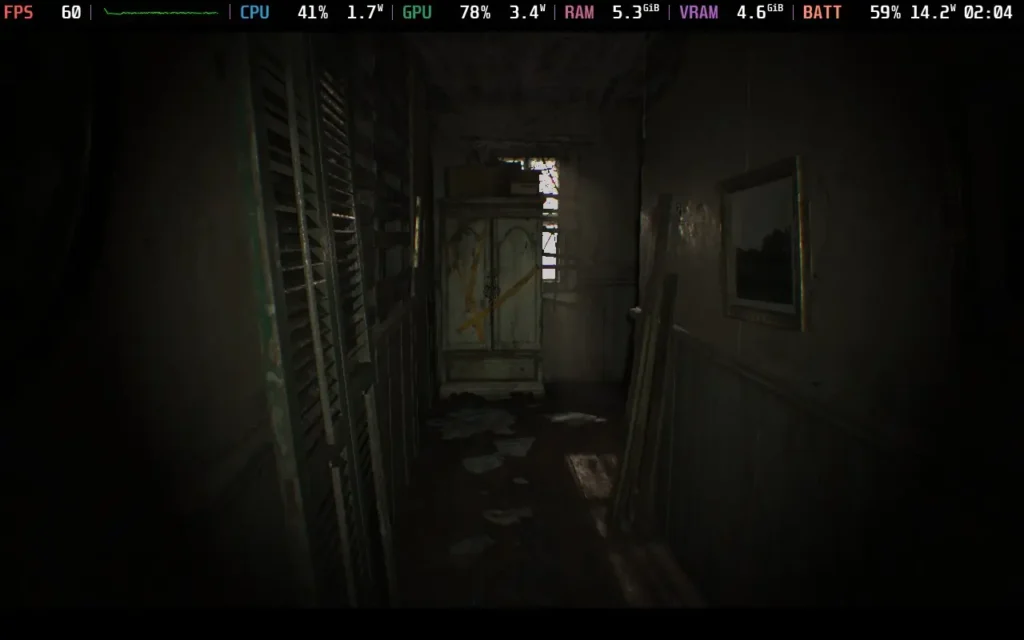
Resident Evil 7: Biohazard also runs really well on Steam Deck, with the exception of having to run Proton-GE in order to get cutscenes working properly. The controls work perfectly, as expected.
As for graphical settings, I tweaked them slightly from the game's defaults, purely to improve image quality. I disabled FSR1 and switched the Anti-Aliasing to SMAA instead of FXAA+TAA, to clear up the rather muddy image we get by default. I also used the in-game frame cap to limit FPS to 60. Even with the improvements in visuals, we still maintain a solid 60 FPS.
Resident Evil Village (2021) - 4/5
- 16:10 Resolutions Supported: Yes
- Recommended TDP Limit: 15W
- Recommended FPS Limit: 45 FPS
- Cloud Saves Supported: Yes
- Steam Deck Compatibility Rating: Verified
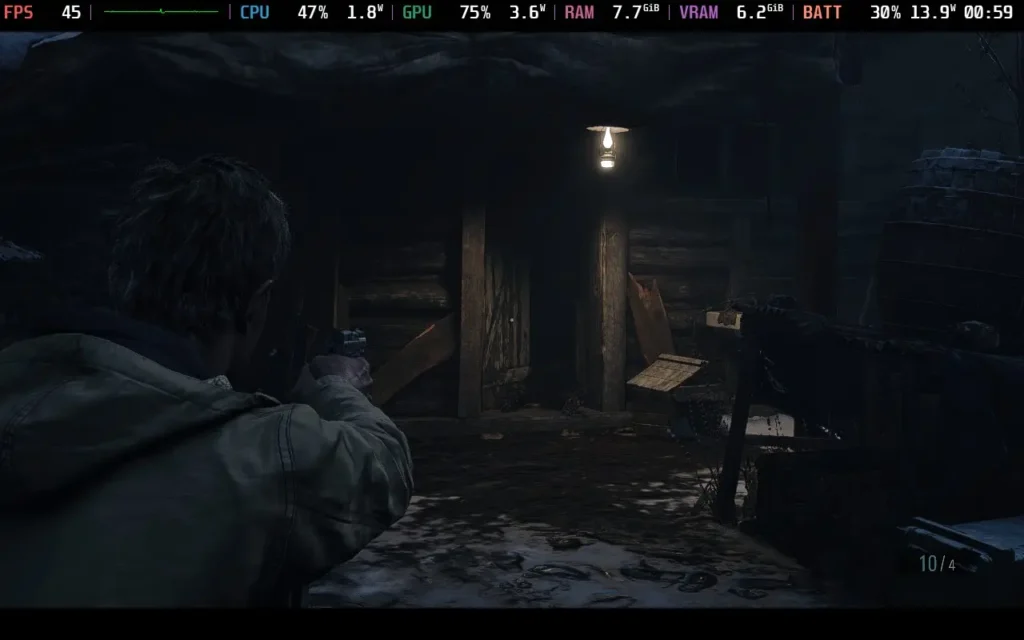
Upon first boot, I was confronted with a message saying I needed to install some software, requiring me to use the touchscreen to dismiss the message while said software installed, not a huge deal, but worth mentioning.
The default settings in Resident Evil Village prioritize quality over performance, but given the game's rather slow pace, quality and visual effects are arguably more important. Personally, I would keep the settings as they are and impose a 45 FPS frame limit in SteamOS to ensure a good-looking, stable experience.
Besides that, the game runs flawlessly on the Steam Deck with great controls and a decent presentation.
Resident Evil: Revelations (2013) - 5/5
- 16:10 Resolutions Supported: Yes
- Recommended TDP Limit: 8W
- Recommended FPS Limit: 90 (or 60) FPS
- Cloud Saves Supported: Yes
- Steam Deck Compatibility Rating: Verified
- Note: Use Proton-GE to render cutscenes correctly
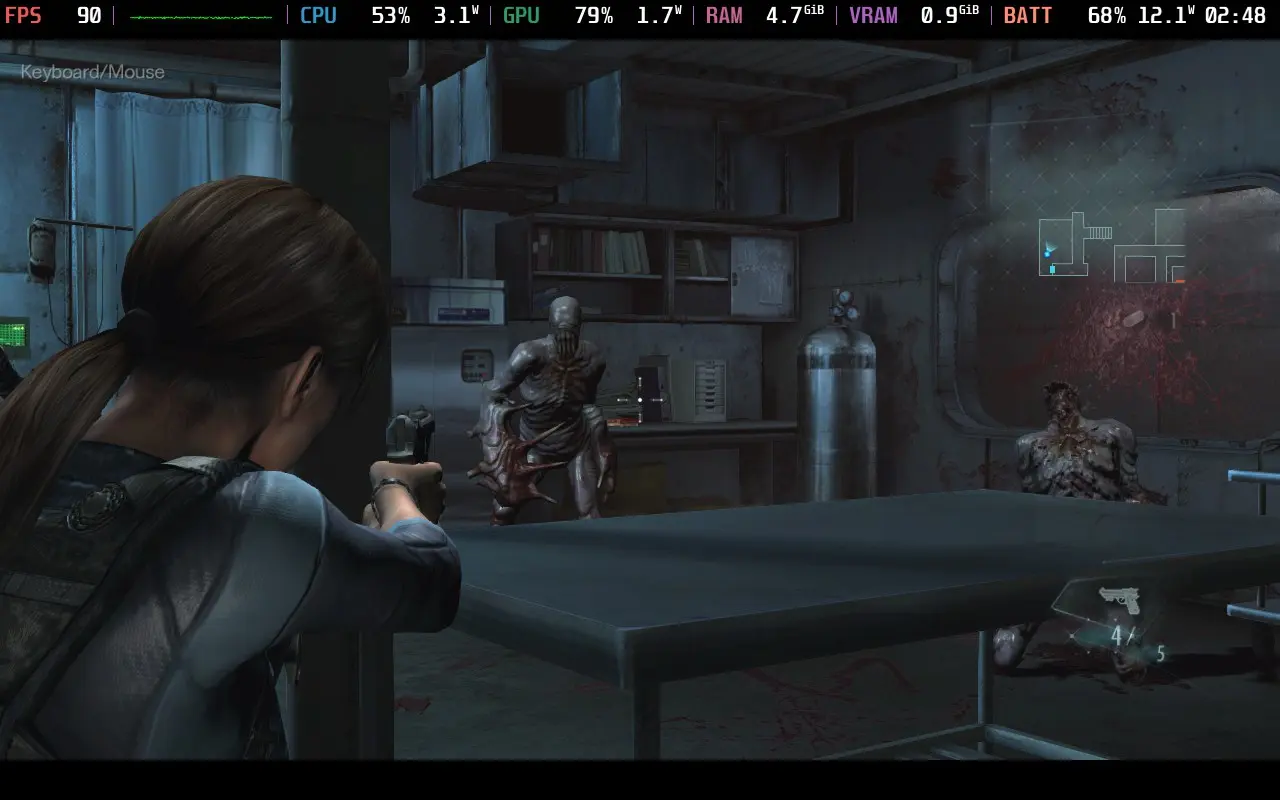
Resident Evil: Revelations, as you might expect from a 3DS port, runs very well on the Steam Deck. The controls translate well, and you can get away with running the game on the maximum graphical settings.
For Steam Deck OLED users, I recommend putting the Frame Rate to Variable and disabling V-Sync, which allows the game to run at 90 FPS, then applying an 8W TDP limit. If you're on the LCD model, you can just keep the frame rate lock at 60 and enjoy a 60 FPS game.
The TDP limit is quite important; otherwise, the CPU draws unnecessary power for some reason.
While the game technically supports 16:10 resolutions, much like other RE games, it still plays in 16:9.
Strangely, while the game is "Verified", the cutscenes do not display properly unless you force the use of Proton-GE.
Resident Evil: Revelations 2 (2015) - 5/5
- 16:10 Resolutions Supported: Yes
- Recommended TDP Limit: 10W
- Recommended FPS Limit: 60 FPS
- Cloud Saves Supported: Yes
- Steam Deck Compatibility Rating: Playable
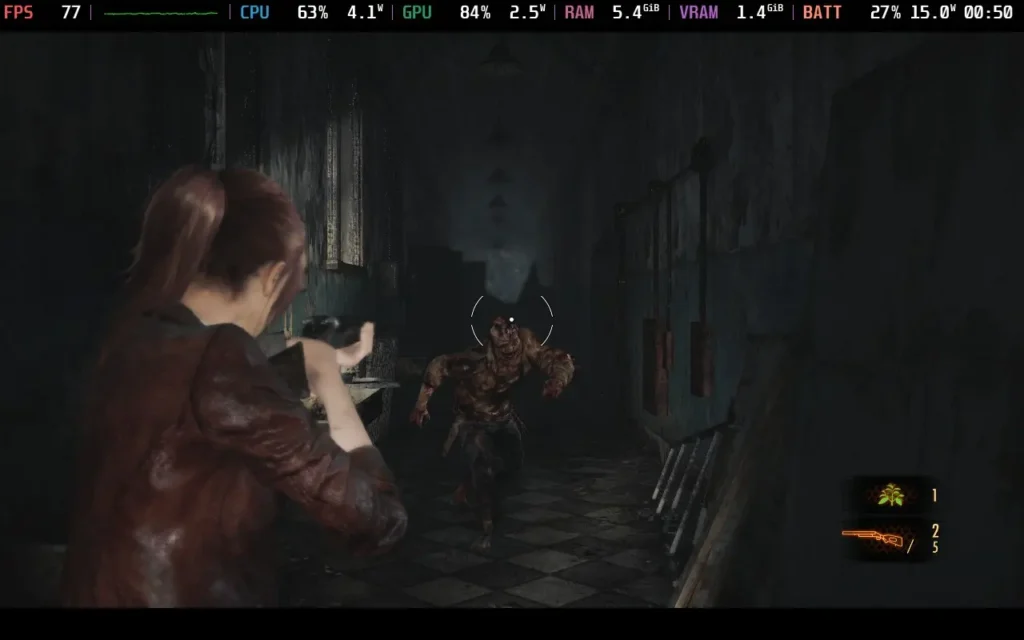
Resident Evil: Revelations 2 is a bit more intensive on the Steam Deck than the original Revelations. We can still reach 90 FPS, but I would recommend you stick to 60 for this one.
To play at 90, manually lock your GPU clock to 1200 MHz and set no TDP limit. You can run at maximum graphical settings and still hit 90. Make sure you set the frame rate to Variable, set your Scanlines to 90Hz, and disable Vsync in-game to run at 90 FPS.
For 60 FPS, which I recommend, set a TDP limit to 10W and run at max settings. This saves us some battery life, reduces fan noise, and still results in a very smooth experience.
As you would expect, no issues with controls here. And again, it does support 16:10 resolutions, but the game is always displayed in 16:9. The game also defaults to a much lower resolution, so make sure you up it to 1280x800 (or 720).
結論
At the end of the day, the Steam Deck is a great device to experience the Resident Evil franchise. There are occasional issues with specific titles, but from my experience with these tests, they're all playable from start to finish with minor tweaks.
この記事を楽しんでいただけたなら、SteamDeckHQ の他のコンテンツもチェックしてみてください!あなたのゲーム体験に役立つゲームレビューやニュースを幅広く取り揃えています。ニュース、ヒントやチュートリアル、ゲーム設定やレビュー、最新のトレンド情報など、あらゆる情報をお届けします。 カバーしています!

最近のニュース
カテゴリー
Accessories
Anbernic
Android
ASUS ROG Ally
ROG Xbox Ally
Classics on Deck
Community
Cryobyte33
Deals
Deck Mods
Emulation
Events
Featured Post
Game News
Game News
General Game News
HandheldHQ
Hardware
Lenovo
Linux
MagicX
Nintendo
ONE-NETBOOK
Opinion
Other Reviews
Accessory Reviews
Handheld Reviews
PlayStation
Proton
Retro Handhelds
Anbernic
AYANEO
AYN
GPD
MagicX
MANGMI
Retroid
TrimUI
SDHQ
Steam
Steam Machine
SteamOS
The Unsupported Report
Uncategorized
Uncategorized
最近のヒント&GUIDES
新着レビュー