まだの方は、X(Twitter)、Mastodon、Blueskyでフォローし、新しい記事が投稿されたらお知らせください。また、Redditに参加したり、YouTubeに登録して、私たちのコンテンツをチェックしたり、素晴らしいコミュニティと交流してください。応援ありがとうございました!
Resident Evil 7 on Switch 2 was provided by Capcom. Thank you!
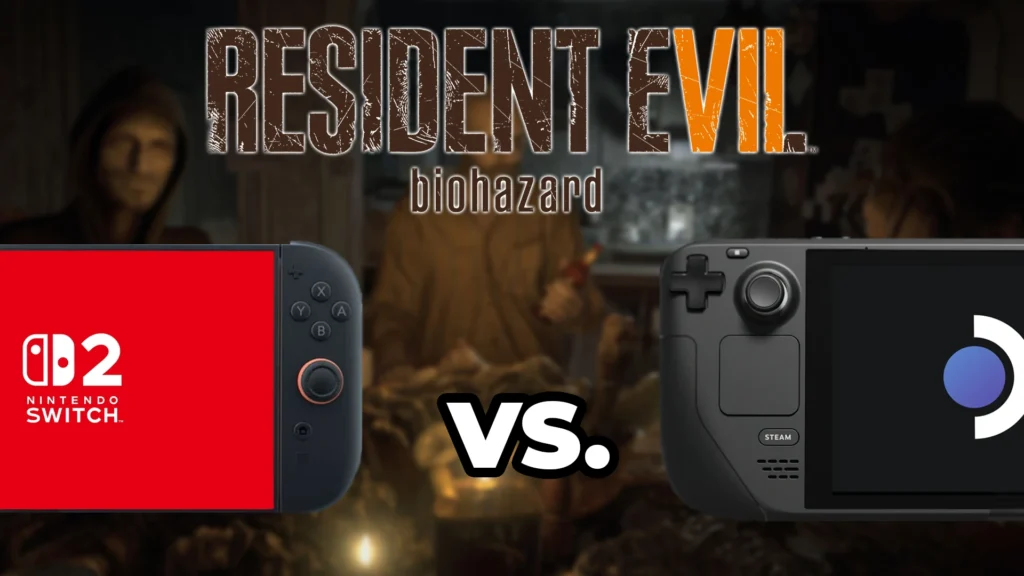
Resident Evil Requiem is nearly here, and with its release on the Nintendo Switch 2, Capcom is bringing the previous two mainline games as well. Both Resident Evil 7 and 8 are coming to Switch 2, dropping on the same day Requiem is (February 27th), and I couldn't be more excited. Capcom sent us over Resident Evil 7 and 8 on the Switch 2 to check out for ourselves, so I decided to do some comparisons between the Steam Deck and Switch 2 to see which version is going to have the best handheld experience.
So, let's start off with Resident Evil 7 and see where you will get the best experience:
Price Comparison
Starting with the price, Resident Evil 7 Gold Edition will be $39.99 on the Switch 2, but on the Steam Deck, we can get it for as low as $10. The Gold Edition is currently on sale on Steam for $10.04 until February 26th and it regularly goes on sale. This is significantly cheaper than the Switch 2, and if you are looking to save money, there's no question which will be better for your wallet.
Buying 7 individually will be cheaper on PC/Steam, but if you plan on buying Resident Evil 7, Village, and Requiem all on the Switch 2, the Generation pack for $89.99 will be the best deal, no matter what. However, this pack will disappear on March 31st, so you have 1 month to take advantage of this better deal.
Switch 2 Handheld Vs. Steam Deck
When playing Resident Evil 7 on Switch 2 in handheld form and on Steam Deck, each version has nice pros and cons. I would say the overall image quality is better on the Switch 2. The increased resolution to 1080p (over the Deck's 720p) helps a lot in general, but some close-up textures seem to have slightly more detail, and the lighting is a little better, too. I noticed that some scenes look darker or lighter when they are appropriate, and it helps make the game look nicer overall.
However, the actual shadows look nearly identical, which look grainy and off-putting. The Deck's lower resolution actually makes the shadows look a little blurrier, which is better in this case. The lower resolution also makes close-up hair look a little blurrier, which I preferred over the sharper image on the Switch 2, where we can see individual strands more easily.
Now, while visuals are better on the Switch 2 overall, performance is better on the Steam Deck. Both devices run the game at 60 FPS, but I found more spots on the Switch 2 where it dropped slightly below. It wasn't enough to be impactful throughout, but it was noticeable. In general, it should feel about the same on both devices.
Then we have the battery life and loading time, which are very different between the two devices.
Battery Life (Handheld) and Loading Time Comparisons
Starting off with the battery life when in handheld mode, I decided to test with the default settings on the Steam Deck while locked to 60 FPS. This is what I would consider the default way to play and gets as close to the Switch 2's performance as possible. I brought both copies of the game to the same spot, right after the family dinner, and standing in the doorway to the Garage, looking back at the table. I set both devices to 50% brightness and brought them both to 67% battery life. Both devices started being recorded at the same exact time.
After around an hour, the Steam Deck became the clear winner in battery life. The Deck's battery life after the hour was 36%, while the Switch 2 was 25%. While this may fluctuate a little in certain areas or when running around the house, it's clear that the Steam Deck will have better battery life. More than likely, it will amount to an extra 30 minutes to an hour before the device dies, but that's still extra time to keep playing.
As for loading into the game, the Switch 2 takes the cake. The Switch 2 will boot the game and get to the skippable splash screens much quicker than the Steam Deck. As soon as we hit play, the Switch 2 will take around 6 seconds to get to the splash screens, while the Deck will take around 20 seconds. This continues over to saving data as well, where the Deck will take 6 seconds, and the Switch 2 will take 1.5 seconds. In almost every scenario, the Switch 2 will come out on top.
Switch 2 Docked Enhancements
When the Switch 2 is docked, we don't really see much change in visual quality, but with an extra resolution bump to 1440p, the image is even sharper with clearer details. This also inadvertently helps shadows look less grainy and is consistent across the game. The image quality here is easily the best we will find compared to handheld gameplay, and we do have a more stable 60 FPS playing this way.
However, shadows still do look a little grainy. It doesn't completely get away from it, though it does make it significantly less noticeable. It also makes the strands of hair even sharper, and I preferred the slightly blurry look from the Steam Deck. Still, it's hard to deny how great the game looks and plays overall when docked.
Further Steam Deck Improvements
While the default settings on the Steam Deck do put almost all of the settings at the highest, we can increase them more if you're okay with bringing down the framerate to 30 FPS. This can include better anti-aliasing (SMAA), turning off FSR 1.0 upscaling, bringing up resolution scaling to 1.5, and turning up Ambient Occlusion to FidelityFX CACAO. This makes the game look significantly better than before, and gets rid of a lot of the resolution issues, but it does come at a cost to performance.
We can also change the framerate to 30 FPS at the default settings to save even more battery, which is a nice option to have.
So Which Handheld Should You Play On?
Well, now we get to which handheld will provide the better experience for Resident Evil 7, and it gets a little tough. The image quality on the Switch 2 in handheld mode is superior, thanks to the higher resolution, and loading times are significantly faster, but the Steam Deck has more stable performance and better battery life. And while the Deck's graphical quality can be improved by sacrificing framerate, the Switch 2's docked experience is still 60 FPS with a huge resolution boost.
When it comes to the overall experience, though, I find myself met in the middle. However, if I had to choose one, the Switch 2 version is just better. 60 FPS with a higher resolution and similar quality levels to the Steam Deck just put it above when it comes to actually enjoying playing the game. That resolution bump really does wonders for quality.
But that doesn't mean playing on the Steam Deck shouldn't be considered. The price for the game on the Deck is significantly lower, and we have better battery life with more options to customize the way we want to play. However, if you are just looking to play Resident Evil 7 out of the box and not change a thing, the Switch 2 will come out on top by a hair.
Resident Evil 7 Gold Edition is on sale for the Steam Deck for $10.04, while over on the Switch 2 eShop, you can get it for $39.99.
この記事を楽しんでいただけたなら、SteamDeckHQ の他のコンテンツもチェックしてみてください!あなたのゲーム体験に役立つゲームレビューやニュースを幅広く取り揃えています。ニュース、ヒントやチュートリアル、ゲーム設定やレビュー、最新のトレンド情報など、あらゆる情報をお届けします。 カバーしています!

最近のニュース
カテゴリー
Accessories
Anbernic
Android
ASUS ROG Ally
ROG Xbox Ally
Classics on Deck
Community
Cryobyte33
Deals
Deck Mods
Emulation
Events
Featured Post
Game News
Game News
General Game News
HandheldHQ
Hardware
Lenovo
Linux
MagicX
Nintendo
ONE-NETBOOK
Opinion
Other Reviews
Accessory Reviews
Handheld Reviews
PlayStation
Proton
Retro Handhelds
Anbernic
AYANEO
AYN
GPD
MagicX
MANGMI
Retroid
TrimUI
SDHQ
Steam
Steam Machine
SteamOS
The Unsupported Report
Uncategorized
Uncategorized
最近のヒント&GUIDES
新着レビュー