まだの方は、X(ツイッター)またはマストドンでフォローし、新しい記事の投稿をお知らせください。また、Redditに参加したり、YouTubeに登録して、私たちのコンテンツをチェックしたり、素晴らしいコミュニティと交流してください。応援ありがとうございます!
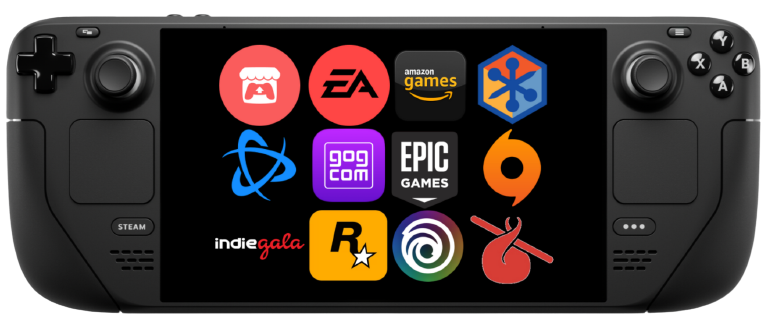
Quite possibly the best way to install third party launchers onto your Steam Deck, whether it be Ubisoft Connect or the Epic Games Store, is the NonSteamLaunchers script. The script, which was created by moraroy, automatically downloads whichever launcher (and some streaming sites), downloads the latest Proton GE, installs all of it, adds it to Steam, and gives it a custom controller configuration. It all works extremely well, and it's one of my favorite ways to download and install launchers. Now, a new update is here, and it fixes some issues that were present if you have EmuDeck installed, too.
From the last update, there were some incompatibilities with EmuDeck and Steam Rom Manager specifically, but with the newest update, there should no longer be any errors! You may need to get rid of the previous NonSteamLauncher shortcuts so that the new version can remake them (no data should be lost). There were also some bugs fixed with shortcuts, Battle.net will install correctly, and some moe code was optimized (huzzah!) We also have a better backup system for shortcuts with dated timestamps.
You can update NonSteamLaunchers by either downloading the new version from the GitHub page or running the program to auto update!
NonSteamLaunchers 3.9 Update Changelog:
- NonSteamLaunchers is now compatible with Emudeck And SteamRomManager!!!
should no longer have any errors- TO ENSURE COMPATIBILITY, I WOULD REMOVE ALL PREVIOUS NONSTEAMLAUNCHER SHORTCUTS...and then let the current version of NSL remake them, going forward there should no longer be any conflicts<<
- fixed a lot of bugs in the desktop version in regards to shortcuts and how the launchers were installing
- created a better backup system for your shortcuts.vdf, it creates a nice folder with dated timestamps of all your backups!
- fixed battle.net from not installing correctly
- finally... got rid of ~200 lines of code
この記事を楽しんでいただけたなら、SteamDeckHQ の他のコンテンツもチェックしてみてください!あなたのゲーム体験に役立つゲームレビューやニュースを幅広く取り揃えています。ニュース、ヒントやチュートリアル、ゲーム設定やレビュー、最新のトレンド情報など、あらゆる情報をお届けします。 カバーしています!

最近のニュース
カテゴリー
Accessories
Anbernic
Android
ASUS ROG Ally
ROG Xbox Ally
Classics on Deck
Community
Cryobyte33
Deals
Deck Mods
Emulation
Events
Featured Post
Game News
Game News
General Game News
HandheldHQ
Hardware
Lenovo
Linux
MagicX
Nintendo
ONE-NETBOOK
Opinion
Other Reviews
Accessory Reviews
Handheld Reviews
PlayStation
Proton
Retro Handhelds
Anbernic
AYANEO
AYN
GPD
MagicX
MANGMI
Miyoo
Retroid
TrimUI
SDHQ
Steam
Steam Machine
SteamOS
The Unsupported Report
Uncategorized
Uncategorized
最近のヒント&GUIDES
新着レビュー