まだの方は、X(Twitter)、Mastodon、Blueskyでフォローし、新しい記事が投稿されたらお知らせください。また、Redditに参加したり、YouTubeに登録して、私たちのコンテンツをチェックしたり、素晴らしいコミュニティと交流してください。応援ありがとうございました!
The default method I use to play games from the Epic and GOG stores is the Heroic Launcher. The features and support it has, as well as the fantastic UI, make me keep coming back to it for my go-to spot for third-party games. Today, the Heroic Launcher got a brand new 2.19.0 update, and while there weren't a ton of changes, it does have some nice new features that I am excited for.
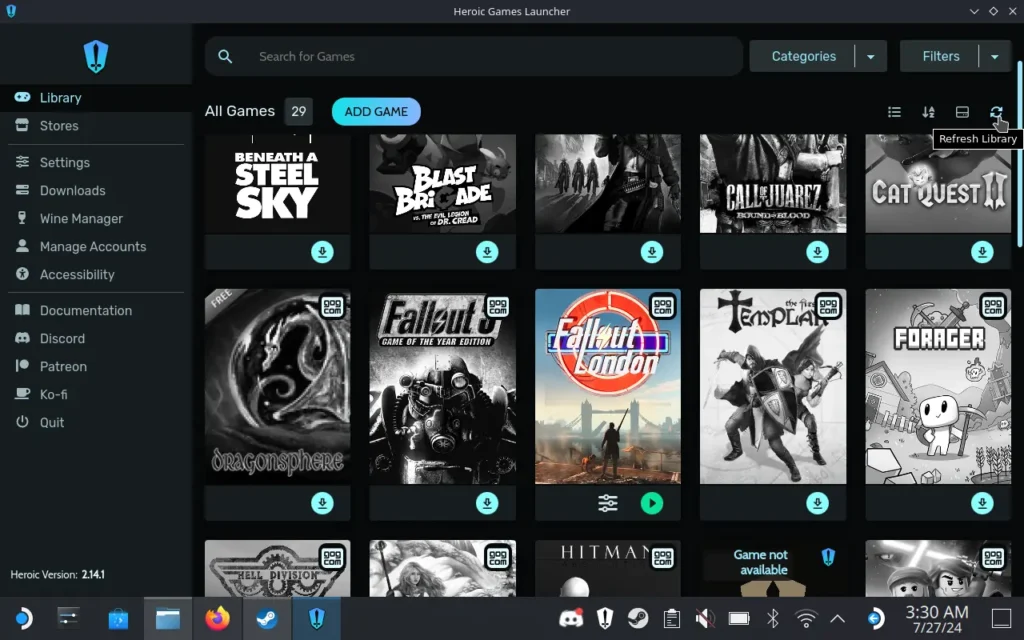
One of the biggest new changes is the addition of the ZOOM Platform. Before this update, the Heroic Launcher would only bring in games from Epic, GOG, and Amazon Prime, so now we can add the ZOOM Platform to the list! This is experimental and only available for Linux devices currently, but more options are always a treat.
On top of that, we have a new import button on game pages to make it easier to find them, there are some sync-save options added to the game page, gamepad navigation has been improved in general, and some options were cleaned up that aren't relevant anymore. Initial support for AppImage auto-updates has also been implemented, and some fixes for a few bugs with Epic and GOG have been made for game listings and updates.
The other improvements from this update are geared more towards MacOS, but I would still consider this a great update. Adding support for another platform is wonderful, and with the ZOOM Platform, we can get some updated classics like FlatOut, Rig 'n' Roll, and many more. It's a worthwhile update to have, and I can't wait to see what the team will roll out next (hopefully itch.io support).
The new 2.19.0 update will be available to update from the Discover Store directly for the Steam Deck, but you can also download the new version from their GitHub.
この記事を楽しんでいただけたなら、SteamDeckHQ の他のコンテンツもチェックしてみてください!あなたのゲーム体験に役立つゲームレビューやニュースを幅広く取り揃えています。ニュース、ヒントやチュートリアル、ゲーム設定やレビュー、最新のトレンド情報など、あらゆる情報をお届けします。 カバーしています!

最近のニュース
カテゴリー
Accessories
Anbernic
Android
ASUS ROG Ally
ROG Xbox Ally
Classics on Deck
Community
Cryobyte33
Deals
Deck Mods
Emulation
Events
Featured Post
Game News
Game News
General Game News
HandheldHQ
Hardware
Lenovo
Linux
MagicX
Nintendo
ONE-NETBOOK
Opinion
Other Reviews
Accessory Reviews
Handheld Reviews
PlayStation
Proton
Retro Handhelds
Anbernic
AYANEO
AYN
GPD
MagicX
MANGMI
Miyoo
Retroid
TrimUI
SDHQ
Steam
Steam Machine
SteamOS
The Unsupported Report
Uncategorized
Uncategorized
最近のヒント&GUIDES
新着レビュー