まだの方は、X(Twitter)、Mastodon、Blueskyでフォローし、新しい記事が投稿されたらお知らせください。また、Redditに参加したり、YouTubeに登録して、私たちのコンテンツをチェックしたり、素晴らしいコミュニティと交流してください。応援ありがとうございました!
I am someone who loves listening to music when I play games. Whenever I do, I usually set my AirPods up and listen to music from my phone while I am gaming on the Steam Deck. It’s not the most elegant setup, but it works, and I get to listen to songs from my large library. However, there’s a new Decky Loader app on the horizon that may change my setup a bit.
Deckify is a small plugin made by GitHub user adv-inn that acts as a Spotify music manager for the Deck. It uses librespot, which is an open-source, lightweight client library for Spotify that can enable devices to log into and listen to music or enable Spotify Connect. This plugin allows us to access and do all of that within the Deck's Game Mode interface.
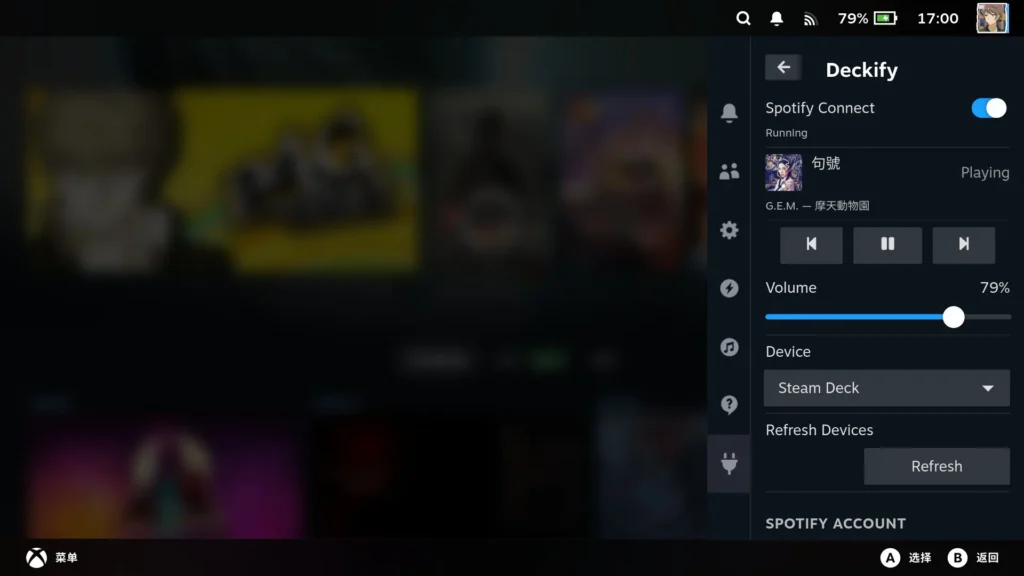
This makes it a great way to listen to music directly on the Deck and not necessarily need another device or extra resources to run Spotify directly on the Deck. We can use this as either a Connect device, which can be used to stream music that we control via another device (like a phone or computer), or turn it into a full-on Spotify client that doesn't need any other device to control it.
To actually use this plugin, you will have to have the Decky Plugin Framework installed, which you can get set up following our guide. As for installing Deckify, you will have to manually move the downloaded folder over to the Homebrew/Plugin folder in Desktop mode.
Now, if you want to turn it into a full-on client, there are some extra steps involved, but it could be worth it if you don't want to use any other device. To do this, you will have to create a free developer account for Spotify, then follow the steps on Deckify's GitHub page to get it set up. The client ID can only be used with 5 devices, but as long as you don't go over that limit, you should be good to go.
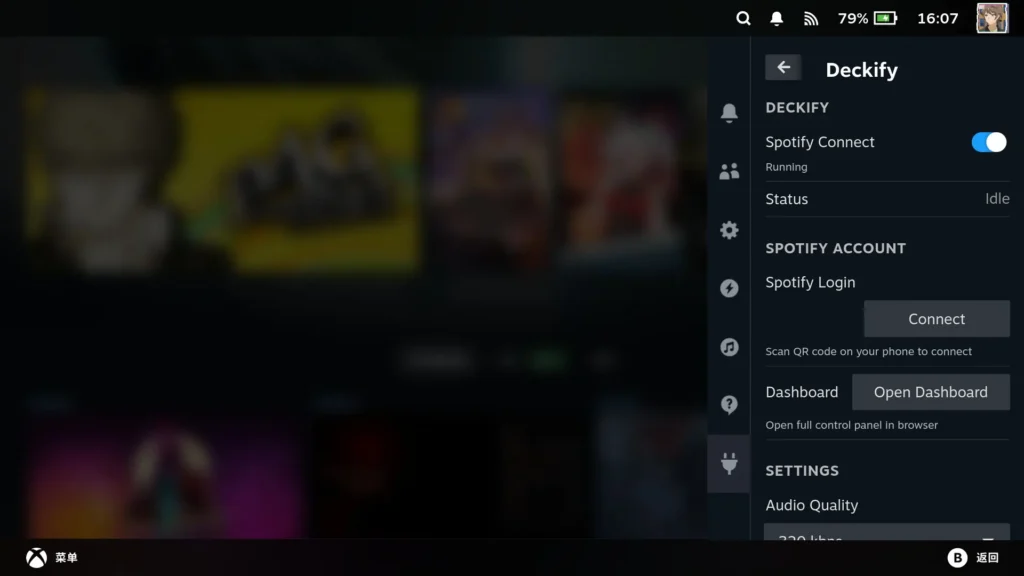
I love this plugin. I am already listening to music all the time when I am gaming, so this just brings everything together into one device rather than me using two. The interface is pretty great as well, giving control of the current music and upcoming, a dedicated volume slider, and even a web dashboard option to control what you are listening to, find new music, and more.
This is most likely going to be the way I play music while gaming from now on, and I look forward to it appearing on the Decky Plugin store.
この記事を楽しんでいただけたなら、SteamDeckHQ の他のコンテンツもチェックしてみてください!あなたのゲーム体験に役立つこと間違いなしのゲームレビューやニュースを幅広く取り揃えています。ニュース、ヒントやチュートリアル、ゲーム設定やレビューをお探しの方も、最新のトレンドを知りたい方も、ぜひご利用ください。

最近のニュース
カテゴリー
Accessories
Anbernic
Android
ASUS ROG Ally
ROG Xbox Ally
Classics on Deck
Community
Cryobyte33
Deals
Deck Mods
Emulation
Events
Featured Post
Game News
Game News
General Game News
HandheldHQ
Hardware
Lenovo
Linux
MagicX
Nintendo
ONE-NETBOOK
Opinion
Other Reviews
Accessory Reviews
Handheld Reviews
PlayStation
Proton
Retro Handhelds
Anbernic
AYANEO
AYN
GPD
MagicX
MANGMI
Retroid
TrimUI
SDHQ
Steam
Steam Machine
SteamOS
The Unsupported Report
Uncategorized
Uncategorized
最近のヒント&GUIDES
新着レビュー